MechaBabyGesus
New member
Hello All,
This is my first post here, although I have visited the site a few times and found some really good help. So thanks to all those who have helped me and did not know it. However, I have an issue that simply googling is not helping me with.
I am in a corporate environment where RDP is used everyday for many different tasks. For this project I am dealing with RDP between 2 Win 7 Pro machines across the board, no servers. What we have started noticing is the connection will suddenly drop, randomly, with just the message that you have been disconnected. This can happen after just logging in or an hour after or anywhere in between. There does not seem to be any set amount of time before the connection drops and of course it is able to be reconnected without issue. The connection speed seems to be fine. All of these machines (42 RDP hosts in total, client machines ?, a lot?) are on a gigabit network with fiber backbone. I have clocked speeds of 700+ mbps, so I feel safe saying it is not the network, or at least the speed. What I have found using wireshark to monitor port 3389 is a few bad packets at the time of one drop, another connection loss yielded a zerowindow message and the third time was with two PCs, identical to one another in hardware and software, that are actually on the same switch, could not be closer without a crossover cable, the connection lasted about 30 minutes and when it dropped wireshark showed nothing bad, no lost packets, no zerowindow, nothing.
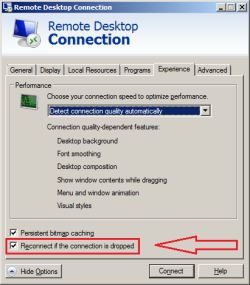
What I have tried so far is confirming the settings of RDP policies (all pertinent policies were "not configured"), changing the autodetect option to both highrestricted and low I believe, based on the zerowindow message. which also led me to try it on 2 identical machines as I came across someone who spoke of having an issue where the host PC is just faster overall than the client. Which is the case here as the hosts I am dealing with have 2 Intel Xeon cores, 256G of ram in some cases (64G and 512G in others) and all have SSD drives for the OS. The client machines the users are RDP'ing into the hosts with vary, but none match the hosts power, unless, as in the case above, I am using two of the machines to RDP.
I am sure I am leaving out details that would be useful to someone who is gracious enough to try and help. I will say I am in a very compartmentalized environment and rather new here, so still learning. Yet, I am the swiss army tech, jack of all trades, master of none. It is the most interesting IT position I have had yet. Thank you in advance to whoever tries to help.
This is my first post here, although I have visited the site a few times and found some really good help. So thanks to all those who have helped me and did not know it. However, I have an issue that simply googling is not helping me with.
I am in a corporate environment where RDP is used everyday for many different tasks. For this project I am dealing with RDP between 2 Win 7 Pro machines across the board, no servers. What we have started noticing is the connection will suddenly drop, randomly, with just the message that you have been disconnected. This can happen after just logging in or an hour after or anywhere in between. There does not seem to be any set amount of time before the connection drops and of course it is able to be reconnected without issue. The connection speed seems to be fine. All of these machines (42 RDP hosts in total, client machines ?, a lot?) are on a gigabit network with fiber backbone. I have clocked speeds of 700+ mbps, so I feel safe saying it is not the network, or at least the speed. What I have found using wireshark to monitor port 3389 is a few bad packets at the time of one drop, another connection loss yielded a zerowindow message and the third time was with two PCs, identical to one another in hardware and software, that are actually on the same switch, could not be closer without a crossover cable, the connection lasted about 30 minutes and when it dropped wireshark showed nothing bad, no lost packets, no zerowindow, nothing.
What I have tried so far is confirming the settings of RDP policies (all pertinent policies were "not configured"), changing the autodetect option to both highrestricted and low I believe, based on the zerowindow message. which also led me to try it on 2 identical machines as I came across someone who spoke of having an issue where the host PC is just faster overall than the client. Which is the case here as the hosts I am dealing with have 2 Intel Xeon cores, 256G of ram in some cases (64G and 512G in others) and all have SSD drives for the OS. The client machines the users are RDP'ing into the hosts with vary, but none match the hosts power, unless, as in the case above, I am using two of the machines to RDP.
I am sure I am leaving out details that would be useful to someone who is gracious enough to try and help. I will say I am in a very compartmentalized environment and rather new here, so still learning. Yet, I am the swiss army tech, jack of all trades, master of none. It is the most interesting IT position I have had yet. Thank you in advance to whoever tries to help.
My Computer
- Computer type
- PC/Desktop
- Computer Manufacturer/Model Number
- Hp Z840
- OS
- Windows 7 Pro x64
- CPU
- Intel Xeon 3.5Ghz x2
- Memory
- 256G
- Graphics Card(s)
- NVIDIA Quadro K420
- Hard Drives
- 1x 500G SSD (OS)
4x 1TB SSD (Mirror RAID)
- Antivirus
- McAfee