- Local time
- 1:52 PM
- Messages
- 114
My system kept losing time (15sec a week), so I created a Task to Force Time Sync hourly-
ImageShack® - Online Photo and Video Hosting
Time.windows.com was 5sec Slow, so I change service to time.nist.gov (taskbar)-
Time Service was Stopped, so I Started it in Services (delayed start).
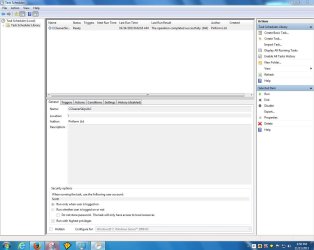
Then I noticed I was losing time again (15sec a week), so I went into Admin Tools/Task Scheduler to see status...?
Now Task Scheduler is corrupted (Selected Task 0 No longer exists)-
If I Refresh, I get the same No Read... pop-up warning-
ImageShack® - Online Photo and Video Hosting
How do I fix this?
ImageShack® - Online Photo and Video Hosting
Time.windows.com was 5sec Slow, so I change service to time.nist.gov (taskbar)-
Time Service was Stopped, so I Started it in Services (delayed start).
Then I noticed I was losing time again (15sec a week), so I went into Admin Tools/Task Scheduler to see status...?
Now Task Scheduler is corrupted (Selected Task 0 No longer exists)-
If I Refresh, I get the same No Read... pop-up warning-
ImageShack® - Online Photo and Video Hosting
How do I fix this?
My Computer
At a glance
Windows 7 Pro (32)i7/26004gb512mg (add on card was less buggy than Intel ...
- Computer Manufacturer/Model Number
- ZT Desktop
- OS
- Windows 7 Pro (32)
- CPU
- i7/2600
- Motherboard
- Intel
- Memory
- 4gb
- Graphics Card(s)
- 512mg (add on card was less buggy than Intel direct driver)
- Sound Card
- Internal
- Monitor(s) Displays
- 19" DELL Ultra Sharp
- Hard Drives
- C:= WD Raptor Sata6 10k rpm
D:/E:= WD Black Sata 3.0
- Case
- ZT Full
- Cooling
- ZT
- Internet Speed
- 8000kbps cable
- Other Info
- Free Outpost Pro Internet Security, and no other active anti-malware.
Free On-Demand- SpyWareBlaster, MBAM, Emsisoft-Kit, and Kaspersky Anti-rootkit utility TDSSKiller.