Solved Ready to try Overclocking, which cpu cooler?

Lava King

New member
Pro User
Local time
9:05 AM
Messages
522
Location
Arkansas, USA
Hi all, I've been considering an upgrade but before I spend that money, I'd like to see what kind of performance I can get from my present system.

The big question now is, which cpu cooler should I get? I know that the stock cooler is inadequate and will have to be replaced before any tweaking takes place.

I'm trying to decide between the Corsair H100 and the EVGA Superclock. According to this graph Prolimatech Lynx CPU Cooler Review | Hardware Secrets they're pretty close in performance.

The price difference between the two doesn't bother me much, but I'd like to think that I'm getting what I pay for. What does bother me is a significant number of H100 consumer reviews complaining of pump noise or failure.

So, is hardwaresecrets.com trustworthy (the linked article claims that all the listed coolers were re-tested on the same rig) and is the H100 reliable?

Does anyone have either of these coolers?

Opinions?
 

My Computer

Computer type
PC/Desktop
Computer Manufacturer/Model Number
Custom Build
OS
Windows 7 Home Premium x64
CPU
Intel Core i7 5960X @3.0 GHz
Motherboard
Gigabyte GA-X99-SOC Force
Memory
4 x 4 GB G.Skill Ripjaws4 DDR4-2400
Graphics Card(s)
PNY GTX 780
Sound Card
Realtek on-board ALC1150
Monitor(s) Displays
HP Z30i + Asus PA246Q + Dell U2412M
Screen Resolution
2560x1600 + 1920x1200 + 1920x1200
Hard Drives
Samsung 830 256GB
PSU
Antec EarthWatts 650W
Case
Cooler Master HAF 932
Cooling
Corsair Hydro Series H105
Keyboard
Razer BlackWidow Tournament Edition Stealth
Mouse
Razer Naga
I don't overclock myself, and I only have the stock cooler that I purchased with my CPU installed, so I can't answer any specific questions on either of these coolers (or any others that you might consider). The main advice that I can give is to read as many reviews as you can for the cooler(s) that you are tinking about, paying particular attention to the satisfaction rating. Another thing to be aware of is whether it will fit in your case and not interfere with motherboard components.
 

My Computer

Computer type
PC/Desktop
Computer Manufacturer/Model Number
Dwarf Dwf/11/2012 r09/2013
OS
Windows 8.1 Pro RTM x64
CPU
Intel Core-i5-3570K 4-core @ 3.4GHz (Ivy Bridge) (OC 4.4GHz)
Motherboard
ASRock Z77 Extreme4-M
Memory
4 x 4GB DDR3-1600 Corsair Vengeance CMZ8GX3M2A1600C9B (16GB)
Graphics Card(s)
MSI GeForce GTX770 Gaming OC 2GB
Sound Card
Realtek High Definition on board solution (ALC 898)
Monitor(s) Displays
ViewSonic VA1912w Widescreen (VGA)
Screen Resolution
1440x900
Hard Drives
OCZ Agility 3 SSD 120GB SATA III x2 (RAID 0)
Samsung HD501LJ 500GB SATA II x2
Hitachi HDS721010CLA332 1TB SATA II
Iomega 1.5TB Ext USB 2.0
WD 2.0TB Ext USB 3.0
PSU
XFX Pro Series 850W Semi-Modular
Case
Gigabyte IF233
Cooling
1 x 120mm Front Inlet 1 x 120mm Rear Exhaust
Keyboard
Microsoft Comfort Curve Keyboard 3000 (USB)
Mouse
Microsoft Comfort Mouse 3000 for Business (USB)
Internet Speed
NetGear DG834Gv3 ADSL Modem/Router (Ethernet) ~4.0 Mb/s (O2)
Antivirus
Avast! 8.0.1497
Browser
IE 11
Other Info
Optical Drive: HL-DT-ST BD-RE BH10LS30 SATA Bluray
Lexmark S305 Printer/Scanner/Copier (USB)
WEI Score: 8.1/8.1/8.5/8.5/8.25
Asus Eee PC 1011PX Netbook (Windows 7 x86 Starter)
Depends entirely on what CPU you have as to what I can recommend to you.
Personally, I've overclocked my Q6600 and used an Arctic Cooling Freezer 13, which is quite cheap but delivers a good performace for the money (around 15degrees C lower than stock at idle, slightly more under load). It's got brackets and the like to broaden the range of CPUs it can be attached to, if yours is in the list then I recommend you give it a shot.

Arctic Cooling Freezer 13 Intel and AMD Socket.. | Ebuyer.com
 

My Computer

Computer Manufacturer/Model Number
Self-build
OS
Windows 7 Ultimate 64-bit
CPU
Intel Core2 Quad Q6600
Motherboard
ASUS P5Q PRO
Memory
8GB Corsair DDR2
Graphics Card(s)
AMD Radeon HD6600
Monitor(s) Displays
22" LG HDTV serving as a monitor
Hard Drives
1TB
PSU
Antec 650w
Case
Antec 900
I don't know about the H100, but I am using a H80 on my i7 860 that is overclocked to 3.8 with HT and my max temps is 69, and I am using a push pull config with 2 noctua. I hope this could atleast give an idea on temps. And I would strongly advise you from not using the corsair fans that comes with the H80/100 at full speed those fans sounds like a motorboat
 

My Computer

Computer type
PC/Desktop
OS
Windows 7 Home Premium x64
CPU
Intel Core i7 860 (Lynnfield)
Motherboard
Asus P7P55D (LGA1156)
Memory
Corsair Vengeance 9,9,9,24 1600Mhz 1.50v 2x4G
Graphics Card(s)
Asus nVidia 560 GTX
Sound Card
Asus Xonar DG
Monitor(s) Displays
Acer P235H & NEC E201W
Screen Resolution
1920x1080 & 900x1600
Hard Drives
2
PSU
Corsair 650 Modular
Case
Corsair 800D
Cooling
Corsair H80 with Noctua fans
Keyboard
Ducky Shine
Mouse
tT Theron
Internet Speed
100/100
Browser
IE10
I don't know about the H100, but I am using a H80 on my i7 860 that is overclocked to 3.8 with HT and my max temps is 69, and I am using a push pull config with 2 noctua. I hope this could atleast give an idea on temps. And I would strongly advise you from not using the corsair fans that comes with the H80/100 at full speed those fans sounds like a motorboat

I completely agree with Andreas, the corsair fans are insanely noisy.
My rig has an i7 2600K @ ~5.0Ghz and my H100 with quad Noctua NF-S12B's in push/pull keep it frosty.

If you do end up going with the H100, plan to spend extra cash on better fans. Noctuas are the way to go IMO.


My Computer

Computer Manufacturer/Model Number
Custom Rig
OS
Windows 7 Ultimate 64-Bit SP1
CPU
Intel Core i7-2600k OC'd @ 5.0Ghz
Motherboard
ASUS Maximus IV Extreme-Z
Memory
16 GB Corsair Vengeance PC3-12800 (4x4GB)
Graphics Card(s)
XFX 695X DD (x2) in Crossfire
Sound Card
Realtek ALC889 (Integrated)
Monitor(s) Displays
XFX Triple Monitor Display w/ 3 ASUS 23.6" LCD
Screen Resolution
5760x1080 (AMD Eyefinity)
Hard Drives
OCZ Vertex 3 SATA III (120GB)
WD Caviar Black 1.5 TB x2
PSU
XFX ProSeries Black Edition 1000w 80+ Platinum Certified
Case
Cooler Master HAF X Blue Edition
Cooling
Corsair H100 w/ Noctua NF-S12B FLX (x4) Push/Pull
Keyboard
Razer Lycosa
Mouse
Razer Naga & Razer Nostromo
Other Info
ASUS ROG G74SX
-240GB OCZ Vertex II x2 (Raid 0)
My experience is quite different, although I will agree about the Noctuas with V43L1N. I have the H100 with 4 Noctuas in push/pull. I am not happy. My temps are way too high for me. However, I can't blame it on the H100. I have tried to cool it with a Thermaltake FRIO and an NH-D14. They couldn't do it either. And I have used IC Diamond thermal paste, as well as Artic Silver and Noctua's paste which is quite good. It may just be the chip. I have found none of the coolers mentioned above or the thermal pastes to make much difference. As far as it fitting your case, you have the HAF 932 listed. I have a HAF X which are basically the same case. It will fit perfectly in the top of the case. I will also agree with the advice above to not use the corsair fans. They sound like you are standing next to a 747. Go, Noctua. They are expensive, but do an excellent job. 5 year warranty and I have all 4 connected to the PSU dorectly thus running 100% all the time. I can't even hear them. And no adapters to slow them down was used. That's just my experience.
 

My Computers

System One System Two

  • Computer type
    PC/Desktop
    Computer Manufacturer/Model Number
    ALWAYS UNDER CONSTRUCTION
    OS
    Windows 11 Pro
    CPU
    Ryzen 9 5900X
    Motherboard
    Asus X570 Crosshair Viii Hero
    Memory
    32GB G Skill DDR4-3600
    Graphics Card(s)
    EVGA RTX 3080 FTW 3 Ultra
    Sound Card
    On Board/Sennheiser PC37X Headset
    Monitor(s) Displays
    3 X Asus 27"
    Screen Resolution
    2560x1440
    Hard Drives
    2 X 1 TB NVME drives
    PSU
    EVGA 850
    Case
    Phanteks Eclipse P400A
    Cooling
    EVGA 280 AIO
    Keyboard
    Logitech G510s/ Logitech G13
    Mouse
    Logitech G502
    Internet Speed
    24/1
    Antivirus
    ESET/MBAM Pro/SAS Pro
    Browser
    Chrome/ Firefox/ Edge
  • Computer type
    Laptop
    System Manufacturer/Model Number
    Dell 16 Plus
    OS
    Windows 11 Pro
    CPU
    Intel Ultra 9 288V
    Memory
    32 GB LPDDR5X 8533
    Monitor(s) Displays
    16" Mini-LED HDR600 Touch 90 Hz
    Screen Resolution
    2560X1600
    Hard Drives
    1 TB NVME
I overclock on my stock Intel cooler and have no problems. My Q9550 was bumped from 2.83Ghz to 3.40Ghz on the Stock cooler, with a minor DROP in voltage and I idle between 28-32c and max around 65c under Prime95.
 

My Computer

Computer Manufacturer/Model Number
Self-Built in July 2009
OS
Windows 7 Ultimate x64
CPU
Intel Q9550 2.83Ghz OC'd to 3.40Ghz
Motherboard
Gigabyte GA-EP45-UD3R rev. 1.1, F12 BIOS
Memory
8GB G.Skill PI DDR2-800, 4-4-4-12 timings
Graphics Card(s)
EVGA 1280MB Nvidia GeForce GTX570
Sound Card
Realtek ALC899A 8 channel onboard audio
Monitor(s) Displays
23" Acer x233H
Screen Resolution
1920x1080
Hard Drives
Intel X25-M 80GB Gen 2 SSD
Western Digital 1TB Caviar Black, 32MB cache. WD1001FALS
PSU
Corsair 620HX modular
Case
Antec P182
Cooling
stock
Keyboard
ABS M1 Mechanical
Mouse
Logitech G9 Laser Mouse
Internet Speed
15/2 cable modem
Other Info
Windows and Linux enthusiast. Logitech G35 Headset.
I find the Antec 620 does a real good job on my Overclock but the 620's Big brother Antec 920 Is about 30 to 40 bucks more but worth it

I wanted to go the Corsair route but when i seen them in person and how many returns and open boxes i passed
 

My Computer

Computer type
PC/Desktop
Computer Manufacturer/Model Number
CoreI7-6700K MrFingerIII Special Builds
OS
Windows 10 Home Premium 64bit sp1
CPU
Intel I7-6700K @ 4.6 Ghz 1.344 volts everyday OC
Motherboard
Asrock Fatality K6 Z170 Socket 1151
Memory
32GB G-Skill TridentZ 3200mhz 16-18-18-38 DDR4
Graphics Card(s)
Sli Gigabyte Windforce GTX 980 G1
Sound Card
AC97 Creative Rage Tactic 3D Headphones Bluetooth
Monitor(s) Displays
27" Asus ROG Swift PG278Q G-Sync 48" Vizio Smart HD TV
Screen Resolution
2560x1440p 27"- 48" Currently Gaming at 2560x1440p Res 2K
Hard Drives
250GB Samsung Evo840SSD Seagate baracuda 500 GB WD Mybook 500Gb 1TB Seagate Barracuda
PSU
HX1050w Corsair Silver 80plus certified crosfire/sli
Case
Enthod Pro Full Tower
Cooling
Corsair H110i GT 280 mm High Performance WaterBlock
Keyboard
Logitech wireless keyboard
Mouse
Logitech wireless mouse
Internet Speed
Cox Cable 100+ mb
Antivirus
WebRoot Spysweeper with Antivirus
Browser
IE-10, Chrome, Opera
Other Info
My Other Rig is a AMD FX8320E @4.6Ghz 16GB Ballistic Sport Ram
Mobo Asrock Fatality 990FX 120GB OCZ SSD 1TB Seagate Barracuda Corsair H75 Cooling PSU Corsair CX750
GPU GTX Gigabyte 970G1
Thanks, y'all, I appreciate the input. :D

I would really like to go for the H100 but I can't ignore the numerous consumer reviews and comments about the noisy pump and/or pump failure.

I'm not ready for a "full on" water cooling solution so it looks like I'll go for an air cooler.

The thing is, the various hardware review websites have it in their own best interests to NOT give a bad review, to do otherwise would probably lead to their new hardware submissions drying up. I'm not saying that they're dishonest, you just have to carefully read (sometimes between the lines) the reviews to get the whole picture.

Still haven't made a choice, I'm off to read even more reviews.
 

My Computer

Computer type
PC/Desktop
Computer Manufacturer/Model Number
Custom Build
OS
Windows 7 Home Premium x64
CPU
Intel Core i7 5960X @3.0 GHz
Motherboard
Gigabyte GA-X99-SOC Force
Memory
4 x 4 GB G.Skill Ripjaws4 DDR4-2400
Graphics Card(s)
PNY GTX 780
Sound Card
Realtek on-board ALC1150
Monitor(s) Displays
HP Z30i + Asus PA246Q + Dell U2412M
Screen Resolution
2560x1600 + 1920x1200 + 1920x1200
Hard Drives
Samsung 830 256GB
PSU
Antec EarthWatts 650W
Case
Cooler Master HAF 932
Cooling
Corsair Hydro Series H105
Keyboard
Razer BlackWidow Tournament Edition Stealth
Mouse
Razer Naga
Hyper 212 is always a good choice. Great cooler and low price.
 

My Computer

Computer Manufacturer/Model Number
Self-Built in July 2009
OS
Windows 7 Ultimate x64
CPU
Intel Q9550 2.83Ghz OC'd to 3.40Ghz
Motherboard
Gigabyte GA-EP45-UD3R rev. 1.1, F12 BIOS
Memory
8GB G.Skill PI DDR2-800, 4-4-4-12 timings
Graphics Card(s)
EVGA 1280MB Nvidia GeForce GTX570
Sound Card
Realtek ALC899A 8 channel onboard audio
Monitor(s) Displays
23" Acer x233H
Screen Resolution
1920x1080
Hard Drives
Intel X25-M 80GB Gen 2 SSD
Western Digital 1TB Caviar Black, 32MB cache. WD1001FALS
PSU
Corsair 620HX modular
Case
Antec P182
Cooling
stock
Keyboard
ABS M1 Mechanical
Mouse
Logitech G9 Laser Mouse
Internet Speed
15/2 cable modem
Other Info
Windows and Linux enthusiast. Logitech G35 Headset.
If you read more about overclocking alot of people recommend the H100 overall

Like I was saying earlier the Antec i bought beats out the Corsair by a few degree's

It's really hard to Judge what will perform the best Ussually it will perform only as good as it was installed pretty much meaning people that had issues probally didnt install it correctly

Even with the easy set up Vids it isn't all that easy
 

My Computer

Computer type
PC/Desktop
Computer Manufacturer/Model Number
CoreI7-6700K MrFingerIII Special Builds
OS
Windows 10 Home Premium 64bit sp1
CPU
Intel I7-6700K @ 4.6 Ghz 1.344 volts everyday OC
Motherboard
Asrock Fatality K6 Z170 Socket 1151
Memory
32GB G-Skill TridentZ 3200mhz 16-18-18-38 DDR4
Graphics Card(s)
Sli Gigabyte Windforce GTX 980 G1
Sound Card
AC97 Creative Rage Tactic 3D Headphones Bluetooth
Monitor(s) Displays
27" Asus ROG Swift PG278Q G-Sync 48" Vizio Smart HD TV
Screen Resolution
2560x1440p 27"- 48" Currently Gaming at 2560x1440p Res 2K
Hard Drives
250GB Samsung Evo840SSD Seagate baracuda 500 GB WD Mybook 500Gb 1TB Seagate Barracuda
PSU
HX1050w Corsair Silver 80plus certified crosfire/sli
Case
Enthod Pro Full Tower
Cooling
Corsair H110i GT 280 mm High Performance WaterBlock
Keyboard
Logitech wireless keyboard
Mouse
Logitech wireless mouse
Internet Speed
Cox Cable 100+ mb
Antivirus
WebRoot Spysweeper with Antivirus
Browser
IE-10, Chrome, Opera
Other Info
My Other Rig is a AMD FX8320E @4.6Ghz 16GB Ballistic Sport Ram
Mobo Asrock Fatality 990FX 120GB OCZ SSD 1TB Seagate Barracuda Corsair H75 Cooling PSU Corsair CX750
GPU GTX Gigabyte 970G1
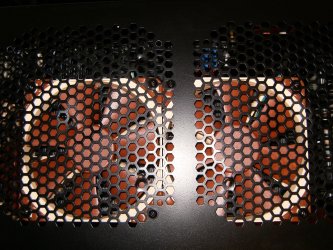
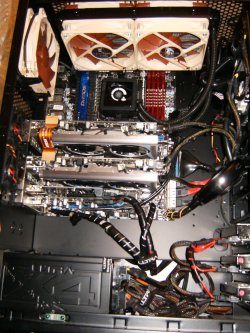
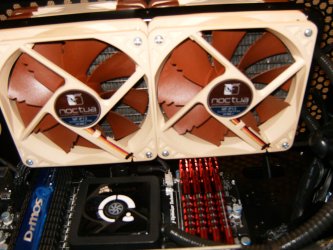
I was one of the first to install and run my H100 and I have nothing but praise to heap. I went from stock to Zalman to an H50 to push/pull to the H100 with p/p noc's. Agree the Corsair fans must be speed controlled and what you can do is order 2 Noctua fans and use the provided speed reducers to quiet the Corsair as exhaust fans then phase II the other two Noc's at $19.00-$24.00 each it does add up! Noise from the pump.....none and I run the pump full blast all the time. Sealed water has come a long way but I too feared the idea but once I used the H50 all fear faded and only higher overclocks came! There of course are outstanding air solutions available.
HPIM2066.jpg

HPIM2109.jpg

HPIM2116.jpg

HPIM2113.jpg
 

My Computer

Computer type
PC/Desktop
Computer Manufacturer/Model Number
A blend of brains, brawn and dumb luck.
OS
Windows 7 Ultimate 64
CPU
i7 3770k OC'd 4.6 @ 1.17v, also FX 8120 & i5 miniITX
Motherboard
MSI P67A-GD80 b3
Memory
32 gb G.Skill Sniper DDR3 10-12-12-31 @ 2133
Graphics Card(s)
XFX Radeon 7870 2GB DDR5
Sound Card
Sound Blaster Z Series Card
Monitor(s) Displays
(2) LG LED 23" 1920 x 1080 2ms Monitors via mini d-port
Screen Resolution
1680 X 1050 p
Hard Drives
Samsung 256 gb 830 SSD sata III
(1) 1 tb WD Black
(2) 1 tb Hitachi deskmates/sata II
(2) 1 tb WD green/sata II
(2) 3 tb Seagate Barracuda
(1) 120 gb OCZ Vertex SS
(1) Drobo 5N w/5 Seagate 3tb
PSU
EVGA modular 1000G2 80% gold rating & APC 1200 RS
Case
CoolerMaster Storm Styker
Cooling
7 case fans 140mm & 120mm, NZXT Kraken X60
Keyboard
(2) Logitech Illuminated Keyboards (1) usb (1) wireless
Mouse
Logitech G700 & T-BC21 - nano nx for the laptop
Internet Speed
Basic 120mbps down
Antivirus
Trend Micro Titanium Max Security & Malwarebytes Premium
Browser
Chrome and IE 10
Other Info
5 Noctua case fans + 3 Noctua in p/p on NZXT cooler
Integrated hot swap drive bays for 2.5" Drives
(2) Lite-on dvd/cd/Blu Ray optical 22X
Integrated fan controller and led on/off
HP Officejet Pro 8630 all-n-one
Hot-swappable 3.5" hard drive bay
Netgear Nighthawk router
Asus USB 3 & sata 6 PCIe card
Vantec IDE to sata adptr./Ultra sata adptr
Lenovo L420 i5 lappy with m sata
Drobo 5N advanced NAS
I have a eVGA Superclocked on my 2700K, so I can share my thoughts about it.

The Pros:
-Cooling Performance is quite good. It may not be the best choice for extreme overclocks, but it does do very well.
-Its design also tend to cool the PWM area as well.
-Easy to install and very secure mounting. Bolt on type installation.
-It looks very nice with its matte black and Red lights.

The Cons:
Its Loud!!!! Its high speed fan really will scream.

The only saving grace here is if you can adjust the fan profile in the bios.
I have mine set to top out at 80% MAX speed, which reduces the noise a great deal while still keeping good thermal performance.

Granted, it normally will not reach those those speeds and stays fairly quite for the most part. Even gaming. But if you run a Benchmark, or anything thats heavily CPU intensive to heat up the CPU (such as Video Encoding that will max the all cores), it will ramp up and you WILL hear it easily above all else.


Honestly, I think I should have went with something like the 9900MAX Zalman for asethic looks, but a 212+ would probably be pretty close as well for 1/2 the price.
Im satisfied with it, as for the most part it doesn't need to ramp the fan up that high. But still, its certainly worth pointing out.
That loud, high speed fan is the only flaw with this cooler IMHO.
 

My Computer

Computer Manufacturer/Model Number
Custom (Self Build)
OS
Windows 7 Home Premium 64bit
CPU
Intel Core i7 2700k
Motherboard
eVGA P67 SLI
Memory
8GB Mushkin Redline Ridgebacks @1866
Graphics Card(s)
EVGA GTX570 SC
Sound Card
XiFi Titanium HD
Monitor(s) Displays
LG W2453V
Screen Resolution
1920x1080
Hard Drives
Intel 320 80GB -- Intel X25-V 40GB --WD Black 1TB x2 -- WD Blue 640GB
PSU
Seasonic x750
Case
Corsair 600T SE White
Cooling
eVGA Superclocked CPU Cooler
Keyboard
Saitek Cyborg
Antivirus
Kaspersky
Browser
IE
Other Info
LG BD/DVD
I personally believe it depends on what type of overclocking you intend to do. For a more moderate overclock there are several good coolers out there that will do the job. If you want to do serious high overclocks you better pick your cooler carefully. It also depends on what CPU you are overclocking. My experience is with the 2500K and the 2600K. It ultimately gets down to how many volts you put to the CPU. I have an H100 with 4 Noctua fans in push / pull. I run all 4 fans at 100% all the time and they are dead silent. I have had no issues that you speak of such as pump noise and water leaks. my pump runs at 22-2300 RPMs all the time. But, for cooling it just does not do the job for me. When I run Intel burn test at around 1.38V temps get to 80C, which I don't believe they should. I also have a Noctua NH-D14. Before I damaged a few parts of it ( I'm a dummy) I have run over 1.4V and never seen 80C. When my new parts arrive I am sure that at some point, the Noc will go back on. However, I am only talking about benchmark tests. On normal use, even gaming the H 100 does well. At the same voltage I mentioned above, I can game for hours with a max temp of 55. So to me, it all depends on what you want to do. If you are going to do just moderate overclocks the 212+. Evo a zalman or the H100 and several others would do well for you. IMHO, if you are like me and like to 'play in bios' and push the limits on air, you should look for something like th NH-D14 or the Silver Arrow or maybe the phantaks. If none of those 3 will keep it cool, you will have to go full water. that has been my experience anyway. Another consideration is your ambient temps. I live in Florida where it gets quite warm. If you are in a much cooler climate, your experience will be much different than mine. I have a friend who has basically the same rig as me, but lives in the UK. His Thermaltake Frio does outstanding for him. But, he was running his in a much cooler climate than me. just my opinion.
 

My Computers

System One System Two

  • Computer type
    PC/Desktop
    Computer Manufacturer/Model Number
    ALWAYS UNDER CONSTRUCTION
    OS
    Windows 11 Pro
    CPU
    Ryzen 9 5900X
    Motherboard
    Asus X570 Crosshair Viii Hero
    Memory
    32GB G Skill DDR4-3600
    Graphics Card(s)
    EVGA RTX 3080 FTW 3 Ultra
    Sound Card
    On Board/Sennheiser PC37X Headset
    Monitor(s) Displays
    3 X Asus 27"
    Screen Resolution
    2560x1440
    Hard Drives
    2 X 1 TB NVME drives
    PSU
    EVGA 850
    Case
    Phanteks Eclipse P400A
    Cooling
    EVGA 280 AIO
    Keyboard
    Logitech G510s/ Logitech G13
    Mouse
    Logitech G502
    Internet Speed
    24/1
    Antivirus
    ESET/MBAM Pro/SAS Pro
    Browser
    Chrome/ Firefox/ Edge
  • Computer type
    Laptop
    System Manufacturer/Model Number
    Dell 16 Plus
    OS
    Windows 11 Pro
    CPU
    Intel Ultra 9 288V
    Memory
    32 GB LPDDR5X 8533
    Monitor(s) Displays
    16" Mini-LED HDR600 Touch 90 Hz
    Screen Resolution
    2560X1600
    Hard Drives
    1 TB NVME

My Computer

Computer Manufacturer/Model Number
Emachines
OS
Windows 7 Ultimate x64 SP1
CPU
AMD Athlon II X2 235
Motherboard
eMachines MCP61PM-GM
Memory
6.00 GB Dual-Channel DDR2 @ 401MHz (5-5-5-18)
Graphics Card(s)
1024MB GeForce 9800 GT (PNY)
Sound Card
Realtek
Monitor(s) Displays
LG 1080P Monitor
Screen Resolution
1920x1080
Hard Drives
733GB Seagate ST375052 8AS SCSI Disk Device (ATA)
PSU
Cooler-master 460w 80 Plus Bronze
Case
Emachines
Cooling
Cooler master CPU cooler
Keyboard
Emachines keyboard
Internet Speed
36 Megabits per second (3.6 MEGABYTES per second)
I greatly appreciate the input from everyone. :D

I've taken into consideration the info posted here and read reviews (professional and consumer) until I was cross-eyed.

On the Corsair forum it was stated that the return or failure rate was less than 2% but I just didn't want to chance it.

So, I've ordered an EVGA Superclock cooler. I'm not going to try to push my E8500 to the absolute max, just want to get a good, stable OC. I'll post my results when I have them.
 

My Computer

Computer type
PC/Desktop
Computer Manufacturer/Model Number
Custom Build
OS
Windows 7 Home Premium x64
CPU
Intel Core i7 5960X @3.0 GHz
Motherboard
Gigabyte GA-X99-SOC Force
Memory
4 x 4 GB G.Skill Ripjaws4 DDR4-2400
Graphics Card(s)
PNY GTX 780
Sound Card
Realtek on-board ALC1150
Monitor(s) Displays
HP Z30i + Asus PA246Q + Dell U2412M
Screen Resolution
2560x1600 + 1920x1200 + 1920x1200
Hard Drives
Samsung 830 256GB
PSU
Antec EarthWatts 650W
Case
Cooler Master HAF 932
Cooling
Corsair Hydro Series H105
Keyboard
Razer BlackWidow Tournament Edition Stealth
Mouse
Razer Naga
Lava King,
It sounds like you made a good informed decision. The look of the equipment in our rigs can be extremely important. I'm sure when I get my 800D with it's huge side window then I'll re-evaluate the lighting and look of several items as well. Take some shots when it's going in and tell us how you like it after it's broken in.
 

My Computer

Computer type
PC/Desktop
Computer Manufacturer/Model Number
A blend of brains, brawn and dumb luck.
OS
Windows 7 Ultimate 64
CPU
i7 3770k OC'd 4.6 @ 1.17v, also FX 8120 & i5 miniITX
Motherboard
MSI P67A-GD80 b3
Memory
32 gb G.Skill Sniper DDR3 10-12-12-31 @ 2133
Graphics Card(s)
XFX Radeon 7870 2GB DDR5
Sound Card
Sound Blaster Z Series Card
Monitor(s) Displays
(2) LG LED 23" 1920 x 1080 2ms Monitors via mini d-port
Screen Resolution
1680 X 1050 p
Hard Drives
Samsung 256 gb 830 SSD sata III
(1) 1 tb WD Black
(2) 1 tb Hitachi deskmates/sata II
(2) 1 tb WD green/sata II
(2) 3 tb Seagate Barracuda
(1) 120 gb OCZ Vertex SS
(1) Drobo 5N w/5 Seagate 3tb
PSU
EVGA modular 1000G2 80% gold rating & APC 1200 RS
Case
CoolerMaster Storm Styker
Cooling
7 case fans 140mm & 120mm, NZXT Kraken X60
Keyboard
(2) Logitech Illuminated Keyboards (1) usb (1) wireless
Mouse
Logitech G700 & T-BC21 - nano nx for the laptop
Internet Speed
Basic 120mbps down
Antivirus
Trend Micro Titanium Max Security & Malwarebytes Premium
Browser
Chrome and IE 10
Other Info
5 Noctua case fans + 3 Noctua in p/p on NZXT cooler
Integrated hot swap drive bays for 2.5" Drives
(2) Lite-on dvd/cd/Blu Ray optical 22X
Integrated fan controller and led on/off
HP Officejet Pro 8630 all-n-one
Hot-swappable 3.5" hard drive bay
Netgear Nighthawk router
Asus USB 3 & sata 6 PCIe card
Vantec IDE to sata adptr./Ultra sata adptr
Lenovo L420 i5 lappy with m sata
Drobo 5N advanced NAS
@LavaKing

When you install the eVGA SC cooler, make sure to pay attention to the backplate. Ive seen a few that shorted thier Mobos installing it.

The backplate has one side thats coated which should be against the MOBO, and it also has rubber grommets that go beween the HS and both sides of the MOBO.
It isn't that difficult, but i think a few may have just threw it together in a hurry without paying attention resulting in issues.

As I mentioned before, once you get it up and running, just set a fan profile to quite it down if you choose. It is a good cooler overall.


One other thing that may be worth mentioning.
You can put a slower RPM, quieter fan on it but it seems to choke its performance somewhat. Perhaps if you go this route you'll have better luck but it seems its design really depends on that high speed fan, largely when the CPU is at MAX load.

It does look quite nice and does a very good job though.
 

My Computer

Computer Manufacturer/Model Number
Custom (Self Build)
OS
Windows 7 Home Premium 64bit
CPU
Intel Core i7 2700k
Motherboard
eVGA P67 SLI
Memory
8GB Mushkin Redline Ridgebacks @1866
Graphics Card(s)
EVGA GTX570 SC
Sound Card
XiFi Titanium HD
Monitor(s) Displays
LG W2453V
Screen Resolution
1920x1080
Hard Drives
Intel 320 80GB -- Intel X25-V 40GB --WD Black 1TB x2 -- WD Blue 640GB
PSU
Seasonic x750
Case
Corsair 600T SE White
Cooling
eVGA Superclocked CPU Cooler
Keyboard
Saitek Cyborg
Antivirus
Kaspersky
Browser
IE
Other Info
LG BD/DVD
Back
Top