Solved Really Important.

And just out of curiosity, umm, let's say the Hyper 212, does bring the temps back to normal, i.e., 35 - 40, will that bring the load down as well?
That is tough to say, as it still depends on other factors, such as how well the case is cooling the system overall, etc.

On my two systems with Hyper 212+ HSFs, I have seen a standard 20-25 degree (C) drop in idle and load temps. One system is using an i7-2600 and the other is using a Q8300. Both systems are cooled very well thanks to my Cooler Master HAF912 cases. I will try to find the comparison charts I made when I bought my first Hyper 212+ and ran it with an Intel Q9550. The cooling performance was so good, especially given the $20 price tag, I never really bothered to keep checking. MaximumPC and CPU magazine both have pretty much been recommending it since it's release (and then again when the + version came out), even now with the latest, hottest procs.

My only complaint is that you do need to pull the motherboard (unless you have enough space in a cutout underneath) to mount them. It takes a few minutes, but it isn't difficult. Still, it is something to consider if you were adding it to an existing system.
 
Last edited:

My Computer

OS
Windows 7 Ultimate x64 SP1
CPU
Intel Core i7-2600
Motherboard
Gigabyte GA-P67A-UD3P-B3
Memory
12 GB Patriot Extreme DDR3-1333
Graphics Card(s)
Nvidia GTX 470
Monitor(s) Displays
Dell UltraSharp 2209WA
Hard Drives
OCZ Agility3 240 GB, WD5001AALS, WD7501AALS
PSU
OCZ ModStream 700W
Case
CoolerMaster HAF 912 Advanced
Cooling
CoolerMaster Hyper 212 Plus
And just out of curiosity, umm, let's say the Hyper 212, does bring the temps back to normal, i.e., 35 - 40, will that bring the load down as well?
No. Reducing the load may lower temps because there is less work being done. But reducing the temps does not lower the load.
 

My Computer

Computer Manufacturer/Model Number
BrightWorks Systems B4
OS
Windows 7 Profession 64-bit
CPU
Intel Core i7-860 Quad
Motherboard
Gigabyte P55-UD4P
Memory
Mushkin 4x2Gb PC12800
Graphics Card(s)
Gigabyte GTX260 896Mb
Sound Card
Integrated 7.1 HD Dolby
Monitor(s) Displays
2 Samsung 2220wm-HAS 22"
Screen Resolution
1680 x 1050 | 1680 x 1050
Hard Drives
WD HE 1Tb
PSU
Corsair TX-750W
Case
Ultra M998
Cooling
OEM
Keyboard
MS Wireless Comfort 5000
Mouse
MS Wireless 5000
Internet Speed
Cable and pretty darn fast
And just out of curiosity, umm, let's say the Hyper 212, does bring the temps back to normal, i.e., 35 - 40, will that bring the load down as well?
No. Reducing the load may lower temps because there is less work being done. But reducing the temps does not lower the load.

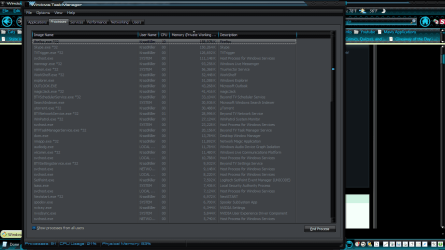
part of the load is because of the higher temps, but over 90% i would say is because of something running that you haven't tracked down yet, or conflicting hardware. the 212 is a good idea for getting the temps back down til you can ferret out what is causing the heavy load. from looking at what memory your programs use i would say it is hardware not playing nice with each other as stated above. as i stated before i have a far heavier load than that and my idle temps are 39 - 43c on a e8400. my highest temp under load is 60c.
 

Attachments

  • Manager.png
    Manager.png
    50 KB · Views: 6

My Computer

OS
Windows 7 Ultimate
CPU
Core2Duo E8400
Motherboard
Asus Rampage Formula Rev. 1
Memory
5 Gigs
Graphics Card(s)
Asus Nvidia 9500 Gt
Sound Card
Creative X-Fi Extreme Audio
Monitor(s) Displays
18 Inch LCD
Screen Resolution
1366x768
Hard Drives
c: wd 300 gig velociaptor, wd 1tb, wd 500 gig, wd 320 gig, and 2 wd 40 gig ide drives
PSU
600 watts
It would be worth cleaning the fins on the heatsink with a can of compressed air (if you haven't already done so), and make sure that all fan blades are clean (this applies to case fans as well). Having done that, ensure that your case fans are correctly orientated (front & side as intake, rear & top as exhaust).

Fans should not be used to force air through a system, rather to assist the natural flow of air (which will be from the bottom front to the upper rear). If this balanced airflow is not achieved, then component overheating can result. Firstly, when you have too much air flowing in, with insufficient flowing out. This can lead to a build up of air pressure and heat inside the case. (Try holding your thumb over the end of an ordinary bicycle pump and operate it. You will soon find that the pump barrel can get quite hot.) Secondly, the opposite effect, with too much emphasis being placed on exhausting air. This leads to a partial vacuum within the case, with the result that cool air is not being drawn in at a fast enough rate to replace the warm/hot air that has been exhausted.
 

My Computer

Computer type
PC/Desktop
Computer Manufacturer/Model Number
Dwarf Dwf/11/2012 r09/2013
OS
Windows 8.1 Pro RTM x64
CPU
Intel Core-i5-3570K 4-core @ 3.4GHz (Ivy Bridge) (OC 4.4GHz)
Motherboard
ASRock Z77 Extreme4-M
Memory
4 x 4GB DDR3-1600 Corsair Vengeance CMZ8GX3M2A1600C9B (16GB)
Graphics Card(s)
MSI GeForce GTX770 Gaming OC 2GB
Sound Card
Realtek High Definition on board solution (ALC 898)
Monitor(s) Displays
ViewSonic VA1912w Widescreen (VGA)
Screen Resolution
1440x900
Hard Drives
OCZ Agility 3 SSD 120GB SATA III x2 (RAID 0)
Samsung HD501LJ 500GB SATA II x2
Hitachi HDS721010CLA332 1TB SATA II
Iomega 1.5TB Ext USB 2.0
WD 2.0TB Ext USB 3.0
PSU
XFX Pro Series 850W Semi-Modular
Case
Gigabyte IF233
Cooling
1 x 120mm Front Inlet 1 x 120mm Rear Exhaust
Keyboard
Microsoft Comfort Curve Keyboard 3000 (USB)
Mouse
Microsoft Comfort Mouse 3000 for Business (USB)
Internet Speed
NetGear DG834Gv3 ADSL Modem/Router (Ethernet) ~4.0 Mb/s (O2)
Antivirus
Avast! 8.0.1497
Browser
IE 11
Other Info
Optical Drive: HL-DT-ST BD-RE BH10LS30 SATA Bluray
Lexmark S305 Printer/Scanner/Copier (USB)
WEI Score: 8.1/8.1/8.5/8.5/8.25
Asus Eee PC 1011PX Netbook (Windows 7 x86 Starter)
part of the load is because of the higher temps
Sorry but that is not true. Please explain why you think higher temps increases the load. Some links to some studies to support your position would be nice, but I don't believe you will find any. That's because the load on a CPU is determined by CPU and RAM utilization - that is, crunching numbers, not heat. You are suggesting that higher temps somehow causes more data to be crunched, more data to be processed, more tasks to be performed. Why would higher temps cause more tasks to be performed? It doesn't. The number of tasks the CPU must perform does not change just because the CPU is warmer, or cooler.

In fact, if you want to get down to pure physics - the Laws of which electronics must follow, increased heat increases current. When current goes up while the voltage stays constant, Ohm's Law dictates that resistance (i.e., the "load") must go down. Of course all that is controlled by the system clock and the regulator circuits to ensure those variables do NOT affect the timings, voltages, or loads.

The load on the cooling may increase, and the load on the regulator circuits may increase, thus causing the load on the PSU to increase - but the load on the CPU or RAM or graphics processor does not. Heat affects stability, not loads.

Fans should not be used to force air through a system, rather to assist the natural flow of air (which will be from the bottom front to the upper rear)
Sorry, but that is not true either - except perhaps for Home Theater PCs that run silent with no fans ("passive" cooling) - but then HTPC cases are specially designed cases that are specifically designed to create, and take advantage of "convection" cooling.

If a PC did not need forced air, the bottoms and tops of our cases would be all mesh, or giant vents, and they are not. I agree completely that too much coming in can impact the flow, but you need forced air through the case to force the hot air out, and that is done by fans drawing cool air in, not by heat rising.

There are too many heat generating devices inside a PC case to rely on natural flow.

Better cases typically support front fans to purposely push cool air across hot drives. This is necessary because there are many crooks and crannies inside a case where the air can become stagnate, unless something is forcing it to move.

Try holding your thumb over the end of an ordinary bicycle pump and operate it. You will soon find that the pump barrel can get quite hot.
I think that is an extreme example that is hard pressed to apply here. That heat is caused by compression at the nozzle by a "piston" and MANY pounds of force focusing a large amount of air through a tiny hole.

A good bicycle pump can produce 120PSI or more. Case fans are not designed to produce anything near that because case fans are designed to move large amounts of air through large, non-restrictive holes. Case fans are not designed to compress air.

That said, too many fans blowing air in and not enough fans drawing it out (or vents letting it out), can cause overpressure, but that would be a very unusual, and poorly planned setup.

But if cases only needed "assistance" to keep cool, a little 40mm blowhole (case top) fan would be sufficient to get the "natural flow" to move in the right direction, but I think we know that would not be enough to keep our chipsets, drives, and other heat sensitive devices cool enough.

 

My Computer

Computer Manufacturer/Model Number
BrightWorks Systems B4
OS
Windows 7 Profession 64-bit
CPU
Intel Core i7-860 Quad
Motherboard
Gigabyte P55-UD4P
Memory
Mushkin 4x2Gb PC12800
Graphics Card(s)
Gigabyte GTX260 896Mb
Sound Card
Integrated 7.1 HD Dolby
Monitor(s) Displays
2 Samsung 2220wm-HAS 22"
Screen Resolution
1680 x 1050 | 1680 x 1050
Hard Drives
WD HE 1Tb
PSU
Corsair TX-750W
Case
Ultra M998
Cooling
OEM
Keyboard
MS Wireless Comfort 5000
Mouse
MS Wireless 5000
Internet Speed
Cable and pretty darn fast
I haven't made it a habit of agreeing with everyone in this thread, but I'm going to in this case (pun intended). If you look at cooling and air flow diagrams for many high end cases, such as the ones Cooler Master provides, they suggest using the fans to assist the natural air flow within the cases. That is why you will see the intake fans in the front of the case normally in the bottom half and the top or rear fans used to exhaust hot air. You'll be working extra hard to try and reverse the natural flow of air (intake up top and venting on the bottom), but natural air flow isn't enough to cool any normal tower, unless it is using specific hardware. I'm not even a fan (pun intended) of many OEM cases that have one intake fan in the front and that's it. I want the air in my case moving, which is why I from the HAF-line of cases. HAF, meaning High Air Flow. On this page, you'll see my exact case, along with a diagram of how the case was designed to move the air in and out.

HAF 912 Advanced - Cooler Master

As for the other comments above....maybe I am reading it wrong, but higher temps don't increase the load on the processor. The cause and the effect are backwards. Higher loads on the processor increase the temps. I'm not sure if I am reading DalekOverSeer's comment properly, but loads cause higher temps...not the other way around.
 

My Computer

OS
Windows 7 Ultimate x64 SP1
CPU
Intel Core i7-2600
Motherboard
Gigabyte GA-P67A-UD3P-B3
Memory
12 GB Patriot Extreme DDR3-1333
Graphics Card(s)
Nvidia GTX 470
Monitor(s) Displays
Dell UltraSharp 2209WA
Hard Drives
OCZ Agility3 240 GB, WD5001AALS, WD7501AALS
PSU
OCZ ModStream 700W
Case
CoolerMaster HAF 912 Advanced
Cooling
CoolerMaster Hyper 212 Plus
loads cause higher temps...not the other way around.
Good. We are in agreement there.

As for fans, maybe I am not understanding - it happens. But first - no dispute that heat rises, thus case blowholes are very beneficial.

But what is the difference between,
1. Fans in front pulling cool air in and fans in back exhausting hot air out, thus forcing air to flow through the case, and
2. Fans in front pulling cool air in and fans in back exhausting hot air out, thus assisting air to flow through the case?

No matter how I look at, assisting and forcing, in this situation is the same thing. Sure, you don't want to force or assist hot air down. But front to back, or back to front doesn't matter. We just typically use front to back because PSUs typically mount in back (top or bottom) and exhaust hot air out the back. If the original ATX design put the PSU in front, it is likely back to front would be the normal configuration.

The point I am making, we need fans to push (and/or pull) MASSIVE amounts of cool air into and through the cases. And I mean MASSIVE - or else Antec and Cooler Master cases with multiple 200mm, 240mm and even 250mm case fans support would not be ever more popular.
 

My Computer

Computer Manufacturer/Model Number
BrightWorks Systems B4
OS
Windows 7 Profession 64-bit
CPU
Intel Core i7-860 Quad
Motherboard
Gigabyte P55-UD4P
Memory
Mushkin 4x2Gb PC12800
Graphics Card(s)
Gigabyte GTX260 896Mb
Sound Card
Integrated 7.1 HD Dolby
Monitor(s) Displays
2 Samsung 2220wm-HAS 22"
Screen Resolution
1680 x 1050 | 1680 x 1050
Hard Drives
WD HE 1Tb
PSU
Corsair TX-750W
Case
Ultra M998
Cooling
OEM
Keyboard
MS Wireless Comfort 5000
Mouse
MS Wireless 5000
Internet Speed
Cable and pretty darn fast
I think we are actually agreeing on both concepts. In the first respect, that would be like saying I am hot, so I'm going to start running/jogging/lifting weights/etc. In reality, the running or exercising is what's causing me to be hot. Probably a very poor analogy, but you get my point.

I don't think there's much of a difference in terms of forcing or assiting, although assisting almost gives the impression of a gentle breeze moving through the case, where forcing gives the impression of what a good case is actually doing. The reason I prefer the Cooler Master cases (but this goes for all good brands) is that I don't want idle air hanging out in my computer, increasing in temperature. I want that air moving in, warming up, and moving right out in a hurry.

Aside from moving massive amounts of air, the other reason I am happy to see such large fans is that they typically will move a lot of air more quietly than a smaller fan that would need to spin much faster. My HAF912s are nearly silent when they run, but when you put your hand near the exhaust fans, they are venting out quite a bit of air. I don't recall what brand it was about a decade ago...Lian Li, maybe, had a slogan that said Stagnant Air is Our Enemy.
 

My Computer

OS
Windows 7 Ultimate x64 SP1
CPU
Intel Core i7-2600
Motherboard
Gigabyte GA-P67A-UD3P-B3
Memory
12 GB Patriot Extreme DDR3-1333
Graphics Card(s)
Nvidia GTX 470
Monitor(s) Displays
Dell UltraSharp 2209WA
Hard Drives
OCZ Agility3 240 GB, WD5001AALS, WD7501AALS
PSU
OCZ ModStream 700W
Case
CoolerMaster HAF 912 Advanced
Cooling
CoolerMaster Hyper 212 Plus
sorry digerati but it is true. the hotter the components get the harder they have to work to do the same job. your logic is flawed. i may have miss word what i meant. that aside look at his load compared to mine and you will see why i say it might be a hardware conflict. barring a hardware conflict i would also say the airflow.


My Computer

OS
Windows 7 Ultimate
CPU
Core2Duo E8400
Motherboard
Asus Rampage Formula Rev. 1
Memory
5 Gigs
Graphics Card(s)
Asus Nvidia 9500 Gt
Sound Card
Creative X-Fi Extreme Audio
Monitor(s) Displays
18 Inch LCD
Screen Resolution
1366x768
Hard Drives
c: wd 300 gig velociaptor, wd 1tb, wd 500 gig, wd 320 gig, and 2 wd 40 gig ide drives
PSU
600 watts
I see your point somewhat, as a processor that's liquid cooled to -50 degrees C is technically more efficient than one running at 50 degrees C, but you are greatly overestimating that effect. A mere change in 20 C from a stock cooler to an aftermarket one isn't going to lessen the load or CPU time of the processor. In measurable temps in a typical computer, the heat is caused by the load on the CPU. That's why programs like Prime95 were created...to apply a load to the processors, to increase their temps and make sure your system was able to handle it.
 

My Computer

OS
Windows 7 Ultimate x64 SP1
CPU
Intel Core i7-2600
Motherboard
Gigabyte GA-P67A-UD3P-B3
Memory
12 GB Patriot Extreme DDR3-1333
Graphics Card(s)
Nvidia GTX 470
Monitor(s) Displays
Dell UltraSharp 2209WA
Hard Drives
OCZ Agility3 240 GB, WD5001AALS, WD7501AALS
PSU
OCZ ModStream 700W
Case
CoolerMaster HAF 912 Advanced
Cooling
CoolerMaster Hyper 212 Plus
right now his temps are far, far above what they should be. no lowering the temps by 20c will not solve the problem. i should clarify on the load issue. with those temps at even idle he is going to see a performance hit in windows. when we hit 90 or above here i can see 60c plus on my system under load. when it pushes 60c all kinds of things in windows start to misbehave. when i'm at full load and the temp is at it's normal 52c for full load windows behaves fine. with his system load from the image above versus mine he should not be getting anywhere near those temps. i still say hardware problem, and or improper cooling.
 

My Computer

OS
Windows 7 Ultimate
CPU
Core2Duo E8400
Motherboard
Asus Rampage Formula Rev. 1
Memory
5 Gigs
Graphics Card(s)
Asus Nvidia 9500 Gt
Sound Card
Creative X-Fi Extreme Audio
Monitor(s) Displays
18 Inch LCD
Screen Resolution
1366x768
Hard Drives
c: wd 300 gig velociaptor, wd 1tb, wd 500 gig, wd 320 gig, and 2 wd 40 gig ide drives
PSU
600 watts
sorry digerati but it is true. the hotter the components get the harder they have to work to do the same job.
No! That is not how digital electronics in general, or CPUs specifically work. Sorry, Dude but you are misinformed and confused in several areas.

Note earlier you said,
DalekOverSeer said:
i would ask how many background programs are running. a 10 to 15% constant load really isn't that high. and 60 to 70% playing a game is very possible.
No problem so far, but then said,
part of the load is because of the higher temps...
No! The clock speed and tasks running in RAM, with a little help from the user and the OS, determine how "hard" a CPU works, not the temperature! The temperature has absolutely ZERO impact on CPU utilization! And CPU utilization, stated in percent, is the load on the CPU.

Heat affects stability. An unstable CPU shutsdown, or locks up. It does not increase or decrease in percent utilization. It does not speed up or slow down - unless told to by a BIOS setting, Cool n Quiet settings, or some other thermal protection feature as commonly found in notebooks.

Please understand, I am an electronics technician first, computer (and audio reproduction) hardware support comes just after that. I am not boasting - for my credentials pale to many here at SevenForums - I am just pointing out we all come from different areas within IT, and mine happens to be a 40+ year career in electronics theory, hardware support and maintenance. Therefore, I have a special personal, and professional interest in digital electronics theory and was perfectly serious when I said earlier, "some links to some studies to support your position would be nice, but I don't believe you will find any." The Laws of Physics and Electronics Theory, and for what it's worth, my training and experience, don't support it either.

If the load on the CPU changed based on CPU temperature, you would be able to see that in Process Explorer. You would see a direct correlation between the temperature variances and total CPU utilization as well as the percentage points that extra load (process) is consuming. What's that process for... "heat loading"(?) called? ;)
****

DalekOverSeer said:
as for the 100f temp yes it is high even when playing a game, but that cpu should be able to handle 130f without hurting it. i would take the one suggesting and check to see if you case and fans need cleaning. second i would check the air flow.

Digerati i'm pretty sure he is talking fahrenheit not celsius. if it was getting to 100c the system would shut down.
:confused: This is all messed up. 100°F = 37.8°C - almost cold when it comes to CPUs. 130°F is only 54.4°C, still plenty safe for a CPU. I don't start getting even a little nervous until the CPU touches 60°C. Yes, 100°C is super hot - assuming the $.02 sensor and monitoring program interpreted it correctly. However, some GPUs run at 100°C, and hotter and remain stable.

****

Back to fans, that came from a comment earlier,
Fans should not be used to force air through a system, rather to assist the natural flow of air (which will be from the bottom front to the upper rear).
And with that I disagree. Fans should be used to force air, lots of air "through" a system. Following the natural flow (heat rises) is perhaps more efficient if only one or two fans (excluding PSU) are used. And for most people, probably plenty. But I note many cases, such as that Cooler Master has 6 large fans blasting in cubic yards per minute. Natural flow is irrelevant with that much flowing through. It could go any way and keep the components cool.

And yes, larger fans move massive amounts of air at a lower RPM, and therefore are quieter than the old 80mm fans, used commonly in older cases for many years.
 

My Computer

Computer Manufacturer/Model Number
BrightWorks Systems B4
OS
Windows 7 Profession 64-bit
CPU
Intel Core i7-860 Quad
Motherboard
Gigabyte P55-UD4P
Memory
Mushkin 4x2Gb PC12800
Graphics Card(s)
Gigabyte GTX260 896Mb
Sound Card
Integrated 7.1 HD Dolby
Monitor(s) Displays
2 Samsung 2220wm-HAS 22"
Screen Resolution
1680 x 1050 | 1680 x 1050
Hard Drives
WD HE 1Tb
PSU
Corsair TX-750W
Case
Ultra M998
Cooling
OEM
Keyboard
MS Wireless Comfort 5000
Mouse
MS Wireless 5000
Internet Speed
Cable and pretty darn fast
s0uLFir3 i'm out of here as long as the above jacka** is in the thread. i know what i'm talking about from experience. i do not need his pure bs.
 

My Computer

OS
Windows 7 Ultimate
CPU
Core2Duo E8400
Motherboard
Asus Rampage Formula Rev. 1
Memory
5 Gigs
Graphics Card(s)
Asus Nvidia 9500 Gt
Sound Card
Creative X-Fi Extreme Audio
Monitor(s) Displays
18 Inch LCD
Screen Resolution
1366x768
Hard Drives
c: wd 300 gig velociaptor, wd 1tb, wd 500 gig, wd 320 gig, and 2 wd 40 gig ide drives
PSU
600 watts
i still say hardware problem, and or improper cooling.
It is definitely a problem with cooling. We all agree on that. I would doubt it is due to poor case airflow, because his GPU temp is low, but it never hurts to do a quick audit of system fans to make sure they are blowing properly, and in the right directions.

The point you seem to be taking issue with is that temperature increases will make his system run slower. In theory, electronics do become less efficient at higher temperatures, but what you aren't realizing is that we aren't talking about enough of an extreme temperature difference, and not enough to have any real affect on that. The workload on a processor doesn't increase just because it's temps increase.

Take a look at some extreme overclockers. Some will use wild cooling solutions to go -50 or -100 degrees C, just to squeeze out a little bit more of an overclocking. That extreme temp difference only yields a small fraction of what a warmer temp could achieve. That's all about pushing clock speeds. If a processor is left at stock, those extreme cooling methods wouldn't somehow make the processor work less or become faster.

My tower sits in a spare bedroom / office that gets warm half of the year. I replaced my stock OEM cooler from Intel with the Hyper 212+ because I thought my temps were getting a little high under a load, like a game or an encoding session. Swapping it out for a better cooler brought my temps way down, but it certainly didn't make my processor work less or run faster. I did it for stability and longevity.

Now, as for the OP, the likely cause is dust that is slowing or preventing the HSF from spinning. It is also quite easy to mismount the HSF, even stock ones, so they are actually resting on the bracket and not the CPU. The thermal paste could also have been exposed to more air than it should of by a mismounted proc, and isn't creating a good, solid connection between the CPU and HSF surfaces. If it was my system, the first thing I'd do is get new thermal paste, remove the HSF, clean both surfaces, and reapply/reinstall.
 

My Computer

OS
Windows 7 Ultimate x64 SP1
CPU
Intel Core i7-2600
Motherboard
Gigabyte GA-P67A-UD3P-B3
Memory
12 GB Patriot Extreme DDR3-1333
Graphics Card(s)
Nvidia GTX 470
Monitor(s) Displays
Dell UltraSharp 2209WA
Hard Drives
OCZ Agility3 240 GB, WD5001AALS, WD7501AALS
PSU
OCZ ModStream 700W
Case
CoolerMaster HAF 912 Advanced
Cooling
CoolerMaster Hyper 212 Plus
Gee, DalekOverSeer. Instead of defending your position with verifiable facts, or even an explanation for your position, you launch a personal attack against the individual who disagrees with you??? That's sad. Really sad.

I explained how CPU loading works. How it is measured in CPU utilization in percentage. How you can see the loading in Process Explorer. How temperatures affect stability, not loading. You explained nothing. You just make a statement and expect everyone to take it as the Gospel truth without even attempting to explain, defend with facts, or substantiate with any links. :(

This is a technical forum. We need technical facts. Opinions are fine when opinions are due. But we're talking the Laws of Physics and digital electronics here. Not subjective opinions.

@s0uLFir3 - thus far, two SevenGurus have now illustrated clearly that "The workload on a processor doesn't increase just because it's temps increase." DalekOverSeer calls this "pure bs" and defends that position by launching personal attacks and calling people names. It is your call who's advice you want to follow, but to me, DeaconFrost's last post above is spot on.
 

My Computer

Computer Manufacturer/Model Number
BrightWorks Systems B4
OS
Windows 7 Profession 64-bit
CPU
Intel Core i7-860 Quad
Motherboard
Gigabyte P55-UD4P
Memory
Mushkin 4x2Gb PC12800
Graphics Card(s)
Gigabyte GTX260 896Mb
Sound Card
Integrated 7.1 HD Dolby
Monitor(s) Displays
2 Samsung 2220wm-HAS 22"
Screen Resolution
1680 x 1050 | 1680 x 1050
Hard Drives
WD HE 1Tb
PSU
Corsair TX-750W
Case
Ultra M998
Cooling
OEM
Keyboard
MS Wireless Comfort 5000
Mouse
MS Wireless 5000
Internet Speed
Cable and pretty darn fast
WOW. First of all, I am really sorry for the really late reply, I was out of station and I just got back like 3 days back and I just read the thread!
So I am really sorry for no reply to anyone! :(
But, I have a good news! :D \=D/
My Temps and load are JUST perfect now.
Now, lemme explain how it happened.

1st I got myself an aftermarket cooler, that is the Corsair H60!
AMAZING COOLER. I highly suggest it!
So, I put in my H60 (really easy to put! trust me!) and check the temps, they did fall but they were still above 50 degrees and the load was still high so I was like WTF! :|
But then I thought what if it's a virus, I just decided to format windows!
Then I formatted windows and installed a few drivers (including my Mamba drivers!)
Before installing the drivers, I checked the temps, all were about 25 - 30 degrees! So I was really happy and I installed all the drivers and restarted, (I had only installed a few important motherboard drivers and Mamba drivers!) and what I see is my temps are high again and so is my load! I got really frustrated! But then I got thinking what could be the problem, and just to try my luck, I uninstall the Mamba drivers and BOOM! NORMAL! :D
Everything! Normal! :D
So I guess there are some problems with the Razer Mamba 2012 Drivers. Because the same thing happened to my friend, so after I told him how my PC got fine, he deleted his Mamba drivers, his PC also went back to normal! :D

So now I am just really happy that it's all good noww!

I am always b/w 30 - 34/35 and on 100% Load, I get like 55 degrees maximum! So it's just amazing!
The Load is generally below 3%. :)

THANK YOU EVERYONEE!
Really! Thank you soo much everyone for the help!
Really appreciated! Everyone! :)
 

My Computer

OS
Windows 7 Ultimate x64
CPU
i7 930 @ 2.80GHz
Motherboard
Asus Sabertooth x58
Memory
6GB DDR3
Graphics Card(s)
MSI Nvidia GTX 460 Hawk 1 GB Talon Attack
Keyboard
Razer Arctosa
Mouse
Razer Mamba
Internet Speed
4 mbps
The H60 is one of the all-in-one water coolers, right? How easy was it to install?
 

My Computer

OS
Windows 7 Ultimate x64 SP1
CPU
Intel Core i7-2600
Motherboard
Gigabyte GA-P67A-UD3P-B3
Memory
12 GB Patriot Extreme DDR3-1333
Graphics Card(s)
Nvidia GTX 470
Monitor(s) Displays
Dell UltraSharp 2209WA
Hard Drives
OCZ Agility3 240 GB, WD5001AALS, WD7501AALS
PSU
OCZ ModStream 700W
Case
CoolerMaster HAF 912 Advanced
Cooling
CoolerMaster Hyper 212 Plus
Yeah, that is what it is!
It's very easy! Just put the back plate, then screw the heat sink on top, (thumb screws! :D), then just put the radiator and the fan together where you want to!
And that is it! :D :)
 

My Computer

OS
Windows 7 Ultimate x64
CPU
i7 930 @ 2.80GHz
Motherboard
Asus Sabertooth x58
Memory
6GB DDR3
Graphics Card(s)
MSI Nvidia GTX 460 Hawk 1 GB Talon Attack
Keyboard
Razer Arctosa
Mouse
Razer Mamba
Internet Speed
4 mbps
I will use my simple brain and put it simple.
Work load makes a GPU/CPU get hotter. (That is why we have cooling.)
Heat does not make a GPU/CPU work harder.
Over heating can destroy either and or both.
 

My Computer

Computer type
PC/Desktop
Computer Manufacturer/Model Number
Home made Desktop
OS
Windows 10 Pro. 64/ version 1709 Windows 7 Pro/64
CPU
Intel i7-6800K @ 4.3
Motherboard
ASUS X-99 Deluxe II
Memory
Corsair Platinum 16 gig @2400
Graphics Card(s)
EVGA GTX 1070 OC
Monitor(s) Displays
Asus 27" LED LCD/VE278Q
Screen Resolution
1920-1080 or 1280-720 HDMI
Hard Drives
INTEL SSD 730-240 Gb Sata 3.0/
PSU
EVGA Platium 1200W
Case
Phanteks Luxe Tempered Glass 8 fans/ one radiator
Cooling
XSPC/ Water Cooled CPU
Keyboard
Das 4 Professional
Mouse
Logitech M705/MX Anywhere 2-S
Internet Speed
100 mbits
Antivirus
Microsoft Security Essentials/ Malwarebytes Premium 3.0/ SAS
Browser
I.E. 11 default/Firefox/ ISP Time Warner Cable/Spectrum
Other Info
LG BluRay Burner/
Sound system-KLipsch-THX/
Icy Dock ssd Hot Swap bays.
Back
Top