ReBoot Time

Status
Not open for further replies.

My Computer

Computer type
PC/Desktop
Computer Manufacturer/Model Number
Made by Dixon Butz
OS
Win7 Win 10, Win 8.1
CPU
AMD FX-8350, Corsair H100i
Motherboard
ASUS Crosshair V Formula-Z
Memory
16GB G.SKILL Ripjaws DDR3
Graphics Card(s)
EVGA GTX 980, EVGA GTX 860
Sound Card
Denon x4200 Dolby AMOS!
Monitor(s) Displays
65" Samsung 4K, +3 27inch
Screen Resolution
4K, 1080x3
Hard Drives
2TB Samsung hd204ui

1X Samsung 850 SSD
PSU
1000w EVGA, 2000VA UPS, 1000VA UPS and many others
Case
Lian Li
Cooling
Corsair H100i
Keyboard
Logitech K800
Mouse
Logitech Couch Mouse
Internet Speed
Gigabit!
Antivirus
Defender
Browser
Slimjet Chrome
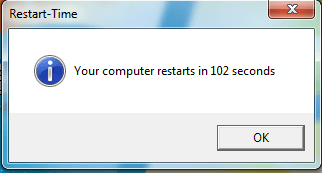
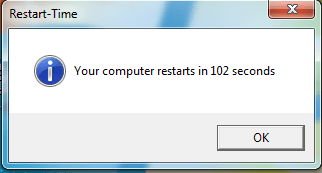
This is mine

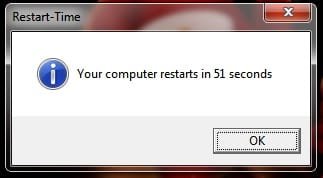
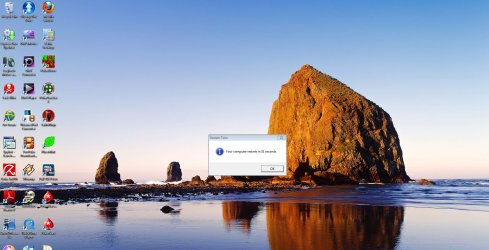
51 Seconds after typing a password at Welcome screen and AVG 9 + Admuncher loading at startup

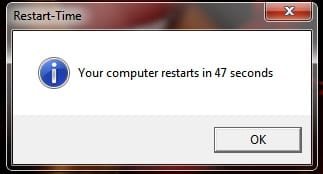
47 seconds with password disabled and AVG 9 + Admuncher loading at startup
 

Attachments

  • The Pain's.jpg
    The Pain's.jpg
    7.6 KB · Views: 229
  • The Pain's new.jpg
    The Pain's new.jpg
    7.6 KB · Views: 228

My Computer

Computer Manufacturer/Model Number
Put Together
OS
Windows 7 Ultimate
CPU
Intel Core2 Duo 8400 (3 GHz)
Motherboard
Asrock P431600T Twins
Memory
4 GB 1333 MHz DDR3
Graphics Card(s)
GeCube 3850 HD (512 MB GDDR3)
Sound Card
Onboard
Monitor(s) Displays
Viewsonic VX2240 22'
Screen Resolution
1680 X 1050
Hard Drives
Seagate Barracuda 500 GB
PSU
VIP 500W
Case
Zebronics Antibiotic
Cooling
Stock
Keyboard
Microsoft Wireless Entertainment 7000
Mouse
Microsoft Wireless Laser Mouse 8000
Internet Speed
2 MBps

My Computer

OS
Windows Seven
CPU
AMD Phenom II X4 965
Motherboard
Biostar TA790GXB A2+
Memory
Transcend 4 GB @ 1066 MHz
Graphics Card(s)
Nvidia GTX 295
Screen Resolution
1152 x 864 @ 85 Hz
Hard Drives
WD 500 GB SATA II
Case
iBall Gamerz
Keyboard
Microsoft Comfort Curve Keyboard 2000
Mouse
Microsoft Comfort Optical Mouse 3000
Internet Speed
10 MBPS

My Computer

Computer type
PC/Desktop
Computer Manufacturer/Model Number
Dell: XPS 420 (2), XPS M1330 (several), XPS 14z, Mini 9, Mini 10v
OS
W8 Pro, W7 Ultimate, XP Pro x64, Vista x64, Ubuntu
CPU
Q6600, Q6700, T7500, T7500, N270, N270
Motherboard
Dell
Memory
8GB, 8GB, 4GB, 4GB, 2GB, 2GB
Graphics Card(s)
ATI, nVidia, nVidia, nVidia, Intel, Intel
Monitor(s) Displays
Dell 2408WFP
Hard Drives
A drawer full. OCZ Vertex's in RAID 0. Vertex 3's, Vertex 4, Samsung 830's, Samsung 840's, Intel 330. Don't use dino drives any more except for servers.
Keyboard
Logitech Wave
Internet Speed
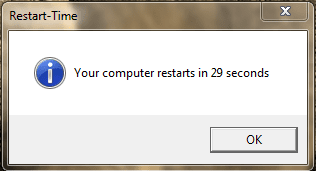
29 Mbps DL / .95 Mbps UL
Other Info
New project(2013)...Another low power server. Zotac H67ITX, i3-2100T, Windows Server 2012 Essentials on Samsung SSD.
Previous project...Low power (38-40 watts using Kill-a-Watt) Windows Home Server. Zotac ION (Atom 330, GeForce9400), 4GB RAM, 2x2TB WD Green, IN WIM miniITX Case. Fits on a shelf in laundry closet, practically silent.
View attachment 38856

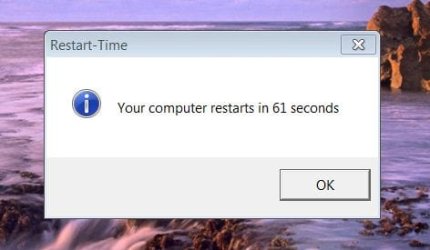
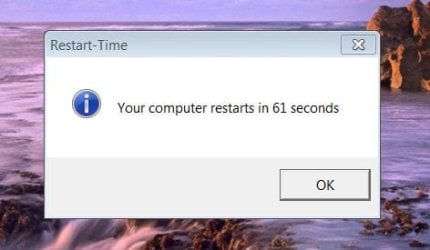
I think mine is the lowest !!!

Close.
View attachment 40265
I think I posted this already. W7 x64 on 2x30GB OCZ Vertex RAID0. Nothing disabled (but Microsoft Security Essentials not installed yet).

See, this is the type of # I feel I should get (or atleast b/n 30-40 sec), instead of 69 sec :( I have W7 x64 on a new (3 weeks) build (Asus P6T Deluxe V2, i7 920, 120GB OCZ SSD, 6GB DDR3 OCZ Platinum). I've tried just about everything I've searched and could find (disabling unnec. startup services, disabling Marvell Controller, disabling Express Gate). Anything else to try? I get an Event ID 100 Warning every startup (boot performance monitoring).
 

My Computer

OS
Windows 7
CPU
Intel i7 920
Motherboard
Asus P6T Deluxe V2
Memory
6GB DDR3 OCZ Platinum
Graphics Card(s)
XFX 9800GT
Monitor(s) Displays
Dual 28" Hanns G
Hard Drives
OCZ Vertex 120GB SSD
PSU
Corsair 750TX
Case
ThermalTake Element S
Cooling
Xigmatek Dark Knight
46 seconds nothing disabled only optimized and updated. Started at 86 seconds.

:D
 

My Computer

Computer Manufacturer/Model Number
HP Pavilion dv6-1020ei
OS
Windows 7 Ultimate
CPU
Dual Core 2.16GHz
Memory
2GB DDR2 SDRAM
Graphics Card(s)
nVidia GeForce 9200M GS 512MB DDR2
Monitor(s) Displays
Diagonal High-Definition BrightView Widescreen
Screen Resolution
15.6"
Hard Drives
160GB (5400RPM)
PSU
High Capacity 6-Cell Lithium-Ion Battery
Case
Notebook
Internet Speed
802.11b/g WLAN
46 seconds nothing disabled only optimized and updated. Started at 86 seconds.

:D
what did you do to improve it? i thought it generally gets slower over time :D
 

My Computer

Computer Manufacturer/Model Number
Self built
OS
Windows 8 Pro x64
CPU
Intel Core i7 2600k @ 4.5GHz
Motherboard
ASRock Z68 Extreme4
Memory
16GB Corsair Vengeance 1600MHz
Graphics Card(s)
Palit GTX670 JetStream @1155MHz
Sound Card
Creative X-Fi Titanium PCI-E
Monitor(s) Displays
Iiyama ProLite E2773HDS
Screen Resolution
1920x1080
Hard Drives
Samsung 840 series 250GB,
Toshiba DT01ACA300 3TB (Data),
Western Digital Caviar Green WD30EZRX-00DC0B0 3TB (Backup)
PSU
Corsair TX850
Case
Silverstone Raven RV03
Cooling
Zalman CNPS9900MAX-B
Keyboard
Logitech G15 V2
Mouse
Logitech G500 + Steelseries QCK mat
Internet Speed
100Mbps/100Mbps unlimited
View attachment 38856

I think mine is the lowest !!!

Close.
View attachment 40265
I think I posted this already. W7 x64 on 2x30GB OCZ Vertex RAID0. Nothing disabled (but Microsoft Security Essentials not installed yet).

See, this is the type of # I feel I should get (or atleast b/n 30-40 sec), instead of 69 sec :( I have W7 x64 on a new (3 weeks) build (Asus P6T Deluxe V2, i7 920, 120GB OCZ SSD, 6GB DDR3 OCZ Platinum). I've tried just about everything I've searched and could find (disabling unnec. startup services, disabling Marvell Controller, disabling Express Gate). Anything else to try? I get an Event ID 100 Warning every startup (boot performance monitoring).

Have you done the things on the OCZ Forums for tweaks like checking alignment (most important but if you let W7 use its default, it should be aligned), updating to latest Firmware, etc.? Have you tried the Microsoft native drivers instead of Intel ICH10R drivers? Tried ATA mode instead of AHCI? Power Options set to High Performance?

How does it run otherwise? IMHO boot speed is overrated. 69 seconds isn't bad but you're right, it should be better, especially on a new build.

You could try the Windows Debugging Tools: Debugging Tools for Windows - Overview
Tom
 

My Computer

Computer type
PC/Desktop
Computer Manufacturer/Model Number
Dell: XPS 420 (2), XPS M1330 (several), XPS 14z, Mini 9, Mini 10v
OS
W8 Pro, W7 Ultimate, XP Pro x64, Vista x64, Ubuntu
CPU
Q6600, Q6700, T7500, T7500, N270, N270
Motherboard
Dell
Memory
8GB, 8GB, 4GB, 4GB, 2GB, 2GB
Graphics Card(s)
ATI, nVidia, nVidia, nVidia, Intel, Intel
Monitor(s) Displays
Dell 2408WFP
Hard Drives
A drawer full. OCZ Vertex's in RAID 0. Vertex 3's, Vertex 4, Samsung 830's, Samsung 840's, Intel 330. Don't use dino drives any more except for servers.
Keyboard
Logitech Wave
Internet Speed
29 Mbps DL / .95 Mbps UL
Other Info
New project(2013)...Another low power server. Zotac H67ITX, i3-2100T, Windows Server 2012 Essentials on Samsung SSD.
Previous project...Low power (38-40 watts using Kill-a-Watt) Windows Home Server. Zotac ION (Atom 330, GeForce9400), 4GB RAM, 2x2TB WD Green, IN WIM miniITX Case. Fits on a shelf in laundry closet, practically silent.
Close.
View attachment 40265
I think I posted this already. W7 x64 on 2x30GB OCZ Vertex RAID0. Nothing disabled (but Microsoft Security Essentials not installed yet).

See, this is the type of # I feel I should get (or atleast b/n 30-40 sec), instead of 69 sec :( I have W7 x64 on a new (3 weeks) build (Asus P6T Deluxe V2, i7 920, 120GB OCZ SSD, 6GB DDR3 OCZ Platinum). I've tried just about everything I've searched and could find (disabling unnec. startup services, disabling Marvell Controller, disabling Express Gate). Anything else to try? I get an Event ID 100 Warning every startup (boot performance monitoring).

Have you done the things on the OCZ Forums for tweaks like checking alignment (most important but if you let W7 use its default, it should be aligned), updating to latest Firmware, etc.? Have you tried the Microsoft native drivers instead of Intel ICH10R drivers? Tried ATA mode instead of AHCI? Power Options set to High Performance?

How does it run otherwise? IMHO boot speed is overrated. 69 seconds isn't bad but you're right, it should be better, especially on a new build.

You could try the Windows Debugging Tools: Debugging Tools for Windows - Overview
Tom

Ok, I booted up this morning (forgot it was the first actual startup since I turned off Express Gate and disabled the Marvell Controller in the BIOS), and it took almost 30sec. off my startup time. From Power Button to Desktop in 40 sec. (from 70 sec). Didn't realize those two (would make that much of a difference, since I had the Express Gate timer at 5 sec; though maybe it was the Marvell Controller).

I did do most of the OCZ rec. tweaks and some other performance tweaks (I've spent WAY more time on this stuff than I imagined I would! - first build). Thanks ALOT for your reply; it has not been easy finding answers to some of this stuff.
 

My Computer

OS
Windows 7
CPU
Intel i7 920
Motherboard
Asus P6T Deluxe V2
Memory
6GB DDR3 OCZ Platinum
Graphics Card(s)
XFX 9800GT
Monitor(s) Displays
Dual 28" Hanns G
Hard Drives
OCZ Vertex 120GB SSD
PSU
Corsair 750TX
Case
ThermalTake Element S
Cooling
Xigmatek Dark Knight
I think mine is a little slow today

I think my computer is a bit slow today. :p

With a little modification from Paintshop.
 
Last edited:

My Computer

Computer type
PC/Desktop
Computer Manufacturer/Model Number
Self Built
OS
Windows 10 Pro
CPU
Intel i5
Motherboard
I have a fatherboard
Memory
I'm old and lost a few chips
Graphics Card(s)
Yup
Sound Card
Yup
Monitor(s) Displays
Samsung 32" UHD
Screen Resolution
3840 x 2160
Hard Drives
Samsung 860 EVO drives
PSU
450 Watt and some fans that blow
Case
Small tower
Cooling
Yes I am cool. lol
Keyboard
Who needs a keyboard?
Mouse
Logitech Laser G7 wireless
Internet Speed
Zippy fast UP and DOWN
Antivirus
I got a shot
Browser
The new Improved EDGE 2020
See, this is the type of # I feel I should get (or atleast b/n 30-40 sec), instead of 69 sec :( I have W7 x64 on a new (3 weeks) build (Asus P6T Deluxe V2, i7 920, 120GB OCZ SSD, 6GB DDR3 OCZ Platinum). I've tried just about everything I've searched and could find (disabling unnec. startup services, disabling Marvell Controller, disabling Express Gate). Anything else to try? I get an Event ID 100 Warning every startup (boot performance monitoring).
Have you done the things on the OCZ Forums for tweaks like checking alignment (most important but if you let W7 use its default, it should be aligned), updating to latest Firmware, etc.? Have you tried the Microsoft native drivers instead of Intel ICH10R drivers? Tried ATA mode instead of AHCI? Power Options set to High Performance?

How does it run otherwise? IMHO boot speed is overrated. 69 seconds isn't bad but you're right, it should be better, especially on a new build.

You could try the Windows Debugging Tools: Debugging Tools for Windows - Overview
Tom

Ok, I booted up this morning (forgot it was the first actual startup since I turned off Express Gate and disabled the Marvell Controller in the BIOS), and it took almost 30sec. off my startup time. From Power Button to Desktop in 40 sec. (from 70 sec). Didn't realize those two (would make that much of a difference, since I had the Express Gate timer at 5 sec; though maybe it was the Marvell Controller).

I did do most of the OCZ rec. tweaks and some other performance tweaks (I've spent WAY more time on this stuff than I imagined I would! - first build). Thanks ALOT for your reply; it has not been easy finding answers to some of this stuff.

Just tried testing the restart time, and it is 51 sec now. Still high IMO. And I continue to get Event ID 100s (Boot Performance Monitoring) and occasionally 200s (Shutdown Performance Monitoring) - though the weird thing about those are that they come during startup! I've googled ALOT and can't solve these warnings, and Microsoft has nothing. Ugh.
 

Attachments

  • restart2.jpg
    restart2.jpg
    220.3 KB · Views: 37

My Computer

OS
Windows 7
CPU
Intel i7 920
Motherboard
Asus P6T Deluxe V2
Memory
6GB DDR3 OCZ Platinum
Graphics Card(s)
XFX 9800GT
Monitor(s) Displays
Dual 28" Hanns G
Hard Drives
OCZ Vertex 120GB SSD
PSU
Corsair 750TX
Case
ThermalTake Element S
Cooling
Xigmatek Dark Knight
nothing disabled..!!!:party:
 

Attachments

  • boot_time_1.PNG
    boot_time_1.PNG
    2.5 KB · Views: 330

My Computer

Computer Manufacturer/Model Number
Custom Built (by me)
OS
Windows 8 CP x64
CPU
Intel(R) Core(TM) i7 CPU 920 @ 2.97GHz
Motherboard
DX58SO
Memory
Corsair 6GB DDR3 (1333Mhz)
Graphics Card(s)
Nvidia GeForce 9800GT (1GB)
Sound Card
Creative Sound Blaster Audigy Value (24bit internal)
Monitor(s) Displays
22" Samsung SyncMaster B2230 (1920*1080)
Screen Resolution
1920*1080
Hard Drives
Seagate Barracuda 500gb
PSU
i ball 450W
Case
i ball (Work Horse)
Keyboard
Microsoft Wireless Keyboard 700 v2.0
Mouse
Microsoft Wireless Mouse 700 v2.0
Internet Speed
1MB
I think my computer is a bit slow today. :p
With a little modification from Paintshop.


Here is my real time
I only have 2gig of memory and an Intel Duo E6750 Processor
Seems that 4 gig really speeds things up on most of you.
 
Last edited:

My Computer

Computer type
PC/Desktop
Computer Manufacturer/Model Number
Self Built
OS
Windows 10 Pro
CPU
Intel i5
Motherboard
I have a fatherboard
Memory
I'm old and lost a few chips
Graphics Card(s)
Yup
Sound Card
Yup
Monitor(s) Displays
Samsung 32" UHD
Screen Resolution
3840 x 2160
Hard Drives
Samsung 860 EVO drives
PSU
450 Watt and some fans that blow
Case
Small tower
Cooling
Yes I am cool. lol
Keyboard
Who needs a keyboard?
Mouse
Logitech Laser G7 wireless
Internet Speed
Zippy fast UP and DOWN
Antivirus
I got a shot
Browser
The new Improved EDGE 2020
Here is mine :geek:
 

Attachments

  • Untitled.png
    Untitled.png
    18.9 KB · Views: 3

My Computer

Computer Manufacturer/Model Number
ACER TravelMate 5720
OS
Windows 7 (32-Bits)
CPU
Intel Centrino Core 2 Duo T5670
Memory
3 GB
Graphics Card(s)
Mobile Intel 965 Express Chipset Family
Screen Resolution
1280x800
Hard Drives
250 GB
Mouse
A4 Tech
Internet Speed
1024 K/Bit
Here's my Slowwwww reboot time :(

I switched off all my programmes to.
 

Attachments

  • Reboot Time.png
    Reboot Time.png
    7.2 KB · Views: 777

My Computer

Computer Manufacturer/Model Number
HP Pavilion Case
OS
Windows 7 Pro x64
CPU
AMD Athlon 64 x2 Dual Core Processor 5000+ 2.60 GHz
Motherboard
Pegatron - Violet 3.02
Memory
8 Gig
Graphics Card(s)
GeForce GT 240
Sound Card
Realtek HD
Monitor(s) Displays
26 Inch and 19 Inch Dual Monitor
Screen Resolution
1920 X 1200 -- 1440 X 900
Hard Drives
Internal 500 GB Sata Drive and 1TB Hatachi External HD & 1TB Western Digital Network Drive
PSU
550 Watts
Case
HP Pavilion
Cooling
4" and 5" Fans
Keyboard
Logitech Solar K750
Mouse
Microsoft Wireless 3500
Internet Speed
50 Meg Fibre Optic Cable Broadband
Other Info
Samsung DP-U350 - 23" Touch Screen PC
Here's my Reboot Time. Slowwww :(

I shut down all my programmes and its still slow. Is there anyway to speed up the reboot time...?
 

Attachments

  • Reboot Time.png
    Reboot Time.png
    7.2 KB · Views: 281

My Computer

Computer Manufacturer/Model Number
HP Pavilion Case
OS
Windows 7 Pro x64
CPU
AMD Athlon 64 x2 Dual Core Processor 5000+ 2.60 GHz
Motherboard
Pegatron - Violet 3.02
Memory
8 Gig
Graphics Card(s)
GeForce GT 240
Sound Card
Realtek HD
Monitor(s) Displays
26 Inch and 19 Inch Dual Monitor
Screen Resolution
1920 X 1200 -- 1440 X 900
Hard Drives
Internal 500 GB Sata Drive and 1TB Hatachi External HD & 1TB Western Digital Network Drive
PSU
550 Watts
Case
HP Pavilion
Cooling
4" and 5" Fans
Keyboard
Logitech Solar K750
Mouse
Microsoft Wireless 3500
Internet Speed
50 Meg Fibre Optic Cable Broadband
Other Info
Samsung DP-U350 - 23" Touch Screen PC
Here's mine!
 

Attachments

  • restart.JPG
    restart.JPG
    23.7 KB · Views: 47

My Computer

Computer type
PC/Desktop
Computer Manufacturer/Model Number
Home Built
OS
Windows 7 Ultimate SP1 64- bit
CPU
Intel Core i7-3770K @3.50ghz
Motherboard
EVGA Z77 FTW
Memory
Kingston Technology 16GB (2x 8GB) 2133MHz DDR3 Non-ECC
Graphics Card(s)
EVGA GTX 670 4gb SC
Sound Card
Nil
Monitor(s) Displays
Samsung 22"
Screen Resolution
1920 x 1080 60hz
Hard Drives
OCZ Vertex 4 SSD 128GB
SAMSUNG Spinpoint F3 HD502HJ 500GB 7200 RPM
PSU
Enermax Platinax EPM1000EWT Special OC Edition
Case
Cooler Master HAF Full Tower nVIDIA Edition
Cooling
CoolerMaster Hyper 212 Plus
Keyboard
HP Wireless Keyboard
Mouse
Corsair Vengeance M90
Internet Speed
20 Mb
Other Info
ASUS DRW-24B1ST/BLK/B/AS Black SATA 24X DVD Burner
Here's mine!
 

Attachments

  • restart.JPG
    restart.JPG
    23.7 KB · Views: 3

My Computer

Computer type
PC/Desktop
Computer Manufacturer/Model Number
Home Built
OS
Windows 7 Ultimate SP1 64- bit
CPU
Intel Core i7-3770K @3.50ghz
Motherboard
EVGA Z77 FTW
Memory
Kingston Technology 16GB (2x 8GB) 2133MHz DDR3 Non-ECC
Graphics Card(s)
EVGA GTX 670 4gb SC
Sound Card
Nil
Monitor(s) Displays
Samsung 22"
Screen Resolution
1920 x 1080 60hz
Hard Drives
OCZ Vertex 4 SSD 128GB
SAMSUNG Spinpoint F3 HD502HJ 500GB 7200 RPM
PSU
Enermax Platinax EPM1000EWT Special OC Edition
Case
Cooler Master HAF Full Tower nVIDIA Edition
Cooling
CoolerMaster Hyper 212 Plus
Keyboard
HP Wireless Keyboard
Mouse
Corsair Vengeance M90
Internet Speed
20 Mb
Other Info
ASUS DRW-24B1ST/BLK/B/AS Black SATA 24X DVD Burner
Here is mine. Did better than i thought i would
 

Attachments

  • Capture.JPG
    Capture.JPG
    18.5 KB · Views: 3

My Computer

Computer Manufacturer/Model Number
Myself
OS
Windows 7 Professional 64bit
CPU
AMD Athlon II X2 240 Regor 2.8GHz
Motherboard
GIGABYTE GA-MA785GMT-UD2H
Memory
4 gigs DDR3 Dual Channel
Graphics Card(s)
Radeon HD 5770 1gig video RAM
Sound Card
Realtek ALC889A
Monitor(s) Displays
Dell E770s 17in
Screen Resolution
1024x768
Hard Drives
1 x 250gb seagate
PSU
Rosewill RP600V2-S-SL 600W
Case
Antec Nine Hundred Black Steel ATX Mid Tower
Cooling
4 Fans
Keyboard
Micro Inovations
Mouse
Microsoft optical mouse
Internet Speed
22 mbps download 1 mbps upload
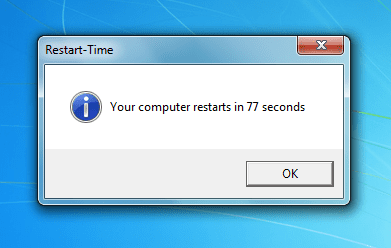
79 seconds. default startup + kaspersky internet security + intel matrix storage manager.

4gb ram, OS boots on a pair of drives (raid 0), q6600 no OC.
 

My Computer

OS
windows 7 pro x64
Status
Not open for further replies.
Back
Top