ReBoot Time

Status
Not open for further replies.
i have 4x2gbDDR-2 ram
 

My Computer

Computer Manufacturer/Model Number
Custom
OS
Windows 7 Ultimate
CPU
Intel Core i7 860 2.80Ghz
Memory
8Gb PC-10666 Memory
Graphics Card(s)
EVGA 512MB Nvidia GeForce 9800GTX+
Screen Resolution
1920x1080
Hard Drives
2x1Tb 3.5" 7200rpm SATA Hard Drive
Case
PC-7FN Aluminium ATX Case
Keyboard
Logitech 1500 Cordless Rechargable
Mouse
" " " "
Internet Speed
14.5 MBPS
Other Info
Amazing speed and brill for gaming
Here is mine my system is:

AMD anthlon 64 x2 6000 dual core

Dual Channel 667 Mhz 4GB

Western Digital 300 GB Raptor 10000 rpms

Stock Motherboard Asus M2N68-LA

650 watt BGF Power supply :)

Oh This is windows 7 Home Premium
 

Attachments

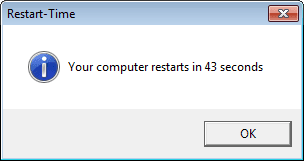
  • 2-13-2010 5-36-12 AM.png
    2-13-2010 5-36-12 AM.png
    2.5 KB · Views: 142

My Computer

Computer Manufacturer/Model Number
Compaq SR5130NX
OS
Windows 7 64 bit
CPU
AMD 64X2 6000+
Motherboard
Asus
Memory
4 MB
Graphics Card(s)
Nvidia Geforce 9600 GSO
Screen Resolution
1024X740
Hard Drives
Stock 200 GB 7400 rpm
Cooling
3 Blue colored Fans
Internet Speed
ATT 6.0 Xtreme
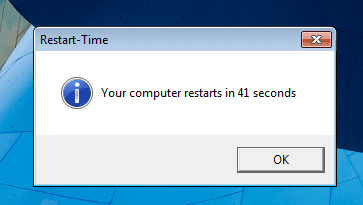
Here is another one gave me 2 sec faster by disabling NO BUI in msconfig.
 

Attachments

  • speed 41.png
    speed 41.png
    11.3 KB · Views: 4

My Computer

Computer Manufacturer/Model Number
Compaq SR5130NX
OS
Windows 7 64 bit
CPU
AMD 64X2 6000+
Motherboard
Asus
Memory
4 MB
Graphics Card(s)
Nvidia Geforce 9600 GSO
Screen Resolution
1024X740
Hard Drives
Stock 200 GB 7400 rpm
Cooling
3 Blue colored Fans
Internet Speed
ATT 6.0 Xtreme
I've decided to make a video of the 30 seconds reboot. :p


My Computer

Computer Manufacturer/Model Number
Dell E4300
OS
Windows 7 Ultimate
CPU
Intel C2D SP9400
Motherboard
Intel GS45
Memory
2GB DDR3
Graphics Card(s)
Integrated =(
Sound Card
Integrated =(
Monitor(s) Displays
Matte LCD
Screen Resolution
1280x800
Hard Drives
Intel X25-M Gen 2 SSD
WD Caviar Black
Mouse
MX 518, V470 - Logitech
:) Wow Fast man
 

My Computer

Computer Manufacturer/Model Number
Compaq SR5130NX
OS
Windows 7 64 bit
CPU
AMD 64X2 6000+
Motherboard
Asus
Memory
4 MB
Graphics Card(s)
Nvidia Geforce 9600 GSO
Screen Resolution
1024X740
Hard Drives
Stock 200 GB 7400 rpm
Cooling
3 Blue colored Fans
Internet Speed
ATT 6.0 Xtreme
Okay, i'm amazed at the speed of SSD's now! :p
 

My Computer

Computer type
PC/Desktop
Computer Manufacturer/Model Number
The Dominator?
OS
Windows Seven Ultimate
CPU
AMD Piledriver FX 8320 @ 3.5GHz
Motherboard
ASUS M5A97 EVO R2.0
Memory
Crucial Ballistix 8GB 1600 MHz DDR3
Graphics Card(s)
ASUS GeForce GTX 970 Strix Edition @ 1.114 GHz
Sound Card
Integrated
Monitor(s) Displays
LG 23EA63V 23" IPS 1080p Monitor
Screen Resolution
1920x1080
Hard Drives
Samsung SSD 840 EVO 120 GB
1x WD GreenPower 500GB 7200RPM
1 External HDD 1TB
PSU
Corsair CX500
Case
Zalman Z9 Plus
Cooling
CPU - Corsair Hydro H80i, Case - 3x Aerocool Shark Edition
Keyboard
Xenta Backlit Keyboard (Not very good!)
Mouse
Logitech G400
Internet Speed
Download: 7 mb/s Upload: 0.76 mb/s
Antivirus
Microsoft Security Essentials
Browser
Google Chrome
Other Info
Overclockers UK Desk Pad 89 x 45 cm
1200x730x600mm Desk
Using Virtual Audio Cable to split stereo sound into Audio Technica ATH-M50 headphones and Logitech X-530 speakers.
Thanks for posting the video clip. With SSD drives...I think we have reached the point where now we have to try to come up with motherboards that POST as fast as possible. Honestly, my POST takes as long as my Windows boot on my desktop. My laptop on the other hand gets through the post 3x as fast.
 

My Computer

Computer Manufacturer/Model Number
Self-Built in July 2009
OS
Windows 7 Ultimate x64
CPU
Intel Q9550 2.83Ghz OC'd to 3.40Ghz
Motherboard
Gigabyte GA-EP45-UD3R rev. 1.1, F12 BIOS
Memory
8GB G.Skill PI DDR2-800, 4-4-4-12 timings
Graphics Card(s)
EVGA 1280MB Nvidia GeForce GTX570
Sound Card
Realtek ALC899A 8 channel onboard audio
Monitor(s) Displays
23" Acer x233H
Screen Resolution
1920x1080
Hard Drives
Intel X25-M 80GB Gen 2 SSD
Western Digital 1TB Caviar Black, 32MB cache. WD1001FALS
PSU
Corsair 620HX modular
Case
Antec P182
Cooling
stock
Keyboard
ABS M1 Mechanical
Mouse
Logitech G9 Laser Mouse
Internet Speed
15/2 cable modem
Other Info
Windows and Linux enthusiast. Logitech G35 Headset.
Thanks for posting the video clip. With SSD drives...I think we have reached the point where now we have to try to come up with motherboards that POST as fast as possible. Honestly, my POST takes as long as my Windows boot on my desktop. My laptop on the other hand gets through the post 3x as fast.

I don't have any desktops, but on all my laptops, the POST are all very brief. There should be an option asking your what kind of boot your would like. My BIOS has a few options and I'm using quick boot.
 

My Computer

Computer Manufacturer/Model Number
Dell E4300
OS
Windows 7 Ultimate
CPU
Intel C2D SP9400
Motherboard
Intel GS45
Memory
2GB DDR3
Graphics Card(s)
Integrated =(
Sound Card
Integrated =(
Monitor(s) Displays
Matte LCD
Screen Resolution
1280x800
Hard Drives
Intel X25-M Gen 2 SSD
WD Caviar Black
Mouse
MX 518, V470 - Logitech
The vb script screws with my IKARI Laser mouse on reboot, I have to shutdown and reboot the PC again to get any use from it.

Anyway the vb script throws up a window stating it takes 86secs for mine to Reboot.

mypc.jpg
 

My Computer

Computer type
PC/Desktop
Computer Manufacturer/Model Number
Homebuild
OS
Windows 7 Ultimate 64 bit SP1
CPU
DualCore Intel Pentium D 820, 2800 MHz (14 x 200)
Motherboard
Gigabyte EX58-UD3R
Memory
Kingston DDR3 (PC3-10700H) 6.0GB
Graphics Card(s)
AMD Radeon HD 6450
Sound Card
Realtek ALC882/D/M
Monitor(s) Displays
Samsung SyncMaster 2233SW
Screen Resolution
1920 x 1080
Hard Drives
Drive #1 - WDC WD2500JB-22REA0 (232 GB)
Drive #2 - WDC WD6400AAKS-65A7B0 (596 GB)
PSU
EVGA Supernova 750w G2 Gold
Cooling
5 x 80mm Generic Fans
Keyboard
Microsoft Comfort Curve 2000
Mouse
SteelSeries IKARI 62001-1 Laser or Microsoft Laser 6000
Internet Speed
1500/256
Antivirus
NOD32 v10.1.235.0
Browser
FireFox 59.0.2 X64bit
Other Info
Telstra Technicolor TG799vac Modem
LG HL-DT-ST DVDRAM GH20NS15 ATA Device
16X52X32X52 COMBO SCSI CDRom Device
Logitech Wave Keyboard
Microsoft 6000 Laser Mouse
I vote that all users who claim to have a sub-30s restart time should prove it with a YouTube video... :p Cuz that just seems too damn good to be true! (and because I'm jealous). LOL.


Videos can be edited.
 

My Computer

Computer Manufacturer/Model Number
Custom Build.
OS
Windows 7 Ultimate x64.
CPU
i5 760 @ 4.2Ghz. 1.18v
Motherboard
Gigabyte - H55M-USB3
Memory
4g Corsair xms3 ddr3, 1600Mhz.
Graphics Card(s)
Gigabyte GTX-560Ti soc edition
Sound Card
Asus Xonar Dx - Logitech Z5500.
Monitor(s) Displays
Acer 22" LCD Wide screen 1680-1050 -Samsung 42" Plasma....
Screen Resolution
1680/1050 -----1920/1080p.
Hard Drives
2x 2TB Seagate Go Flex,
1x 1TB Seagate,
1x 640WD Black,
x16 Gig sandisc flash drive,
1x8Gig sandisc flash drive.
PSU
XigmaTek 80plus NRP-PC702 - 700w dual 30a.
Case
Venus Gamers Midi Tower Case with LED Display
Cooling
Arctic Freezer 7 Pro Rev 2... x2 Arctic F8 case fans........
Keyboard
Logitech G15-v2 Gaming.
Mouse
Microsoft Sidewinder X8.
Internet Speed
Virgin Media - 50mb down- 8mb up.
Other Info
x2 Xbox 360 wireless controllers...

Dual layer optical disc drive...

Chrome 79million

A.V = MSE

My Computer

Computer type
PC/Desktop
OS
Win 10 x64 Pro x64 / Ubuntu 15.10 x64
CPU
Intel i7-4960X
Motherboard
Asus Rampage IV Black Edition
Memory
4x8GB Corsair Dominator Platinum @2400MHz 10-12-12-31
Graphics Card(s)
2x MSI GTX780Ti 3GB (SLI)
Sound Card
Onboard SupremeFX (Cirrus Logic CS4398)
Monitor(s) Displays
3x LG Cinema 27" IPS LED (27MP65)
Screen Resolution
[1920x1080]x3
Hard Drives
Crucial M500 120GB, Crucial M500 480GB, Toshiba DT01ACA200 2TB
PSU
CoolerMaster V1000
Case
Corsair Obsidian 750D
Cooling
ThermalTake Water 3.0 Extreme, 4xSP120, 3xAF120
Keyboard
Moshi Luna
Mouse
Logitech G700s / Roccat Tyon
Internet Speed
4Mb uncapped ADSL (Afrihost)
Antivirus
MS Security Essentials
Browser
Chrome... Duh. (:
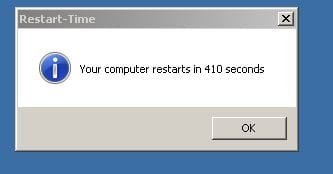
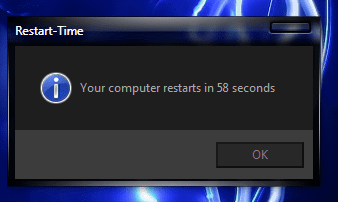
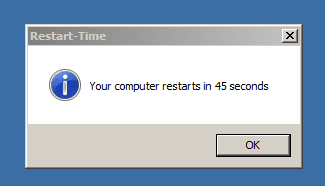
second is not bad but first one ive done everything possible to slow it down and i guess thats a record:D:cool:
 

Attachments

  • Capture1.JPG
    Capture1.JPG
    11.7 KB · Views: 359
  • Capture2.JPG
    Capture2.JPG
    12.7 KB · Views: 16

My Computer

Computer Manufacturer/Model Number
Toshiba satellite L350-20G
OS
Microsoft Windows 7 Ultimate build 7600 32bit
CPU
Intel Core 2 Duo T5750 @2.0Mhz 1M 667FSB
Motherboard
Toshiba satellite l350
Memory
2GB DDR26400 800Mhz
Graphics Card(s)
Intel gma x4500MHD shared memory 890mb
Sound Card
Realtek Hd
Monitor(s) Displays
17'' WXGA trubrite
Screen Resolution
1440x900
Hard Drives
320 gig
Case
WTF!? i have a laptop
Cooling
build in fan
Keyboard
Ps/2
Mouse
Ps/2 synapsis
Internet Speed
Three tm mobile broadband
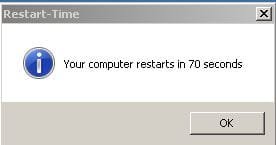
1st image is my normal boot time 2nd is just a minimalistic boot. i will try for a faster boot during the week i may also mess around with hdparm on one of my other hdd's to try and get it even faster. using a 7200rpm hdd
 

Attachments

  • ReBootTime.PNG
    ReBootTime.PNG
    12.8 KB · Views: 3
  • ReBootTime 2 (Minimal).PNG
    ReBootTime 2 (Minimal).PNG
    2.6 KB · Views: 110

My Computer

Computer Manufacturer/Model Number
Self Build
OS
Windows 7 X64
CPU
Intel E6750 @ 3.2GHz
Motherboard
Foxconn ELA 01
Memory
6GiB
Graphics Card(s)
EVGA 9800GTX/9800GTX+
Sound Card
Onboard
Monitor(s) Displays
22 Inch AOC
Hard Drives
500GiB 7200rpm
PSU
1050W
Cooling
Corsair H50 Hydro Cooler
I don't have any desktops, but on all my laptops, the POST are all very brief. There should be an option asking your what kind of boot your would like. My BIOS has a few options and I'm using quick boot.
Yes, on my laptops the post is very brief as well. However, with desktop mobos they usually have support for more hardware and thus take longer to complete. I've trimmed down and turned off everything in the BIOS that I don't need...but still sit at more than 20 seconds from power button press to starting Windows.

I don't mind that my desktop takes longer to post than my laptop. Because once the box comes up, my desktop absolutely demolishes my laptop in terms of performance. So, even though it might not boot up as fast...it's so much stronger that there isn't hardly a comparison to be made between the two of them.
 

My Computer

Computer Manufacturer/Model Number
Self-Built in July 2009
OS
Windows 7 Ultimate x64
CPU
Intel Q9550 2.83Ghz OC'd to 3.40Ghz
Motherboard
Gigabyte GA-EP45-UD3R rev. 1.1, F12 BIOS
Memory
8GB G.Skill PI DDR2-800, 4-4-4-12 timings
Graphics Card(s)
EVGA 1280MB Nvidia GeForce GTX570
Sound Card
Realtek ALC899A 8 channel onboard audio
Monitor(s) Displays
23" Acer x233H
Screen Resolution
1920x1080
Hard Drives
Intel X25-M 80GB Gen 2 SSD
Western Digital 1TB Caviar Black, 32MB cache. WD1001FALS
PSU
Corsair 620HX modular
Case
Antec P182
Cooling
stock
Keyboard
ABS M1 Mechanical
Mouse
Logitech G9 Laser Mouse
Internet Speed
15/2 cable modem
Other Info
Windows and Linux enthusiast. Logitech G35 Headset.
I don't have any desktops, but on all my laptops, the POST are all very brief. There should be an option asking your what kind of boot your would like. My BIOS has a few options and I'm using quick boot.
Yes, on my laptops the post is very brief as well. However, with desktop mobos they usually have support for more hardware and thus take longer to complete. I've trimmed down and turned off everything in the BIOS that I don't need...but still sit at more than 20 seconds from power button press to starting Windows.

I don't mind that my desktop takes longer to post than my laptop. Because once the box comes up, my desktop absolutely demolishes my laptop in terms of performance. So, even though it might not boot up as fast...it's so much stronger that there isn't hardly a comparison to be made between the two of them.
my post is only there for 2 or 3 seconds and i have a desktop. i believe the more usb devices etc you have plugged in the longer you post will take
 

My Computer

Computer Manufacturer/Model Number
Self Build
OS
Windows 7 X64
CPU
Intel E6750 @ 3.2GHz
Motherboard
Foxconn ELA 01
Memory
6GiB
Graphics Card(s)
EVGA 9800GTX/9800GTX+
Sound Card
Onboard
Monitor(s) Displays
22 Inch AOC
Hard Drives
500GiB 7200rpm
PSU
1050W
Cooling
Corsair H50 Hydro Cooler
my post is only there for 2 or 3 seconds and i have a desktop. i believe the more usb devices etc you have plugged in the longer you post will take
It all depends upon the mobo and such. For example, from the time I press the power button, it takes 5-6 seconds before anything even appears on my screen. So, it's 5-6 seconds before the POST even begins while it initializes the video card and such. Then it counts up the RAM and such...then discovers my devices and such....its about 20 seconds when post is verifying data pool stuff. Then, 2 or 3 seconds of blank screen and then starting Windows 7. From there, only about 13-14 seconds until desktop.
 

My Computer

Computer Manufacturer/Model Number
Self-Built in July 2009
OS
Windows 7 Ultimate x64
CPU
Intel Q9550 2.83Ghz OC'd to 3.40Ghz
Motherboard
Gigabyte GA-EP45-UD3R rev. 1.1, F12 BIOS
Memory
8GB G.Skill PI DDR2-800, 4-4-4-12 timings
Graphics Card(s)
EVGA 1280MB Nvidia GeForce GTX570
Sound Card
Realtek ALC899A 8 channel onboard audio
Monitor(s) Displays
23" Acer x233H
Screen Resolution
1920x1080
Hard Drives
Intel X25-M 80GB Gen 2 SSD
Western Digital 1TB Caviar Black, 32MB cache. WD1001FALS
PSU
Corsair 620HX modular
Case
Antec P182
Cooling
stock
Keyboard
ABS M1 Mechanical
Mouse
Logitech G9 Laser Mouse
Internet Speed
15/2 cable modem
Other Info
Windows and Linux enthusiast. Logitech G35 Headset.
my post is only there for 2 or 3 seconds and i have a desktop. i believe the more usb devices etc you have plugged in the longer you post will take

My post doesn't seem to take longer whether I plug in more USB devices or not, however Window's does take longer to give me full control of the desktop if I have more stuff connected

I installed the chipset driver which I forgot to and viola my reboot times goes down again. I just added another startup program too. Next target is 25 seconds, I think I need to remove some junk in my PC. I'm pretty happy to get 28 seconds with a full load of startup programs though. Two OCZ vertex in RAID 0 = 1 Intel SSD

boot.png
 
Last edited:

My Computer

Computer Manufacturer/Model Number
Dell E4300
OS
Windows 7 Ultimate
CPU
Intel C2D SP9400
Motherboard
Intel GS45
Memory
2GB DDR3
Graphics Card(s)
Integrated =(
Sound Card
Integrated =(
Monitor(s) Displays
Matte LCD
Screen Resolution
1280x800
Hard Drives
Intel X25-M Gen 2 SSD
WD Caviar Black
Mouse
MX 518, V470 - Logitech
not sure if this is the same app.

Windows Boot timer 1.0


This utility is Windows Boot timer. Simply double click on the executable & upon restart, it will display the time taken by your computer to load windows. It does not take into effect the time taken to go through BIOS or BIOS bootup password. It takes the time from the instant BIOS starts loading Windows.


Download windows Boot timer and application Launch Timer

21894149.jpg
 

My Computer

Computer Manufacturer/Model Number
Goonie Build 8 2010
OS
Windows 7 64bit Ultimate SP1, VMware Windows 7 64bit Ultimate SP1
CPU
Intel Core i7 920 @ 3.8 or 4.2 when i need it
Motherboard
Gigabyte GA-X58-UD5
Memory
Corsair XMS3 12GB DDR3 1600 1.5v
Graphics Card(s)
MSI GeForce GTX 560Ti OC Twin FrozR II
Sound Card
7.1 HD
Monitor(s) Displays
2x BenQ 24 LED 1080p + LG 50PK590 1080p
Screen Resolution
3840 x 1080p
Hard Drives
Intel X25-M 80GB OS/
Intel X25-M 160GB
Data Robotics Drobo V2 8TB
PSU
Corsair AX 750W ATX Modular
Case
Antec Fusion Remote Max
Cooling
Noctua NH D14
Keyboard
Logitech
Mouse
Logitech
Internet Speed
15Mbs Down 1.3Mbs Up
Other Info
Hauppauge HD PVR/
Pioneer 1017-k - 7.1 THX/
Xbox 360 250 Slim
SkyHD/LG 50PK590 TV
not sure if this is the same app.

Windows Boot timer 1.0
Not quite the same app, but an interesting one nonetheless... The app used in these screen shots is found here.
 

My Computer

Computer type
PC/Desktop
OS
Win 10 x64 Pro x64 / Ubuntu 15.10 x64
CPU
Intel i7-4960X
Motherboard
Asus Rampage IV Black Edition
Memory
4x8GB Corsair Dominator Platinum @2400MHz 10-12-12-31
Graphics Card(s)
2x MSI GTX780Ti 3GB (SLI)
Sound Card
Onboard SupremeFX (Cirrus Logic CS4398)
Monitor(s) Displays
3x LG Cinema 27" IPS LED (27MP65)
Screen Resolution
[1920x1080]x3
Hard Drives
Crucial M500 120GB, Crucial M500 480GB, Toshiba DT01ACA200 2TB
PSU
CoolerMaster V1000
Case
Corsair Obsidian 750D
Cooling
ThermalTake Water 3.0 Extreme, 4xSP120, 3xAF120
Keyboard
Moshi Luna
Mouse
Logitech G700s / Roccat Tyon
Internet Speed
4Mb uncapped ADSL (Afrihost)
Antivirus
MS Security Essentials
Browser
Chrome... Duh. (:
i need help with faster boot times,,,recently i just noticed yesterday that it went from 45-46 seconds to over a minute....i havent downloaded anything. i just wish i can boot my pc in around 30-40 seconds.

oh and i noticed in my add/remove programs list that i see multiple programs with the name of "microsoft visual c+++..." and "microsoft sql server 2005"? what is that used for? sounds like something i dont use...anyone know?
 

My Computer

Computer type
PC/Desktop
Computer Manufacturer/Model Number
Macbook Pro Retina
OS
Mac OS X Yosemite
CPU
2.4 GHz Intel Core i7
Memory
8 GB 1600 MHz DDR3
Graphics Card(s)
NVIDIA GeForce GT 650M
Monitor(s) Displays
Retina
Screen Resolution
Retina
Hard Drives
250GB SSD
Other Info
Macbook Pro Retina (2013)
Status
Not open for further replies.
Back
Top