Reformatting hard drive on HP Pavillion dv6000 w/ Windows 7 Ultimate

GeoffBCVT

New member
Local time
1:53 PM
Messages
2
Hey guys,

Long time lurker on this forum. There's a lot of good info on here that's helped me through some stuff with my laptop. Just want to say thanks for that.

Anyways, here's my question:
I'm wanting to reformat my hard drive on my laptop which currently has Windows 7 Ultimate 32-bit. I just want to have a fresh start, and get rid of all the useless crap that has piled up on the computer over time. My question is, do I need to download all the drivers before hand and store them on a USB drive, or will Windows 7 automatically download all the needed drivers (ie. network, display, etc.) for me? I've heard of doing the recovery disk, but I honestly don't even need most of the stuff that came with the computer when it was purchased.

Any help/input would be greatly appreciated.

Thanks
 

My Computer My Computer

At a glance

Windows 7 Ultimate 32-bit
Computer Manufacturer/Model Number
HP Pavillion dv6000
OS
Windows 7 Ultimate 32-bit
Windows will try (and most likely succeed) in finding a driver that works for most of your devices.

However this may not be the best/most up to date driver thus I would also recommend after installation you download the most up to date drivers from the internet.

Oli
 

My Computer My Computer

At a glance

Windows 7 Profesional x86, Mac OS X 10.6 Snow...Intel Core 2 Duo 2.4Ghz4GB DDR3Nvidia 9400m
Computer Manufacturer/Model Number
Apple MacBook 5,1
OS
Windows 7 Profesional x86, Mac OS X 10.6 Snow Leopard
CPU
Intel Core 2 Duo 2.4Ghz
Memory
4GB DDR3
Graphics Card(s)
Nvidia 9400m
Monitor(s) Displays
13.3" Internal + 22" DVI + 21.5" USB
Screen Resolution
1280x800 + 1920x1080 + 1920x1080
Hard Drives
Internal SATA 2.5" 500GB (395GB Mac HFS+, 105GB Windows NTFS)
2.48TB RAID consisting of 5 disks (HFS+)
Case
Aluminium Unibody
Keyboard
Apple Late 2009 Wireless Keyboard (US)
Mouse
Apple Magic Mouse
Internet Speed
6.33Mb/s up. 0.36Mb/s down.
Other Info
Harman Kardon Soundsticks II Speakers
Hello GeoffBCVT, welcome to Seven Forums!


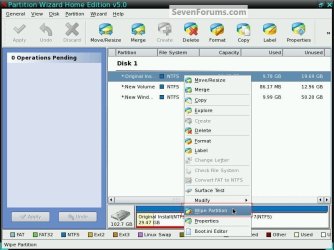
If there's nothing on the Hard Disk Drive (HDD) you don't want to save, have a look at the tutorial at the link below, this over-writes everything and gives you a clean slate to install Windows to.

Windows 7 is pretty much driver complete and you should have no issues, if needed you can view device manager to make sure there's nothing that needs to be added.


SSD / HDD : Optimize for Windows Reinstallation
 

My Computer My Computer

At a glance

W 7 64-bit UltimateIntel Q9550 Yorkfield8GB Dominator 8500C5DATI : XFX 5870
Computer Manufacturer/Model Number
* BFK Customs *
OS
W 7 64-bit Ultimate
CPU
Intel Q9550 Yorkfield
Motherboard
ASUS P5Q Pro
Memory
8GB Dominator 8500C5D
Graphics Card(s)
ATI : XFX 5870
Sound Card
Realtek HD Audio 7-1
Monitor(s) Displays
1x 47" LCD HDMI & 3x 26" LCD HDMI
Screen Resolution
1920x1080P & 1920x1200
Hard Drives
1x 80GB Intel X25-M G2 SSD : 1x 500GB & 1x 640GB WD Caviar Black(s)
PSU
Corsair 620HX
Case
Cooler Master RC-690
Cooling
Tuniq Tower 120, 2x 140mm and 3x 120mm case fans
Keyboard
Microsoft 500
Mouse
Razer Diamondback 3G
Internet Speed
14 Mb/s
Other Info
1x Koutech 3Gb/s SATA HDD Hot Swap Rack
the only driver i had to download for win7 x64 install on my dv6519tx was the ricoh 5 in 1 card reader. windows update gave me all the others.
 

My Computer My Computer

At a glance

Windows 7 Ultimate x641.80 GHz Intel Core 2 Duo processor T71003 gig ddr2NVIDIA GeForce 8400M GS
Computer Manufacturer/Model Number
HP dv6519tx
OS
Windows 7 Ultimate x64
CPU
1.80 GHz Intel Core 2 Duo processor T7100
Memory
3 gig ddr2
Graphics Card(s)
NVIDIA GeForce 8400M GS
Sound Card
Realtek High Definition Audio
Monitor(s) Displays
15.4” WXGA High Definition BrightView Widescreen
Screen Resolution
1280 x 800
Hard Drives
Hitachi 320 GB (5400 rpm)
PSU
90 W AC Power Adapter
Cooling
Kitchen plate under the lappy
Keyboard
101 key compatible
Mouse
Touch Pad with On/Off button and dedicated vertical Scroll
Internet Speed
Three Wireless internet prepaid using E160G USB dongle
It wouldn't hurt at all to go ahead and download the current Win 7 Drivers for all of your hardware.

As already mentioned, they chances you'll actually need them are slim. 7 usually does quite well finding all it needs.

But having them on a USB & already on hand, just in case, certainly isn't a bad idea at all.

Especially if unsure about the current system on a clean install.
 

My Computer My Computer

At a glance

Windows 7 Home Premium 64bitIntel Core i7 2700k8GB Mushkin Redline Ridgebacks @1866EVGA GTX570 SC
Computer Manufacturer/Model Number
Custom (Self Build)
OS
Windows 7 Home Premium 64bit
CPU
Intel Core i7 2700k
Motherboard
eVGA P67 SLI
Memory
8GB Mushkin Redline Ridgebacks @1866
Graphics Card(s)
EVGA GTX570 SC
Sound Card
XiFi Titanium HD
Monitor(s) Displays
LG W2453V
Screen Resolution
1920x1080
Hard Drives
Intel 320 80GB -- Intel X25-V 40GB --WD Black 1TB x2 -- WD Blue 640GB
PSU
Seasonic x750
Case
Corsair 600T SE White
Cooling
eVGA Superclocked CPU Cooler
Keyboard
Saitek Cyborg
Antivirus
Kaspersky
Browser
IE
Other Info
LG BD/DVD
This is not XP or Vista. MS spent a fortune building drivers in partnership with manufacturers, paying the tab so they wouldn't hold out to force us to buy newer hardware like with Vista.

As a result, the installer is nearly driver-complete, with newer arriving quickly via optional Windows Updates. In a couple of hundred installs, I haven't seen any bad drivers be supplied. At most I have to hunt one or two. In the rare case, I swap out a chipset or display driver for a better one from the computer or device maker's website, but only if performance dictates doing so.

If you have wireless LAN then that driver should be on a stick or disk so you can get online quickly if installer fails to provide it, as it can sometimes. Then wait to see what goodies Windows Updates delivers, check your Device Manager for any missing drivers and go find them on the Downloads webpage for your computer/device.
 
Before you install Windows 7 copy the drivers folder from your C:\..This folder does have all the drivers..

C:\swsetup

Make sure you download the new audio driver from HP web site..The current one does not work very well on some of the DV laptops..
 

My Computer My Computer

At a glance

Win7Pro
OS
Win7Pro
Thanks for all the help guys. I can kinda see the LAN/Wireless driver being a problem if it doesn't install. Without the internet I would have no way of getting all the drivers. I'm going to put all the drivers on my USB drive and try going through with the install later tonight. I'll keep you guys updated and let you know how it works out.
 

My Computer My Computer

At a glance

Windows 7 Ultimate 32-bit
Computer Manufacturer/Model Number
HP Pavillion dv6000
OS
Windows 7 Ultimate 32-bit
Hp pavillion will install LAN drivers "from the box" no probs.

Use GPARTED (freeware) to format / partition your HDD(S) and then install W7.

Make the LIVE CD BEFORE wiping your computer.

GParted -- Live CD/USB/PXE/HD

You'll certainly have LAN connectivity and you should be able to get any missing x-64 drivers from the HP site --HP are one of the better companies in providing hardware upgrade info.

Cheers
jimbo
 

My Computer My Computer

At a glance

Linux CENTOS 7 / various Windows OS'es and se...Intel i7 Intel i58GB, 16GBOn Motherboard
Computer type
PC/Desktop
Computer Manufacturer/Model Number
Custom built, several laptops HP/ASUS
OS
Linux CENTOS 7 / various Windows OS'es and servers
CPU
Intel i7 Intel i5
Memory
8GB, 16GB
Graphics Card(s)
On Motherboard
Sound Card
Realtek HD audio
Monitor(s) Displays
Apple Cinema display, Samsung LCD
Screen Resolution
1920 X 1080
Hard Drives
4 X 1TB SATA
Mouse
Toshiba wireless laser
Internet Speed
> 20MB up

My Computer My Computer

At a glance

W 7 64-bit UltimateIntel Q9550 Yorkfield8GB Dominator 8500C5DATI : XFX 5870
Computer Manufacturer/Model Number
* BFK Customs *
OS
W 7 64-bit Ultimate
CPU
Intel Q9550 Yorkfield
Motherboard
ASUS P5Q Pro
Memory
8GB Dominator 8500C5D
Graphics Card(s)
ATI : XFX 5870
Sound Card
Realtek HD Audio 7-1
Monitor(s) Displays
1x 47" LCD HDMI & 3x 26" LCD HDMI
Screen Resolution
1920x1080P & 1920x1200
Hard Drives
1x 80GB Intel X25-M G2 SSD : 1x 500GB & 1x 640GB WD Caviar Black(s)
PSU
Corsair 620HX
Case
Cooler Master RC-690
Cooling
Tuniq Tower 120, 2x 140mm and 3x 120mm case fans
Keyboard
Microsoft 500
Mouse
Razer Diamondback 3G
Internet Speed
14 Mb/s
Other Info
1x Koutech 3Gb/s SATA HDD Hot Swap Rack
Back
Top