Registry Cleaner

Wow! You zapped 2500 entries and got away with it? Your confidence is to be admired. I enjoy poking around in the reg but I've never been able to bring myself to action when those big numbers come up. CC is about my limit and even then I backup. Guess I.m too old for this game......

Outlander- I am not brave when it comes to ridding the Registry of no longer used items, but rather my confidence is rooted in my multi-layered system of backups.

As I mentioned IObit System Care Registry Cleaner Pro (not the free version) which found these 2,500+ items is particularly interested in System Certificate information and most of the unique entries it found pertained to this kind of information. After I upgraded to the Comodo Firewall and discovered that the program was reporting back to IObit after each use I uninstalled it with Revo and removed its folders and Registry keys.

~Maxx~
.
da59fa57.png
 

My Computer

Computer Manufacturer/Model Number
HP HPE 270f
OS
Windows 7 x64 Home Premium
CPU
Intel Core i7 930 @ 2.8 Ghz Socket 1366 LGA
Motherboard
Pegatron Truckee v1.04E41
Memory
8 GB 1366 Mhz DDR3 (PC3-10700) RAM
Graphics Card(s)
ATI Radeon 5770 1 GB DDR5 RAM
Sound Card
Realtech High Definition
Monitor(s) Displays
32" Sony Bravia
Screen Resolution
1366 X 768
Hard Drives
Intel 25nm 120 GB Series 320 SSD HD Tune- 265 MBps Read/ 130 MBps Write

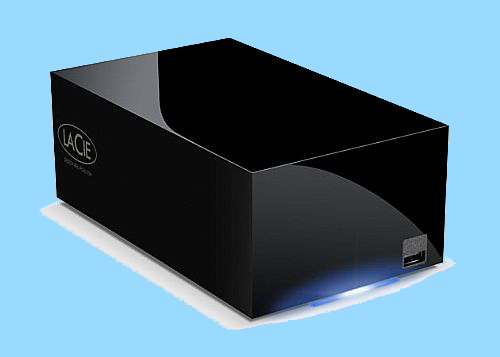
LaCie 1TB + 1TB RAID 0 eSATA Drive HD Tune- 160 MBps Read/ 90 MBps Write
Keyboard
Logitech Illuminated
Mouse
Logitech MX Revolution
Internet Speed
36.4 Mbps Maximum on a 37 Mbps Motorola SB501 Modem
I pretty much agree with Vertex and his approach is on the money. The point with which I partially disagree is this:

"I say you do need them but stay away if you don't know where the keys found lead to."

Except in very rare instances, registry cleaners are not needed for Win 7. Removing dead keys will not make one millisecond's difference in Win 7's operating speed. It does not hurt anything to remove dead keys; but there are no gains. Win 7 manages the registry much differently than did XP. Those who are applying XP knowledge to Win 7's registry will come to grief sooner or later.

Win 7 includes some keys, notably the unused extension keys, that make installation of new programs easier and file associations more accurate. It has other keys that may not be used now; but down the road will be needed. You can easily shoot yourself in the foot by blindly following a registry cleaner - and you will end up posting in the Crashes and Debugging section where the recommendation will be a clean install. It has happened and still happens. If you limit yourself to deleting keys that are associated with software you know you have uninstalled, you will be safe. If you never touch the registry, Win 7 will run just fine.

I know you die-hard registry cleaners advocates will not heed this and you will learn the hard way - like I did. :D I then did the research I should have done before hand and learned.
I still see that as a one-sided opinion on registry cleaners.

I did say that if you have 1 GB or RAM or below, you will notice performance loss overtime and that the other tweaking things will do little to fix.

Registry cleaners did help me across the things I saw crashing because I have made mistakes with registry cleaners before and that has taught me how to use them more briefly but for others that are inexperienced, its not advisable, however useful occasionally with the help of someone more experienced.

It can also help you remove invalid startup entries that are still causing delays in the startup or remove entries left over by malware that are still causing a few things to go bad.

However, like what I always say, use a backup.

I keep reading things like Windows 7 manages the Registry in a different way than Windows XP, but in what way is that really??? I have not read of any official statement from Microsoft themselves saying that the registry of Windows 7 is designed in a different way than that of XP or other predecessors. If there is, can someone direct me there????

However, the Registry is the single most core component of Windows operating systems I want them to redesign so we don't have problems like this and that about the registry and also to make security better.
 

My Computer

Computer Manufacturer/Model Number
Custom Built
OS
Windows 7 Ultimate 32 Bit, Windows Developer Preview, Linux Mint 9 Gnome 32 Bit
CPU
Intel Pentium Dual CPU E2180@2GHz
Motherboard
Elitegroup 671T-M3
Graphics Card(s)
NVIDIA GeForce 7200 GS
Monitor(s) Displays
AOC TFT1560 15" LCD Monitor
Screen Resolution
1024x768
Keyboard
Logitech USB Keyboard
I don't use registry cleaners. Instead of cleaning, they do the trashing.

I've used several different flavors of Registry Cleaners for many years now in both Vista x86 and Win 7 x64 which accounts for over 1,000 Registry cleaning sessions and I have never on any of those occasions ever noticed a 'thrashing' of the Registry nor ever noticed any negative impact whatsoever on computer performance. Are we also not to use the Revo Uninstaller also because it removes the unused Registry keys of programs that have been uninstalled?

I'm not recommending that anyone maintain the size of their computer's Registry by using Revo or a Registry cleaner if they believe it might harm their computer's Registry all I'm saying is that in my own personal experience I have used these tools to rid the Registry of no longer used keys on an ongoing basis for many years and that I have never had to use the backups I've made to repair any kind of damage to the Registry or negative effect on the functioning of my Vista x86 or Win 7 x64 computers as a result of ridding it of unused keys and some uninstalled programs leave 100's and 100's of no longer used Registry Keys...

8c10c5a1.jpg


~Maxx~
.
da59fa57.png

Suit yourself. You can use a registry cleaner if you want but remember that it is really necessary to be careful when cleaning, and always be ready with backup (create a system restore point before cleaning or create a system image of your PC's normal/stable state or a system repair disc). You must also be an experienced user. You should know how to troubleshoot your PC, and know how to fix problems that arise because at the end, you might regret what you have done. The same applies with Revo Uninstaller. Revo may clean orphaned files and registry items once a program is uninstalled, but this may cause problems especially when re-installing a program or programs that might rely on other programs' files.
 

My Computer

Computer type
PC/Desktop
Computer Manufacturer/Model Number
Custom Built
OS
Windows 7 Ultimate x64
CPU
Intel(R) Core(TM) 2 Quad Q8200 @ 2.33 GHz
Motherboard
Asus P5KPL-AM SE Motherboard
Memory
2x2GB Kingston DDR2
Graphics Card(s)
1GB AMD Radeon HD 5450
Sound Card
VIA Technologies High Definition Audio Device
Monitor(s) Displays
Samsung SyncMaster 733NW
Screen Resolution
1440x900
Hard Drives
SEAGATE 320GB Barracuda® 7200.12, SATA 3 Gb/s, 7200 RPM, 16MB cache x 2
Case
Custom Casing
Cooling
Ice cubes from the freezer ;)
Keyboard
Generic Plug & Play Keyboard
Mouse
Optical Mouse
Internet Speed
Very slow
I keep reading things like Windows 7 manages the Registry in a different way than Windows XP, but in what way is that really??? I have not read of any official statement from Microsoft themselves saying that the registry of Windows 7 is designed in a different way than that of XP or other predecessors. If there is, can someone direct me there????

I've often wondered the same thing. One thing is for sure and that is that Win 7 does not remove entries when a program is uninstalled. When I uninstalled Norton Security which HP preinstalled on my computer it left over 1,400 registry keys behind. I don't know why it is advisable to leave these abandon registry keys in place or how WIN 7 somehow 'manages' them other than just to leave them there bloating the registry.

~Maxx~
.
da59fa57.png
 

My Computer

Computer Manufacturer/Model Number
HP HPE 270f
OS
Windows 7 x64 Home Premium
CPU
Intel Core i7 930 @ 2.8 Ghz Socket 1366 LGA
Motherboard
Pegatron Truckee v1.04E41
Memory
8 GB 1366 Mhz DDR3 (PC3-10700) RAM
Graphics Card(s)
ATI Radeon 5770 1 GB DDR5 RAM
Sound Card
Realtech High Definition
Monitor(s) Displays
32" Sony Bravia
Screen Resolution
1366 X 768
Hard Drives
Intel 25nm 120 GB Series 320 SSD HD Tune- 265 MBps Read/ 130 MBps Write

LaCie 1TB + 1TB RAID 0 eSATA Drive HD Tune- 160 MBps Read/ 90 MBps Write
Keyboard
Logitech Illuminated
Mouse
Logitech MX Revolution
Internet Speed
36.4 Mbps Maximum on a 37 Mbps Motorola SB501 Modem
frzwin7- The thing is that most people are totally unaware of is the 1,000's of registry values and 10,000's of files that get left behind after uninstalling programs. The attachment below shows over 8,000 files that were left behind when uninstalling the HP Media Smart program which could not function without freezing and without a program like Revo to call the user's attention to it few people would know how to find and manually uninstall them and the same with the leftover unused registry keys which will eventually bloat the registry unless they are removed..

Thank you for your admonishment about having backups because they are very important. I keep 2 1TB drives and a 2TB Raid 0 drive stocked with both redundant Windows System Images and Macrium Reflect Images which are complete enough that I can choose between 2 completely different installations of Windows 7 and varied enough in their content that I can also freely choose between which security system version and which browser version I want to restore among the many Images that I have stored safely on inert drives. Thanks to Macrium Reflect I can re-Image my Win 7 computer in 4 minutes and 40 seconds...

87e3bf13.png


LaCie.png


~Maxx~
.
da59fa57.png
 

Attachments

  • HP Media Smart Removal.jpg
    HP Media Smart Removal.jpg
    165.2 KB · Views: 24

My Computer

Computer Manufacturer/Model Number
HP HPE 270f
OS
Windows 7 x64 Home Premium
CPU
Intel Core i7 930 @ 2.8 Ghz Socket 1366 LGA
Motherboard
Pegatron Truckee v1.04E41
Memory
8 GB 1366 Mhz DDR3 (PC3-10700) RAM
Graphics Card(s)
ATI Radeon 5770 1 GB DDR5 RAM
Sound Card
Realtech High Definition
Monitor(s) Displays
32" Sony Bravia
Screen Resolution
1366 X 768
Hard Drives
Intel 25nm 120 GB Series 320 SSD HD Tune- 265 MBps Read/ 130 MBps Write

LaCie 1TB + 1TB RAID 0 eSATA Drive HD Tune- 160 MBps Read/ 90 MBps Write
Keyboard
Logitech Illuminated
Mouse
Logitech MX Revolution
Internet Speed
36.4 Mbps Maximum on a 37 Mbps Motorola SB501 Modem
I say, a lot of crap do get leave behind, not only in the registry but deep in the C: drive too. Even CCleaner and Revo can't remove all of them, knowing that registry cleaners are dangerous if used with poor knowledge, why doesn't Microsoft make a way that this can be resolved or at least utilize how the registry behaves???

Because of this, I am conservative on installing programs on Windows 7 so whenever I feel like testing a new program, I try to test it on a Linux Mint, not on Windows 7.
 

My Computer

Computer Manufacturer/Model Number
Custom Built
OS
Windows 7 Ultimate 32 Bit, Windows Developer Preview, Linux Mint 9 Gnome 32 Bit
CPU
Intel Pentium Dual CPU E2180@2GHz
Motherboard
Elitegroup 671T-M3
Graphics Card(s)
NVIDIA GeForce 7200 GS
Monitor(s) Displays
AOC TFT1560 15" LCD Monitor
Screen Resolution
1024x768
Keyboard
Logitech USB Keyboard
I say, a lot of crap do get leave behind, not only in the registry but deep in the C: drive too. Even CCleaner and Revo can't remove all of them, knowing that registry cleaners are dangerous if used with poor knowledge, why doesn't Microsoft make a way that this can be resolved or at least utilize how the registry behaves???

Because of this, I am conservative on installing programs on Windows 7 so whenever I feel like testing a new program, I try to test it on a Linux Mint, not on Windows 7.

Vertex, if you are a hardcore software/application tester and want to test a new program in an isolated environment without affecting your real environment and without the hassle and effort of downloading virtualization software and operating systems, you can use a sandbox application such as Sandboxie or security software that include a sandbox feature such as Kaspersky Internet Security and Comodo Personal Firewall.

Maraming salamat! :D
 
Last edited:

My Computer

Computer type
PC/Desktop
Computer Manufacturer/Model Number
Custom Built
OS
Windows 7 Ultimate x64
CPU
Intel(R) Core(TM) 2 Quad Q8200 @ 2.33 GHz
Motherboard
Asus P5KPL-AM SE Motherboard
Memory
2x2GB Kingston DDR2
Graphics Card(s)
1GB AMD Radeon HD 5450
Sound Card
VIA Technologies High Definition Audio Device
Monitor(s) Displays
Samsung SyncMaster 733NW
Screen Resolution
1440x900
Hard Drives
SEAGATE 320GB Barracuda® 7200.12, SATA 3 Gb/s, 7200 RPM, 16MB cache x 2
Case
Custom Casing
Cooling
Ice cubes from the freezer ;)
Keyboard
Generic Plug & Play Keyboard
Mouse
Optical Mouse
Internet Speed
Very slow
winkerbie as you can see there are a lot of opinions. I don't and wont use one because I don't have the expertise. I would take a guess that most don't. If there was a registry cleaner that Microsoft made and approved of I would give it a try.
Microsoft SharePoint 2010 - Products | TechNet
When I go to technet an type (registry cleaner) all I get is (not found). That tells me leave the registry alone. There are probably some here on this site that know how to work with the registry, I'm not one so I leave it alone.
http://windows.microsoft.com/en-US/windows-vista/Are-registry-cleaners-necessary
 

My Computer

Computer type
PC/Desktop
Computer Manufacturer/Model Number
Home made Desktop
OS
Windows 10 Pro. 64/ version 1709 Windows 7 Pro/64
CPU
Intel i7-6800K @ 4.3
Motherboard
ASUS X-99 Deluxe II
Memory
Corsair Platinum 16 gig @2400
Graphics Card(s)
EVGA GTX 1070 OC
Monitor(s) Displays
Asus 27" LED LCD/VE278Q
Screen Resolution
1920-1080 or 1280-720 HDMI
Hard Drives
INTEL SSD 730-240 Gb Sata 3.0/
PSU
EVGA Platium 1200W
Case
Phanteks Luxe Tempered Glass 8 fans/ one radiator
Cooling
XSPC/ Water Cooled CPU
Keyboard
Das 4 Professional
Mouse
Logitech M705/MX Anywhere 2-S
Internet Speed
100 mbits
Antivirus
Microsoft Security Essentials/ Malwarebytes Premium 3.0/ SAS
Browser
I.E. 11 default/Firefox/ ISP Time Warner Cable/Spectrum
Other Info
LG BluRay Burner/
Sound system-KLipsch-THX/
Icy Dock ssd Hot Swap bays.
I've often wondered the same thing. One thing is for sure and that is that Win 7 does not remove entries when a program is uninstalled. When I uninstalled Norton Security which HP preinstalled on my computer it left over 1,400 registry keys behind. I don't know why it is advisable to leave these abandon registry keys in place or how WIN 7 somehow 'manages' them other than just to leave them there bloating the registry.

~Maxx~
.
da59fa57.png


Revo is a good idea I think, as it only deletes Reg. keys the App being uninstalled leaves behind.

Also, CCleaners isn't too bad. If you only check the keys, you know for a fact no longer exist.

The main reason I (and many others) say Registry Cleaners are bad, is that many 3rd party ones delete many keys they shouldn't.
Overall its mostly guess work on the Registry Cleaners Part.
And guess work isn't a good idea when it doesn't know whats safe to delete and what isnt.


But I honestly believe, even though some keys may get left behind, it doesnt really hurt the overall performance of the system.

My thoughts on it for what its worth :)
 

My Computer

Computer Manufacturer/Model Number
Custom (Self Build)
OS
Windows 7 Home Premium 64bit
CPU
Intel Core i7 2700k
Motherboard
eVGA P67 SLI
Memory
8GB Mushkin Redline Ridgebacks @1866
Graphics Card(s)
EVGA GTX570 SC
Sound Card
XiFi Titanium HD
Monitor(s) Displays
LG W2453V
Screen Resolution
1920x1080
Hard Drives
Intel 320 80GB -- Intel X25-V 40GB --WD Black 1TB x2 -- WD Blue 640GB
PSU
Seasonic x750
Case
Corsair 600T SE White
Cooling
eVGA Superclocked CPU Cooler
Keyboard
Saitek Cyborg
Antivirus
Kaspersky
Browser
IE
Other Info
LG BD/DVD
Apparently, Microsoft does believe in registry cleaners. Their Windows Live OneCare safety scanner for Vista and Windows 7 includes a free registry cleaner. At the home page click on "About the Windows Vista and Windows 7 edition of the scanner." Another dialog box will pop up with the sub-title "What is the Windows registry? Why should I clean it?"

What's new - Windows Live OneCare safety scanner for Windows Vista and Windows 7#
 

My Computer

Computer type
Laptop
Computer Manufacturer/Model Number
Sony Vaio VPCEB47GM Laptop
OS
Win 7 Pro 64-bit
CPU
Intel i5 2.4 Ghz
Memory
8GB DDR3
Graphics Card(s)
Intel HD 3000
Sound Card
IDT High Definition
Monitor(s) Displays
15.6 WGXA Anti-Glare LED
Screen Resolution
1280x800
Hard Drives
640Gb 7200rpm
Antivirus
MSE
Browser
Opera (primary) with IE9 backup
I pretty much agree with Vertex and his approach is on the money. The point with which I partially disagree is this:

"I say you do need them but stay away if you don't know where the keys found lead to."

Except in very rare instances, registry cleaners are not needed for Win 7. Removing dead keys will not make one millisecond's difference in Win 7's operating speed. It does not hurt anything to remove dead keys; but there are no gains. Win 7 manages the registry much differently than did XP. Those who are applying XP knowledge to Win 7's registry will come to grief sooner or later.

Win 7 includes some keys, notably the unused extension keys, that make installation of new programs easier and file associations more accurate. It has other keys that may not be used now; but down the road will be needed. You can easily shoot yourself in the foot by blindly following a registry cleaner - and you will end up posting in the Crashes and Debugging section where the recommendation will be a clean install. It has happened and still happens. If you limit yourself to deleting keys that are associated with software you know you have uninstalled, you will be safe. If you never touch the registry, Win 7 will run just fine.

I know you die-hard registry cleaners advocates will not heed this and you will learn the hard way - like I did. :D I then did the research I should have done before hand and learned.
I still see that as a one-sided opinion on registry cleaners.

I did say that if you have 1 GB or RAM or below, you will notice performance loss overtime and that the other tweaking things will do little to fix.

Registry cleaners did help me across the things I saw crashing because I have made mistakes with registry cleaners before and that has taught me how to use them more briefly but for others that are inexperienced, its not advisable, however useful occasionally with the help of someone more experienced.

It can also help you remove invalid startup entries that are still causing delays in the startup or remove entries left over by malware that are still causing a few things to go bad.

However, like what I always say, use a backup.

I keep reading things like Windows 7 manages the Registry in a different way than Windows XP, but in what way is that really??? I have not read of any official statement from Microsoft themselves saying that the registry of Windows 7 is designed in a different way than that of XP or other predecessors. If there is, can someone direct me there????

However, the Registry is the single most core component of Windows operating systems I want them to redesign so we don't have problems like this and that about the registry and also to make security better.

It may be one sided; but it is my opinion based on personal experience working with BSOD's and reading what noted Windows system experts, both MS experts and independent experts have to say. These folks are unanimous regarding Win 7 and registry cleaners.

If you think about it, MS does not release the source code of Win 7 to third parties. Therefore, the creators of registry cleaners are guessing at how Win 7 manages the registry and what keys are valid and what keys are invalid. Also keep in mind that Win7 manages the registry very differently than does XP or even Vista. Certainly, some of the invalid selections are intuitive such as keys relating to uninstalled software. On the other hand, some keys registry cleaners select as not being used are actually tied to other keys that are needed. Deleting these keys can corrupt the registry.

In short, registry cleaners are simply making a best guess. I don't trust my system to the best guesses of third party software. I do use registry cleaners on my XP system - with care and backups. Here are some links you might like to read:

Are registry cleaners necessary?

Back up the registry

Why I don’t use registry cleaners
 

My Computer

Computer Manufacturer/Model Number
Home built
OS
Windows 7 Ultimate 32 bit
CPU
Intel(R) Pentium(R) 4 CPU 3.00GHz
Motherboard
ASUS P4P800-VM Motherboard Chipset: Intel 865G + ICH5
Memory
2.50 GB RAM
Graphics Card(s)
NVIDIA GeForce 7600 GS
Sound Card
SoundMax Integrated Digital Audio (Chip)
Monitor(s) Displays
ViewSonic VX 1962 wm
Screen Resolution
1680 X 1050
Hard Drives
Seagate Barracuda 7200.10 80 GB
ST380215A ATA Device 18.6 GB
Western Digital "My Book" external hard drive 750 GB
Cooling
Fan based
Keyboard
Microsoft Comfort Curve Keyboard 2000 v10 USB
Mouse
Logitec optic USB
Internet Speed
3.01 Mb/s download 0.64 Mb/s upload
  • Like
Reactions: JMH
I keep reading things like Windows 7 manages the Registry in a different way than Windows XP, but in what way is that really??? I have not read of any official statement from Microsoft themselves saying that the registry of Windows 7 is designed in a different way than that of XP or other predecessors. If there is, can someone direct me there????

I've often wondered the same thing. One thing is for sure and that is that Win 7 does not remove entries when a program is uninstalled. When I uninstalled Norton Security which HP preinstalled on my computer it left over 1,400 registry keys behind. I don't know why it is advisable to leave these abandon registry keys in place or how WIN 7 somehow 'manages' them other than just to leave them there bloating the registry.

~Maxx~
.
da59fa57.png

I've often wondered the same thing. One thing is for sure and that is that Win 7 does not remove entries when a program is uninstalled. When I uninstalled Norton Security which HP preinstalled on my computer it left over 1,400 registry keys behind. I don't know why it is advisable to leave these abandon registry keys in place or how WIN 7 somehow 'manages' them other than just to leave them there bloating the registry.

~Maxx~
.
da59fa57.png


Revo is a good idea I think, as it only deletes Reg. keys the App being uninstalled leaves behind.

Also, CCleaners isn't too bad. If you only check the keys, you know for a fact no longer exist.

The main reason I (and many others) say Registry Cleaners are bad, is that many 3rd party ones delete many keys they shouldn't.
Overall its mostly guess work on the Registry Cleaners Part.
And guess work isn't a good idea when it doesn't know whats safe to delete and what isnt.


But I honestly believe, even though some keys may get left behind, it doesnt really hurt the overall performance of the system.

My thoughts on it for what its worth :)

I agree with both of you on this approach. No, Windows 7 (nor any other Windows OS) does not remove keys left behind by uninstalled programs. I do use the Ccleaner to remove these entries - and only these entries. Does it make a difference in the performance of Win 7? I doubt that one could measure any difference even after a year.

Apparently, Microsoft does believe in registry cleaners. Their Windows Live OneCare safety scanner for Vista and Windows 7 includes a free registry cleaner. At the home page click on "About the Windows Vista and Windows 7 edition of the scanner." Another dialog box will pop up with the sub-title "What is the Windows registry? Why should I clean it?"

What's new - Windows Live OneCare safety scanner for Windows Vista and Windows 7#

The key is Microsoft. Microsoft designed Win 7. They should know how to clean the registry safely. I have no qualms about using OneCare.
 

My Computer

Computer Manufacturer/Model Number
Home built
OS
Windows 7 Ultimate 32 bit
CPU
Intel(R) Pentium(R) 4 CPU 3.00GHz
Motherboard
ASUS P4P800-VM Motherboard Chipset: Intel 865G + ICH5
Memory
2.50 GB RAM
Graphics Card(s)
NVIDIA GeForce 7600 GS
Sound Card
SoundMax Integrated Digital Audio (Chip)
Monitor(s) Displays
ViewSonic VX 1962 wm
Screen Resolution
1680 X 1050
Hard Drives
Seagate Barracuda 7200.10 80 GB
ST380215A ATA Device 18.6 GB
Western Digital "My Book" external hard drive 750 GB
Cooling
Fan based
Keyboard
Microsoft Comfort Curve Keyboard 2000 v10 USB
Mouse
Logitec optic USB
Internet Speed
3.01 Mb/s download 0.64 Mb/s upload
Apparently, Microsoft does believe in registry cleaners. Their Windows Live OneCare safety scanner for Vista and Windows 7 includes a free registry cleaner. At the home page click on "About the Windows Vista and Windows 7 edition of the scanner." Another dialog box will pop up with the sub-title "What is the Windows registry? Why should I clean it?"

What's new - Windows Live OneCare safety scanner for Windows Vista and Windows 7#

The key is Microsoft. Microsoft designed Win 7. They should know how to clean the registry safely. I have no qualms about using OneCare.

Many people believe registry cleaners are "evil" and should be avoided at all costs. Since no one else brought up the fact that Microsoft has its own registry cleaner, I thought I'd put it out there. I wanted to let people know that if they really want to use a registry cleaner, and if they have any concerns about 3rd party cleaners, there is an alternative. I wasn't trying to be confrontational and if I came across that way I apologize.
 

My Computer

Computer type
Laptop
Computer Manufacturer/Model Number
Sony Vaio VPCEB47GM Laptop
OS
Win 7 Pro 64-bit
CPU
Intel i5 2.4 Ghz
Memory
8GB DDR3
Graphics Card(s)
Intel HD 3000
Sound Card
IDT High Definition
Monitor(s) Displays
15.6 WGXA Anti-Glare LED
Screen Resolution
1280x800
Hard Drives
640Gb 7200rpm
Antivirus
MSE
Browser
Opera (primary) with IE9 backup
I wasn't trying to be confrontational and if I came across that way I apologize.

No need to apologize. I seriously doubt anyone would object to debating your opinion or thoughts. Whether you agree or disagree.


Being flat out rude is another story, but that isn't the case

:)
 

My Computer

Computer Manufacturer/Model Number
Custom (Self Build)
OS
Windows 7 Home Premium 64bit
CPU
Intel Core i7 2700k
Motherboard
eVGA P67 SLI
Memory
8GB Mushkin Redline Ridgebacks @1866
Graphics Card(s)
EVGA GTX570 SC
Sound Card
XiFi Titanium HD
Monitor(s) Displays
LG W2453V
Screen Resolution
1920x1080
Hard Drives
Intel 320 80GB -- Intel X25-V 40GB --WD Black 1TB x2 -- WD Blue 640GB
PSU
Seasonic x750
Case
Corsair 600T SE White
Cooling
eVGA Superclocked CPU Cooler
Keyboard
Saitek Cyborg
Antivirus
Kaspersky
Browser
IE
Other Info
LG BD/DVD
As far as I know Microsoft does not release there source code to any 3rd party. Like CarlTR6 posted, there is a guess factor that I don't want to use on my computer...
marsmimar I have no problem with your post. Your opinion is welcomed by me.
 
Last edited:

My Computer

Computer type
PC/Desktop
Computer Manufacturer/Model Number
Home made Desktop
OS
Windows 10 Pro. 64/ version 1709 Windows 7 Pro/64
CPU
Intel i7-6800K @ 4.3
Motherboard
ASUS X-99 Deluxe II
Memory
Corsair Platinum 16 gig @2400
Graphics Card(s)
EVGA GTX 1070 OC
Monitor(s) Displays
Asus 27" LED LCD/VE278Q
Screen Resolution
1920-1080 or 1280-720 HDMI
Hard Drives
INTEL SSD 730-240 Gb Sata 3.0/
PSU
EVGA Platium 1200W
Case
Phanteks Luxe Tempered Glass 8 fans/ one radiator
Cooling
XSPC/ Water Cooled CPU
Keyboard
Das 4 Professional
Mouse
Logitech M705/MX Anywhere 2-S
Internet Speed
100 mbits
Antivirus
Microsoft Security Essentials/ Malwarebytes Premium 3.0/ SAS
Browser
I.E. 11 default/Firefox/ ISP Time Warner Cable/Spectrum
Other Info
LG BluRay Burner/
Sound system-KLipsch-THX/
Icy Dock ssd Hot Swap bays.
Apparently, Microsoft does believe in registry cleaners. Their Windows Live OneCare safety scanner for Vista and Windows 7 includes a free registry cleaner. At the home page click on "About the Windows Vista and Windows 7 edition of the scanner." Another dialog box will pop up with the sub-title "What is the Windows registry? Why should I clean it?"

What's new - Windows Live OneCare safety scanner for Windows Vista and Windows 7#

The key is Microsoft. Microsoft designed Win 7. They should know how to clean the registry safely. I have no qualms about using OneCare.

Many people believe registry cleaners are "evil" and should be avoided at all costs. Since no one else brought up the fact that Microsoft has its own registry cleaner, I thought I'd put it out there. I wanted to let people know that if they really want to use a registry cleaner, and if they have any concerns about 3rd party cleaners, there is an alternative. I wasn't trying to be confrontational and if I came across that way I apologize.

I did not take it as being confrontational. I took it as adding information that had not been discussed. It is a very good point and I was trying add my agreement with your very valid point.
 

My Computer

Computer Manufacturer/Model Number
Home built
OS
Windows 7 Ultimate 32 bit
CPU
Intel(R) Pentium(R) 4 CPU 3.00GHz
Motherboard
ASUS P4P800-VM Motherboard Chipset: Intel 865G + ICH5
Memory
2.50 GB RAM
Graphics Card(s)
NVIDIA GeForce 7600 GS
Sound Card
SoundMax Integrated Digital Audio (Chip)
Monitor(s) Displays
ViewSonic VX 1962 wm
Screen Resolution
1680 X 1050
Hard Drives
Seagate Barracuda 7200.10 80 GB
ST380215A ATA Device 18.6 GB
Western Digital "My Book" external hard drive 750 GB
Cooling
Fan based
Keyboard
Microsoft Comfort Curve Keyboard 2000 v10 USB
Mouse
Logitec optic USB
Internet Speed
3.01 Mb/s download 0.64 Mb/s upload
Also keep in mind that Win7 manages the registry very differently than does XP or even Vista.
http://windows.microsoft.com/en-US/windows-vista/Are-registry-cleaners-necessary
Yes, I do agree that developers of third party registry cleaners do a lot of guess work but what I am really curious right now is in what way really does Windows 7 manage the registry differently from Windows XP or Vista???? I have read that many many times in this forum on the threads about registry cleaners. But the questing is how???

I have not read any statements from Microsoft about this. So can someone please direct me to a statement on this. The only statement from Microsoft is something like "the Registry is self-sufficient" which is on the Windows 7 Help section about reg cleaners but beyond that, I haven't found any leads.

One thing is for certain though, Windows 7 does not tidy its registry by itself and and they did say, you can install registry cleaners from publishers you trust so I guess its a personal preference and obligation.

I do want to make a stand on Microsoft's future operating systems to have real self-healing and self sufficient registries so we won't have these troubles with registry cleaners anymore. Who's with me on that???
 

My Computer

Computer Manufacturer/Model Number
Custom Built
OS
Windows 7 Ultimate 32 Bit, Windows Developer Preview, Linux Mint 9 Gnome 32 Bit
CPU
Intel Pentium Dual CPU E2180@2GHz
Motherboard
Elitegroup 671T-M3
Graphics Card(s)
NVIDIA GeForce 7200 GS
Monitor(s) Displays
AOC TFT1560 15" LCD Monitor
Screen Resolution
1024x768
Keyboard
Logitech USB Keyboard

My Computer

Computer Manufacturer/Model Number
Hopalong/ Godzilla
OS
Windows7 Pro 64bit SP-1; Windows XP Pro 32bit
CPU
Intel Core i7-870 Lynnfield 2.93GHz LGA 1156 95W Quad-Core
Motherboard
ASUS P7P55D-E PRO
Memory
8GB@1400MHz Crucial Ballistix DDR3-1600 4x2GB
Graphics Card(s)
ASUS ENGTX460 DirectCU/2DI/1GD5 1GB 256-bit GDDR5
Sound Card
VIA Onboard
Monitor(s) Displays
Asus VS248H-P 24"; Samsung SyncMaster 941BW 19"ws
Screen Resolution
1920x1080; 1440x900
Hard Drives
Samsung 830 120GB SSD
Intel 320 120GB SSD
Western Digital Caviar Black WD7501AALS 750GB 7200 RPM SATA 3.0Gb/s
Western Digital Caviar Black WD6401AALS 640GB 7200 RPM SATA 3.0Gb/s
PSU
COOLER MASTER Silent Pro RS850-AMBAJ3-US 850W Modular
Case
COOLER MASTER HAF 932 RC-932-KKN5-GP Black
Cooling
Scythe "Mugen-2 Rev.B" (2 ScytheKaze-Jyuni PWM fans)
Keyboard
Logitech K-320
Mouse
Kensington
Antivirus
Avast Inernet Suite
Browser
IE 9 ; Chrome
Also keep in mind that Win7 manages the registry very differently than does XP or even Vista.
Yes, I do agree that developers of third party registry cleaners do a lot of guess work but what I am really curious right now is in what way really does Windows 7 manage the registry differently from Windows XP or Vista???? I have read that many many times in this forum on the threads about registry cleaners. But the questing is how???

I have not read any statements from Microsoft about this. So can someone please direct me to a statement on this. The only statement from Microsoft is something like "the Registry is self-sufficient" which is on the Windows 7 Help section about reg cleaners but beyond that, I haven't found any leads.

One thing is for certain though, Windows 7 does not tidy its registry by itself and and they did say, you can install registry cleaners from publishers you trust so I guess its a personal preference and obligation.

I do want to make a stand on Microsoft's future operating systems to have real self-healing and self sufficient registries so we won't have these troubles with registry cleaners anymore. Who's with me on that???

From what I have read in several really good books (manuals) on Win 7, it has to do with the way the system uses the registry. To simply a bunch I don't really understand, Win 7 skips over excess, unused, and unneeded keys without bogging down such as XP does. I am just in the beginning stages of learning the Win 7 registry. Read those links I posted above and you will gain some insight. That was my starting point.

I do use Windows online cleaner every now and then.
 

My Computer

Computer Manufacturer/Model Number
Home built
OS
Windows 7 Ultimate 32 bit
CPU
Intel(R) Pentium(R) 4 CPU 3.00GHz
Motherboard
ASUS P4P800-VM Motherboard Chipset: Intel 865G + ICH5
Memory
2.50 GB RAM
Graphics Card(s)
NVIDIA GeForce 7600 GS
Sound Card
SoundMax Integrated Digital Audio (Chip)
Monitor(s) Displays
ViewSonic VX 1962 wm
Screen Resolution
1680 X 1050
Hard Drives
Seagate Barracuda 7200.10 80 GB
ST380215A ATA Device 18.6 GB
Western Digital "My Book" external hard drive 750 GB
Cooling
Fan based
Keyboard
Microsoft Comfort Curve Keyboard 2000 v10 USB
Mouse
Logitec optic USB
Internet Speed
3.01 Mb/s download 0.64 Mb/s upload
What's new - Windows Live OneCare safety scanner for Windows Vista and Windows 7

Looks like they are suggesting not to use their own cleaner on Win7.
Post #98
This from the person on the forum telling everyone how to use the software.:shock:

Message boards

I'm deleting my Ccleaner off my Win7. I don't even want to use it by accident.:eek:

Mike

Ccleaner is perfectly safe for deleting junk from your drives. Its registry cleaner is very conservative. I use Ccleaner routinely; but I don't use the registry cleaner except to get rid of keys that I know are related to uninstalled programs.
 

My Computer

Computer Manufacturer/Model Number
Home built
OS
Windows 7 Ultimate 32 bit
CPU
Intel(R) Pentium(R) 4 CPU 3.00GHz
Motherboard
ASUS P4P800-VM Motherboard Chipset: Intel 865G + ICH5
Memory
2.50 GB RAM
Graphics Card(s)
NVIDIA GeForce 7600 GS
Sound Card
SoundMax Integrated Digital Audio (Chip)
Monitor(s) Displays
ViewSonic VX 1962 wm
Screen Resolution
1680 X 1050
Hard Drives
Seagate Barracuda 7200.10 80 GB
ST380215A ATA Device 18.6 GB
Western Digital "My Book" external hard drive 750 GB
Cooling
Fan based
Keyboard
Microsoft Comfort Curve Keyboard 2000 v10 USB
Mouse
Logitec optic USB
Internet Speed
3.01 Mb/s download 0.64 Mb/s upload
Back
Top