- Local time
- 7:49 AM
- Messages
- 168
Hi, I will be purchasing a SSD soon but having doubts about how I want to go about reinstalling my OS into the SSD when I get it.
My plan is to install my OS into the SSD, and then enter the OS, then deleting my old OS on my HDD by simply clicking and dragging all the relative folders, and then deleting it.
But something tells me that it's not so simple, or I might seriously mess something up.
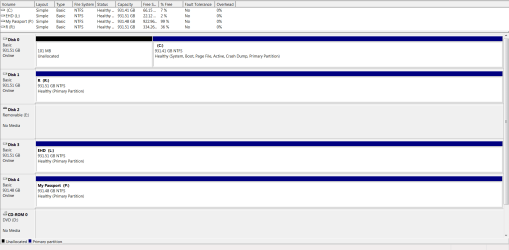
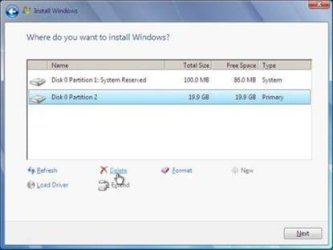
Just want to make sure I don't accidentally wipe out my entire HDD in attempts to delete the OS by getting rid of it like the sample picture presented.
Just so I ask the question in advance, how would I go about deleting the OS off my HDD without deleting everything else, as it will now act as storage whilst my new SSD acts as the OS.
Thanks in advance.
My plan is to install my OS into the SSD, and then enter the OS, then deleting my old OS on my HDD by simply clicking and dragging all the relative folders, and then deleting it.
But something tells me that it's not so simple, or I might seriously mess something up.
Just want to make sure I don't accidentally wipe out my entire HDD in attempts to delete the OS by getting rid of it like the sample picture presented.
Just so I ask the question in advance, how would I go about deleting the OS off my HDD without deleting everything else, as it will now act as storage whilst my new SSD acts as the OS.
Thanks in advance.
Attachments
My Computer
At a glance
Microsoft Windows 7 Professional 64-bit5960X @ 4.4GHz16.0 GBNVIDIA GeForce GTX 980 Ti
- Computer type
- PC/Desktop
- Computer Manufacturer/Model Number
- Custom
- OS
- Microsoft Windows 7 Professional 64-bit
- CPU
- 5960X @ 4.4GHz
- Motherboard
- X99 SABERTOOTH
- Memory
- 16.0 GB
- Graphics Card(s)
- NVIDIA GeForce GTX 980 Ti
- Hard Drives
- (1) OCZ-VERT EX460 SCSI Disk Device
(2) WDC WD1002FAEX-00Z3A SCSI Disk Device
(3) WDC WD1003FZEX-00MK2 SCSI Disk Device
- Internet Speed
- God Speed.
- Antivirus
- Glock 9