
Okay, I've been changing the Login Screen Background, but what I really want to do is remove the Icon (the User Account Picture).
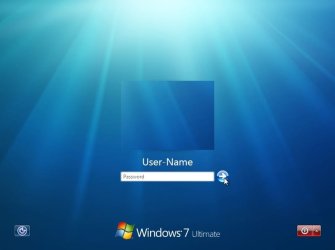
I want to remove the whole thing, I just want my Username Showing and a box under it to type the Password. Is that possible?
I am running Windows 7 Ultimate 64bit.
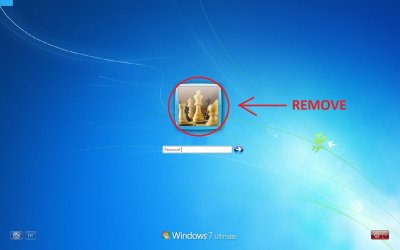
I want to remove the whole thing, I just want my Username Showing and a box under it to type the Password. Is that possible?
I am running Windows 7 Ultimate 64bit.
My Computer
At a glance
Windows 7 Ultimate x64i7 930 @ 2.80GHz6GB DDR3MSI Nvidia GTX 460 Hawk 1 GB Talon Attack
- OS
- Windows 7 Ultimate x64
- CPU
- i7 930 @ 2.80GHz
- Motherboard
- Asus Sabertooth x58
- Memory
- 6GB DDR3
- Graphics Card(s)
- MSI Nvidia GTX 460 Hawk 1 GB Talon Attack
- Keyboard
- Razer Arctosa
- Mouse
- Razer Mamba
- Internet Speed
- 4 mbps


 once you work with it for a while, things will become much easier to understand. enjoy.
 yup i know what you mean. i had to do a system restore (from restore point) cuz my logon screen was, well, nothing but a black screen LOL. edit with care and do create restore points.

