
Here's one solution that i have developed for this specific problem.
Place the .exe wherever you want, then run it once to set it as an autostart item for Windows.
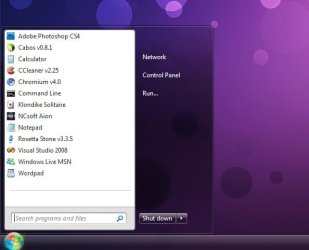
The user picture will vanish from existence.
It will only re-appear if you change the Theme or if you reposition the taskbar around your desktop, but then again you can manually run the .exe once more.
Works for Windows Vista, Windows 7.
Place the .exe wherever you want, then run it once to set it as an autostart item for Windows.
The user picture will vanish from existence.
It will only re-appear if you change the Theme or if you reposition the taskbar around your desktop, but then again you can manually run the .exe once more.
Works for Windows Vista, Windows 7.
Attachments
My Computer
- OS
- Windows 7
