

- Local time
- 9:44 PM
- Messages
- 223
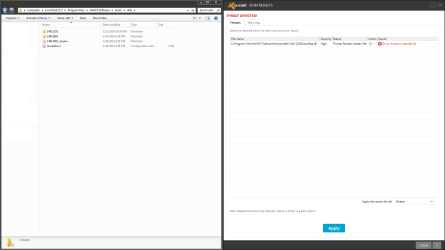
I scanned all of my drives with avast and it found one result, a rookit. When I try to remove it I get an error, saying that access is denied. How can I remove the rootkit properly? I'm aware that a common solution to this problem is to just wipe the drive, but I don't want to do that. The rootkit isn't (noticably) affecting me in anyway so I don't want to go through the hassle of wiping a drive to get rid of it.
Attachments
My Computer
- OS
- Windows 7 Home Premium x64
- CPU
- Intel i7-2600K
- Motherboard
- ASUS Sabertooth Z77
- Memory
- G.SKILL Ripjaws (16 GB Total)
- Graphics Card(s)
- EVGA GeForce GTX 560 Ti
- Monitor(s) Displays
- ASUS
- Screen Resolution
- 1920x1080 (2 Monitors)
- Hard Drives
- Hitachi GST Deskstar 2 TB (HDD)
Samsung 840 Pro 256 GB (SSD)
- PSU
- SeaSonic X Series X650 Gold
- Case
- Antec DF 85
- Keyboard
- Microsoft SideWinder X4
- Mouse
- MadCatz M.M.O. 7 & Logitech G35
- Internet Speed
- 50 down
- Antivirus
- Avast Free, SuperAntiSpyware Free, Malwarebytes Free
- Browser
- Mozilla Firefox
