

Hi all,
how can i RENAME right click new context items?
my windows installed in English.
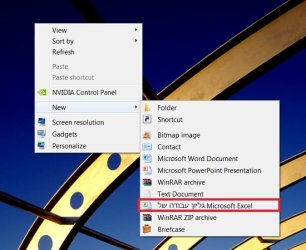
as you see in the photo- part of Microsoft excel line is in Hebrew (the translation is worksheet ).
all other office context items 2010 are in English.
how can i rename the line to Microsoft Excel Worksheet ?
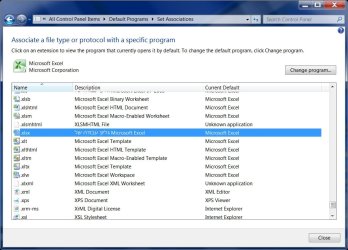
גליון עבודה של -weren't find in registry.
i did some reading but no result...
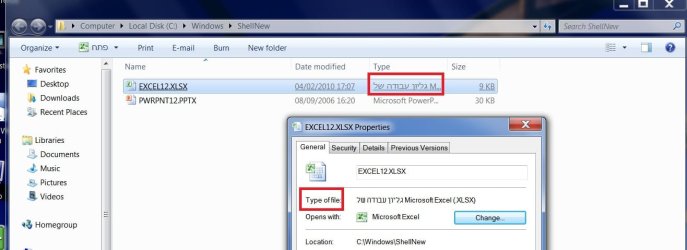
i think it is 'shellnew" related issue as you see in the other photo (power point is in English)
Edit, Add, Remove items from New Context Menu in Windows
thanks
how can i RENAME right click new context items?
my windows installed in English.
as you see in the photo- part of Microsoft excel line is in Hebrew (the translation is worksheet ).
all other office context items 2010 are in English.
how can i rename the line to Microsoft Excel Worksheet ?
גליון עבודה של -weren't find in registry.
i did some reading but no result...
i think it is 'shellnew" related issue as you see in the other photo (power point is in English)
Edit, Add, Remove items from New Context Menu in Windows
thanks
Attachments
Last edited:
My Computer
- Computer type
- PC/Desktop
- OS
- 98SE/XP/windows7 32bit/ win10


