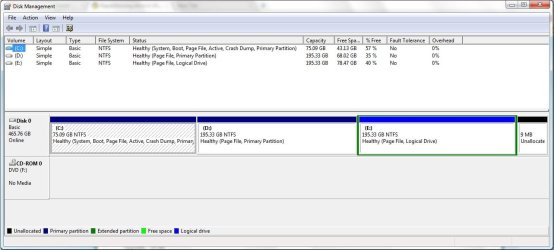
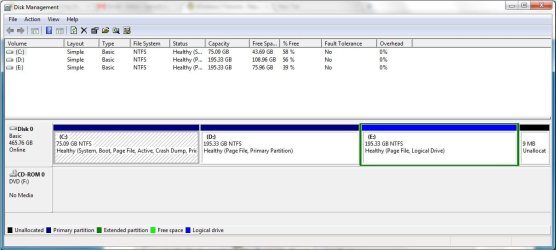
I want to know how to partition/re-partition a drive to install Linux. I have the following queries :
1. Windows is installed on C:, how should I repartition it without losing any data ie removing Windows and reinstalling it. Ex: C: is of size 75 GB and has 40 GB free space... so how to create a partition from the remaining 35 of 40 GB.
2. D: is a normal data drive, how should I repartition it without losing any data.Ex: D: is of size 200 GB and has 100 GB free space... so how to create a partition from the remaining 75 of 100 GB.
Is partitioning done using some software or window commands. Kindly give info on software name, download and stepwise how to.
Awaiting your reply.
OS: Win7 Ultimate 64-bit
RAM: 2GB
Regards
Arpit
1. Windows is installed on C:, how should I repartition it without losing any data ie removing Windows and reinstalling it. Ex: C: is of size 75 GB and has 40 GB free space... so how to create a partition from the remaining 35 of 40 GB.
2. D: is a normal data drive, how should I repartition it without losing any data.Ex: D: is of size 200 GB and has 100 GB free space... so how to create a partition from the remaining 75 of 100 GB.
Is partitioning done using some software or window commands. Kindly give info on software name, download and stepwise how to.
Awaiting your reply.
OS: Win7 Ultimate 64-bit
RAM: 2GB
Regards
Arpit
My Computer
- OS
- Windows 7 Ultimate 64-bit
- CPU
- Intel Core 2 Quad CPU Q9400 2.66GHz
- Motherboard
- Intel DG45
- Memory
- 2 GB DDR
- Graphics Card(s)
- None
- Sound Card
- Intel HD Audio HDMI
- Monitor(s) Displays
- Generic Non-PnP Monitor 17'' CRT
- Hard Drives
- 500 GB SATA
- Case
- ATX