
- Local time
- 11:14 AM
- Messages
- 260
Hi, I'm trying to reclaim space, after shrinking my (native) V-OS Windows 7 VHD (from 90GB to 30GB, still 3.5 free space)
the (diskpart) shrink worked, leaving me with a nice healthy, active 24g partition... and 75g unallocated.
The consensus seems to be vhdresizehttp://www.howtogeek.com/50399/how-to-resize-a-microsoft-virtual-hard-drive-vhd-file/, but I (currently) have to complete the 'final step' of the resize vhd (file) operation outside the V-OS (it seems... VHDresizer won't
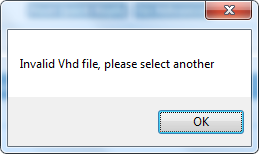 ... I'm guessing vhdresizer 's GUIs gonna crashNburn from a pureDOSesque startup/recovery console {currently win7 boot disc is my method, looking for a lightweight boot entry to add to bootmenu, for 'vhd mgmt', ie vhd resizer..}
read all on diskpart, still no clue on 'direct method' on handling unallocated space, ie to enable vhdresize to "finish it's task" (25g VHD "volume" is still actually a 99g VHD file on a 200 gig partition)
Closest I've got is ref to compact command in PowerShell-context, re 'dual-command' to shrink then compact...
the (diskpart) shrink worked, leaving me with a nice healthy, active 24g partition... and 75g unallocated.
The consensus seems to be vhdresizehttp://www.howtogeek.com/50399/how-to-resize-a-microsoft-virtual-hard-drive-vhd-file/, but I (currently) have to complete the 'final step' of the resize vhd (file) operation outside the V-OS (it seems... VHDresizer won't
read all on diskpart, still no clue on 'direct method' on handling unallocated space, ie to enable vhdresize to "finish it's task" (25g VHD "volume" is still actually a 99g VHD file on a 200 gig partition)
Closest I've got is ref to compact command in PowerShell-context, re 'dual-command' to shrink then compact...
My Computer
- Computer type
- Laptop
- Computer Manufacturer/Model Number
- Dell
- OS
- Windows 7 Ultimate 64bit
- CPU
- 2.2
- Memory
- 8Gb
- Graphics Card(s)
- NVIDIA
- Screen Resolution
- 1280/762
- Mouse
- built in pad || iphone || MS wireless
- Internet Speed
- 100MB
- Antivirus
- Avast
- Browser
- Chrome, Chrome portable


