Michael000
New member
- Local time
- 4:01 PM
- Messages
- 22
Hi
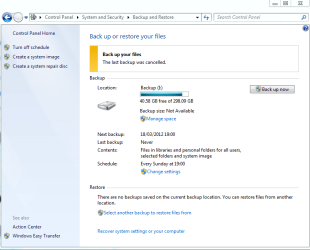
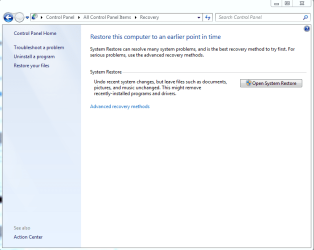
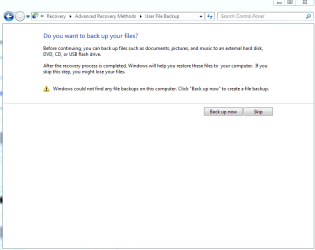
My Core2duo died a lingering death but before it died I made a backup using the W7 backup feature which created a directory called WindowsImageBackup containing 64Gb of stuff. I bought a new motherboard and cpu, reloaded the OS (32bit and later 64bit) and tried with both 32 and 64 to recover the backup. The WindowsImageBackup is on an external HDD and I can't get the system to see it. I go to the backup and restore your files feature and it wants me to make a backup but it doesn't readily offer me a restore/recover option. I see 'Restore' at the bottom and 'Select another backup to restore files from,' I get a 'looking for backup devices' message and then a screen saying select the backup you want to restore and there's nothing there and I can't see a way of forcing it to look at the external drive. What am I doing wrong?
TIA
My Core2duo died a lingering death but before it died I made a backup using the W7 backup feature which created a directory called WindowsImageBackup containing 64Gb of stuff. I bought a new motherboard and cpu, reloaded the OS (32bit and later 64bit) and tried with both 32 and 64 to recover the backup. The WindowsImageBackup is on an external HDD and I can't get the system to see it. I go to the backup and restore your files feature and it wants me to make a backup but it doesn't readily offer me a restore/recover option. I see 'Restore' at the bottom and 'Select another backup to restore files from,' I get a 'looking for backup devices' message and then a screen saying select the backup you want to restore and there's nothing there and I can't see a way of forcing it to look at the external drive. What am I doing wrong?
TIA
My Computer
- Computer Manufacturer/Model Number
- ASUS
- OS
- W7 32 aqnd 64
- CPU
- Intel i5
- Motherboard
- ASUS P8Z68-V LX
- Memory
- 8GB
- Graphics Card(s)
- on board
- Sound Card
- on board
- Monitor(s) Displays
- philips
- Hard Drives
- WD