
ZingFreelancer
New member
Hello 7forum.
Right now I am using RocketDock with Stacks Docklet to organize my desktop. Working great taking aside some 64bit applications like Photoshop, Premiere, Maya, ect.
I read online about symbolic links, that people who have same kind of problem create symbolic links to solve them. However, I do not quit understand how to apply their solution to my problem.
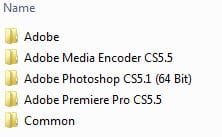
So here is the deal, I got 120gb SSD for windows and all programs running on Win7 Ultimate x64. There I got C:\Program Files\Adobe and in that folder.
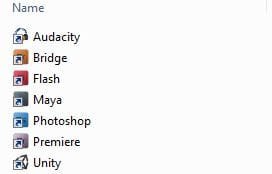
RocketDock stacks work in such way, that you create a folder with many short-cuts and than add it to RocketDock. I have such folder that I keep on another hard drive D:\Windowz\RocketDock\Creative Design\ with all of my short-cuts to desired programs and their custom icons.
Photoshop, Maya, Premiere does not work because they are located in Program Files. But Bridge, Flash og Audacity work fine because they are located in Program Files(x86).
Can anyone give me a comprehensive way to how I can connect my Photoshop short-cut on disk D: to photoshop program on disk C: by means of symbolic link?
Right now I am using RocketDock with Stacks Docklet to organize my desktop. Working great taking aside some 64bit applications like Photoshop, Premiere, Maya, ect.
I read online about symbolic links, that people who have same kind of problem create symbolic links to solve them. However, I do not quit understand how to apply their solution to my problem.
So here is the deal, I got 120gb SSD for windows and all programs running on Win7 Ultimate x64. There I got C:\Program Files\Adobe and in that folder.
RocketDock stacks work in such way, that you create a folder with many short-cuts and than add it to RocketDock. I have such folder that I keep on another hard drive D:\Windowz\RocketDock\Creative Design\ with all of my short-cuts to desired programs and their custom icons.
Photoshop, Maya, Premiere does not work because they are located in Program Files. But Bridge, Flash og Audacity work fine because they are located in Program Files(x86).
Can anyone give me a comprehensive way to how I can connect my Photoshop short-cut on disk D: to photoshop program on disk C: by means of symbolic link?
Attachments
My Computer
- Computer Manufacturer/Model Number
- Selvbuild
- OS
- Windows 7 Pro 64bit
- CPU
- Core 2 Duo E3400
- Motherboard
- Asus P5E-Deluxe
- Memory
- 8GB DDR2
- Graphics Card(s)
- XFX Radeon 5970 Black Edition
- Sound Card
- Creative X-FI Soundblaster xTremeGamer
- Hard Drives
- 4 hard drives
1 500gb OS (separeted in 2 partitions, system and personal files)
1 500gb for games
1 500gb for downloads
1 1tb for anime storage
- PSU
- 650W
- Case
- Antec something
- Cooling
- Asus SilentKnight 2


