Manlio
New member
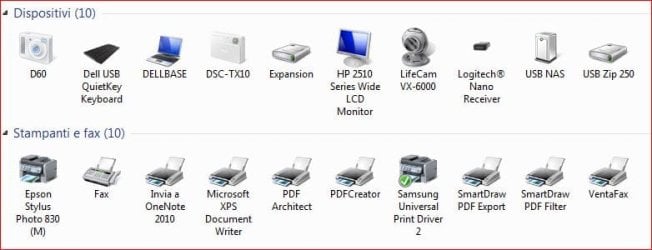
For years I had never problems to print using a network printer attached to USB print server port of an US Robotics router. My home network has two Win 7 PC and two XP, all from Dell. Few days ago only the Windows 7 computers send printings to spooler queue where they get stuck. I worked several days on this argument, doing many attempts.
I have investigated installation problems so as permissions, spooler, firewall and antivirus, drivers (latest available), system files corruption or similar problems etc., without any good result.
If I move the printer to Windows 7 computers local USB, the printer installs immediately and prints.
The network is OK (fixed IPs) and I had no problems on sharing folders etc on W7 and XP computers.
I googled every possible discussion, so as on Microsoft and Dell forums, no success. I am not a newbie on IT stuff but I am unable to understand why, suddenly the W7 computers are unable to address the printer. Its network address is fixed by the router (192.168.1.1:1631/printers/Samsung) and has been so for years.
Thanks for your time
I have investigated installation problems so as permissions, spooler, firewall and antivirus, drivers (latest available), system files corruption or similar problems etc., without any good result.
If I move the printer to Windows 7 computers local USB, the printer installs immediately and prints.
The network is OK (fixed IPs) and I had no problems on sharing folders etc on W7 and XP computers.
I googled every possible discussion, so as on Microsoft and Dell forums, no success. I am not a newbie on IT stuff but I am unable to understand why, suddenly the W7 computers are unable to address the printer. Its network address is fixed by the router (192.168.1.1:1631/printers/Samsung) and has been so for years.
Thanks for your time
My Computer
- Computer type
- PC/Desktop
- Computer Manufacturer/Model Number
- Dell
- OS
- Windows 7 Pro 64bit
- Memory
- 8 G
- Graphics Card(s)
- NVIDIA