- Local time
- 10:06 PM
- Messages
- 4,755
Run Windows in your browser
With a new Web service, it is possible to run Windows directly from the browser - although it actually is a little cheating.
Run programs, virtual, you can easily test systems without installing first.
That you now have the possibility of the website Windows4all.com.
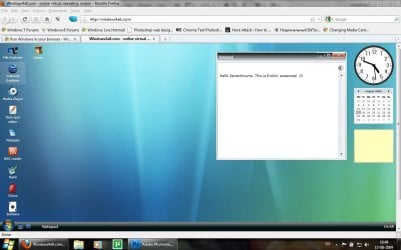
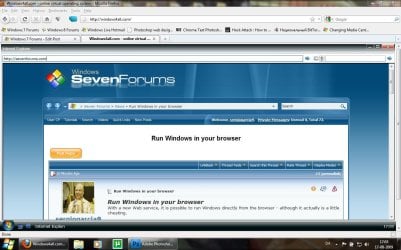
It is simply built up as Microsoft's familiar operating system, but run from the browser whether it is called Firefox, Explorer or something else.
You will then have a virtual version of Microsoft's OS if you surf into any Web page.
It must be stressed that it is not genuine Windows, you can find on Windows4all.com, but rather an offer of how Microsoft's operating system would work if it only ran online.
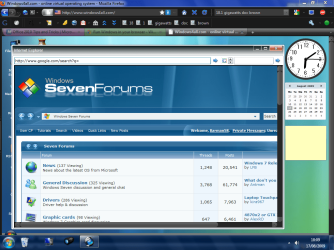
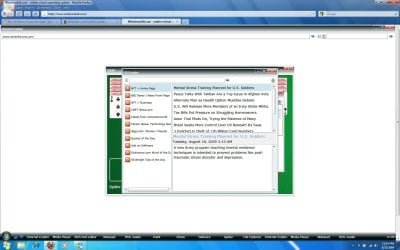
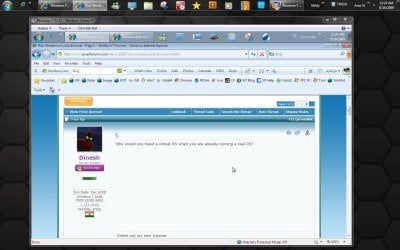
You have access to a browser, so you - as our screenshot shows - can run Firefox, running Windows running Internet Explorer ... confused?
There is also access to, among other things, word processing, video player, drawing program, and of course the obligatory cable.
The question is just what it can be used for? At first glance it may at least provide a picture of what the future may be online.
As more and more web services offer office packages, image and even advanced games via the browser, it will eventually no matter what computer you're at - you have a network connection. It is not inconceivable that we eventually - through the browser - will have access to an online system that is optimized to run advanced Web applications and, of course, save all our important files.
This requires that you install Silver Light, which is Microsoft's competitor to Adobe Flash.
link to site: Windows4all.com - online virtual operating system
With a new Web service, it is possible to run Windows directly from the browser - although it actually is a little cheating.
Run programs, virtual, you can easily test systems without installing first.
That you now have the possibility of the website Windows4all.com.
It is simply built up as Microsoft's familiar operating system, but run from the browser whether it is called Firefox, Explorer or something else.
You will then have a virtual version of Microsoft's OS if you surf into any Web page.
It must be stressed that it is not genuine Windows, you can find on Windows4all.com, but rather an offer of how Microsoft's operating system would work if it only ran online.
You have access to a browser, so you - as our screenshot shows - can run Firefox, running Windows running Internet Explorer ... confused?
There is also access to, among other things, word processing, video player, drawing program, and of course the obligatory cable.
The question is just what it can be used for? At first glance it may at least provide a picture of what the future may be online.
As more and more web services offer office packages, image and even advanced games via the browser, it will eventually no matter what computer you're at - you have a network connection. It is not inconceivable that we eventually - through the browser - will have access to an online system that is optimized to run advanced Web applications and, of course, save all our important files.
This requires that you install Silver Light, which is Microsoft's competitor to Adobe Flash.
link to site: Windows4all.com - online virtual operating system