I think you should try to play that audio stream with Windows Media Player 12, which shoud come by default with Windows 7
(if you have Windows 7 N version you can get Windows Media Player here).
Open Windows Media Player - go to
View - Library. Click on
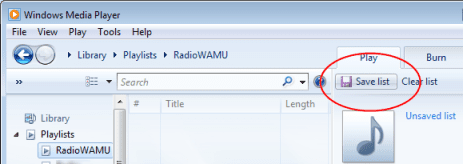
Playlists, then click
File- Open URL, paste your streaming link. When link will be opened, save it as a separate playlist with "one-word" name (without spaces), for example
RadioWAMU.
Close Windows Media Player. Now you need to create a bat file:
Code:
start /High C:\"Program Files"\"Windows Media Player"\"wmplayer.exe" /Playlist [FONT=arial black]RadioWAMU[/FONT]
Then create a task to run that bat file.
I just have tested that batch file - Media Player runs like a charm with HIGH priority.
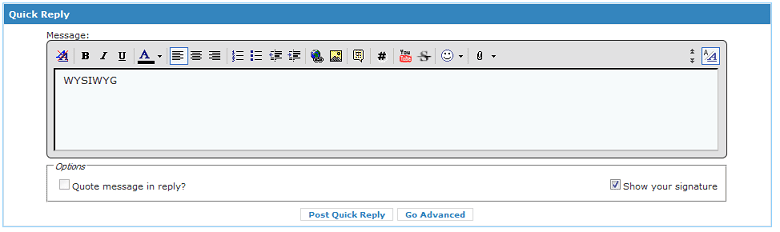
P.S. This is how WYSIWYG editor (section Quick Reply) looks in this forum (most of BBCodes are enabled):
[FONT="]OK, let me see if I can make sense out of this:[/FONT]
[FONT="]Using a plain text editor, I created a batch file: WAMURadio.bat that contains the line:[/FONT]
[FONT="]start /high C:\"Program Files"\"Windows Media Player"\"wmplayer.exe" /playlist radioWAMU[/FONT]
[FONT="]In Windows Media Player I created RadioWAMU in Library/Playlist. [/FONT]
[FONT="]I highlight RadioWAMU and click on: File/open URL and enter:[/FONT]
[FONT="]
mms://wamu-wm.streamguys.com/WAMU-1.[/FONT]
[FONT="]Click on OK.[/FONT]
[FONT="]I then double click on WAMURadio.[/FONT]
[FONT="]All I get is an instance of the Windows Media Player square with the options: Play all Music, Go to Library, and Play previous list. It also has the play control buttons at the bottom. No radio playing.[/FONT]
[FONT="]Meanwhile, I can click on the URL above and get the radio station, no problem.[/FONT]
[FONT="]In a lark, I created a batch file RadioWAMU2.bat that contains the line:[/FONT]
[FONT="]start /high
mms://wamu-wm.streamguys.com/WAMU-1[/FONT]
[FONT="]and it activates properly on a double click.[/FONT]
[FONT="]When I program it in Task Scheduler, it shows the same MaxHeadroom stuttering that any other attempt has shown.[/FONT]
[FONT="]Any form of activity in the computer, including the desktop refresh screensaver, will c-c-c-cause a-a-a-a-audio s-s-stut-t-tering and-d-d-d d-d-delay.
If I run the batch file or from an icon the audio s flawless.[/FONT]