
Hi All
I tried doing a SF Diagnostic but realized that the program screen has 2 extra buttons, namely DXDIAG and SYSTEM INFO.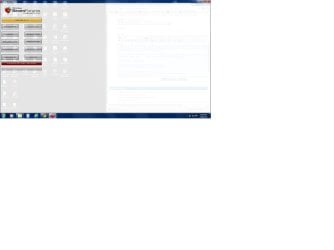
When I use the GRAB ALL button there is an err and it refuses to go further. I therefore click one button at a time. These are my issues:
1. When I click on DXDIAG, I get the following message: Unhandled exception has occurred in your application. If you click . . . . Could not find file C:\Windows\dxdiag.txt
This is what is in the details:
For example:
<configuration>
<system.windows.forms jitDebugging="true" />
</configuration>
When JIT debugging is enabled, any unhandled exception
will be sent to the JIT debugger registered on the computer
rather than be handled by this dialog box.
2. Whenever I click on the CPU-Z button it tries to open the following site: ftp://ftp.cpuid.com/cpu-z/cpu-z_1.61-setup-en.exe
3. MGADIAG button takes me to a screen that says "View and Track you downloads" and ask if I want to run or save program.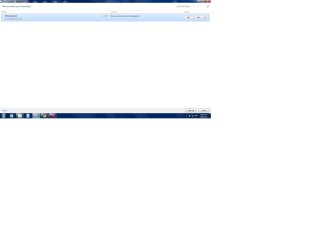
This is a little overwhelming for me and not sure what to do. Please help me to address each of these issues.
I tried doing a SF Diagnostic but realized that the program screen has 2 extra buttons, namely DXDIAG and SYSTEM INFO.
When I use the GRAB ALL button there is an err and it refuses to go further. I therefore click one button at a time. These are my issues:
1. When I click on DXDIAG, I get the following message: Unhandled exception has occurred in your application. If you click . . . . Could not find file C:\Windows\dxdiag.txt
This is what is in the details:
Code:
See the end of this message for details on invoking
just-in-time (JIT) debugging instead of this dialog box.

************** Exception Text **************
System.IO.FileNotFoundException: Could not find file 'C:\Windows\dxdiag.txt'.
File name: 'C:\Windows\dxdiag.txt'
at Microsoft.VisualBasic.FileIO.FileSystem.CopyOrMoveFile(CopyOrMove operation, String sourceFileName, String destinationFileName, Boolean overwrite, UIOptionInternal showUI, UICancelOption onUserCancel)
at Microsoft.VisualBasic.FileIO.FileSystem.CopyFile(String sourceFileName, String destinationFileName, UIOption showUI, UICancelOption onUserCancel)
at Microsoft.VisualBasic.MyServices.FileSystemProxy.CopyFile(String sourceFileName, String destinationFileName, UIOption showUI, UICancelOption onUserCancel)
at SF_Diagnostic_Tool.Form1.Button12_Click(Object sender, EventArgs e)
at System.Windows.Forms.Control.OnClick(EventArgs e)
at System.Windows.Forms.Button.OnClick(EventArgs e)
at System.Windows.Forms.Button.OnMouseUp(MouseEventArgs mevent)
at System.Windows.Forms.Control.WmMouseUp(Message& m, MouseButtons button, Int32 clicks)
at System.Windows.Forms.Control.WndProc(Message& m)
at System.Windows.Forms.ButtonBase.WndProc(Message& m)
at System.Windows.Forms.Button.WndProc(Message& m)
at System.Windows.Forms.Control.ControlNativeWindow.OnMessage(Message& m)
at System.Windows.Forms.Control.ControlNativeWindow.WndProc(Message& m)
at System.Windows.Forms.NativeWindow.Callback(IntPtr hWnd, Int32 msg, IntPtr wparam, IntPtr lparam)


************** Loaded Assemblies **************
mscorlib
Assembly Version: 2.0.0.0
Win32 Version: 2.0.50727.5477 (Win7SP1GDR.050727-5400)
CodeBase: file:///C:/Windows/Microsoft.NET/Framework/v2.0.50727/mscorlib.dll
----------------------------------------
SF Diagnostic Tool
Assembly Version: 5.0.0.6
Win32 Version: 5.0.0.6
CodeBase: file:///C:/Users/Curds/Desktop/SF_Diagnostic_Tool.exe
----------------------------------------
Microsoft.VisualBasic
Assembly Version: 8.0.0.0
Win32 Version: 8.0.50727.5420 (Win7SP1.050727-5400)
CodeBase: file:///C:/Windows/assembly/GAC_MSIL/Microsoft.VisualBasic/8.0.0.0__b03f5f7f11d50a3a/Microsoft.VisualBasic.dll
----------------------------------------
System
Assembly Version: 2.0.0.0
Win32 Version: 2.0.50727.5467 (Win7SP1GDR.050727-5400)
CodeBase: file:///C:/Windows/assembly/GAC_MSIL/System/2.0.0.0__b77a5c561934e089/System.dll
----------------------------------------
System.Windows.Forms
Assembly Version: 2.0.0.0
Win32 Version: 2.0.50727.5468 (Win7SP1GDR.050727-5400)
CodeBase: file:///C:/Windows/assembly/GAC_MSIL/System.Windows.Forms/2.0.0.0__b77a5c561934e089/System.Windows.Forms.dll
----------------------------------------
System.Drawing
Assembly Version: 2.0.0.0
Win32 Version: 2.0.50727.5467 (Win7SP1GDR.050727-5400)
CodeBase: file:///C:/Windows/assembly/GAC_MSIL/System.Drawing/2.0.0.0__b03f5f7f11d50a3a/System.Drawing.dll
----------------------------------------
System.Runtime.Remoting
Assembly Version: 2.0.0.0
Win32 Version: 2.0.50727.5483 (Win7SP1GDR.050727-5400)
CodeBase: file:///C:/Windows/assembly/GAC_MSIL/System.Runtime.Remoting/2.0.0.0__b77a5c561934e089/System.Runtime.Remoting.dll
----------------------------------------

************** JIT Debugging **************
To enable just-in-time (JIT) debugging, the .config file for this
application or computer (machine.config) must have the
jitDebugging value set in the system.windows.forms section.
The application must also be compiled with debugging
enabled.
For example:
<configuration>
<system.windows.forms jitDebugging="true" />
</configuration>
When JIT debugging is enabled, any unhandled exception
will be sent to the JIT debugger registered on the computer
rather than be handled by this dialog box.
2. Whenever I click on the CPU-Z button it tries to open the following site: ftp://ftp.cpuid.com/cpu-z/cpu-z_1.61-setup-en.exe
3. MGADIAG button takes me to a screen that says "View and Track you downloads" and ask if I want to run or save program.
This is a little overwhelming for me and not sure what to do. Please help me to address each of these issues.
Last edited by a moderator:
My Computer
At a glance
Windows 7 Home Premium 64-bitAMD Athlon II X2 215 Dual-core Processor2.7GHz4GB DDR3NVIDIA GeForce 6150 SE
- Computer type
- PC/Desktop
- Computer Manufacturer/Model Number
- HP
- OS
- Windows 7 Home Premium 64-bit
- CPU
- AMD Athlon II X2 215 Dual-core Processor2.7GHz
- Memory
- 4GB DDR3
- Graphics Card(s)
- NVIDIA GeForce 6150 SE
- Hard Drives
- 640GB
- Antivirus
- avast


