SFC /Scannow will not run due to Windows Resource Protection.

Arkham862

New member
Local time
1:35 AM
Messages
8
First off Hello I'm new on here nice to meet ya.

I'm running windows 7 32bit, I just now begun noticing problems with my computer when the windows update service kept displaying the same updates and never would search for new updates, so I ended up forcing it to search and I got the the dreaded 80073712 error code, Done some searching on the Microsoft website tried their fix it stuff which normally does work, this time nothing worked. I tried the System Update Readiness Tool it didn't fix anything, so tried to run a sfc scan through command prompt as admin and I got the "Windows Resource Protection could not perform the requested operation before the scan even started.

Somebody on another forum was helping me and after sending them the cbs.txt file and other files it was determined that my COMPONENTS hive is either corrupt or damn near empty. I stumbled upon a thread titled "Empty COMPONENTS hive" where a member here called NoelDP was helping this other member substitute or rebuild his COMPONENTS hive and I was really hoping he could possibly assist me in hopefully doing the same thing or finding another solution.

I have attached the cbs.txt file for you, please let me know if you require anything else. Thank you!
 

My Computer My Computer

At a glance

Windows 7 Home Premium 32bitPentiumD 915 (P) DC 2.8 GHz240 pin, DDR2 SDRAM 1 GBIntegrated graphics
Computer type
PC/Desktop
Computer Manufacturer/Model Number
Compaq Presario SR5233WM
OS
Windows 7 Home Premium 32bit
CPU
PentiumD 915 (P) DC 2.8 GHz
Motherboard
IPILP-LC (Lancaster8)
Memory
240 pin, DDR2 SDRAM 1 GB
Graphics Card(s)
Integrated graphics
Hard Drives
Seagate Barracuda 250 GB SATA 3G (3.0 Gb/sec) 7200 rpm
Antivirus
Microsoft Security Essentials
Browser
Chrome, firefox,
Well you posted in the wrong place but I will find Noel for you.
He is normally very busy so just hang in there.
 

My Computer My Computer

At a glance

Windows 10 Pro. 64/ version 1709 Windows 7 Pr...Intel i7-6800K @ 4.3Corsair Platinum 16 gig @2400EVGA GTX 1070 OC
Computer type
PC/Desktop
Computer Manufacturer/Model Number
Home made Desktop
OS
Windows 10 Pro. 64/ version 1709 Windows 7 Pro/64
CPU
Intel i7-6800K @ 4.3
Motherboard
ASUS X-99 Deluxe II
Memory
Corsair Platinum 16 gig @2400
Graphics Card(s)
EVGA GTX 1070 OC
Monitor(s) Displays
Asus 27" LED LCD/VE278Q
Screen Resolution
1920-1080 or 1280-720 HDMI
Hard Drives
INTEL SSD 730-240 Gb Sata 3.0/
PSU
EVGA Platium 1200W
Case
Phanteks Luxe Tempered Glass 8 fans/ one radiator
Cooling
XSPC/ Water Cooled CPU
Keyboard
Das 4 Professional
Mouse
Logitech M705/MX Anywhere 2-S
Internet Speed
100 mbits
Antivirus
Microsoft Security Essentials/ Malwarebytes Premium 3.0/ SAS
Browser
I.E. 11 default/Firefox/ ISP Time Warner Cable/Spectrum
Other Info
LG BluRay Burner/
Sound system-KLipsch-THX/
Icy Dock ssd Hot Swap bays.
Sorry I wasn't aware that I had posted this in the wrong thread, I figured since the problem was preventing me from using windows update that this would be a good place to start, and thank you, for passing word to him, but if you want to help me instead I will not say no
 

My Computer My Computer

At a glance

Windows 7 Home Premium 32bitPentiumD 915 (P) DC 2.8 GHz240 pin, DDR2 SDRAM 1 GBIntegrated graphics
Computer type
PC/Desktop
Computer Manufacturer/Model Number
Compaq Presario SR5233WM
OS
Windows 7 Home Premium 32bit
CPU
PentiumD 915 (P) DC 2.8 GHz
Motherboard
IPILP-LC (Lancaster8)
Memory
240 pin, DDR2 SDRAM 1 GB
Graphics Card(s)
Integrated graphics
Hard Drives
Seagate Barracuda 250 GB SATA 3G (3.0 Gb/sec) 7200 rpm
Antivirus
Microsoft Security Essentials
Browser
Chrome, firefox,
The indications are certainly that there is corruption in the hive...

I need to have a look at your COMPONENTS registry hive

Please copy the C:\Windows\System32\config\COMPONENTS file (no extension) to your desktop and then compress it - upload the compressed file to your favoured fileshare site (preferably Dropbox or OneDrive) and post a link.

Please also open an Elevated Command Prompt, and run the following command:
DIR C:\Windows\System32\config\COMPONENTS.*

post the results

Please download and save the CheckSUR tool from http://support.microsoft.com/kb/947821
(you'll need to look in the details for Windows 7, downloading from the Microsoft Download Center)

Run it - The tool can take anywhere from 5 mins to a couple of hours to run (or 'Install') depending on how much it has to do, and may exit silently - it may appear to freeze for most of that time, but be patient.
The result is logged in the C:\Windows\Logs\CBS\CheckSUR.log file - and an archive …\checksur.persist.log file

Then zip the CheckSUR.log and upload it to your OneDrive Public folder so I can take a look - post a link in your reply.
 

My Computer My Computer

At a glance

Win 7 x64 Home Premium (and x86 VirtualBox VM...i3 370M/i7 6500U8GB - finally :)/8GBit's an i3, dude!/dual Intel&nVidia
Computer type
Laptop
Computer Manufacturer/Model Number
Asus K52F or Lenovo B51-80
OS
Win 7 x64 Home Premium (and x86 VirtualBox VM)/Win10
CPU
i3 370M/i7 6500U
Motherboard
Asus/Lenovo
Memory
8GB - finally :)/8GB
Graphics Card(s)
it's an i3, dude!/dual Intel&nVidia
Sound Card
onboard
Monitor(s) Displays
15.6" built-in
Screen Resolution
1366x768/1920x1080
Hard Drives
750GB Seagate internal
Sundry external drives attached to other computers on the local network
1TB SSD on the Lenovo
PSU
n/a
Internet Speed
as much as I can get - usually on a dongle/phone, so <1MB/s
Antivirus
MSE/Defender
Browser
IE11/12/Edge/Chrome/FF(if I must)
Here is the link to the componets file you requested.
Microsoft services

and here are the results you asked for as well.

Code:
Microsoft Windows [Version 6.1.7601]
Copyright (c) 2009 Microsoft Corporation.  All rights reserved.

C:\Windows\system32>DIR C:\Windows\System32\config\COMPONENTS
 Volume in drive C is COMPAQ
 Volume Serial Number is 6E75-50A0

 Directory of C:\Windows\System32\config

02/23/2015  07:18 PM           262,144 components
               1 File(s)        262,144 bytes
               0 Dir(s)  89,756,147,712 bytes free

C:\Windows\system32>

Here is the link to both the checksur and checksur.persist.log file you requested

Microsoft services
 

My Computer My Computer

At a glance

Windows 7 Home Premium 32bitPentiumD 915 (P) DC 2.8 GHz240 pin, DDR2 SDRAM 1 GBIntegrated graphics
Computer type
PC/Desktop
Computer Manufacturer/Model Number
Compaq Presario SR5233WM
OS
Windows 7 Home Premium 32bit
CPU
PentiumD 915 (P) DC 2.8 GHz
Motherboard
IPILP-LC (Lancaster8)
Memory
240 pin, DDR2 SDRAM 1 GB
Graphics Card(s)
Integrated graphics
Hard Drives
Seagate Barracuda 250 GB SATA 3G (3.0 Gb/sec) 7200 rpm
Antivirus
Microsoft Security Essentials
Browser
Chrome, firefox,
Sorry - you appear to have misread the command I posted.... ('ll take to opportunity to amend it slightly anyhow...)


DIR C:\Windows\System32\config\COMPONENTS.* /S

Please run this one and post the results.
 

My Computer My Computer

At a glance

Win 7 x64 Home Premium (and x86 VirtualBox VM...i3 370M/i7 6500U8GB - finally :)/8GBit's an i3, dude!/dual Intel&nVidia
Computer type
Laptop
Computer Manufacturer/Model Number
Asus K52F or Lenovo B51-80
OS
Win 7 x64 Home Premium (and x86 VirtualBox VM)/Win10
CPU
i3 370M/i7 6500U
Motherboard
Asus/Lenovo
Memory
8GB - finally :)/8GB
Graphics Card(s)
it's an i3, dude!/dual Intel&nVidia
Sound Card
onboard
Monitor(s) Displays
15.6" built-in
Screen Resolution
1366x768/1920x1080
Hard Drives
750GB Seagate internal
Sundry external drives attached to other computers on the local network
1TB SSD on the Lenovo
PSU
n/a
Internet Speed
as much as I can get - usually on a dongle/phone, so <1MB/s
Antivirus
MSE/Defender
Browser
IE11/12/Edge/Chrome/FF(if I must)
Here you go.

Microsoft Windows [Version 6.1.7601]
Copyright (c) 2009 Microsoft Corporation. All rights reserved.

C:\Windows\system32>DIR C:\Windows\System32\config\COMPONENTS.* /S
Volume in drive C is COMPAQ
Volume Serial Number is 6E75-50A0

Directory of C:\Windows\System32\config

02/23/2015 07:18 PM 262,144 components
1 File(s) 262,144 bytes

Total Files Listed:
1 File(s) 262,144 bytes
0 Dir(s) 151,597,023,232 bytes free

C:\Windows\system32>
 

My Computer My Computer

At a glance

Windows 7 Home Premium 32bitPentiumD 915 (P) DC 2.8 GHz240 pin, DDR2 SDRAM 1 GBIntegrated graphics
Computer type
PC/Desktop
Computer Manufacturer/Model Number
Compaq Presario SR5233WM
OS
Windows 7 Home Premium 32bit
CPU
PentiumD 915 (P) DC 2.8 GHz
Motherboard
IPILP-LC (Lancaster8)
Memory
240 pin, DDR2 SDRAM 1 GB
Graphics Card(s)
Integrated graphics
Hard Drives
Seagate Barracuda 250 GB SATA 3G (3.0 Gb/sec) 7200 rpm
Antivirus
Microsoft Security Essentials
Browser
Chrome, firefox,
I was afraid of that :( - unless you have a System Restore point with a functional COMPONENTS hive, you're going to have to do a repair install, or even a clean install, to get back to a fully-functional system. :(
There's no clues there either as to how long this problem has existed - do you know? When was the last time updates installed?
 

My Computer My Computer

At a glance

Win 7 x64 Home Premium (and x86 VirtualBox VM...i3 370M/i7 6500U8GB - finally :)/8GBit's an i3, dude!/dual Intel&nVidia
Computer type
Laptop
Computer Manufacturer/Model Number
Asus K52F or Lenovo B51-80
OS
Win 7 x64 Home Premium (and x86 VirtualBox VM)/Win10
CPU
i3 370M/i7 6500U
Motherboard
Asus/Lenovo
Memory
8GB - finally :)/8GB
Graphics Card(s)
it's an i3, dude!/dual Intel&nVidia
Sound Card
onboard
Monitor(s) Displays
15.6" built-in
Screen Resolution
1366x768/1920x1080
Hard Drives
750GB Seagate internal
Sundry external drives attached to other computers on the local network
1TB SSD on the Lenovo
PSU
n/a
Internet Speed
as much as I can get - usually on a dongle/phone, so <1MB/s
Antivirus
MSE/Defender
Browser
IE11/12/Edge/Chrome/FF(if I must)
Unfortunately I do not have a restore point with a functional COMPONENTS hive. I have No issues trying a repair install if you think it will rebuild my hive.
 

My Computer My Computer

At a glance

Windows 7 Home Premium 32bitPentiumD 915 (P) DC 2.8 GHz240 pin, DDR2 SDRAM 1 GBIntegrated graphics
Computer type
PC/Desktop
Computer Manufacturer/Model Number
Compaq Presario SR5233WM
OS
Windows 7 Home Premium 32bit
CPU
PentiumD 915 (P) DC 2.8 GHz
Motherboard
IPILP-LC (Lancaster8)
Memory
240 pin, DDR2 SDRAM 1 GB
Graphics Card(s)
Integrated graphics
Hard Drives
Seagate Barracuda 250 GB SATA 3G (3.0 Gb/sec) 7200 rpm
Antivirus
Microsoft Security Essentials
Browser
Chrome, firefox,

My Computer My Computer

At a glance

Win 7 x64 Home Premium (and x86 VirtualBox VM...i3 370M/i7 6500U8GB - finally :)/8GBit's an i3, dude!/dual Intel&nVidia
Computer type
Laptop
Computer Manufacturer/Model Number
Asus K52F or Lenovo B51-80
OS
Win 7 x64 Home Premium (and x86 VirtualBox VM)/Win10
CPU
i3 370M/i7 6500U
Motherboard
Asus/Lenovo
Memory
8GB - finally :)/8GB
Graphics Card(s)
it's an i3, dude!/dual Intel&nVidia
Sound Card
onboard
Monitor(s) Displays
15.6" built-in
Screen Resolution
1366x768/1920x1080
Hard Drives
750GB Seagate internal
Sundry external drives attached to other computers on the local network
1TB SSD on the Lenovo
PSU
n/a
Internet Speed
as much as I can get - usually on a dongle/phone, so <1MB/s
Antivirus
MSE/Defender
Browser
IE11/12/Edge/Chrome/FF(if I must)
Thank You I'll try it tomorrow I'm about to pass out. I'l will let you know if it fixes my problem
 

My Computer My Computer

At a glance

Windows 7 Home Premium 32bitPentiumD 915 (P) DC 2.8 GHz240 pin, DDR2 SDRAM 1 GBIntegrated graphics
Computer type
PC/Desktop
Computer Manufacturer/Model Number
Compaq Presario SR5233WM
OS
Windows 7 Home Premium 32bit
CPU
PentiumD 915 (P) DC 2.8 GHz
Motherboard
IPILP-LC (Lancaster8)
Memory
240 pin, DDR2 SDRAM 1 GB
Graphics Card(s)
Integrated graphics
Hard Drives
Seagate Barracuda 250 GB SATA 3G (3.0 Gb/sec) 7200 rpm
Antivirus
Microsoft Security Essentials
Browser
Chrome, firefox,
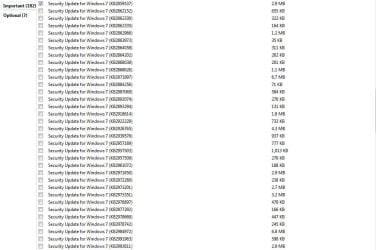
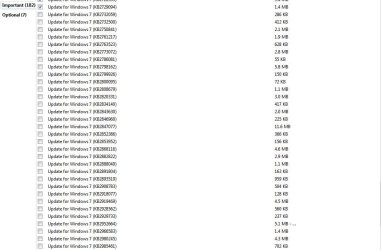
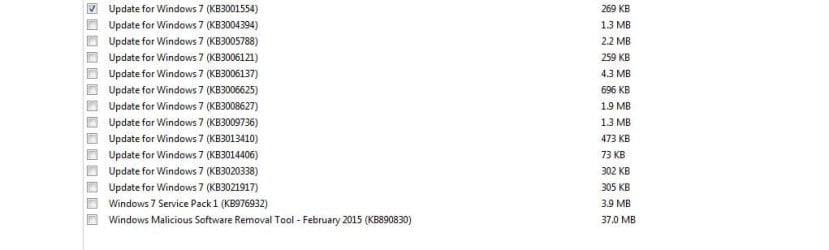
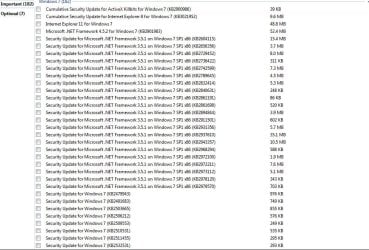
Well I tried a repair install and it wouldn't install so I ended up using my install disk to completely format my Hdd and then do a full clean install and that has fixed the problem so far, now I have to go make a new thread in the updates section because windows update ran and came back wanting me to download and install a 189 updates and I'm to sure but I think that is what destroyed my hive the first 2 times I installed windows 7. I have no idea what to do here, any ideas?

Check out the screen shots I attached Its insane!
 

Attachments

  • Capture 1.JPG
    Capture 1.JPG
    117.6 KB · Views: 2
  • Capture 2.JPG
    Capture 2.JPG
    82.6 KB · Views: 1
  • Capture 3.JPG
    Capture 3.JPG
    80.7 KB · Views: 0
  • Capture 4.JPG
    Capture 4.JPG
    86.6 KB · Views: 1
  • Capture 5.JPG
    Capture 5.JPG
    71.1 KB · Views: 1
  • Capture 6.JPG
    Capture 6.JPG
    35.1 KB · Views: 1
  • Capture 7.JPG
    Capture 7.JPG
    31.6 KB · Views: 0

My Computer My Computer

At a glance

Windows 7 Home Premium 32bitPentiumD 915 (P) DC 2.8 GHz240 pin, DDR2 SDRAM 1 GBIntegrated graphics
Computer type
PC/Desktop
Computer Manufacturer/Model Number
Compaq Presario SR5233WM
OS
Windows 7 Home Premium 32bit
CPU
PentiumD 915 (P) DC 2.8 GHz
Motherboard
IPILP-LC (Lancaster8)
Memory
240 pin, DDR2 SDRAM 1 GB
Graphics Card(s)
Integrated graphics
Hard Drives
Seagate Barracuda 250 GB SATA 3G (3.0 Gb/sec) 7200 rpm
Antivirus
Microsoft Security Essentials
Browser
Chrome, firefox,
All the updates are required.
Install them in this fashion...

First, UNCHECK them all.
Then re-check the Security Updates for Windows - install them, and reboot
do a new Check for Updates - and uncheck everything again, re-checking any Security Updates found, and also the ordinary 'Update for Windows' entries.

repeat for the Internet Explorer 8 updates (do NOT install IE9/10/11 yet!)
then install IE11/10/9 - whichever is offered, and then its updates.
Then install the other updates - but NOT the .NET ones
Lastly install the .NET updates, and then .NET 4/4.5.2


At the end of each group, reboot at least once, then do a Check for Updates.
 

My Computer My Computer

At a glance

Win 7 x64 Home Premium (and x86 VirtualBox VM...i3 370M/i7 6500U8GB - finally :)/8GBit's an i3, dude!/dual Intel&nVidia
Computer type
Laptop
Computer Manufacturer/Model Number
Asus K52F or Lenovo B51-80
OS
Win 7 x64 Home Premium (and x86 VirtualBox VM)/Win10
CPU
i3 370M/i7 6500U
Motherboard
Asus/Lenovo
Memory
8GB - finally :)/8GB
Graphics Card(s)
it's an i3, dude!/dual Intel&nVidia
Sound Card
onboard
Monitor(s) Displays
15.6" built-in
Screen Resolution
1366x768/1920x1080
Hard Drives
750GB Seagate internal
Sundry external drives attached to other computers on the local network
1TB SSD on the Lenovo
PSU
n/a
Internet Speed
as much as I can get - usually on a dongle/phone, so <1MB/s
Antivirus
MSE/Defender
Browser
IE11/12/Edge/Chrome/FF(if I must)
Back
Top