Show Us Your Rig [2]

Status
Not open for further replies.
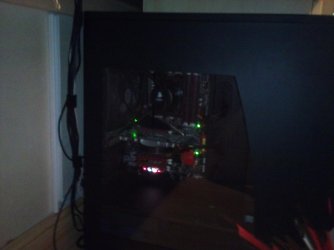
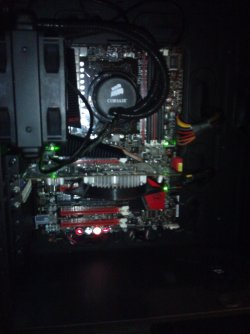
Palit- 9500GT 1024MB/128bit.
Its the bottom one in the list of pics on that site.
Its rather decent for the time being.
But because of the lack of fans on it, I decided to get that little purple/orange twinfans.

The H50 is lovely and quiet. Made a few people go ooh and aah already.
The whole reason I bought a new case was because the radiator is 120mm, and my old case could only hold 80mm fans.

By the way, where could I go to find the CPU temps?
I use software called Speccy and SIW. I find SIW better because it records your current, lowest and highest. Speccy only tells you real time.

Poor pictures but I only have a phone camera...
 

Attachments

  • DSC_0038.jpg
    DSC_0038.jpg
    305.7 KB · Views: 13
  • DSC_0040.jpg
    DSC_0040.jpg
    276.1 KB · Views: 10
  • DSC_0042.jpg
    DSC_0042.jpg
    346.3 KB · Views: 28

My Computer

OS
MS Windows 7 Home Premium 64-bit
@ xarden

I use Coretemp :)

Realtemp is another alternative :)
 

My Computer

Computer Manufacturer/Model Number
Home Build System
OS
7 Home Premium X64
CPU
Intel Q6600 @ 3.5Ghz
Motherboard
Asus P5Q SE (Intel P45)
Memory
4GB OCZ Gold Series DDR2 @932Mhz
Graphics Card(s)
HD4890 1GB GDDR5
Sound Card
Asus Xonar D1
Monitor(s) Displays
Belinea 0.Display 22" Widescreen
Screen Resolution
1680 x 1050
Hard Drives
60Gb OCZ Vertex 2E Solid State Drive
250Gb Seagate Barracuda (Storage)
500Gb Western Digital Green (Storage)

Both 7200Rpm Sata2.
PSU
OCZ StealthXstream 600W Modular.
Case
Coolermaster 690 (Windows + Interior modded)
Cooling
Tuniq Tower 120 Extreme + 4 120mm case fans.
Keyboard
Microsoft Digital Media Keyboard 3000
Mouse
Logitech G5
Internet Speed
20Mb Virgin Media Unlimited.
I like Real Temp best. A Guy
 

My Computer

Computer type
PC/Desktop
OS
Windows 10 Home x64
CPU
INTEL Core i5-750 Quad-Core 3.37GHz
Motherboard
ASUS P7P55D
Memory
HyperX Fury Black Series 8GB (2 x 4GB) 1866Mhz
Graphics Card(s)
EVGA GeForce GTX 750 Superclocked 1GB 128-Bit GDDR5
Monitor(s) Displays
LG 32MA68HY 32" IPS
Screen Resolution
1920 x 1080
Hard Drives
Samsung 840 Evo 120GB, SEAGATE 500GB Barracuda® 7200.12, SATA 3 Gb/s, 7200 RPM, 16MB cache
PSU
ANTEC TruePower New TP-550, 80 PLUS, 550W
Case
ANTEC Three Hundred Illusion
Cooling
COOLER MASTER Hyper 212 Plus, 4 x 120mm 1 x 140mm Noctua's
Internet Speed
85 + Mbps
Antivirus
Avast
Browser
Vivaldi
Thanks guys.
Got Real Temp.
GPU sits around 35C, CPU floats around 23C-28C
Its idling at the moment, so will have to do some gaming tonight and see what its up to.
 

My Computer

OS
Windows 7 Enterprise
CPU
Intel Pentium Dual E2200 @2.2GHz
Motherboard
Gigabyte II-G31
Memory
4GB
Graphics Card(s)
Palit GForce 9500GT 1GB
Sound Card
onBoard
Hard Drives
WesternDigital: 250GB + 1TB + 1TB + 2TB
PSU
450W
Case
CoolerMaster CM690
Cooling
Corsair H50
Mouse
Logitech MX518
Thanks guys.
Got Real Temp.
GPU sits around 35C, CPU floats around 23C-28C
Its idling at the moment, so will have to do some gaming tonight and see what its up to.
That'll be a good real world test, but if you want to test your max temps... But I'm going to throw another spanner in your toolbox: I'd suggest you use OCCT (OverClock Checking Tool), if you set it to run a CPU stress test for an hour (or even 30 min, you're not checking for stability, just temps), it'll keep CPU usage as close to 100% for the time selected. You can stop the test at any time if you need to.
 

My Computer

Computer type
PC/Desktop
OS
Win 10 x64 Pro x64 / Ubuntu 15.10 x64
CPU
Intel i7-4960X
Motherboard
Asus Rampage IV Black Edition
Memory
4x8GB Corsair Dominator Platinum @2400MHz 10-12-12-31
Graphics Card(s)
2x MSI GTX780Ti 3GB (SLI)
Sound Card
Onboard SupremeFX (Cirrus Logic CS4398)
Monitor(s) Displays
3x LG Cinema 27" IPS LED (27MP65)
Screen Resolution
[1920x1080]x3
Hard Drives
Crucial M500 120GB, Crucial M500 480GB, Toshiba DT01ACA200 2TB
PSU
CoolerMaster V1000
Case
Corsair Obsidian 750D
Cooling
ThermalTake Water 3.0 Extreme, 4xSP120, 3xAF120
Keyboard
Moshi Luna
Mouse
Logitech G700s / Roccat Tyon
Internet Speed
4Mb uncapped ADSL (Afrihost)
Antivirus
MS Security Essentials
Browser
Chrome... Duh. (:
Thanks guys.
Got Real Temp.
GPU sits around 35C, CPU floats around 23C-28C
Its idling at the moment, so will have to do some gaming tonight and see what its up to.
That'll be a good real world test, but if you want to test your max temps... But I'm going to throw another spanner in your toolbox: I'd suggest you use OCCT (OverClock Checking Tool), if you set it to run a CPU stress test for an hour (or even 30 min, you're not checking for stability, just temps), it'll keep CPU usage as close to 100% for the time selected. You can stop the test at any time if you need to.

+1 Open Real Temp beside OCCT. Monitor max temps. After you close OCCT it will create a folder with graphs of temps and voltages. Very nice program, rarely mentioned by many. A Guy
 

My Computer

Computer type
PC/Desktop
OS
Windows 10 Home x64
CPU
INTEL Core i5-750 Quad-Core 3.37GHz
Motherboard
ASUS P7P55D
Memory
HyperX Fury Black Series 8GB (2 x 4GB) 1866Mhz
Graphics Card(s)
EVGA GeForce GTX 750 Superclocked 1GB 128-Bit GDDR5
Monitor(s) Displays
LG 32MA68HY 32" IPS
Screen Resolution
1920 x 1080
Hard Drives
Samsung 840 Evo 120GB, SEAGATE 500GB Barracuda® 7200.12, SATA 3 Gb/s, 7200 RPM, 16MB cache
PSU
ANTEC TruePower New TP-550, 80 PLUS, 550W
Case
ANTEC Three Hundred Illusion
Cooling
COOLER MASTER Hyper 212 Plus, 4 x 120mm 1 x 140mm Noctua's
Internet Speed
85 + Mbps
Antivirus
Avast
Browser
Vivaldi
I have a question maybe somebody could help me with. Like I said in an earlier post since changing from my old mobo to the new Crosshair IV Formula my CPU temps have went from 27C idle and 38C gaming to 33C Idle and 40-41C whilst gaming.

The old mobo took a 4 pin CPU power cable and the new one has an 8. I presume the 8 pin delivers more power. Could this be the cause of the extra heat or could the larger mobo just be warming it up? Or maybe both?
 

My Computer

OS
MS Windows 7 Home Premium 64-bit
Are you at stock settings? Or overclocking?

Have you confirmed the BIOS voltage settings?
Make sure they are all set correctly.

For that big of a temp jump I would check the thermal paste and re-seat the H50.
 

My Computer

Computer type
PC/Desktop
Computer Manufacturer/Model Number
76~2.0
OS
Windows 7 Ult x64 - SP1/ Windows 8 Pro x64
CPU
Intel Core i5-3570K 4.6GHz
Motherboard
Gigabyte GA-Z77X UD3H, f18
Memory
8GB (2X4GB) DDR3 1600 Corsair Vengeance CL8 1.5v
Graphics Card(s)
Sapphire HD 7770 Vapor-X OC 1GB DDR5
Sound Card
Onboard VIA VT2021
Monitor(s) Displays
22" LCD Dell
Screen Resolution
1680x1050
Hard Drives
Samsung 840Pro 128GB SSD,
Seagate Barracuda 500GB SATA2 7200rpm 32MB cache, Seagate Barracuda 1TB SATA2 7200rpm 32MB cache,
PSU
Corsair HX650W
Case
Cooler Master Storm Scout
Cooling
Corsair H80 2x12cm Noctua NF P12 , 2x14cm case fans
Keyboard
Logitech Wave
Mouse
CM Sentinel
Internet Speed
Dismal
Antivirus
Avast
Browser
Opera Next
Other Info
Haswell laptop: HP Envy 17t-j, i7-4700MQ, GeForce 740M 2GB DDR3, 17.3" Full HD 1920x1080, 16GB RAM, Samsung 840 Pro 128GB, 1TB Hitachi 7200 HDD,
Desktop: eSATA ports,
External eSATA Seagate 500GB SATA2 7200rpm,
External WD USB 500GB
Are you at stock settings? Or overclocking?

Have you confirmed the BIOS voltage settings?
Make sure they are all set correctly.

For that big of a temp jump I would check the thermal paste and re-seat the H50.
Stock settings mate.

How would I check the BIOS voltage and know what it is supposed to be? I'm not up to scratch with the nitty gritty of the BIOS.

I have a wee drop of CoolerMaster TIM so maybe I'll try that see if it makes a difference.
 

My Computer

OS
MS Windows 7 Home Premium 64-bit
I have a question maybe somebody could help me with. Like I said in an earlier post since changing from my old mobo to the new Crosshair IV Formula my CPU temps have went from 27C idle and 38C gaming to 33C Idle and 40-41C whilst gaming.

The old mobo took a 4 pin CPU power cable and the new one has an 8. I presume the 8 pin delivers more power. Could this be the cause of the extra heat or could the larger mobo just be warming it up? Or maybe both?
I assume you're using the same CPU on a new motherboard...? There are many things that can affect CPU temps: most predominant though would be clock speed and voltage.. Most Asus boards have an 'easy overclock' feature, perhaps your Crosshair IV is either running a slightly higher clock speed than your old board, or it may even have defaulted to using a higher voltage for your CPU? I have seen different boards default to different CPU voltages for the same processor.

As for your 4-pin vs 8-pin question; a CPU only ever needs 4 pins, but with the really high overclocks where the CPU needs a hell of a lot more power, trying to pull all that power through only 4 cables generates a lot of heat, so using a proper 8 pin plug and cable from the PSU to the CPU allows the power to flow more freely and without generating as much heat. If you look around at some of the overclocking forums, you're bound to find pictures of boards where people have literally melted that 4-pin plug into the motherboard... That's why 8-pins are so popular amongst OCers.

Dave still has a very good point here though:
For that big of a temp jump I would check the thermal paste and re-seat the H50.
I would do the same (Arctic Silver 5 is a very good paste, otherwise Thermalright also have some good quality stuff at a slightly lower price, a few friends have bad experiences with Cooler Master thermal paste though, so i'd suggest you avoid that one). Remember to give your CPU a good solid burn-in right after replacing thermal paste though... Doing that when the thermal paste is still fresh ensures that it makes proper contact with both surfaces.

How would I check the BIOS voltage and know what it is supposed to be? I'm not up to scratch with the nitty gritty of the BIOS.

I'd suggest you check the AMD website to see what voltage your CPU should be running at by default. As for the motherboard, either check the board manual or the Asus website.

I have a wee drop of CoolerMaster TIM so maybe I'll try that see if it makes a difference.
Very important tip: Never mix thermal paste, if you're going to pull your heatsink off, clean it and replace the thermal paste... Even adding more from the same container again after having run your CPU for a while is a bad idea. You'll find a lot more information on why this is if you search Google.
 

My Computer

Computer type
PC/Desktop
OS
Win 10 x64 Pro x64 / Ubuntu 15.10 x64
CPU
Intel i7-4960X
Motherboard
Asus Rampage IV Black Edition
Memory
4x8GB Corsair Dominator Platinum @2400MHz 10-12-12-31
Graphics Card(s)
2x MSI GTX780Ti 3GB (SLI)
Sound Card
Onboard SupremeFX (Cirrus Logic CS4398)
Monitor(s) Displays
3x LG Cinema 27" IPS LED (27MP65)
Screen Resolution
[1920x1080]x3
Hard Drives
Crucial M500 120GB, Crucial M500 480GB, Toshiba DT01ACA200 2TB
PSU
CoolerMaster V1000
Case
Corsair Obsidian 750D
Cooling
ThermalTake Water 3.0 Extreme, 4xSP120, 3xAF120
Keyboard
Moshi Luna
Mouse
Logitech G700s / Roccat Tyon
Internet Speed
4Mb uncapped ADSL (Afrihost)
Antivirus
MS Security Essentials
Browser
Chrome... Duh. (:
I assume you're using the same CPU on a new motherboard...?
Yeah, Same CPU on the new board. I haven't changed any settings or used the easy overclock features.

I would do the same (Arctic Silver 5 is a very good paste, otherwise Thermalright also have some good quality stuff at a slightly lower price, a few friends have bad experiences with Cooler Master thermal paste though, so i'd suggest you avoid that one). Remember to give your CPU a good solid burn-in right after replacing thermal paste though... Doing that when the thermal paste is still fresh ensures that it makes proper contact with both surfaces.
Is there really that much difference in the pastes? I used the the CoolMaster stuff on another machine in the house and it's temps sit lower on the stock cooler than my current system. Granted it's an Athlon II x2. The only reason I ask is because the one computer store in the city only sells the CoolerMaster stuff.

Very important tip: Never mix thermal paste, if you're going to pull your heatsink off, clean it and replace the thermal paste... Even adding more from the same container again after having run your CPU for a while is a bad idea. You'll find a lot more information on why this is if you search Google.
I have some Akasa TIM clean which does a good job of cleaning. I usually just apply a blob on the middle of the CPU and mount the the cooler.

Cheers for the comments so far guys.
 

My Computer

OS
MS Windows 7 Home Premium 64-bit
Is there really that much difference in the pastes? I used the the CoolMaster stuff on another machine in the house and it's temps sit lower on the stock cooler than my current system. Granted it's an Athlon II x2. The only reason I ask is because the one computer store in the city only sells the CoolerMaster stuff.
I always thought they were all the same as well, but of the three of four tyoes I've tried, I have noticed some differences. As for Cooler Master, that was simply my recommendation, although it is also quite possible that what we used was simply a 'bad batch'.

I have some Akasa TIM clean which does a good job of cleaning. I usually just apply a blob on the middle of the CPU and mount the the cooler.

Cheers for the comments so far guys.
I've always been a big fan of "if you're going to do anything, do it properly the first time". Lol... But I'd recommend you spread a smooth layer of thermal paste on both surfaces (cpu and heatsink) and then mount it. Still, only my suggestion. :) Hope you come right with the temps...
 

My Computer

Computer type
PC/Desktop
OS
Win 10 x64 Pro x64 / Ubuntu 15.10 x64
CPU
Intel i7-4960X
Motherboard
Asus Rampage IV Black Edition
Memory
4x8GB Corsair Dominator Platinum @2400MHz 10-12-12-31
Graphics Card(s)
2x MSI GTX780Ti 3GB (SLI)
Sound Card
Onboard SupremeFX (Cirrus Logic CS4398)
Monitor(s) Displays
3x LG Cinema 27" IPS LED (27MP65)
Screen Resolution
[1920x1080]x3
Hard Drives
Crucial M500 120GB, Crucial M500 480GB, Toshiba DT01ACA200 2TB
PSU
CoolerMaster V1000
Case
Corsair Obsidian 750D
Cooling
ThermalTake Water 3.0 Extreme, 4xSP120, 3xAF120
Keyboard
Moshi Luna
Mouse
Logitech G700s / Roccat Tyon
Internet Speed
4Mb uncapped ADSL (Afrihost)
Antivirus
MS Security Essentials
Browser
Chrome... Duh. (:
Should be in your CPU manual.

Did a search and found this:
If the BIOS is at defaults, the CPU voltage shouldn't be too high, check it just to be sure.​
My guess is the thermal paste and getting the cooler attached properly.​
 

My Computer

Computer type
PC/Desktop
Computer Manufacturer/Model Number
76~2.0
OS
Windows 7 Ult x64 - SP1/ Windows 8 Pro x64
CPU
Intel Core i5-3570K 4.6GHz
Motherboard
Gigabyte GA-Z77X UD3H, f18
Memory
8GB (2X4GB) DDR3 1600 Corsair Vengeance CL8 1.5v
Graphics Card(s)
Sapphire HD 7770 Vapor-X OC 1GB DDR5
Sound Card
Onboard VIA VT2021
Monitor(s) Displays
22" LCD Dell
Screen Resolution
1680x1050
Hard Drives
Samsung 840Pro 128GB SSD,
Seagate Barracuda 500GB SATA2 7200rpm 32MB cache, Seagate Barracuda 1TB SATA2 7200rpm 32MB cache,
PSU
Corsair HX650W
Case
Cooler Master Storm Scout
Cooling
Corsair H80 2x12cm Noctua NF P12 , 2x14cm case fans
Keyboard
Logitech Wave
Mouse
CM Sentinel
Internet Speed
Dismal
Antivirus
Avast
Browser
Opera Next
Other Info
Haswell laptop: HP Envy 17t-j, i7-4700MQ, GeForce 740M 2GB DDR3, 17.3" Full HD 1920x1080, 16GB RAM, Samsung 840 Pro 128GB, 1TB Hitachi 7200 HDD,
Desktop: eSATA ports,
External eSATA Seagate 500GB SATA2 7200rpm,
External WD USB 500GB
Should be in your CPU manual.


Did a search and found this:


If the BIOS is at defaults, the CPU voltage shouldn't be too high, check it just to be sure.​


My guess is the thermal paste and getting the cooler attached properly.​
Cheers Dave I'll have a wee look in the BIOS later. I tried to rep you mate but apparently I need to spread the rep a bit more.
 

My Computer

OS
MS Windows 7 Home Premium 64-bit
Thanks, it's the thought that counts ;)
 

My Computer

Computer type
PC/Desktop
Computer Manufacturer/Model Number
76~2.0
OS
Windows 7 Ult x64 - SP1/ Windows 8 Pro x64
CPU
Intel Core i5-3570K 4.6GHz
Motherboard
Gigabyte GA-Z77X UD3H, f18
Memory
8GB (2X4GB) DDR3 1600 Corsair Vengeance CL8 1.5v
Graphics Card(s)
Sapphire HD 7770 Vapor-X OC 1GB DDR5
Sound Card
Onboard VIA VT2021
Monitor(s) Displays
22" LCD Dell
Screen Resolution
1680x1050
Hard Drives
Samsung 840Pro 128GB SSD,
Seagate Barracuda 500GB SATA2 7200rpm 32MB cache, Seagate Barracuda 1TB SATA2 7200rpm 32MB cache,
PSU
Corsair HX650W
Case
Cooler Master Storm Scout
Cooling
Corsair H80 2x12cm Noctua NF P12 , 2x14cm case fans
Keyboard
Logitech Wave
Mouse
CM Sentinel
Internet Speed
Dismal
Antivirus
Avast
Browser
Opera Next
Other Info
Haswell laptop: HP Envy 17t-j, i7-4700MQ, GeForce 740M 2GB DDR3, 17.3" Full HD 1920x1080, 16GB RAM, Samsung 840 Pro 128GB, 1TB Hitachi 7200 HDD,
Desktop: eSATA ports,
External eSATA Seagate 500GB SATA2 7200rpm,
External WD USB 500GB
Damn, changed to the CoolerMaster stuff and now whilst gaming I hit 47C! Gonna have to buy something else me thinks.
 

My Computer

OS
MS Windows 7 Home Premium 64-bit
Mine idles at around 45C (according to Real Temp) and jumps to the high 60s with Prime 95 (need to check that later to make sure though)

~Lordbob
 

My Computer

Computer Manufacturer/Model Number
Hera
OS
Windows 7 Ultimate x64, Mint 9
CPU
Intel i5-2500k
Motherboard
ASUS P8P67 Pro
Memory
2x 4Gb Corsair VENGEANCE DDR3-1600
Graphics Card(s)
NVidia GeForce N260GTX Twin Frozr
Sound Card
Realtek HD OnBoard Audio
Monitor(s) Displays
ASUS 24" Monitor
Screen Resolution
1920x1080
Hard Drives
G.SKILL Phoenix Series 60GB SATA II MLC Internal Solid State Drive (SSD)
SAMSUNG Spinpoint F3R 1TB 7200 RPM 32MB Cache SATA II
PSU
Cooler Master Real Power Pro 750W
Case
Cooler Master Haf 932
Cooling
Fans
Keyboard
Razer Tarantula
Mouse
Razer Lachesis
Internet Speed
not fast enough
Damn, changed to the CoolerMaster stuff and now whilst gaming I hit 47C! Gonna have to buy something else me thinks.


What is the idle temp?

For a high stress game 47c isn't bad. Run Prime95 and see what the temps go to, this will give us a standard to compare to.
 

My Computer

Computer type
PC/Desktop
Computer Manufacturer/Model Number
76~2.0
OS
Windows 7 Ult x64 - SP1/ Windows 8 Pro x64
CPU
Intel Core i5-3570K 4.6GHz
Motherboard
Gigabyte GA-Z77X UD3H, f18
Memory
8GB (2X4GB) DDR3 1600 Corsair Vengeance CL8 1.5v
Graphics Card(s)
Sapphire HD 7770 Vapor-X OC 1GB DDR5
Sound Card
Onboard VIA VT2021
Monitor(s) Displays
22" LCD Dell
Screen Resolution
1680x1050
Hard Drives
Samsung 840Pro 128GB SSD,
Seagate Barracuda 500GB SATA2 7200rpm 32MB cache, Seagate Barracuda 1TB SATA2 7200rpm 32MB cache,
PSU
Corsair HX650W
Case
Cooler Master Storm Scout
Cooling
Corsair H80 2x12cm Noctua NF P12 , 2x14cm case fans
Keyboard
Logitech Wave
Mouse
CM Sentinel
Internet Speed
Dismal
Antivirus
Avast
Browser
Opera Next
Other Info
Haswell laptop: HP Envy 17t-j, i7-4700MQ, GeForce 740M 2GB DDR3, 17.3" Full HD 1920x1080, 16GB RAM, Samsung 840 Pro 128GB, 1TB Hitachi 7200 HDD,
Desktop: eSATA ports,
External eSATA Seagate 500GB SATA2 7200rpm,
External WD USB 500GB
What is the idle temp?

For a high stress game 47c isn't bad. Run Prime95 and see what the temps go to, this will give us a standard to compare to.
Turned out the reason for the high temps was that my CPU was constantly clocked at 3600MHz running on 117w.

Now that it's sorted and idling at 782MHz on 16W the temps are down but it's funny how different products can vary.

The game I'm testing on is Far Cry 2. The stuff which came on the H50 was some Shin-Etsu product. My temps where steady lows of 27c, and under stress when gaming 38c. Now those temps in my opinion are excellent. When I switched to the Crosshair IV Formula board and used the CoolMaster paste I had, I'm now getting Steady lows of 27c (dipping as low as 25c) but whilst gaming 48c
So it's interesting to see how much better the Shin-Etsu stuff is when it really matters.

Edit: Obviously 48c isn't a temperature to start worrying about. But it sort of bugs me because I know it's possible to stop it even hitting 40c.

Mine idles at around 45C (according to Real Temp) and jumps to the high 60s with Prime 95 (need to check that later to make sure though)

~Lordbob
As far as I'm aware Intel chips can run hotter though. I think AMD recommend you don't go over 64c or something.
 

My Computer

OS
MS Windows 7 Home Premium 64-bit
Status
Not open for further replies.
Back
Top