Some may be aware. I replaced my case fans (3 120mm, 1 140mm) with Noctuas. That made the CPU fan seem noisy, so I replaced that with a Noctua PWM 120mm. Now I could hear the GPU fan which sounded like a hard drive always writing, very annoying ticking noise. In looking into replacing the fan, I came across the
Accelero S1 Plus, which I had actually looked into before.
It soon became my 1st choice, and I ordered one. I have a 1GB DDR5 GT 240. I know, not a high end card, especially compared to what you all have, but I don't game, and only needed to play HD video at most. The 1GB DDR5 version is the best GT 240 they made.
I specifically chose this card for several reasons. It was the DDR5 version. It required no additional power connection, so is very efficient as far as power consumption. It has all the output types I needed (VGA, DVI, and HDMI), and it was on sale for $90, and there was a $30 rebate from MSI. Total ended up being $60.
So, here is the installation of the Accelero S1 Plus, and my review of the results.
Here is the Accelero S1 Plus Front and back, and the hardware (note, the VGA Ram heatsinks are not the ones supplied with the radiator. I had read they didn't stay attached too well. Turns out they don't have the self adhesive stick on ones that were badly reviewed, but rather now include a 2 part adhesive called G1. But it has a 5 hour cure time, and I had already purchased the
Zalman VGA Ram heatsinks. I would have liked if they were blue like the pictures, as they'd match my Ram, but it really doesn't matter

)
Here is the card with original cooling solution
Here is the card with cooling solution removed. Note the thermal compound was hard and actually chipped off rather then wiped off.
Here is the card after cleaning the GPU, and the memory chips (using an eraser, and 99.9% Isopropyl Alcohol)
Here is the board with the top heat sinks and screw hole spacers installed (note the GPU...shiny
)
Back side heatsinks and the card actually attached to the radiator
Back and front with radiator attached (it dwarfs the card, lol)
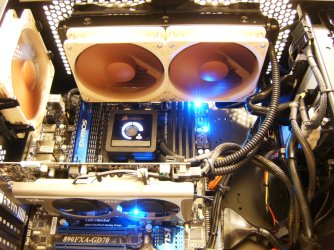
Here it is installed, and Noctua heaven as well

This case (Antec 300 Illusion), doesn't have space behind the motherboard, nor many pass thrus, so the best wire management I could do was mostly bundling out of the way. The extra Noc adaptors added to the wiring, so that is the best I could do

Now, the review:
OMG!!
I didn't get this for additional cooling, but for the quiet. My card originally idled around 32c and when running Kombustor it topped out at 56c. Since I don't game, it mostly stayed in the 30's
When I first turned on the PC with the new setup installed, I thought something was wrong. I had to physically look to make sure all the fans were running. This thing is now almost noiseless. Like Dell PC 1 fan quiet. I never realized how noisy the GPU fan running 100% full time was! Never mind the annoying ticking, the fan itself is NOISY!
My PC is now completely quiet

The idle temp dropped to 29, but that is within the range I get depending on room temp. But it was idling at 32 before the change. So, busted out Kombustor full screen 1920x1080. (For those not familiar,
Kombustor is like Furmark, comes bundled with Afterburner these days, runs the GPU at 100%, and graphs the temps as well as listing FPS). Well, I ran it twice as long as the
before test, and it topped out at 43. A 13c drop. Very impressive for a completely silent cooling solution with no fan.
If you had a higher end card, they make a
Turbo Module, or I saw many just zip tied a 120mm silent fan to the radiator.
I can't tell you how pleased I am with the outcome. I didn't realize that the new Noctuas were not contributing at all to the noise I was hearing. It was 100% the GPU fan. When it gets warmer, I will see if system/CPU temps rise, I can remove, or change the Noc adapters and increase fan speed.
So, if you are looking for a different cooling solution, I can recommend this. I saw people installing it on high end cards in my research, and they all achieved significant decreases in temps with a fan of some sort installed. It is big, so you'd have to confirm it will not interfere with side fans, Sata connections, etc.
Sorry for the long post, but I'm happy


A Guy



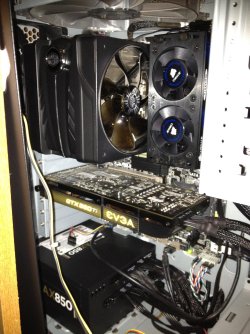
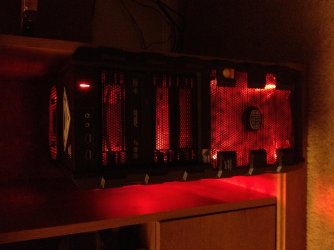
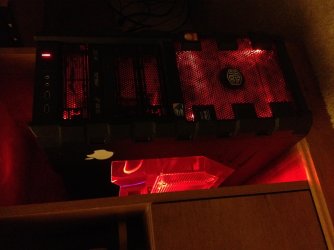

 Just keep it as a kind of souvenir of my first ever custom build