Show Us Your Rig

Status
Not open for further replies.
BlackRose, not the worst wiring job I have ever seen (or done!)

~Lordbob
 

My Computer

Computer Manufacturer/Model Number
Hera
OS
Windows 7 Ultimate x64, Mint 9
CPU
Intel i5-2500k
Motherboard
ASUS P8P67 Pro
Memory
2x 4Gb Corsair VENGEANCE DDR3-1600
Graphics Card(s)
NVidia GeForce N260GTX Twin Frozr
Sound Card
Realtek HD OnBoard Audio
Monitor(s) Displays
ASUS 24" Monitor
Screen Resolution
1920x1080
Hard Drives
G.SKILL Phoenix Series 60GB SATA II MLC Internal Solid State Drive (SSD)
SAMSUNG Spinpoint F3R 1TB 7200 RPM 32MB Cache SATA II
PSU
Cooler Master Real Power Pro 750W
Case
Cooler Master Haf 932
Cooling
Fans
Keyboard
Razer Tarantula
Mouse
Razer Lachesis
Internet Speed
not fast enough
BlackRose, not the worst wiring job I have ever seen (or done!)

~Lordbob

Haha, well, I took those pics a little bit ago, and then just went and bought myself a new case and the Corsair H50 water cooling system. More pics to come later :p
 

My Computer

Computer type
PC/Desktop
Computer Manufacturer/Model Number
SuperBeast
OS
Windows 10 Tech Preview 9926 x64
CPU
AMD FX-8350
Motherboard
Gigabyte GA-990FXA-UD3
Memory
16GB DDR3 1333
Graphics Card(s)
Asus R9 290 DirectCU II OC, Gigabyte Windforce R9 290 OC
Sound Card
Integrated w/ Creative A250 2.1 speakers
Monitor(s) Displays
Main: Asus VN289H 28" Secondary: Acer G246HL 24"
Screen Resolution
1920x1080
Hard Drives
128 GB SanDisk Ultra Plus (Windows drive)

240 GB Crucial M500 SSD (Games drive)

1 TB WDC WD10EACS 7200RPM HDD (Data drive)

2 TB Seagate Expansion Desktop external HDD (Backup drive)
PSU
900w Antec HCG-900
Case
Raidmax Agusta Full ATX
Cooling
Corsair H80
Keyboard
Cooler Master Devastator MB24
Mouse
Cooler Master Devastator MS2K 1000/1600/2000 DPI
Internet Speed
100Mbps cable
Antivirus
Avast!
Browser
Chrome
I'm still waiting on one screen which was out of stock, but I've used one of my others to fill the gap.
I'm guessing that once you got them set up, you did the happy dance.
respect-059.GIF

Nope, tbh I'm not feeling much love for it.

Looks good mate, I think I know what you mean though, too much/too big, I get the same feeling with 3. :confused:

No it's not enough/too small. I'm having trouble using such small screens and the angles they are at.

I'll give it a few days and if I cant get used to it I'll put it back how it was and find a place for an extra screen.
John;

It looks like there is not much adjustment for each arm? The arms are solid and don't allow the monitors to be moved? The web site says the monitors can adjust up and down at a 10% angle? But doesn't say how much side to side, or in and out adjustment?

Of course the arms can be bent, to give you a more preferred angle. You would need to find a plumbing shop or welders shop with a pipe bender, I would think ...

Perhaps you would prefer having three separate dual vertical monitor stands, the cost is about the same. That way you can keep the visual angle you had with your original setup, and with the second monitors mounted similar to the 6 monitor stand? You could even possibly keep your three original monitors as the separate stands will not restrict the size because of limited space between them.

I finally got around to getting my three 17" monitors connected to one computer and love it. I would hate to have to go back to just one monitor now. When funds are available, I plan to get a $30 PCI video card to add to my original computer for the third monitor. This temp setup is just too hot during Summer. I didn't mind it during the Winter but now ...

Cheers!
Robert
 

My Computer

OS
...
I have changed the angles in the last 1/2 hour bringing the outer screens at a bigger angle and closer to me, this does seem a lot better and I think with a little more adjustment I may be able to live with this setup.
 

My Computer

Computer type
PC/Desktop
OS
Windows 11
I have changed the angles in the last 1/2 hour bringing the outer screens at a bigger angle and closer to me, this does seem a lot better and I think with a little more adjustment I may be able to live with this setup.


Good for you, keep us informed how it sorts.
 

My Computer

Computer Manufacturer/Model Number
* BFK Customs *
OS
W 7 64-bit Ultimate
CPU
Intel Q9550 Yorkfield
Motherboard
ASUS P5Q Pro
Memory
8GB Dominator 8500C5D
Graphics Card(s)
ATI : XFX 5870
Sound Card
Realtek HD Audio 7-1
Monitor(s) Displays
1x 47" LCD HDMI & 3x 26" LCD HDMI
Screen Resolution
1920x1080P & 1920x1200
Hard Drives
1x 80GB Intel X25-M G2 SSD : 1x 500GB & 1x 640GB WD Caviar Black(s)
PSU
Corsair 620HX
Case
Cooler Master RC-690
Cooling
Tuniq Tower 120, 2x 140mm and 3x 120mm case fans
Keyboard
Microsoft 500
Mouse
Razer Diamondback 3G
Internet Speed
14 Mb/s
Other Info
1x Koutech 3Gb/s SATA HDD Hot Swap Rack
To be completely honest, I would just buy the mounting brackets for the monitors and build my own damned stand :p

~Lordbob
 

My Computer

Computer Manufacturer/Model Number
Hera
OS
Windows 7 Ultimate x64, Mint 9
CPU
Intel i5-2500k
Motherboard
ASUS P8P67 Pro
Memory
2x 4Gb Corsair VENGEANCE DDR3-1600
Graphics Card(s)
NVidia GeForce N260GTX Twin Frozr
Sound Card
Realtek HD OnBoard Audio
Monitor(s) Displays
ASUS 24" Monitor
Screen Resolution
1920x1080
Hard Drives
G.SKILL Phoenix Series 60GB SATA II MLC Internal Solid State Drive (SSD)
SAMSUNG Spinpoint F3R 1TB 7200 RPM 32MB Cache SATA II
PSU
Cooler Master Real Power Pro 750W
Case
Cooler Master Haf 932
Cooling
Fans
Keyboard
Razer Tarantula
Mouse
Razer Lachesis
Internet Speed
not fast enough
To be completely honest, I would just buy the mounting brackets for the monitors and build my own damned stand :p

~Lordbob

I agree.
Its always best to DIY as you can make it exactly how you want it.

By the way, what video card(s) are you using to run all this?
 

My Computer

OS
Windows 7 Enterprise
CPU
Intel Pentium Dual E2200 @2.2GHz
Motherboard
Gigabyte II-G31
Memory
4GB
Graphics Card(s)
Palit GForce 9500GT 1GB
Sound Card
onBoard
Hard Drives
WesternDigital: 250GB + 1TB + 1TB + 2TB
PSU
450W
Case
CoolerMaster CM690
Cooling
Corsair H50
Mouse
Logitech MX518
Alright:
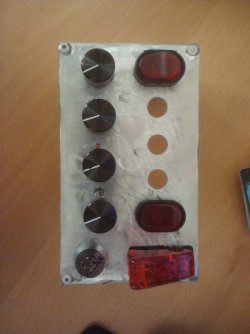
Plugged plate.jpg

~Lordbob
 

My Computer

Computer Manufacturer/Model Number
Hera
OS
Windows 7 Ultimate x64, Mint 9
CPU
Intel i5-2500k
Motherboard
ASUS P8P67 Pro
Memory
2x 4Gb Corsair VENGEANCE DDR3-1600
Graphics Card(s)
NVidia GeForce N260GTX Twin Frozr
Sound Card
Realtek HD OnBoard Audio
Monitor(s) Displays
ASUS 24" Monitor
Screen Resolution
1920x1080
Hard Drives
G.SKILL Phoenix Series 60GB SATA II MLC Internal Solid State Drive (SSD)
SAMSUNG Spinpoint F3R 1TB 7200 RPM 32MB Cache SATA II
PSU
Cooler Master Real Power Pro 750W
Case
Cooler Master Haf 932
Cooling
Fans
Keyboard
Razer Tarantula
Mouse
Razer Lachesis
Internet Speed
not fast enough
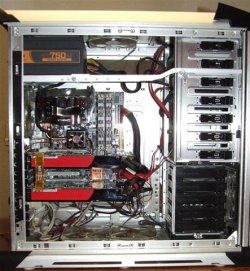
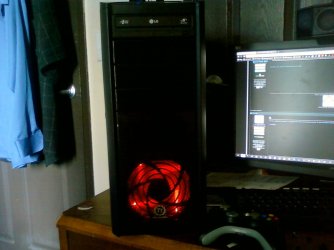
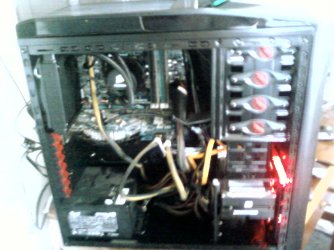
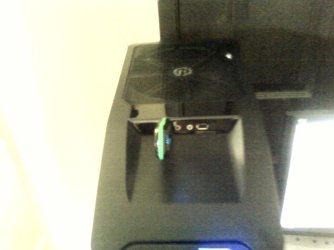
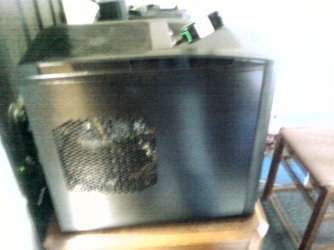
Well, got the Corsair H50 installed in my new case. Quite a nice drop in temps. Went from idling at 50-54 to now idling at 34-40. :D

Also, this new case has a ton of fans. One 120mm for the motherboard, one in the front for the HDDs, a 23cm fan on top, and the 140mm in the back that the H50 is using. It had another 23cm in the side panel, but my video card wouldn't allow me to close the case with the fan on. Sorry for the crappy pics, it's from my phone.
 

Attachments

  • 0615181452.jpg
    0615181452.jpg
    140.1 KB · Views: 6
  • 0615181552.jpg
    0615181552.jpg
    185.4 KB · Views: 12
  • 0615185857.jpg
    0615185857.jpg
    106.6 KB · Views: 6
  • 0615185911.jpg
    0615185911.jpg
    149.6 KB · Views: 5

My Computer

Computer type
PC/Desktop
Computer Manufacturer/Model Number
SuperBeast
OS
Windows 10 Tech Preview 9926 x64
CPU
AMD FX-8350
Motherboard
Gigabyte GA-990FXA-UD3
Memory
16GB DDR3 1333
Graphics Card(s)
Asus R9 290 DirectCU II OC, Gigabyte Windforce R9 290 OC
Sound Card
Integrated w/ Creative A250 2.1 speakers
Monitor(s) Displays
Main: Asus VN289H 28" Secondary: Acer G246HL 24"
Screen Resolution
1920x1080
Hard Drives
128 GB SanDisk Ultra Plus (Windows drive)

240 GB Crucial M500 SSD (Games drive)

1 TB WDC WD10EACS 7200RPM HDD (Data drive)

2 TB Seagate Expansion Desktop external HDD (Backup drive)
PSU
900w Antec HCG-900
Case
Raidmax Agusta Full ATX
Cooling
Corsair H80
Keyboard
Cooler Master Devastator MB24
Mouse
Cooler Master Devastator MS2K 1000/1600/2000 DPI
Internet Speed
100Mbps cable
Antivirus
Avast!
Browser
Chrome
Well, got the Corsair H50 installed in my new case. Quite a nice drop in temps. Went from idling at 50-54 to now idling at 34-40. :D

Also, this new case has a ton of fans. One 120mm for the motherboard, one in the front for the HDDs, a 23cm fan on top, and the 140mm in the back that the H50 is using. It had another 23cm in the side panel, but my video card wouldn't allow me to close the case with the fan on. Sorry for the crappy pics, it's from my phone.

Nice!
 

My Computer

Computer Manufacturer/Model Number
Rig 1
OS
Windows 7 Ultimate x64
CPU
AMD Phenom II X4 940 Black Edition @ 3.4GHz (AM2+)
Motherboard
Gigabyte GA-MA790X-UD4P (AM2+)
Memory
Corsair CM2X4096-8500C5 (4 X 2GB)
Graphics Card(s)
XFX Radeon HD 5770 / Diamond Radeon HD 5770 CrossFireX
Sound Card
Asus Xonar DS (PCI)
Monitor(s) Displays
Samsung SyncMaster 932bw+ (3)
Screen Resolution
4320x900
Hard Drives
OCZ Vertex 2 80 GB - Windows 7 System --
WD Caviar Black 1TB - Music, Movies, Vids, Pics --
WD Caviar Black 640GB - User Profiles & Games --
WD My Book 320GB external
PSU
Corsair CMPSU-750TX
Case
Cooler Master HAF 932
Cooling
Corsair Hydro Series H50
Keyboard
Logitech Desktop Wave
Mouse
Logitech LX8 Laser
Internet Speed
20 down / 2 up
Other Info
LG GGC-H20L Blu-Ray / HDDVD combo --
Hauppauge HVR-1250 --
Silverstone MFP-51 --
Logitech Webcam C600
Well, got the Corsair H50 installed in my new case. Quite a nice drop in temps. Went from idling at 50-54 to now idling at 34-40. :D

Also, this new case has a ton of fans. One 120mm for the motherboard, one in the front for the HDDs, a 23cm fan on top, and the 140mm in the back that the H50 is using. It had another 23cm in the side panel, but my video card wouldn't allow me to close the case with the fan on. Sorry for the crappy pics, it's from my phone.
I have 4 fans in my case too, although I couldn't tell you their sizes. What's amazing to me is they keep my setup cool, yet it is very quiet compared to my ancient XP computer that only had one fan.
 

My Computer

Computer type
PC/Desktop
Computer Manufacturer/Model Number
Gigabyte Technology Co., Ltd.
OS
Win 7 Ultimate 64-bit SP1 (desktop)
CPU
Intel Core 2 Duo E8400
Motherboard
Gigabyte GA-EP35-DS3R
Memory
2x 2GB OCZ DDR II SDRAM PC2-6400
Graphics Card(s)
NVIDIA GeForce 9400GT
Monitor(s) Displays
HP 2009m(primary), Acer P191W
Screen Resolution
1600x900, 1440x900
Hard Drives
Internal:WD Caviar Black 640GB 32MB cache 7200RPM
External:Samsung Story Station 1TB HDD desktop drive
500GB Toshiba portable drive
PSU
Antec Earthwatts EA500D
Case
Antec Sonata III
Cooling
4 fans
Keyboard
Logitech Wave
Mouse
Logitech M-SBF90
Internet Speed
Slow due to home Wireless-G router
Antivirus
MSE, Hitman Pro, Malwarebytes
Browser
Chrome and Palemoon
Other Info
Laptop....Acer 5750Z-4835
15.6" HD Widescreen CineCrystal™ LED-backlit LCD Display: (1366x768 resolution, 16:9 aspect ratio)
Intel® Pentium® Processor B940 (2.0GHz, 2MB L3 cache)
Windows® 7 Home Premium,500GB Hard Drive,4GB DDR3 RAM, Intel® HD Graphics,8X DVD-Super Multi Double-Layer Drive
Multi-in-1 Digital Media Card Reader,802.11b/g/n Wi-Fi
Chrome and Palemoon, MSE, Hitman Pro
Well, got the Corsair H50 installed in my new case. Quite a nice drop in temps. Went from idling at 50-54 to now idling at 34-40. :D

Also, this new case has a ton of fans. One 120mm for the motherboard, one in the front for the HDDs, a 23cm fan on top, and the 140mm in the back that the H50 is using. It had another 23cm in the side panel, but my video card wouldn't allow me to close the case with the fan on. Sorry for the crappy pics, it's from my phone.
I have 4 fans in my case too, although I couldn't tell you their sizes. What's amazing to me is they keep my setup cool, yet it is very quiet compared to my ancient XP computer that only had one fan.
For a lot of people, fan noise seems to be a BIG, HUGE problem. I don't get it.

My fans (I have three 230mm fans and one 180mm) are DEAD SILENT. Even my Video Card (at Idle, not max) is silent. Though at 100% it sounds like a jet engine, it is not like that all the time.

On the other hand, it seems that they don't sell 230mm fans with LEDs.

~Lordbob
 

My Computer

Computer Manufacturer/Model Number
Hera
OS
Windows 7 Ultimate x64, Mint 9
CPU
Intel i5-2500k
Motherboard
ASUS P8P67 Pro
Memory
2x 4Gb Corsair VENGEANCE DDR3-1600
Graphics Card(s)
NVidia GeForce N260GTX Twin Frozr
Sound Card
Realtek HD OnBoard Audio
Monitor(s) Displays
ASUS 24" Monitor
Screen Resolution
1920x1080
Hard Drives
G.SKILL Phoenix Series 60GB SATA II MLC Internal Solid State Drive (SSD)
SAMSUNG Spinpoint F3R 1TB 7200 RPM 32MB Cache SATA II
PSU
Cooler Master Real Power Pro 750W
Case
Cooler Master Haf 932
Cooling
Fans
Keyboard
Razer Tarantula
Mouse
Razer Lachesis
Internet Speed
not fast enough
For a lot of people, fan noise seems to be a BIG, HUGE problem. I don't get it.

My fans (I have three 230mm fans and one 180mm) are DEAD SILENT. Even my Video Card (at Idle, not max) is silent. Though at 100% it sounds like a jet engine, it is not like that all the time.

On the other hand, it seems that they don't sell 230mm fans with LEDs.

~Lordbob

All the fans in this are whisper quiet, except for the one in the front, and I'm pretty sure I can fix that. This build is definitely a lot more quiet than it was this morning. :D
 

My Computer

Computer type
PC/Desktop
Computer Manufacturer/Model Number
SuperBeast
OS
Windows 10 Tech Preview 9926 x64
CPU
AMD FX-8350
Motherboard
Gigabyte GA-990FXA-UD3
Memory
16GB DDR3 1333
Graphics Card(s)
Asus R9 290 DirectCU II OC, Gigabyte Windforce R9 290 OC
Sound Card
Integrated w/ Creative A250 2.1 speakers
Monitor(s) Displays
Main: Asus VN289H 28" Secondary: Acer G246HL 24"
Screen Resolution
1920x1080
Hard Drives
128 GB SanDisk Ultra Plus (Windows drive)

240 GB Crucial M500 SSD (Games drive)

1 TB WDC WD10EACS 7200RPM HDD (Data drive)

2 TB Seagate Expansion Desktop external HDD (Backup drive)
PSU
900w Antec HCG-900
Case
Raidmax Agusta Full ATX
Cooling
Corsair H80
Keyboard
Cooler Master Devastator MB24
Mouse
Cooler Master Devastator MS2K 1000/1600/2000 DPI
Internet Speed
100Mbps cable
Antivirus
Avast!
Browser
Chrome
Well, got the Corsair H50 installed in my new case. Quite a nice drop in temps. Went from idling at 50-54 to now idling at 34-40. :D
.....
Very niiice! Welcome to the corsair H50 Owners club:p
You'll definately get lower temps when you use the "Push-Pull" setup, in order to do that you'll need 2x 120mm fans(identical, same brand)... I'm using twin "antec 3 speed" fans, and I've set them at the low fan speed setting, because they become a tad noisy at the medium speed(well, it's amost inaudible) and very noisy at the high speed setting.

The lowest average temp I get on one of the CPU cores at idle is 25ºC, I'll post a screenshot as soon as I get home.

I recommend you visit this corsair blog post for in-depth instructions with pictures...

Cheers:)

My fans (I have three 230mm fans and one 180mm) are DEAD SILENT. Even my Video Card (at Idle, not max) is silent. Though at 100% it sounds like a jet engine, it is not like that all the time.

On the other hand, it seems that they don't sell 230mm fans with LEDs.
You can get the coolermaster ones... here and here
 

My Computer

Computer Manufacturer/Model Number
It's a Custom Build.....
OS
Windows 7 Ultimate x64, 7600.20647 RTM
CPU
Intel Core2Quad Q9505 @ 4.0Ghz
Motherboard
Intel Skyburg DP45SG
Memory
6GB Transcend DDR3-1333 Dual Channel
Graphics Card(s)
ASUS GTX285 1GB GDDR3
Sound Card
OnBoard Intel IDT HD Audio
Monitor(s) Displays
HP w2207h 22" WideScreen LCD, VGA & HDMI
Screen Resolution
1680x1050, 60Hz
Hard Drives
1TB WD Caviar Black, Green Power...
1TB Dell, 32Mb/s, Internal SATA
320GB Seagate Internal SATA (3 Partitions)
PSU
Omega 600W ATX2.0 Dual Rail, 2x Fans
Case
Cooler Master HAF 922
Cooling
Corsair Hydro H50 in Push-Pull mode, 4 Case Fans with LED
Keyboard
White aigo keyboard with blue LED on the keys....
Mouse
Genius Mini Tracer
Internet Speed
I'm ashamed to say...
Other Info
Aigo wireless keyboard(black) and a 2.1 Speaker System(white)
I was going to get a water cooling kit but I don't need it at the minute as my temps are quite low I thing for air cooling.
Idles at around 23 and it goes to about 35 to 40 when maxed out encoding video.

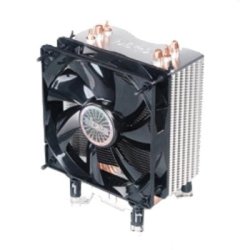
The cooler I use is an Akasa Nero which is a big cooler.
 

Attachments

  • low.PNG
    low.PNG
    54.8 KB · Views: 7
  • high.PNG
    high.PNG
    41.4 KB · Views: 10
  • akasa-nero-v2-ak-967v2-143-p.jpg
    akasa-nero-v2-ak-967v2-143-p.jpg
    13.6 KB · Views: 3

My Computer

Computer Manufacturer/Model Number
Samsung R519 Notebook
OS
Windows 7 Home Premium with Service Pack 1
CPU
Intel Dual Core 2.2 GHZ
Memory
2 Gig
Graphics Card(s)
Intel
Sound Card
On board
Monitor(s) Displays
Built in
Screen Resolution
1366x768
Hard Drives
250 Gig Sata2
Mouse
Microsoft Arc Mouse
Internet Speed
15 meg down
Well, got the Corsair H50 installed in my new case. Quite a nice drop in temps. Went from idling at 50-54 to now idling at 34-40. :D

Also, this new case has a ton of fans. One 120mm for the motherboard, one in the front for the HDDs, a 23cm fan on top, and the 140mm in the back that the H50 is using. It had another 23cm in the side panel, but my video card wouldn't allow me to close the case with the fan on. Sorry for the crappy pics, it's from my phone.

That looks very nice ;)

Just saw your pics from this morning and was going to ask about your temps with that stock CPU cooler, that's a huge improvement.

My cores range from 24-30 at idle/low load with my CM air cooler.
Running Prime95 was 56-59.

As mentioned, oidicle has a good idea, add the fans.

With the new fans your temps should be below 30.

Good looking case :cool:
 

My Computer

Computer type
PC/Desktop
Computer Manufacturer/Model Number
76~2.0
OS
Windows 7 Ult x64 - SP1/ Windows 8 Pro x64
CPU
Intel Core i5-3570K 4.6GHz
Motherboard
Gigabyte GA-Z77X UD3H, f18
Memory
8GB (2X4GB) DDR3 1600 Corsair Vengeance CL8 1.5v
Graphics Card(s)
Sapphire HD 7770 Vapor-X OC 1GB DDR5
Sound Card
Onboard VIA VT2021
Monitor(s) Displays
22" LCD Dell
Screen Resolution
1680x1050
Hard Drives
Samsung 840Pro 128GB SSD,
Seagate Barracuda 500GB SATA2 7200rpm 32MB cache, Seagate Barracuda 1TB SATA2 7200rpm 32MB cache,
PSU
Corsair HX650W
Case
Cooler Master Storm Scout
Cooling
Corsair H80 2x12cm Noctua NF P12 , 2x14cm case fans
Keyboard
Logitech Wave
Mouse
CM Sentinel
Internet Speed
Dismal
Antivirus
Avast
Browser
Opera Next
Other Info
Haswell laptop: HP Envy 17t-j, i7-4700MQ, GeForce 740M 2GB DDR3, 17.3" Full HD 1920x1080, 16GB RAM, Samsung 840 Pro 128GB, 1TB Hitachi 7200 HDD,
Desktop: eSATA ports,
External eSATA Seagate 500GB SATA2 7200rpm,
External WD USB 500GB
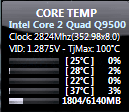
Here's the screenshot of my temps, I guess my CPU must be concave in some way, that's why the temps are so unequal, and for the life of me, temperatures on the 2nd Core(28ºC) and 4th core(37ºC) don't drop any lower than those values, but if I apply some heavy load on the CPU they rise but never drop...

I just don't have the strength in me to lap it, never lapped anything before, so....
 

Attachments

  • Temps.png
    Temps.png
    3.8 KB · Views: 143

My Computer

Computer Manufacturer/Model Number
It's a Custom Build.....
OS
Windows 7 Ultimate x64, 7600.20647 RTM
CPU
Intel Core2Quad Q9505 @ 4.0Ghz
Motherboard
Intel Skyburg DP45SG
Memory
6GB Transcend DDR3-1333 Dual Channel
Graphics Card(s)
ASUS GTX285 1GB GDDR3
Sound Card
OnBoard Intel IDT HD Audio
Monitor(s) Displays
HP w2207h 22" WideScreen LCD, VGA & HDMI
Screen Resolution
1680x1050, 60Hz
Hard Drives
1TB WD Caviar Black, Green Power...
1TB Dell, 32Mb/s, Internal SATA
320GB Seagate Internal SATA (3 Partitions)
PSU
Omega 600W ATX2.0 Dual Rail, 2x Fans
Case
Cooler Master HAF 922
Cooling
Corsair Hydro H50 in Push-Pull mode, 4 Case Fans with LED
Keyboard
White aigo keyboard with blue LED on the keys....
Mouse
Genius Mini Tracer
Internet Speed
I'm ashamed to say...
Other Info
Aigo wireless keyboard(black) and a 2.1 Speaker System(white)
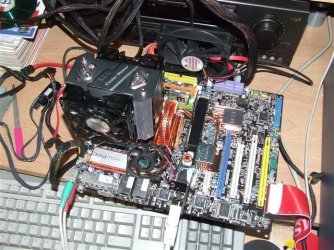
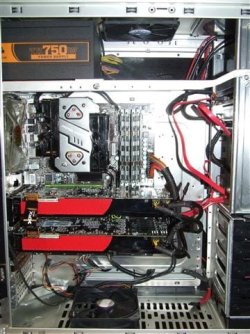
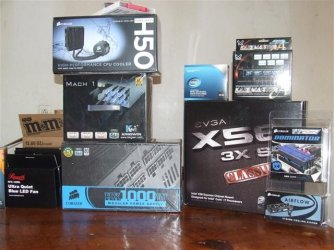
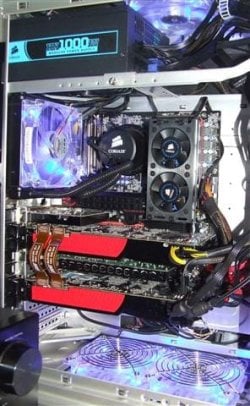
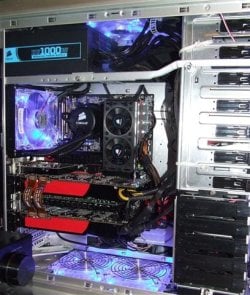
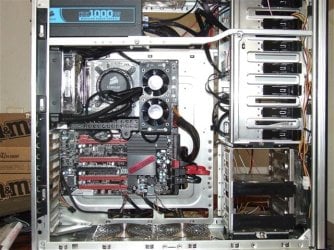
4 Builds same case. Here are some pics of my rigs starting with my first build in 2008. First is MSI P6 Diamond. This board is still running today in a rig I put together for my wife. Next is a MSI P7 Diamond that I only had for about two month's. I found out a bad Bios flash really does leave you with and expensive paper wieght. Next is a XFX 750i, Never was real happy with this board but I have it boxed up waiting for the next time I do something stupid. Last is my current and most saisfying build. I really wanted to change my case with this build, but when I reached the 1700 dollar mark I decided I would have to wait79048MSI P6 Diamond (Small).JPG
.P6 Diamond (Small).JPG
P7 Diamond (2) (Small).JPG

XFX 750i (1) (Small).JPG

013 (Small).JPG

EVGA (Small).JPG

EVGA i7 Corsair (Small).JPG
 

Attachments

  • 028 (Small).JPG
    028 (Small).JPG
    80.9 KB · Views: 15

My Computer

Computer Manufacturer/Model Number
Self Built:kellymac35/TOSHIBA LAPTOP X775 3DV78
OS
WINDOWS 7 Ultimate x64 Full
CPU
INTEL i7 930/INTEL i7 2630QM 2.9 GHz With Turbo Boost
Motherboard
EVGA X58 3X SLI CLASSIFIED/TOSHIBA
Memory
MUSHKIN ENHANCED 12GB/8GB SAMSUNG DDR3 1333 MHz
Graphics Card(s)
EVGA GTX570 S.C(SLI) FERMI /GTX560M 1.5GB of GDDR 5 DISCRETE
Sound Card
REALTEK ON BOARD /BUILT IN HARMAN KARDON STEREO SPKS
Monitor(s) Displays
TOSHIBA 32'' /17.3" LCD 3D READY 120 Hz LED BACKLIT
Screen Resolution
1360x768/1920x1080
Hard Drives
MUSHKIN Enhanced Callisto Deluxe SSD X 2 240GB RAID 0/MUSHKIN Enhanced Callisto Deluxe 240 GB SSD 750 GB Serial ATA Hard Drive
PSU
CORSAIR Professional Series AX1200 1200W
Case
THERMALTAKE Xaser VI
Cooling
CORSAIR HYDRO SERIES H70
Keyboard
Logitech MX 3200/PREMIUM RAISED TILE LED BACKLIT
Mouse
Logitech
Internet Speed
DSL
Other Info
(SPDIF) To Kenwood VR-6070 Lucasfilm THX Select Surround EX
Great pics kellymac35 ;)
 

My Computer

Computer type
PC/Desktop
Computer Manufacturer/Model Number
Built them myself, Science Experiments !
OS
Win7 Enterprise, Win7 x86 (Ult 7600), Win7 x64 Ult 7600, TechNet RTM on AMD x64 (2.8Ghz)
CPU
AMD fx8350 4ghz, AMD-32 2400mhz, AMD-64 3200mhz, AMDx64 2.8G
Motherboard
SIS 755, ECS-K8M890M-M (Ult 7600), GigaByte & others
Memory
2gb, 4gb on the Ult 7600, 4gb on Technet RTM, 32gb on FX8350
Graphics Card(s)
Draw my own Graphics, several nVidia cards
Sound Card
on motherboard
Monitor(s) Displays
19" flat scr, 28" I-Inc widescr,22" Emprex Widescr, 23" Acer
Screen Resolution
1280 x 1024, 1440 x 900, 1920 x 1080
Hard Drives
6 pata Ide HD's & 2 Sata HD's
added 80gb external on Ult 7600 computer,
numerous extra 1tb, 2TB, 3Tb SATA HD's
A collection of ext HD Docks w/ HDs
PSU
430w, 550w, 600w, 700, 800, etc
Case
All Generic Full Towers
Cooling
Open Air & a few fans, some w/ colored LEDs
Keyboard
Compaq & Dell recycled from GoodWill
Mouse
Made in China Optical Wired Mouse
Internet Speed
Fast Cable InterNet
Antivirus
AVG Free on 24 different Desktops, NO Problems!
Browser
IE 8 is preferred, but use FireFox sometimes
Other Info
Linksys Routers, switches, & Hubs
Too Many USB Flash Drives to count, Biggest is 64GB !
Eight computers in my home network.
Sixteen computers at my business network.
Linked via TeamViewer !
Lots of old used spare computer parts everywhere!
4 Builds same case. Here are some pics of my rigs starting with my first build in 2008. First is MSI P6 Diamond. This board is still running today in a rig I put together for my wife. Next is a MSI P7 Diamond that I only had for about two month's. I found out a bad Bios flash really does leave you with and expensive paper wieght. Next is a XFX 750i, Never was real happy with this board but I have it boxed up waiting for the next time I do something stupid. Last is my current and most saisfying build. I really wanted to change my case with this build, but when I reached the 1700 dollar mark I decided I would have to wait79048View attachment 79042
.View attachment 79041
View attachment 79043

View attachment 79044

View attachment 79045

View attachment 79046

View attachment 79047
I have a question for you, that Coolermaster N-520 you had hooked up to the MSI P7 and the XFX 750i... how well did it perform? I'm considering one as a replacement for my intel HSF, and I'd like to hear an opinion from someone who had one as to determine if it would be worth spending the $66AU...

Nice setups BTW, too bad about the bios flash not working though.
 

My Computer

Computer Manufacturer/Model Number
Myself/Model 006, Mk.1, Revision 1.5
OS
Windows 7 Professional x64
CPU
Intel Core i7 3930K
Motherboard
ASUS Rampage IV Extreme
Memory
4GB Corsair DOMINATOR DDR2 1066
Graphics Card(s)
eVGA GeForce GTX 680 2GB, SLi
Sound Card
Realtek HD audio
Monitor(s) Displays
LG E2351, 23.5" LED
Screen Resolution
1920x1080p 32bit colour @60Hz
Hard Drives
Western Digital 1TB SATA3 Caviar Blue
PSU
Coolermaster 1050w Silent Pro Hybrid
Case
Coolermaster Cosmos II
Cooling
Coolermaster 212 Evo, 3x 120mm, 1x 140mm, 1x 200mm
Keyboard
Logitech G510
Mouse
CM Storm Sentinel Advance II
Internet Speed
can hardly call it speed...
Other Info
Hyundai HY-Z-2700 2.1 Gaming speakers,
Razer Carcharias Headset,
'Storm Tactics' Gaming mouse mat.
9000 cable ties.
Status
Not open for further replies.
Back
Top