Somethings wrong with my computer

If you cant use snipping tool what about using print screen and pasting into paint. If you have any control at all hit print screen twice open paint and paste from keyboard

Hope this helps as we really need more info to help you

Ken
 

My Computer

Computer Manufacturer/Model Number
HP Pavillion dv-7 1005 Tx
OS
Win 8 Release candidate 8400
CPU
[email protected]
Memory
4 gigs
Graphics Card(s)
Nvidia 9600M
Sound Card
HD built-in
Monitor(s) Displays
17" Wxga
Screen Resolution
1440x900
Cooling
none
Internet Speed
45Mb down 5Mb up
Now I will write all my problems from the beginning
1- When i open computer or any folder the window comes slowly
2- when i play flash games, games are slow like low fps i play them frame by frame
3- sometimes when i watch video computer suddenly freeze some i see some discoloured parts on screen start menu colour goes black to some kind of weird purple and a buzzing sound comes from the speakers i can't even open the task manager when this happens
and i restart but sometimes while frozen like this screen goes black and comes back and it says nvidia stopped working and started again something like this
 

My Computer

Computer Manufacturer/Model Number
Toshiba/Qosmio x300
OS
Windows 7 build 7201 x86
CPU
Intel (R) Core(TM)2 Duo
Motherboard
Mobile Intel® PM45
Memory
4 GB DDR3 1066 Mhz
Graphics Card(s)
NVIDIA® GeForce® 9800M GTS supporting TurboCache™ technology
Sound Card
Harman Kardon® stere
Monitor(s) Displays
Lcd 17"
Screen Resolution
1440x990
Now I will write all my problems from the beginning
1- When i open computer or any folder the window comes slowly
2- when i play flash games, games are slow like low fps i play them frame by frame
3- sometimes when i watch video computer suddenly freeze some i see some discoloured parts on screen start menu colour goes black to some kind of weird purple and a buzzing sound comes from the speakers i can't even open the task manager when this happens
and i restart but sometimes while frozen like this screen goes black and comes back and it says nvidia stopped working and started again something like this
mithatkn

I tnink the key is the message abt nvidia. Im thinking the driver is probalbly bad and since this is the easiest to repair try re-installing the most current driver you can get from nvidia. Also in event manager (type event in search then click on event manager) under applications see if there is an error associated with the problem. snip a pic of the event viewer and attach it to your next psot. I will be hanging around this thread and have email sent ot me every time its upgraded. I see you are currently active in the thread so keep me posted. Im preety sure we can fix this one

Ken
 

My Computer

Computer Manufacturer/Model Number
HP Pavillion dv-7 1005 Tx
OS
Win 8 Release candidate 8400
CPU
[email protected]
Memory
4 gigs
Graphics Card(s)
Nvidia 9600M
Sound Card
HD built-in
Monitor(s) Displays
17" Wxga
Screen Resolution
1440x900
Cooling
none
Internet Speed
45Mb down 5Mb up
mithatkn

I tnink the key is the message abt nvidia. Im thinking the driver is probalbly bad and since this is the easiest to repair try re-installing the most current driver you can get from nvidia. Also in event manager (type event in search then click on event manager) under applications see if there is an error associated with the problem. snip a pic of the event viewer and attach it to your next psot. I will be hanging around this thread and have email sent ot me every time its upgraded. I see you are currently active in the thread so keep me posted. Im preety sure we can fix this one

Ken
If you are having NVidia video problems. which could cause almost every problem your saying.
1. start -> control panel -> system -> device manager -> display adapter. ( locate it and right click delete ). Yes. delete it. your system will still work until you reboot. Reboot will cause system to locate and find new device, install proper driver for and then continue to boot.
2. recommend you DO NOT UPGRADE THE DRIVER. use driver Win7 applys.
3. check screen resolution. lower resolution to 1240 x 1024.
4. when you see yoour screen to take a pic of it. you also can
a. push Print Screen SysRq key.
b. start -> open paint -> paste -> saveas -> recommend xxx.png. then
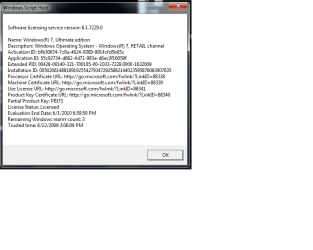
then use select and copy the exact portion you want to show, click open new paste into new and save as xxx2.png. then you can attach that smaller pic here using manage attachments. sample attached .
 

Attachments

  • 7229-dlv.png
    7229-dlv.png
    14.6 KB · Views: 79
Back
Top