gagecalman
New member
- Local time
- 6:08 PM
- Messages
- 9
Hello,
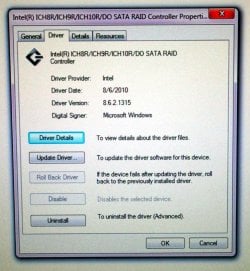
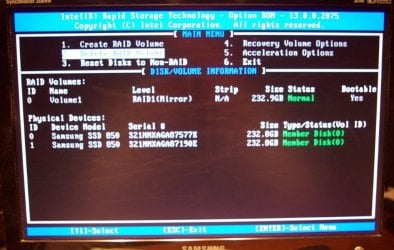
I have a desktop running Windows 7 Pro and Intel RAID 1 with 2 Samsung 256GB SSD's. 76GB free.
System runs great and I don't have any issues except a few tasks that I want to address. Not sure if I want to upgrade OS.
Mainly use it for:
Email using Outlook 2016.
Word processing using Word.
Picture storage and some editing using MS Picture It.
Music storage, playing and making playlists using Windows media player12.
Web browsing using Firefox.
This is what I need help with:
1. I need a better backup plan. I'm looking for a plan that will get me up and running without too much technical effort on my part.
I have an older 1TB WD My Passport that I use. I just bought 2 new 4TB WD My Passports.
Right now I running backups using Windows, Western digital (came with My Passport), and Norton.
I started doing a Windows "system image" and restore points. Too much effort and I don't know what I actually need.
2. Is there a way to protect the data on the two internal SSD's in case someone got hold of them without the computer?
I've seen encryption mentioned but I don't think I want to go that route. Someone also mentioned passwords in BIOS as well as "it's hard to get data off a RAID drive".
3. Is there a way to use the WD My Passports without their software? I just need a way to protect the data from others.
Thanks for reading and any help!
Jim
I have a desktop running Windows 7 Pro and Intel RAID 1 with 2 Samsung 256GB SSD's. 76GB free.
System runs great and I don't have any issues except a few tasks that I want to address. Not sure if I want to upgrade OS.
Mainly use it for:
Email using Outlook 2016.
Word processing using Word.
Picture storage and some editing using MS Picture It.
Music storage, playing and making playlists using Windows media player12.
Web browsing using Firefox.
This is what I need help with:
1. I need a better backup plan. I'm looking for a plan that will get me up and running without too much technical effort on my part.
I have an older 1TB WD My Passport that I use. I just bought 2 new 4TB WD My Passports.
Right now I running backups using Windows, Western digital (came with My Passport), and Norton.
I started doing a Windows "system image" and restore points. Too much effort and I don't know what I actually need.
2. Is there a way to protect the data on the two internal SSD's in case someone got hold of them without the computer?
I've seen encryption mentioned but I don't think I want to go that route. Someone also mentioned passwords in BIOS as well as "it's hard to get data off a RAID drive".
3. Is there a way to use the WD My Passports without their software? I just need a way to protect the data from others.
Thanks for reading and any help!
Jim
My Computers
System One System Two
-
- Computer type
- PC/Desktop
- Computer Manufacturer/Model Number
- Custom build
- OS
- Windows 7 Professional SP1 64-bit
- CPU
- Intel Xeon E3 1231V3 3.5GHz LGA 1150
- Motherboard
- ASUS Z97-AR USB 3.1
- Memory
- EVGA 16GB DDR3-1600 (PC3-12800) CL 9 (2x8)
- Graphics Card(s)
- EVGA GeForce GTX 750Ti SC 2GB GDDR5
- Hard Drives
- QTY 2 Samsung 850 EVO Series 250GB SATA III 6Gb/s 2.5" Internal SSD MZ-75E250B/AM
Running RAID 1 using Intel RST in BIOS
- Antivirus
- Norton
- Browser
- Firefox
-
- Computer type
- PC/Desktop