
Hi everyone, I had a quick look and could not see this posted anywhere, so thought I would post it.
When I first started to use Windows 7 I loved everything except what I thought was quite a slow way of navigating on the superbar. If you had lots of tabs open you had to first hover over/click the application button (and wait) then select the tab you wanted.
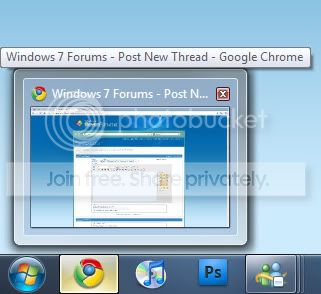
I don't know if anyone else thought this was a problem, but I found a way to make the hover over preview display much quicker, just in case you do not know what I am referring to here is an example.
Simple Walkthrough
Step 1
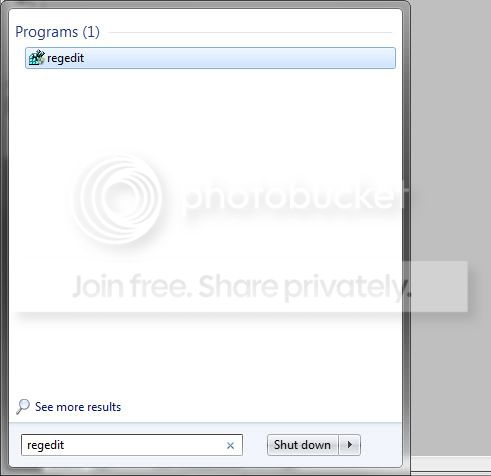
Firstly open regedit (just type regedit into the search bar)
*Note a UAC window will pop up, just click yes. Just don't go changing any other values than the one I say!
Step 2
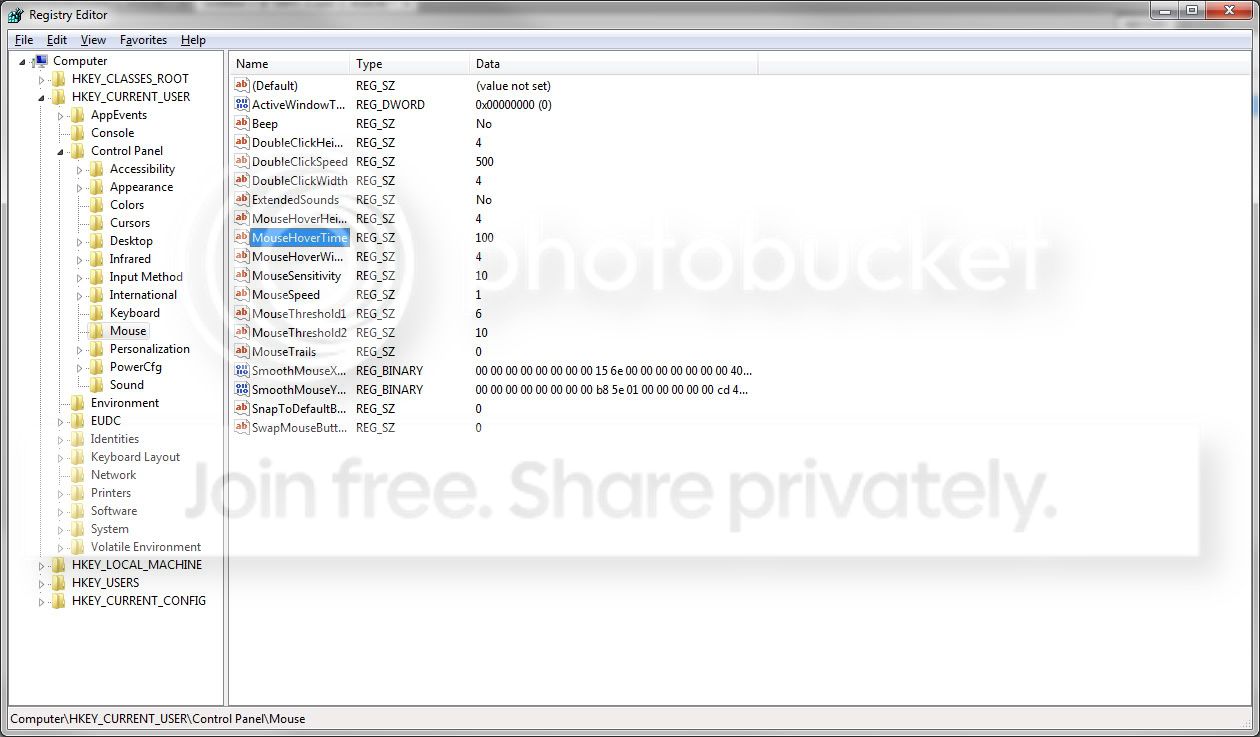
Navigate to "HKEY_CURRENT_USER\Control Panel\Mouse"
Step 3
Find the "MouseHoverTime", which default value is 400 (400ms)

Step 4
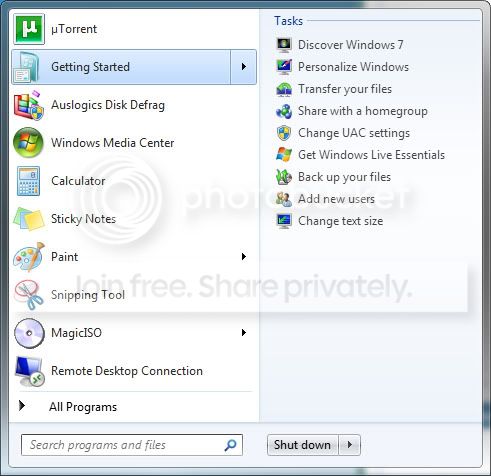
You can now change the value to whatever you want; obviously you could set it to something extremely low (NOT 0!) to make it appear instantly, but bare in mind Recent Item lists in the start menu (as shown below) are also affected by this change; so a very low value could get annoying.
I personally found a value of 100 works very well, and makes everything seem a lot snappier and responds quicker!
Hope this is useful to someone!
When I first started to use Windows 7 I loved everything except what I thought was quite a slow way of navigating on the superbar. If you had lots of tabs open you had to first hover over/click the application button (and wait) then select the tab you wanted.
I don't know if anyone else thought this was a problem, but I found a way to make the hover over preview display much quicker, just in case you do not know what I am referring to here is an example.
Simple Walkthrough
Step 1
Firstly open regedit (just type regedit into the search bar)
*Note a UAC window will pop up, just click yes. Just don't go changing any other values than the one I say!
Step 2
Navigate to "HKEY_CURRENT_USER\Control Panel\Mouse"
Step 3
Find the "MouseHoverTime", which default value is 400 (400ms)
Step 4
You can now change the value to whatever you want; obviously you could set it to something extremely low (NOT 0!) to make it appear instantly, but bare in mind Recent Item lists in the start menu (as shown below) are also affected by this change; so a very low value could get annoying.
I personally found a value of 100 works very well, and makes everything seem a lot snappier and responds quicker!
Hope this is useful to someone!
My Computer
- OS
- Windows 7
- CPU
- Intel Q6600 @ 3.2GHz
- Motherboard
- Asus P5Q-E
- Memory
- 4GB GEiL 841MHz
- Graphics Card(s)
- nVidia 8800GTS 320mb
- Monitor(s) Displays
- LG W2284F & LG 32LG7000
- Hard Drives
- Samsung Spinpoint T1 1TB
- Case
- Antec 900

