

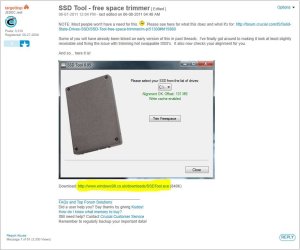
I have been talking with essenbe about the SSD alignment and I remembered that I saw the perfect tool for this which I have just found again here; SSD Tool - free space trimmer - Crucial Community
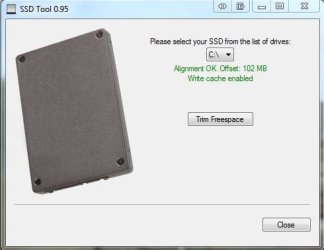
All you need do is download it run it select your drive and it will tell you if your alignment is correct or not.
The trim free space is not necessary but if you want to try it feel free it shouldn't do any harm
All you need do is download it run it select your drive and it will tell you if your alignment is correct or not.
The trim free space is not necessary but if you want to try it feel free it shouldn't do any harm
My Computer
At a glance
Windows 7 Ultimate x64Intel Core i7-2600K16 GB G Skill F3-10666 CL9D-4GBRLATI Radeon HD 6870
- Computer Manufacturer/Model Number
- Something I threw together
- OS
- Windows 7 Ultimate x64
- CPU
- Intel Core i7-2600K
- Motherboard
- Asus P8P67
- Memory
- 16 GB G Skill F3-10666 CL9D-4GBRL
- Graphics Card(s)
- ATI Radeon HD 6870
- Sound Card
- ATI Radeon HDMI / Realtek ALC892
- Monitor(s) Displays
- 2 x 22" standard monitors / LG32LC56v TV to watch films
- Screen Resolution
- 1920 x1080
- Hard Drives
- 2 x OCZ Vertex2 111.79GB
3 x Samsung103SJ
1 x Samsung103UJ
1 x WD3200BEVT
1 x Hitachi5K320-160
- PSU
- Thermaltake Toughpower Cable Management 750W
- Case
- Antec 300
- Cooling
- Noctua NH-U12P SE2 and 5 120mm Case fans
- Keyboard
- Microsoft Comfort Curve Keyboard 2000
- Mouse
- Hama M3110 / Logitech M305
- Internet Speed
- 16000
- Other Info
- I have also used Fedora, Suse, Ubuntu Linux
And all other Windows from 95 to date except ME


 rb: | MSCONFIG | ENTER | STARTUP tab |
 . Thanks for the tip on Microsoft Security Essentials. I'll def switch over to that at some point.
