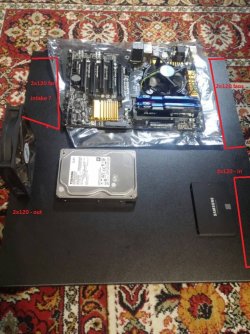
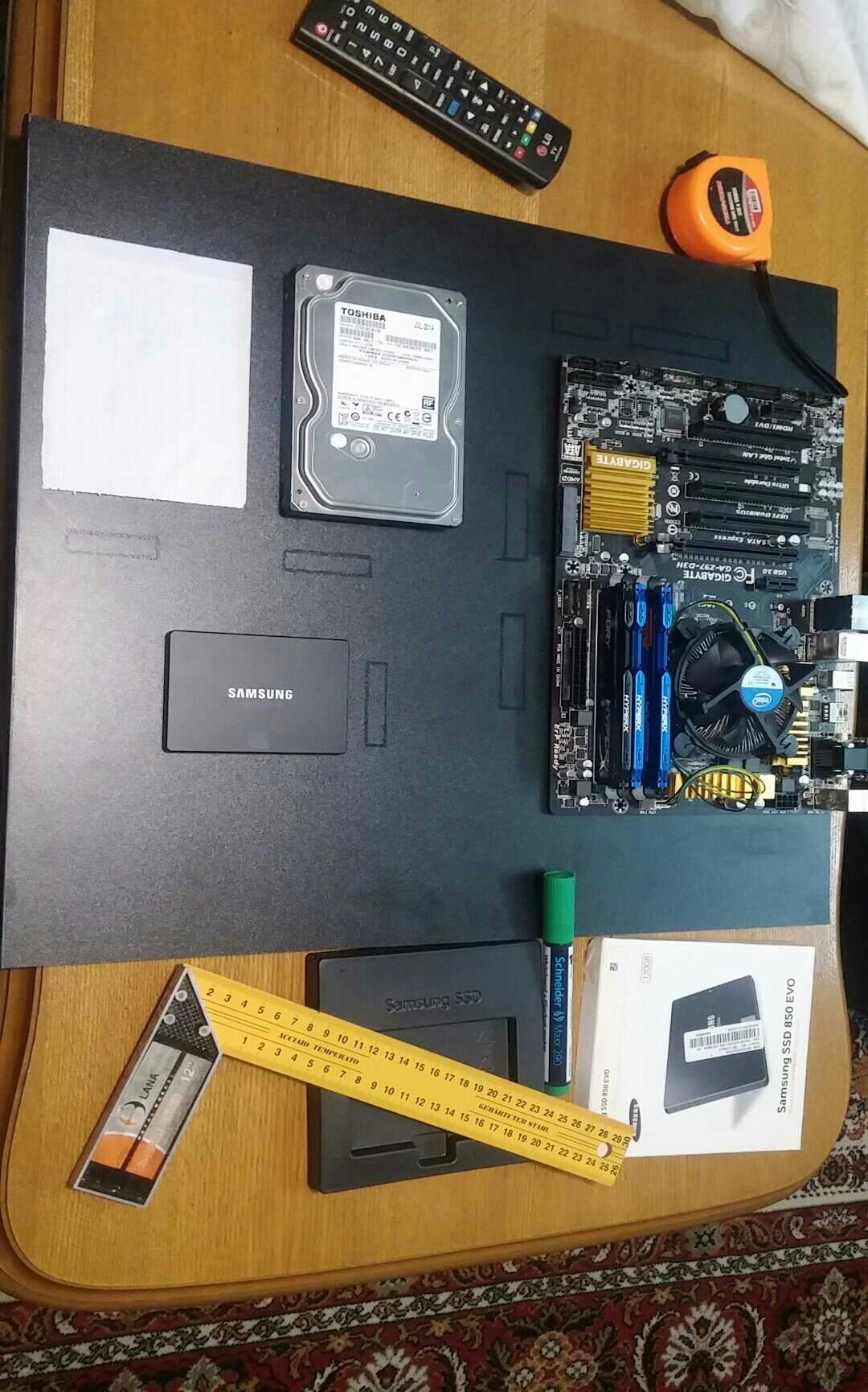
One of the two sets of fans blowing over the HDDs needs to be reversed. The way you have it set up now, the air coming from those four fans will meet each other over the SSD and the heat the air picked up when passing over the HDDs will heat up the SSD since the air flow from one side will counteract the air flow from the other side. The SSD should be placed on the side of the two HDDs that's upstream of the airflow instead of between the HDDs. when between the HDDs, the SSD will pick up heat from the HDD getting the airflow first; you do not want to heat up a component that is barely generating any heat on its own. I know this will kill symmetry (and I'm a huge lover of symmetry) but the health of that SSD is more important.
Unless you are trying to keep noise down by running the fans really slowly, one 120mm on each side of the case would be plenty. However you really need more fans on the MOBO end of the case. The CPU and GPU are your real heat generators. That single 120mm fan isn't going to move enough air to cool those components.
If you were counting on the four 120mm fans you have on the drive end of the case to also cool the MOBO end of the case, you need to relocate the fans cooling the drives to the end of case so the air can move in a straight line down the length of the case. This would allow you to keep the existing layout of your drives without heating up the SSD any. You can then use a 120mm fan on the back panel attached to the MOBO plate and an additional fan down at that end to exhaust the air coming in from the drive end of the case. You need to have more fans blowing air in than blowing out to maintain a slight positive pressure in the case to help keep out dust, especially if you are going to filter the intake air. In this situation, you could run four fans on the end with the drives to ensure enough air will get down to the MOBO end of the case. Just make sure the fans will be at least 4-6" from any wall or other furniture to ensure adequate airflow.
Unless you are trying to keep noise down by running the fans really slowly, one 120mm on each side of the case would be plenty. However you really need more fans on the MOBO end of the case. The CPU and GPU are your real heat generators. That single 120mm fan isn't going to move enough air to cool those components.
If you were counting on the four 120mm fans you have on the drive end of the case to also cool the MOBO end of the case, you need to relocate the fans cooling the drives to the end of case so the air can move in a straight line down the length of the case. This would allow you to keep the existing layout of your drives without heating up the SSD any. You can then use a 120mm fan on the back panel attached to the MOBO plate and an additional fan down at that end to exhaust the air coming in from the drive end of the case. You need to have more fans blowing air in than blowing out to maintain a slight positive pressure in the case to help keep out dust, especially if you are going to filter the intake air. In this situation, you could run four fans on the end with the drives to ensure enough air will get down to the MOBO end of the case. Just make sure the fans will be at least 4-6" from any wall or other furniture to ensure adequate airflow.
My Computer
- Computer type
- PC/Desktop
- Computer Manufacturer/Model Number
- Custom Build
- OS
- Win 7 Ultimate 64 bit
- CPU
- Intel i7-3930K
- Motherboard
- ASUS P9X79 WS
- Memory
- Kingston HyperX Genesis 32GB Kit (8x4GB Modules) 1600MHz DDR
- Graphics Card(s)
- MSI R7850 Twin Frozr 2GD5/OC Radeon HD 7850 2GB 256-bit GDDR
- Sound Card
- Asus Xonar Essence STX
- Monitor(s) Displays
- 3x Asus VG248QE 24", Vizio 32" TV
- Screen Resolution
- 1920 x 1080, ?
- Hard Drives
- Samsung 128GB 840 Pro SSD (1),
Samsung 4TB 850 EVO SSDs (4)
Samsung 4TB 850 EVO SSDs (16) external backup drives used in 2.5" hot swap bays in the computer.
- PSU
- Corsair HX750w
- Case
- Antec Two Hundred v2 (modified)
- Cooling
- Cooler Master GeminII S524 120mm (fan replaced with a 140mm)
- Keyboard
- Logitech G510s
- Mouse
- Logitech M525 (two in use)
- Internet Speed
- =< 32Mbps down, 8Mbps up
- Antivirus
- AVAST!, MBAM, SAS, Spybot S&D (all but MBAM free) Glary Util
- Browser
- IE11
- Other Info
- LSI 9211-8i HBA card (8 SATA III ports), 2.5" & 3.5" Hot Swap Bays, HooToo HT-CR001 PCI-E to USB 3.0 Internal Hub + 6 Slot Card Reader, and LG Model CH12LS28 BD-ROM Optical Drive. Also, ScanSnap S1500 ADF duplexing scanner, Canon 9000F flat bed scanner, Corsair SP2500 2.1 speakers, Samsung CLP 415nw laser color printer, Cyberpower PP2200SW UPS