standard keyboard shortcuts stopped working

harpua

New member
Guru
VIP
Local time
4:04 AM
Messages
1,011
Location
Honolulu, HI, USA
For some reason a windows keyboard shortcut I use a lot (right click Shift del, to permanently delete a file) has stopped working. I was wondering if anyone had any ideas on how to trouble shoot this or get it working again?

It only works if I select and click delete from the menu while holding down the shift key, but of course, that's not much of a shortcut.

Thanks.
 

My Computer My Computer

Computer Manufacturer/Model Number
HP DV8t quad
OS
Windows 7 Ultimate x64 (Retail)
CPU
i7-Q 720
Motherboard
Motherboard Chipset Intel Ibex Peak-M PM55, Intel Lynnfield
Memory
6 GB
Graphics Card(s)
nVidia GeForce GT 230M (1GB)
Sound Card
IDT High Definition Audio CODEC
Monitor(s) Displays
18.4 inch HP Infinity FHD (Samsung 184HT03-001)
Screen Resolution
1920 x 1080
Hard Drives
Hitachi 500GB 7200 rpm (x2)
Seagate FreeAgent 1.5 TB External USB (x2)
Thermaltake BlacX eSATA/USB 2.0 3.5/2.5 HD dock
Cooling
Zalman NC-2000 notebook cooling pad
Keyboard
laptop
Mouse
Logitech VX Revolution
Other Info
Backup Unit: Lenovo T61p
when that's issue you got??
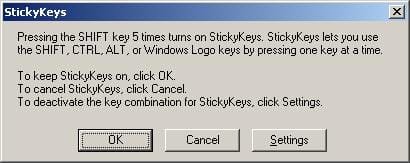
i'm guess maybe you have change something or you hold shift twice times, so the stickykeys change.

Sticky Keys - Vista Forums

untitled.JPG
 

My Computer My Computer

Computer Manufacturer/Model Number
built up
OS
windows 7
CPU
Phenom II AMD Dragon 3.5Ghz
Memory
DDR3 4GB
Graphics Card(s)
ATI Radeon 512Mb
Monitor(s) Displays
HP L1506
Screen Resolution
1152 x 864
Hard Drives
WDC 1 TB SATA-II Green Power
Keyboard
HP wireless keyboard
Mouse
HP Optic
Internet Speed
1GB
Thanks for the reply but that's not it. I toggled sticky keys on and off and it didn't make any difference. The permanent delete shortcut still doesn't work.
 

My Computer My Computer

Computer Manufacturer/Model Number
HP DV8t quad
OS
Windows 7 Ultimate x64 (Retail)
CPU
i7-Q 720
Motherboard
Motherboard Chipset Intel Ibex Peak-M PM55, Intel Lynnfield
Memory
6 GB
Graphics Card(s)
nVidia GeForce GT 230M (1GB)
Sound Card
IDT High Definition Audio CODEC
Monitor(s) Displays
18.4 inch HP Infinity FHD (Samsung 184HT03-001)
Screen Resolution
1920 x 1080
Hard Drives
Hitachi 500GB 7200 rpm (x2)
Seagate FreeAgent 1.5 TB External USB (x2)
Thermaltake BlacX eSATA/USB 2.0 3.5/2.5 HD dock
Cooling
Zalman NC-2000 notebook cooling pad
Keyboard
laptop
Mouse
Logitech VX Revolution
Other Info
Backup Unit: Lenovo T61p
try to create another keyboard shortcuts, and restart your computer.try the new shortcuts you create before.
 

My Computer My Computer

Computer Manufacturer/Model Number
built up
OS
windows 7
CPU
Phenom II AMD Dragon 3.5Ghz
Memory
DDR3 4GB
Graphics Card(s)
ATI Radeon 512Mb
Monitor(s) Displays
HP L1506
Screen Resolution
1152 x 864
Hard Drives
WDC 1 TB SATA-II Green Power
Keyboard
HP wireless keyboard
Mouse
HP Optic
Internet Speed
1GB
I finally figured out what was causing my problem and how to fix it and figured I'd post the solution here in case it might ever be helpful for someone else. The shortcut that wasn't working was the shift D combination to permanently delete a file or folder while in the explorer right click context menu. What had happened to cause this shortcut to stop working was an application I installed had, unbeknownst to me, added another menu item ahead of Delete that also started with a "D," in this case "Defragment." Once I removed that item (which I didn't need anyway) from the context menu, the shift D shortcut started working again. :D
 

My Computer My Computer

Computer Manufacturer/Model Number
HP DV8t quad
OS
Windows 7 Ultimate x64 (Retail)
CPU
i7-Q 720
Motherboard
Motherboard Chipset Intel Ibex Peak-M PM55, Intel Lynnfield
Memory
6 GB
Graphics Card(s)
nVidia GeForce GT 230M (1GB)
Sound Card
IDT High Definition Audio CODEC
Monitor(s) Displays
18.4 inch HP Infinity FHD (Samsung 184HT03-001)
Screen Resolution
1920 x 1080
Hard Drives
Hitachi 500GB 7200 rpm (x2)
Seagate FreeAgent 1.5 TB External USB (x2)
Thermaltake BlacX eSATA/USB 2.0 3.5/2.5 HD dock
Cooling
Zalman NC-2000 notebook cooling pad
Keyboard
laptop
Mouse
Logitech VX Revolution
Other Info
Backup Unit: Lenovo T61p
I finally figured out what was causing my problem and how to fix it and figured I'd post the solution here in case it might ever be helpful for someone else. The shortcut that wasn't working was the shift D combination to permanently delete a file or folder while in the explorer right click context menu. What had happened to cause this shortcut to stop working was an application I installed had, unbeknownst to me, added another menu item ahead of Delete that also started with a "D," in this case "Defragment." Once I removed that item (which I didn't need anyway) from the context menu, the shift D shortcut started working again. :D

Any chance you could let us know what the program was?
:)
 

My Computer My Computer

Computer Manufacturer/Model Number
Custom
OS
Win7 HP (x64)/Win7 Ultimate (x64)
CPU
Core i7 920
Motherboard
Intel X58
Memory
6 x 2GB Corsair XMS3
Graphics Card(s)
CF HD4890
Sound Card
Asus Xonar
Monitor(s) Displays
Dell 2408WFP
Screen Resolution
1920 x 1200
Hard Drives
2 x 150GB WDC Velociraptors (Raid 0)
1 x 1TB Seagate
1 x 1.5TB Seagate
PSU
Corsair HX1000W
Case
Antec 1200
Keyboard
Razer Lycosa/N52te
Mouse
Razer Lachesis
Sure, it was O&O Software's Defrag Professional which I do otherwise like. But since I couldn't find a configuration option within Defrag Pro to remove the context menu item it had inserted in my explorer right click context menu, I used the context menu customization utility in a program called "Windows 7 Manager" to easily remove it. Saved me from having to figure out how to get rid of it by editing the registry.
 

My Computer My Computer

Computer Manufacturer/Model Number
HP DV8t quad
OS
Windows 7 Ultimate x64 (Retail)
CPU
i7-Q 720
Motherboard
Motherboard Chipset Intel Ibex Peak-M PM55, Intel Lynnfield
Memory
6 GB
Graphics Card(s)
nVidia GeForce GT 230M (1GB)
Sound Card
IDT High Definition Audio CODEC
Monitor(s) Displays
18.4 inch HP Infinity FHD (Samsung 184HT03-001)
Screen Resolution
1920 x 1080
Hard Drives
Hitachi 500GB 7200 rpm (x2)
Seagate FreeAgent 1.5 TB External USB (x2)
Thermaltake BlacX eSATA/USB 2.0 3.5/2.5 HD dock
Cooling
Zalman NC-2000 notebook cooling pad
Keyboard
laptop
Mouse
Logitech VX Revolution
Other Info
Backup Unit: Lenovo T61p
Thanks for the heads-up :)
Regards
 

My Computer My Computer

Computer Manufacturer/Model Number
Custom
OS
Win7 HP (x64)/Win7 Ultimate (x64)
CPU
Core i7 920
Motherboard
Intel X58
Memory
6 x 2GB Corsair XMS3
Graphics Card(s)
CF HD4890
Sound Card
Asus Xonar
Monitor(s) Displays
Dell 2408WFP
Screen Resolution
1920 x 1200
Hard Drives
2 x 150GB WDC Velociraptors (Raid 0)
1 x 1TB Seagate
1 x 1.5TB Seagate
PSU
Corsair HX1000W
Case
Antec 1200
Keyboard
Razer Lycosa/N52te
Mouse
Razer Lachesis
I finally figured out what was causing my problem and how to fix it and figured I'd post the solution here in case it might ever be helpful for someone else. The shortcut that wasn't working was the shift D combination to permanently delete a file or folder while in the explorer right click context menu. What had happened to cause this shortcut to stop working was an application I installed had, unbeknownst to me, added another menu item ahead of Delete that also started with a "D," in this case "Defragment." Once I removed that item (which I didn't need anyway) from the context menu, the shift D shortcut started working again. :D

that's sounds good..glad hear solved. :D
 

My Computer My Computer

Computer Manufacturer/Model Number
built up
OS
windows 7
CPU
Phenom II AMD Dragon 3.5Ghz
Memory
DDR3 4GB
Graphics Card(s)
ATI Radeon 512Mb
Monitor(s) Displays
HP L1506
Screen Resolution
1152 x 864
Hard Drives
WDC 1 TB SATA-II Green Power
Keyboard
HP wireless keyboard
Mouse
HP Optic
Internet Speed
1GB
Back
Top