We have a Sony Vaio with Windows Home Premium on it.
We are having an extremely annoying issue with it, and need some recommendations/help. I am pretty sure it is just some little setting that I am looking over, but don't have a clue.
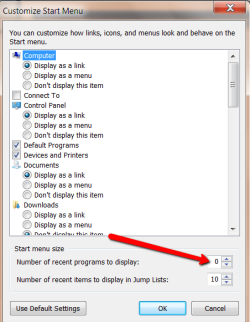
Anyhow, the issue is happening within the start toolbar. We click on the little round windows button in the left hand corner and all the programs except a few (like solitaire) are Internet Explorer files. Word, Turbotax, Itunes, Windows Media Player, EVERYTHING. When you click on these Internet Explorer opens, and it acts like it is downloading a file and asks us if we should save or not etc etc.
All these programs are accessible when you go through C>Program Files>"Program Name" etc. and then you just find the program shortcut and it opens without an issue.
Do you guys have any idea what is happening? Thanks for the help!
We are having an extremely annoying issue with it, and need some recommendations/help. I am pretty sure it is just some little setting that I am looking over, but don't have a clue.
Anyhow, the issue is happening within the start toolbar. We click on the little round windows button in the left hand corner and all the programs except a few (like solitaire) are Internet Explorer files. Word, Turbotax, Itunes, Windows Media Player, EVERYTHING. When you click on these Internet Explorer opens, and it acts like it is downloading a file and asks us if we should save or not etc etc.
All these programs are accessible when you go through C>Program Files>"Program Name" etc. and then you just find the program shortcut and it opens without an issue.
Do you guys have any idea what is happening? Thanks for the help!
My Computer
- OS
- Windows Seven Home Premium x32