
Hey guys,
I recently rebuilt my desktop PC, so it now has a brand new (well, maybe 3-4 months old) WD 1TB HDD. I installed Windows 7 Ultimate x64 and it worked beautifully for about a month, at which point I got into a Startup Repair loop and just decided to reinstall since I didn't have any important files on the HDD yet.
Once again, on this second install, I found Windows unable to boot. I could get into safe mode but system restore did nothing, and I thought I would just reinstall one more time and pray that would be the end of it. This second install took quite a bit longer than the first install so I thought maybe something strange went on this time.
So: third install. Last night as I was trying to watch Netflix, Silverlight kept crashing. Then Chrome started crashing. Then Windows Explorer crashed. I shut it down and went to bed. This morning I boot it up and it starts Startup Repair. Couple hours later it asks if I want to do a system restore. I click yes, it says "Startup Repair cannot repair this computer automatically".
Here are the problem details it gives on this screen:
Problem Event Name: StartupRepairOffline
Problem signature 01: 6.1.7600.16385
Problem signature 02: 6.1.7600.16385
Problem signature 03: unknown
Problem signature 04: 21199975
Problem signature 05: AutoFailover
Problem signature 06: 3
Problem signature 07: CorruptRegistry
I have tried to boot with last known good settings. It just took me back to the beginning again. I have no problems reinstalling Windows as I will not lose anything important, but I don't want to be going through this again a month from now.
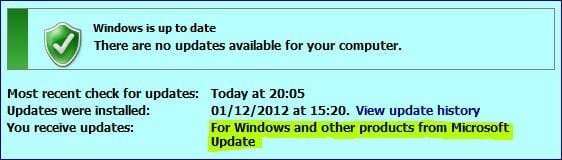
I used this same Windows disc on my last HDD and had no problems for about a year, but I can't figure out what is causing this problem to keep cropping up now. I have done Windows Updates and haven't downloaded much of anything except school documents and game patches.
Any help would be SO greatly appreciated. Please let me know if there is more info needed to help in solving my conundrum.
I recently rebuilt my desktop PC, so it now has a brand new (well, maybe 3-4 months old) WD 1TB HDD. I installed Windows 7 Ultimate x64 and it worked beautifully for about a month, at which point I got into a Startup Repair loop and just decided to reinstall since I didn't have any important files on the HDD yet.
Once again, on this second install, I found Windows unable to boot. I could get into safe mode but system restore did nothing, and I thought I would just reinstall one more time and pray that would be the end of it. This second install took quite a bit longer than the first install so I thought maybe something strange went on this time.
So: third install. Last night as I was trying to watch Netflix, Silverlight kept crashing. Then Chrome started crashing. Then Windows Explorer crashed. I shut it down and went to bed. This morning I boot it up and it starts Startup Repair. Couple hours later it asks if I want to do a system restore. I click yes, it says "Startup Repair cannot repair this computer automatically".
Here are the problem details it gives on this screen:
Problem Event Name: StartupRepairOffline
Problem signature 01: 6.1.7600.16385
Problem signature 02: 6.1.7600.16385
Problem signature 03: unknown
Problem signature 04: 21199975
Problem signature 05: AutoFailover
Problem signature 06: 3
Problem signature 07: CorruptRegistry
I have tried to boot with last known good settings. It just took me back to the beginning again. I have no problems reinstalling Windows as I will not lose anything important, but I don't want to be going through this again a month from now.
I used this same Windows disc on my last HDD and had no problems for about a year, but I can't figure out what is causing this problem to keep cropping up now. I have done Windows Updates and haven't downloaded much of anything except school documents and game patches.
Any help would be SO greatly appreciated. Please let me know if there is more info needed to help in solving my conundrum.
My Computer
At a glance
Windows 7 Ultimate x64
- OS
- Windows 7 Ultimate x64



 but I will RMA through WD if I see this problem again.


