
Startup time so Long!!

hell911

Banned
Local time
2:02 PM
Messages
62
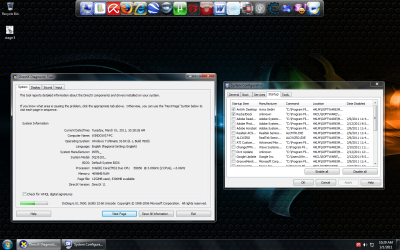
guys, my pc is starting up so slow, i think its about 1 min 30 sec, or maybe more than 2 minutes, my pc is just a month old (reformat), also i scanned for virus none...
 

Attachments

  • gb56uhdursy.png
    gb56uhdursy.png
    357.3 KB · Views: 53

My Computer

OS
Windows 7 Ultimate 32bit
CPU
Intel E6850
Motherboard
Intel DQ3510J
Memory
Kingston 4GB DDR2 800mhz
Graphics Card(s)
ATI HD3870
Sound Card
Intel Onboard/Realtek HD Audio/AMD HD Audio
Monitor(s) Displays
AOC 193FW 19" Widescreen
Screen Resolution
1440x900
Hard Drives
750gb Western Digital SATA
PSU
CoolerMaster 550w Real Power SLi
Keyboard
A4Tech
Mouse
A4Tech
Internet Speed
768kbps
Try turning off everything in Startup, especially the unneeded Rocket Dock which is inferior and less stable than the Win7 taskbar. You should have your AV in there, however: use lightweight effective free MSE or Avast 5 with the WIn7 firewall only.

Work through these troubleshooting steps: http://www.sevenforums.com/general-...-lags-every-couple-seconds-2.html#post1131640

Pay close attention to Performance log for repeat errors revealing what is hanging the startup.

If none of the steps help, run a Startup trace to determine the driver or program which is
 
You could run an xbootmgr boot trace and we could look at the logs to figure it out too. All we need is for you to run the trace (which will reboot your system and start tracing the boot), log in, wait the two minute countdown, and then compress/upload to a file sharing site the .etl file that the trace creates.
 

My Computer

Computer type
PC/Desktop
Computer Manufacturer/Model Number
Custom
OS
Windows 10 Pro x64
CPU
Intel Core i7 4790K @ 4.5GHz
Motherboard
Asus Maximus Hero VII
Memory
32GB DDR3
Graphics Card(s)
Nvidia GeForce GTX970
Sound Card
Realtek HD Audio
Screen Resolution
1920x1200
Hard Drives
1x Samsung 250GB SSD
4x WD RE 2TB (RAIDZ)
PSU
Corsair AX760i
Case
Fractal Design Define R4
Cooling
Noctua NH-D15
Just look at the system & application logs.

Clear them 1st, then re-boot your machine. Now look at them. You will find something. Typically, something is needed to load or run at boot and it is not for one reason or another. The logs will tell you.
 

My Computer

OS
Windows 7 Professional
Back
Top