N newtr0n New member Local time 10:53 AM Messages 31 May 2, 2010 #1 I hate the fact that the font of sticky notes cant be changed and that they dont have tickets. What alternative do you recommend me? Thanks in advance. My Computer OSwin 7 - vista
I hate the fact that the font of sticky notes cant be changed and that they dont have tickets. What alternative do you recommend me? Thanks in advance.
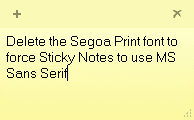
Kari An Angry Old Man Guru VIP SF Team Local time 5:53 PM Messages 17,473 Location A Finnish ex-pat in Leipzig, Germany May 2, 2010 #2 If you delete Segoa Print font, the default font used by Sticky Notes, it's forced to use MS Sans Serif. To format Sticky Notes, read this tutorial: http://www.sevenforums.com/tutorials/6281-sticky-notes-change-text-format.html Kari Attachments StickyNotes.PNG 2.2 KB · Views: 670 My Computer Computer typeLaptopComputer Manufacturer/Model NumberHP ENVY 17-1150egOSWindows 10 Pro x64 EN-GBCPU1.6 GHz Intel Core i7-720QM ProcessorMemory6 GBGraphics Card(s)ATI Mobility Radeon HD 5850 GraphicsSound CardBeats sound system with integrated subwooferMonitor(s) Displays17" laptop display, 22" LED and 32" Full HD TV through HDMIScreen Resolution1600*900 (1), 1920*1080 (2&3)Hard DrivesInternal: 2 x 500 GB SATA Hard Disk Drive 7200 rpm External: 2TB for backups, 3TB USB3 network drive for mediaCoolingAs Envy runs a bit warm, I have it on a Cooler Master padKeyboardLogitech diNovo Media Desktop Laser (bluetooth)MouseLogitech Performance Mouse MXInternet Speed50/10 Mbps VDSLAntivirusWindows Defender 4.3.9431.0BrowserMaxthon 3.5.2., IE11
If you delete Segoa Print font, the default font used by Sticky Notes, it's forced to use MS Sans Serif. To format Sticky Notes, read this tutorial: http://www.sevenforums.com/tutorials/6281-sticky-notes-change-text-format.html Kari
Brink Administrator Staff member Local time 10:53 AM Messages 74,803 Location Oklahoma May 2, 2010 #3 Hello Newtr0n, You might see if the free program Stickies may work better for you instead. Hope this helps, Shawn My Computer Computer typePC/DesktopComputer Manufacturer/Model NumberSelf built customOS64-bit Windows 11 Pro for WorkstationsCPUIntel i7-8700K OC'd to 5 GHzMotherboardASUS ROG Maximus XI Formula Z390Memory64 GB (4x16GB) G.SKILL TridentZ RGB DDR4 3600 MHzGraphics Card(s)ASUS ROG-STRIX-GTX1080TI-O11G-GAMINGSound CardIntegratedMonitor(s) Displays2 x Samsung Odyssey G7 27"Screen Resolution2560x1440Hard Drives1TB Samsung 990 PRO M.2, 4TB Samsung 990 PRO PRO M.2, TerraMaster F8 SSD Plus NASPSUSeasonic Prime Titanium 850WCaseThermaltake Core P3CoolingCorsair Hydro H115iKeyboardLogitech wireless K800MouseLogitech MX Master 4Internet Speed2 Gb/s Download and 100 Mb/s UploadAntivirusMalwarebyte Anti-Malware PremiumBrowserGoogle ChromeOther InfoLogitech Z625 speaker system, Logitech BRIO 4K Pro webcam, HP Color LaserJet Pro MFP M477fdn, APC SMART-UPS RT 1000 XL - SURT1000XLI, Galaxy S23 Plus phone
Hello Newtr0n, You might see if the free program Stickies may work better for you instead. Hope this helps, Shawn
CassieFWinTeam New member Pro User Local time 10:53 AM Messages 233 May 2, 2010 #4 Here are some keyboard shortcuts to help you format the sticky notes - Using Sticky Notes. Cheers, Cassandra Microsoft Windows Outreach My Computer Computer Manufacturer/Model NumberHP/p6207cOSWindows 7 Professional 64-bitCPUPentium(R) Dual-Core CPU E5300 @260GHzSound CardRealTek High Def AudioMonitor(s) DisplaysHP 2159mScreen Resolution1920 x 1080 x 60MouseHP M/N: M-U0009-HP1Internet SpeedBroadband
Here are some keyboard shortcuts to help you format the sticky notes - Using Sticky Notes. Cheers, Cassandra Microsoft Windows Outreach
R rl7 New member Local time 5:53 PM Messages 8 Jan 24, 2011 #5 changing Sticky Notes font.. Kari said: If you delete Segoa Print font, the default font used by Sticky Notes, it's forced to use MS Sans Serif. To format Sticky Notes, read this tutorial: http://www.sevenforums.com/tutorials/6281-sticky-notes-change-text-format.html Kari Click to expand... Hi Kari....thanks for your tip....it really worked !! My Computer Computer Manufacturer/Model NumberLenovo ThinkPad Edge 13OSWindows 7 Professional 32 bitCPUAMD Athlon Neo X2 Duo Core L325Memory3 GBGraphics Card(s)ATI Mobility Radeon HD 3200Sound CardCX20582Monitor(s) Displays13.3 TFT 1366 x 768 ( WXGA )Hard Drives250 GB
changing Sticky Notes font.. Kari said: If you delete Segoa Print font, the default font used by Sticky Notes, it's forced to use MS Sans Serif. To format Sticky Notes, read this tutorial: http://www.sevenforums.com/tutorials/6281-sticky-notes-change-text-format.html Kari Click to expand... Hi Kari....thanks for your tip....it really worked !!