Solved Super odd issues after imaged restore, Not sure how to clean this mess

rx8pilot

New member
Member
Local time
11:47 AM
Messages
15
Hello all,

I have been trying to solve a problem for quite a while and still have not even figured out what the problem is.

Equipment:
7 year old Asus custom build with Intel i7 Extreme 3.3Ghz 24GB RAM, Samsung SSD, ATI Fire Pro Workstation GFX. No overclocking or additional customization.

Software:
W7 Pro 64bit. A whole bunch of commercial software that is no longer supported or out of maintenance contracts. Re-installing is either impossible or very difficult or VERY expensive.

This machine is in a critical role and ran without issue for many years. A few months ago the system disk (1 drive in a 4 drive RAID5) failed. No big deal, I put a spare in the system and it rebuilt the RAID. Without surprise - about a week later another drive failed. This time the RAID failed during rebuild and the system disk is now totally dead and un-recoverable.

Fortunately (or so I thought), I was using Acronis to keep local and cloud images. I restored the images to a new SSD drive, but it failed to boot. I spent the next 2 days chasing down a myriad of issues to try to get it back up. The final act that made it happen was restoring the backup registry. While that allowed the system to finally boot - clearly it was a last resort. There were all kinds of strange issues following this. A number of applications had to be reinstalled and many others at least lost their settings. None of these were fatal - just super annoying.

Fast forward to about 3 days ago when I got a warning that the system disk was full (0 bytes available). I was expecting about 180GB of free space. After some digging, I found that the Windows Temp folder was being filled up with cab_xxxx files of exactly the same size - 107MB each until the disk was full. I chased that down after a few hours but learned this was the tip of the iceberg.

At that time I noticed the system would not boot in safe mode, I could not start System Restore, SFC /scannow fails, DISM scans do not work, 'Turn on/off Windows Components' is blank, I cannot rename folders without an error message, some websites do not work while others are fine in Firefox and Chrome, Thunderbird email no longer connects to anything although other applications network resources are perfectly normal. It all seems random.

Attempting Safe mode, is just an endless re-boot cycle. I have tried to DVD boot the machine for repair and that yields nothing. I also ran the usual command line suspects - BOOTREC , SFC, and DISM with no help or just an error.

BOOTREC appeared the be successful.
SFC /scannow: returns 'Windows Resource Protection could not start the repair service'
DSIM /online [anything at all]: returns error 87 Option Unknown
CHKDSK returns clean
MEMTEST returns clean
PSU tests are all clean (I design power supplies so uniquely qualified and configured to test that part)
Virus/Malware full scans from 3 different vendors come back clean

Everytime I boot, it takes a while and repeats the same update messages. Maybe windows update has issues?

My guess is this is a combination of corrupt system files on top of getting an old registry. Not sure how I can scan/repair any of the system files without the usual MS utilities working. Totally unsure how to find what may be a huge pile of registry problems either. Maybe it is virus/malware that is not detected? First time I have dealt with a workstation that boots in normal mode, but fails in any form of safe mode.

Hoping (on my knees begging) for any wisdom.
 

My Computer My Computer

At a glance

W7 64 ProIntel i7 Extreme 3.3Ghz24GBATI Fire Pro
Computer type
PC/Desktop
Computer Manufacturer/Model Number
Custom
OS
W7 64 Pro
CPU
Intel i7 Extreme 3.3Ghz
Motherboard
Asus
Memory
24GB
Graphics Card(s)
ATI Fire Pro
Hard Drives
Samsung EVO 850
Antivirus
Eset
Welcome to the forum. You dont say if this has service packs on it. First clean the pc with UnCleaner - Josh Cell Softwares Take another image now so you can role back. Restoring the reg may have been a big mistake.

I would reinstall the latest service pack this will overwrite all system files so they are all correct
 

My Computer My Computer

At a glance

win 8 32 bit
Computer type
PC/Desktop
OS
win 8 32 bit
Thank you for the reply. I did backup the original REG (twice) and still have the image from just before the original system crash, but it will not boot with that registry restored. Only the backup allows it to boot up, but of course with significant issues.

What does UnCleaner accomplish? I don't have the machine booted right now (making another clone before I do anything permanent). I plan to experiment with the cloned disk.

EDIT:
Clone complete and system booted up. Service Pack 1 confirmed. I feel more at ease sorting this out on a cloned HDD.
 
Last edited:

My Computer My Computer

At a glance

W7 64 ProIntel i7 Extreme 3.3Ghz24GBATI Fire Pro
Computer type
PC/Desktop
Computer Manufacturer/Model Number
Custom
OS
W7 64 Pro
CPU
Intel i7 Extreme 3.3Ghz
Motherboard
Asus
Memory
24GB
Graphics Card(s)
ATI Fire Pro
Hard Drives
Samsung EVO 850
Antivirus
Eset
Working with a cloned HDD - I have tried a few things with no luck yet.

re-install SP1 - fails.
disabled as many services and removed any rarely used applications as possible.

Turning on automatic updates to my surprise seems to have allowed the download and installation of updates - although it did not seem to change anything.

Tried a repair install just before I went to sleep and when I woke up - the computer was off. Not sure what to think of that. Last I saw it was preparing for installation.

I reverted back to the SFC utility to attempt repairs on the existing install. It finds errors but is unable to repair. This is with the windows DVD command line. The real problem is that it is not appending the results CBS.log. This makes it impossible to know what files needs to be manually replaced.

Does anyone know how to redirect the log output of the SFC utility to a location that is valid? I am guessing it is trying to write to the DVD since that is what it booted from. If I can get the logs, I have a chance of replacing the corrupt files.
 

My Computer My Computer

At a glance

W7 64 ProIntel i7 Extreme 3.3Ghz24GBATI Fire Pro
Computer type
PC/Desktop
Computer Manufacturer/Model Number
Custom
OS
W7 64 Pro
CPU
Intel i7 Extreme 3.3Ghz
Motherboard
Asus
Memory
24GB
Graphics Card(s)
ATI Fire Pro
Hard Drives
Samsung EVO 850
Antivirus
Eset
Still struggling on this exciting project......

I figured out how to get SFC /scannow to work and was able to review the logs. Nothing really was changed though. I did push a little harder to purge the registry both manually and with CCleaner. I turned on log on/off verbosity to ID some crusty and unneeded drivers that were slowing things down. Those were all issues that needed attention but still did not address the deeper issues.

- Backup and Restore will not start - no error or other activity.
- No restore points can be created or restored. There is no apparent way to turn it on/off or check the status in the GUI. I tried using command line options but that did not work either.
- 'SFC /scannow' runs and reports un-fixable errors but the only error in the log is corrupt ehshell.dll which does not seem related.
- Updates fail (presumably because a restore point cannot be created)
- Corel Draw X5 (yes, the old version) would not start so I tried to re-install but it fails on re-install.
- Cannot boot in Safe Mode - it just restarts over and over. Right as I am typing in my password in safemode - it re-boots. Have no idea why. Normal boot is totally fine, no errors or delays.
- There are other strange behaviors, as well but less worrisome

Again - I am trying to protect very expensive legacy professional software that is no longer supported and cannot be re-installed because of licensing issues that require support contracts that do not exist. Fresh install is not an option, but I am at the end of my troubleshooting ability.

Don't even know what type of professional I could call to help stabilize this system.
 

My Computer My Computer

At a glance

W7 64 ProIntel i7 Extreme 3.3Ghz24GBATI Fire Pro
Computer type
PC/Desktop
Computer Manufacturer/Model Number
Custom
OS
W7 64 Pro
CPU
Intel i7 Extreme 3.3Ghz
Motherboard
Asus
Memory
24GB
Graphics Card(s)
ATI Fire Pro
Hard Drives
Samsung EVO 850
Antivirus
Eset
Are you still with the RAID 5 array? Did you check the BIOS settings?
I would try a repair install again and stay close to follow up. Is your installation disk SP1?
After the re installation, run SFC /scannow.

For the updates:MS releases SP2 for Windows 7
 

My Computers My Computers

  • At a glance

    Windows 7 HP 64i5 6600K - 800MHz to 4200MHz4+4G GSkill DDR4 3000IG - Intel 530
    Computer type
    PC/Desktop
    Computer Manufacturer/Model Number
    custom build
    OS
    Windows 7 HP 64
    CPU
    i5 6600K - 800MHz to 4200MHz
    Motherboard
    GA-Z170-HD3P
    Memory
    4+4G GSkill DDR4 3000
    Graphics Card(s)
    IG - Intel 530
    Monitor(s) Displays
    Samsung 226BW
    Screen Resolution
    1680x1050
    Hard Drives
    (1) -1 SM951 – 128GB M.2 AHCI PCIe SSD drive for Windows 7 and Lubuntu
    (2) -1 WD SATA 3 - 1T for Data
    (3) -1 WD SATA 3 - 1T for backup
    PSU
    Thermaltake 450W TR2 gold
    Keyboard
    Old and good Chicony mechanical keyboard
    Mouse
    Logitech mX performance - 9 buttons (had to disable some)
    Internet Speed
    500Mb/s
    Browser
    Firefox 64
    Other Info
    TinyWall firewall
  • At a glance

    Windows 7 Proi7-4500U 800MHz to 3.0GHz(4+4)G DDR3 1600IG intel 4400 + NVIDIA GeForce GT 745M
    Computer type
    Laptop
    System Manufacturer/Model Number
    Asus Q550LF
    OS
    Windows 7 Pro
    CPU
    i7-4500U 800MHz to 3.0GHz
    Motherboard
    Asus Q550LF
    Memory
    (4+4)G DDR3 1600
    Graphics Card(s)
    IG intel 4400 + NVIDIA GeForce GT 745M
    Sound Card
    Realtek
    Monitor(s) Displays
    LG Display LP156WF4-SPH1
    Screen Resolution
    1920 x 1080
    Hard Drives
    BX500 120G SSD for Windows and programs +
    1T HDD for data
    Internet Speed
    500 Mb/s
    Browser
    Firefox
    Other Info
    TinyWall firewall
No, the RAID5 system disk is gone and the BIOS was reset for a single disk. That part seems to be ok - chkdsk came back with no errors. It boots in normal mode rather quick and with no errors.

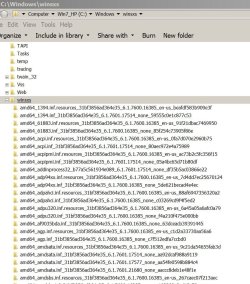
Up to this point - I have not attempted a repair install for fear of damaging the licenses on the installed software. The focus has been on a less heavy handed repair so far. My mind started to shift when I ran DISM and looked at the logs - over 1300 errors for missing files. All the files had a reference to AMD64 and my machine in Intel. That is a lot of un-reparable errors and odd that they all reference a processor that is not in the machine. With all the time and only marginal successes - I finally decided to do the repair install.

I downloaded the ISO with Win 7 Pro SP1 since my original disk is too old. It is running right now and seems to be moving along. This is being done on a cloned system drive so the 'known bootable' SSD is physically disconnected. When/if it is successful, I will try out the critical software with no network attached - if it freaks out it cannot contact the registration servers. In theory, if it goes south, I have my cloned SSD that I can revert to and create another plan. Really hoping this clears it all up without messing with the emotionally delicate software.

BTW - This ALL started with Acronis being used to restore the system after a failure. I had local images and cloud images on top of having a RAID5 - I felt pretty safe. Acronis has failed miserably and they offered ZERO help when I contacted them. Super sad performance from them. Needless to say, I have moved on and will never go back and tell everyone I know in IT this story. I had a conversation with a friend/owner of an IT management company - told him the story. He was just about to deploy Acronis, but stopped and did more research. He studied my experience a little more and moved on to another solution as well. That was a project with around 500 PCs. Not a small amount of business.
 

My Computer My Computer

At a glance

W7 64 ProIntel i7 Extreme 3.3Ghz24GBATI Fire Pro
Computer type
PC/Desktop
Computer Manufacturer/Model Number
Custom
OS
W7 64 Pro
CPU
Intel i7 Extreme 3.3Ghz
Motherboard
Asus
Memory
24GB
Graphics Card(s)
ATI Fire Pro
Hard Drives
Samsung EVO 850
Antivirus
Eset
The repair install is not going well. I just typed a whole breakdown but the site had logged me off - deleted my post in the process of asking for the login. Not funny.

Anyway.....the process started off well enough. Rebooted once and was continuing the process. The second re-boot just goes to a black screen, locked keyboard, and no disk activity. Assuming it's dead. This is why I made a clone of the known bootable disk to try this. My expectations were low and they have been met.

I am guessing the next move is to restore this test HDD with the image I have from Paragon Disk Manager. each step takes an enormous amount of time - REALLY hoping some solution comes soon.
 

My Computer My Computer

At a glance

W7 64 ProIntel i7 Extreme 3.3Ghz24GBATI Fire Pro
Computer type
PC/Desktop
Computer Manufacturer/Model Number
Custom
OS
W7 64 Pro
CPU
Intel i7 Extreme 3.3Ghz
Motherboard
Asus
Memory
24GB
Graphics Card(s)
ATI Fire Pro
Hard Drives
Samsung EVO 850
Antivirus
Eset
RX, my computer is Intel but there are a lot of AMD64 files. This files are not for AMD but for Win 7 64. The name is because AMD was the first to provide 64 bits CPUs.
 

Attachments

  • AMD64.JPG
    AMD64.JPG
    152.8 KB · Views: 2

My Computers My Computers

  • At a glance

    Windows 7 HP 64i5 6600K - 800MHz to 4200MHz4+4G GSkill DDR4 3000IG - Intel 530
    Computer type
    PC/Desktop
    Computer Manufacturer/Model Number
    custom build
    OS
    Windows 7 HP 64
    CPU
    i5 6600K - 800MHz to 4200MHz
    Motherboard
    GA-Z170-HD3P
    Memory
    4+4G GSkill DDR4 3000
    Graphics Card(s)
    IG - Intel 530
    Monitor(s) Displays
    Samsung 226BW
    Screen Resolution
    1680x1050
    Hard Drives
    (1) -1 SM951 – 128GB M.2 AHCI PCIe SSD drive for Windows 7 and Lubuntu
    (2) -1 WD SATA 3 - 1T for Data
    (3) -1 WD SATA 3 - 1T for backup
    PSU
    Thermaltake 450W TR2 gold
    Keyboard
    Old and good Chicony mechanical keyboard
    Mouse
    Logitech mX performance - 9 buttons (had to disable some)
    Internet Speed
    500Mb/s
    Browser
    Firefox 64
    Other Info
    TinyWall firewall
  • At a glance

    Windows 7 Proi7-4500U 800MHz to 3.0GHz(4+4)G DDR3 1600IG intel 4400 + NVIDIA GeForce GT 745M
    Computer type
    Laptop
    System Manufacturer/Model Number
    Asus Q550LF
    OS
    Windows 7 Pro
    CPU
    i7-4500U 800MHz to 3.0GHz
    Motherboard
    Asus Q550LF
    Memory
    (4+4)G DDR3 1600
    Graphics Card(s)
    IG intel 4400 + NVIDIA GeForce GT 745M
    Sound Card
    Realtek
    Monitor(s) Displays
    LG Display LP156WF4-SPH1
    Screen Resolution
    1920 x 1080
    Hard Drives
    BX500 120G SSD for Windows and programs +
    1T HDD for data
    Internet Speed
    500 Mb/s
    Browser
    Firefox
    Other Info
    TinyWall firewall

My Computers My Computers

  • At a glance

    Windows 7 HP 64i5 6600K - 800MHz to 4200MHz4+4G GSkill DDR4 3000IG - Intel 530
    Computer type
    PC/Desktop
    Computer Manufacturer/Model Number
    custom build
    OS
    Windows 7 HP 64
    CPU
    i5 6600K - 800MHz to 4200MHz
    Motherboard
    GA-Z170-HD3P
    Memory
    4+4G GSkill DDR4 3000
    Graphics Card(s)
    IG - Intel 530
    Monitor(s) Displays
    Samsung 226BW
    Screen Resolution
    1680x1050
    Hard Drives
    (1) -1 SM951 – 128GB M.2 AHCI PCIe SSD drive for Windows 7 and Lubuntu
    (2) -1 WD SATA 3 - 1T for Data
    (3) -1 WD SATA 3 - 1T for backup
    PSU
    Thermaltake 450W TR2 gold
    Keyboard
    Old and good Chicony mechanical keyboard
    Mouse
    Logitech mX performance - 9 buttons (had to disable some)
    Internet Speed
    500Mb/s
    Browser
    Firefox 64
    Other Info
    TinyWall firewall
  • At a glance

    Windows 7 Proi7-4500U 800MHz to 3.0GHz(4+4)G DDR3 1600IG intel 4400 + NVIDIA GeForce GT 745M
    Computer type
    Laptop
    System Manufacturer/Model Number
    Asus Q550LF
    OS
    Windows 7 Pro
    CPU
    i7-4500U 800MHz to 3.0GHz
    Motherboard
    Asus Q550LF
    Memory
    (4+4)G DDR3 1600
    Graphics Card(s)
    IG intel 4400 + NVIDIA GeForce GT 745M
    Sound Card
    Realtek
    Monitor(s) Displays
    LG Display LP156WF4-SPH1
    Screen Resolution
    1920 x 1080
    Hard Drives
    BX500 120G SSD for Windows and programs +
    1T HDD for data
    Internet Speed
    500 Mb/s
    Browser
    Firefox
    Other Info
    TinyWall firewall
Ok - that makes sense on the AMD files. Thank you for pointing that out. It is still odd that there are 1300+ missing of corrupt files that cannot be repaired.

The install USB is a Win 7 Pro x64 SP1 - exactly matching the original install. I tried the old DVD I have which is not SP1 and it errored out rather quick. The SP1 version was an hour and a half into the process before it stalled on a re-boot. There were not visible errors, locked keyboard, no HDD activity for a long time. Tried to do a startup repair, SFC, chkdsk, and others but it never got anywhere.

My next (and VERY slow option) is to take the last known good Acronis image and restore that. If I can get that to boot up, I am in business but I am expecting it to fight me to the death. I cannot even download the image from the Acronis cloud without an error. The Acronis recovery software is a throwback to 1992. After using Paragon - Acronis is now proven to be junk. It's difficult, unstable, and ultimately is not backing up your system if it cannot restore it when needed.

Looking at their facebook and YouTube pages - they have tons of party's and a racing team! Maybe they should consider spending some time making the software work?
 

My Computer My Computer

At a glance

W7 64 ProIntel i7 Extreme 3.3Ghz24GBATI Fire Pro
Computer type
PC/Desktop
Computer Manufacturer/Model Number
Custom
OS
W7 64 Pro
CPU
Intel i7 Extreme 3.3Ghz
Motherboard
Asus
Memory
24GB
Graphics Card(s)
ATI Fire Pro
Hard Drives
Samsung EVO 850
Antivirus
Eset
RX, did you check the BIOS settings?
SATA = AHCI?
Is your BIOS a Legacy or UEFI?

I have Acronis and also had some issues.
Never used but almost all people here recommend Macrium reflect - Macrium Reflect Free
 

My Computers My Computers

  • At a glance

    Windows 7 HP 64i5 6600K - 800MHz to 4200MHz4+4G GSkill DDR4 3000IG - Intel 530
    Computer type
    PC/Desktop
    Computer Manufacturer/Model Number
    custom build
    OS
    Windows 7 HP 64
    CPU
    i5 6600K - 800MHz to 4200MHz
    Motherboard
    GA-Z170-HD3P
    Memory
    4+4G GSkill DDR4 3000
    Graphics Card(s)
    IG - Intel 530
    Monitor(s) Displays
    Samsung 226BW
    Screen Resolution
    1680x1050
    Hard Drives
    (1) -1 SM951 – 128GB M.2 AHCI PCIe SSD drive for Windows 7 and Lubuntu
    (2) -1 WD SATA 3 - 1T for Data
    (3) -1 WD SATA 3 - 1T for backup
    PSU
    Thermaltake 450W TR2 gold
    Keyboard
    Old and good Chicony mechanical keyboard
    Mouse
    Logitech mX performance - 9 buttons (had to disable some)
    Internet Speed
    500Mb/s
    Browser
    Firefox 64
    Other Info
    TinyWall firewall
  • At a glance

    Windows 7 Proi7-4500U 800MHz to 3.0GHz(4+4)G DDR3 1600IG intel 4400 + NVIDIA GeForce GT 745M
    Computer type
    Laptop
    System Manufacturer/Model Number
    Asus Q550LF
    OS
    Windows 7 Pro
    CPU
    i7-4500U 800MHz to 3.0GHz
    Motherboard
    Asus Q550LF
    Memory
    (4+4)G DDR3 1600
    Graphics Card(s)
    IG intel 4400 + NVIDIA GeForce GT 745M
    Sound Card
    Realtek
    Monitor(s) Displays
    LG Display LP156WF4-SPH1
    Screen Resolution
    1920 x 1080
    Hard Drives
    BX500 120G SSD for Windows and programs +
    1T HDD for data
    Internet Speed
    500 Mb/s
    Browser
    Firefox
    Other Info
    TinyWall firewall
Yes - AHCI
BIOS is Legacy

Just tried a chat with Acronis. First one disconnected me. Second one was unhelpful followed by a reminder that Acronis True Image is not a business product followed by disconnecting me.

I am wanting to do a fresh restore of the original Acronis backup, but they throttle their servers to near dial-up speed so it takes 3 days to restore even though I have an 80mbps connection. There is no way to download the raw data to one of my local disks for safe keeping.

Me (11/19/2016, 12:56:24 PM): so, no way to get a local download of the raw data? Even though it is an option on the website?
Acronis (11/19/2016, 12:56:55 PM): Those option are to download a file ore more not entire backup say the entire PC.
Me (11/19/2016, 12:57:44 PM): I see. This is a poor solution for those needing business continuity.
Acronis (11/19/2016, 12:58:50 PM): I completely understand. I would like to inform you that Acronis True Image 2017 is an end user product not business product.
Me (11/19/2016, 12:59:12 PM): I will get back to you in 3 days after the image has very slowly been restored.
Acronis (11/19/2016, 12:59:16 PM): Sure.

The computer will be busy restoring for the next 3 days now so I can have a fresh start at it.
 

My Computer My Computer

At a glance

W7 64 ProIntel i7 Extreme 3.3Ghz24GBATI Fire Pro
Computer type
PC/Desktop
Computer Manufacturer/Model Number
Custom
OS
W7 64 Pro
CPU
Intel i7 Extreme 3.3Ghz
Motherboard
Asus
Memory
24GB
Graphics Card(s)
ATI Fire Pro
Hard Drives
Samsung EVO 850
Antivirus
Eset
Ok....I now have the Acronis backup freshly restored. I am taking a moment to use Paragon Hard Disk Manager to make a local backup before I make any changes. The Acronis restore from the cloud took about 60 hours - restoring from my NAS takes about 3 hours.

I did try to boot but it predictably just restarts shortly after the Windows logo animates on to the screen. On the previous attempt to get it to boot, I did all the usual tests, checks and repairs. The only thing that got the system to boot was restoring an old registry. Maybe this time around, I could try to examine the registry offline and look for a less drastic 'fix' that will keep all the working parts intact.

I just don't know where to start in finding a boot problem in the registry. Maybe I can turn on verbosity to see the loaded drivers? Maybe disable drivers?

Maybe this is an issue caused by the previous state of the system disk being a RAID5 and it was restored to a single HDD? Is there anything in the REGISTRY that would even care about that?

I have a sneaking suspicion that one single entry in the registry is the culprit for the constant re-starts.
 

My Computer My Computer

At a glance

W7 64 ProIntel i7 Extreme 3.3Ghz24GBATI Fire Pro
Computer type
PC/Desktop
Computer Manufacturer/Model Number
Custom
OS
W7 64 Pro
CPU
Intel i7 Extreme 3.3Ghz
Motherboard
Asus
Memory
24GB
Graphics Card(s)
ATI Fire Pro
Hard Drives
Samsung EVO 850
Antivirus
Eset
"Maybe this is an issue caused by the previous state of the system disk being a RAID5 and it was restored to a single HDD"
Don't think so. Raid is executed on a lower level by BIOS RAID.
I know there is a way to log win 7 boot startup. Gona search.

Monitor Windows 7 boot logs with the help of msconfig - TechRepublic

The most strange is that you can't boot safe mode.
 

My Computers My Computers

  • At a glance

    Windows 7 HP 64i5 6600K - 800MHz to 4200MHz4+4G GSkill DDR4 3000IG - Intel 530
    Computer type
    PC/Desktop
    Computer Manufacturer/Model Number
    custom build
    OS
    Windows 7 HP 64
    CPU
    i5 6600K - 800MHz to 4200MHz
    Motherboard
    GA-Z170-HD3P
    Memory
    4+4G GSkill DDR4 3000
    Graphics Card(s)
    IG - Intel 530
    Monitor(s) Displays
    Samsung 226BW
    Screen Resolution
    1680x1050
    Hard Drives
    (1) -1 SM951 – 128GB M.2 AHCI PCIe SSD drive for Windows 7 and Lubuntu
    (2) -1 WD SATA 3 - 1T for Data
    (3) -1 WD SATA 3 - 1T for backup
    PSU
    Thermaltake 450W TR2 gold
    Keyboard
    Old and good Chicony mechanical keyboard
    Mouse
    Logitech mX performance - 9 buttons (had to disable some)
    Internet Speed
    500Mb/s
    Browser
    Firefox 64
    Other Info
    TinyWall firewall
  • At a glance

    Windows 7 Proi7-4500U 800MHz to 3.0GHz(4+4)G DDR3 1600IG intel 4400 + NVIDIA GeForce GT 745M
    Computer type
    Laptop
    System Manufacturer/Model Number
    Asus Q550LF
    OS
    Windows 7 Pro
    CPU
    i7-4500U 800MHz to 3.0GHz
    Motherboard
    Asus Q550LF
    Memory
    (4+4)G DDR3 1600
    Graphics Card(s)
    IG intel 4400 + NVIDIA GeForce GT 745M
    Sound Card
    Realtek
    Monitor(s) Displays
    LG Display LP156WF4-SPH1
    Screen Resolution
    1920 x 1080
    Hard Drives
    BX500 120G SSD for Windows and programs +
    1T HDD for data
    Internet Speed
    500 Mb/s
    Browser
    Firefox
    Other Info
    TinyWall firewall
I know there is a way to log win 7 boot startup. Gona search.

Monitor Windows 7 boot logs with the help of msconfig - TechRepublic

The most strange is that you can't boot safe mode.

Thank you so much! Yes, the safe mode problem is odd for sure. If I swap the backup registry (unknown history on the backup) it boots normal but not in safe mode. With the original registry hive in place - endless boot cycling regardless of mode.

Clearly a log file could save the day! Starting a service? Anything at all....fingers crossed.
 

My Computer My Computer

At a glance

W7 64 ProIntel i7 Extreme 3.3Ghz24GBATI Fire Pro
Computer type
PC/Desktop
Computer Manufacturer/Model Number
Custom
OS
W7 64 Pro
CPU
Intel i7 Extreme 3.3Ghz
Motherboard
Asus
Memory
24GB
Graphics Card(s)
ATI Fire Pro
Hard Drives
Samsung EVO 850
Antivirus
Eset
Some progress.....

I switched the BIOS to IDE for the system disk and it gets me past the BSOD error indicating it cannot find the partition needed. Now I get BSOD Stop Error 0xC000021A which is a system file problem of some sort. This tip was found in the Acronis forum about restoring from a RAID to a single HDD. Apparently it makes a difference, although I am not sure why.

Running SFC /scannow returns no violations (for the first time)

bootrec /scanos returns 0 installations of windows found. (ouch, not good)

Automatic windows repair does nothing even after 6-7 attempts in a row.

I backed up and deleted BCD and ran bootrec /rebuildbcd which finds Windows. I select 1 to add to the lost and it completes successfully - but any subsequent run of bootrec /scanos will find 0 installations of Windows. Now when I boot the Win7 USB, it only finds 'unkonwn' instead of Windows. Crazy.

Not sure why it would complete successfully and create a new BCD, but then not be able to find the OS after that. Also, it is clearly able to find the OS on boot because it is just shy of the login screen and generates a Windows error message that it has an issue just before login.

Any guesses or articles to read? I have not found anything about why bootrec would 'repair' and still not be able to find the windows install. Feels like progress, but not yet home free.
 

My Computer My Computer

At a glance

W7 64 ProIntel i7 Extreme 3.3Ghz24GBATI Fire Pro
Computer type
PC/Desktop
Computer Manufacturer/Model Number
Custom
OS
W7 64 Pro
CPU
Intel i7 Extreme 3.3Ghz
Motherboard
Asus
Memory
24GB
Graphics Card(s)
ATI Fire Pro
Hard Drives
Samsung EVO 850
Antivirus
Eset
Taking a look at the BCD on this system.

I makes references to drive letters - c:\ for the boot(system reserved) and d:\ for the windows directory. When the system is running - the system partition has no letter and the windows drive is c:\

Is this normal? Should it be referring to the partitions directly? The bootrec /scanos always finds 0 installations of Windows. This is true even after removing BCD file and using bootrec /rebuildbcd. It finds an installation and creates a new BCD - but still cannot find windows.
 

My Computer My Computer

At a glance

W7 64 ProIntel i7 Extreme 3.3Ghz24GBATI Fire Pro
Computer type
PC/Desktop
Computer Manufacturer/Model Number
Custom
OS
W7 64 Pro
CPU
Intel i7 Extreme 3.3Ghz
Motherboard
Asus
Memory
24GB
Graphics Card(s)
ATI Fire Pro
Hard Drives
Samsung EVO 850
Antivirus
Eset
I have been searching in the wrong place all along - the problem is that Acronis TrueImage never properly backed up the registry.

So, it appears the registry hive SOFTWARE is corrupt to the point where it cannot be read by regedit. I tried to load the hive into regedit - nothing! That would explain things a little. Next I tried to download the hive file from the days leading up to the crash - no difference. All the other hives load fine and I can read them without a problem.

Now, a critical piece of info is that the system was totally bootable while the RAID was failing. I had to re-boot to add the new drives - meaning the SOFTWARE hive was just fine at that time. The Acronis file restore I am doing is from 2 weeks earlier and it is not readable. Looking for any MS utilities to recover a damaged hive file. I feel like some of the other hives may be damaged as well, just not quite enough to prevent booting up. The reason I think that is because of all the strange behavior I see. Maybe it's all related to the SOFTWARE hive - not sure.

The system corrupted my backup, provides no valuable support, relies on the goodwill of users for actual support, then makes an all day journey to pick a few individual files from the cloud. Wow! I have spent 6+ hours trying to get various versions of the registry files. So far, I have managed to download 3 files.

How are they still in business?

EDIT: I just loaded the backup SOFTWARE hive from %system%\windows\system32\config\regback and it loads (in regedit.exe) without issue. The online registry hive SOFTWARE is completely trashed. I rolled back and downloaded many versions for the months leading up to the crash - they are all trash as well.

This is a fundamental failure of the core promise that Acronis makes. It failed to backup system files. There were no error messages or warnings. It has nothing to do with the restore hardware configuration or methods that I have been falsely chasing. It has nothing to do with partitions, BCD, or any other low level boot mechanism. If the SOFTWARE registry hive is unreadable - nothing had a chance. This has cost me dearly in both time (measured in weeks of research, hacking, waiting, trying, etc) and frustration.

The system is limping along which is better than totally dead, but it nearly killed me. Just for kicks - I updated TrueImage and set it up to do a local backup. It failed! It did nothing for 2 hours although it said "backing up". When I finally pressed the STOP button, it says 'processing' for over an hour before I forced it to bail out. Yep, 3 hours with nothing to show for it.

The exact same thing with Paragon Hard Disk Manager on the same machine immediately started backing up to my NAS and was done in a hour. It has also successfully restored numerous other PC's without a single hitch.
 

My Computer My Computer

At a glance

W7 64 ProIntel i7 Extreme 3.3Ghz24GBATI Fire Pro
Computer type
PC/Desktop
Computer Manufacturer/Model Number
Custom
OS
W7 64 Pro
CPU
Intel i7 Extreme 3.3Ghz
Motherboard
Asus
Memory
24GB
Graphics Card(s)
ATI Fire Pro
Hard Drives
Samsung EVO 850
Antivirus
Eset
Hi Rx8pilot,
Your best bet regarding the software hive back-up is the Sysnative forum.
they require the log from this tool, keep it on your desktop they will use to repair the hive later
http://www.sysnative.com/niemiro/apps/SFCFix.exe

note they are extremely busy so it could take a couple days

Roy
 

My Computer My Computer

At a glance

W7 home premium 32bit/W7HP 64bit/w10 tp insid...E5300 dual core3gbNvidia Geforce 7100 Nforce 630i
Computer type
PC/Desktop
Computer Manufacturer/Model Number
medionl/Aspire 6930G/acer x55a
OS
W7 home premium 32bit/W7HP 64bit/w10 tp insider ring
CPU
E5300 dual core
Motherboard
medion MS7366
Memory
3gb
Graphics Card(s)
Nvidia Geforce 7100 Nforce 630i
Monitor(s) Displays
avixc
Internet Speed
n (isp resticted to 72)
Antivirus
mse/pands
Browser
palemoon
Other Info
Belkin Fd7050 n USB using Railink RT2870 drivers, more upto date
Back
Top