Hi Mr Duck.
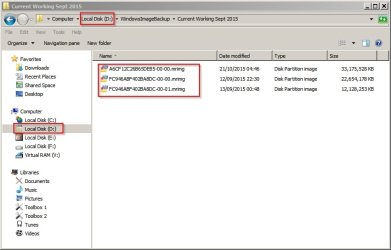
Regarding point 3. Windows 7 has its own built in imaging. There is a tutorial on it here http://www.sevenforums.com/tutorials/663-backup-complete-computer-create-image-backup.html?filter[2]=Backup%20Restore.
A lot of us however prefer the free Macrium Reflect (link in my sig) Tutorial here.http://www.sevenforums.com/tutorials/73828-imaging-free-macrium.html?filter[2]=Backup%20Restore. It was written for previous version but is still relevant.
Regarding point 3. Windows 7 has its own built in imaging. There is a tutorial on it here http://www.sevenforums.com/tutorials/663-backup-complete-computer-create-image-backup.html?filter[2]=Backup%20Restore.
A lot of us however prefer the free Macrium Reflect (link in my sig) Tutorial here.http://www.sevenforums.com/tutorials/73828-imaging-free-macrium.html?filter[2]=Backup%20Restore. It was written for previous version but is still relevant.
My Computer
At a glance
Microsoft Windows 7 Home Premium 64-bit Servi...Intel(R) Core(TM) i3 CPU M 330 @ 2.13GHz8 GB DDR3Intel(R) HD Graphics
- Computer type
- Laptop
- Computer Manufacturer/Model Number
- Hewlett-Packard/G62-107SA Notebook
- OS
- Microsoft Windows 7 Home Premium 64-bit Service Pack 1
- CPU
- Intel(R) Core(TM) i3 CPU M 330 @ 2.13GHz
- Motherboard
- Hewlett-Packard 1425
- Memory
- 8 GB DDR3
- Graphics Card(s)
- Intel(R) HD Graphics
- Sound Card
- Realtek High Definition Audio
- Monitor(s) Displays
- Builtin
- Screen Resolution
- 1366 x 768 x 32 bits (4294967296 colors) @ 60 Hz
- Hard Drives
- 250 GB SATA Hard Disk Drive 7200 rpm
2TB Seagate GoFlex USB 2 Drive
1TB Iomega Prestige USB 2 Drive
1.5TB Iomega Prestige USB 2 Drive (Samsung)
2TB WD MyBook Live NAS.
- Mouse
- Logitech Anywhere MX
- Internet Speed
- 152 Mbs download 10 Mbs upload
- Antivirus
- Norton 360
- Browser
- Chrome

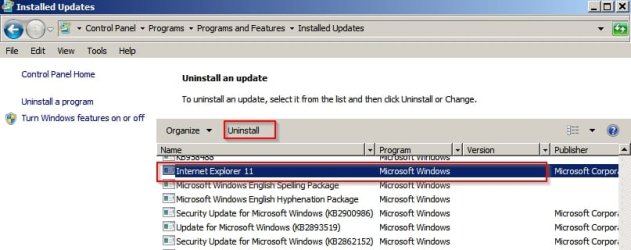
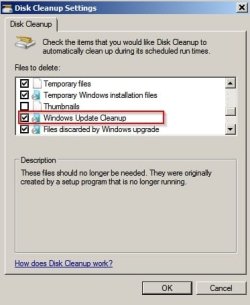
 , but the Dell continues to leak
  . And last week I upgraded the laptop to IE11 again, and guess what - it’s perfect – no memory leak
  . So it now seems possible based on my experience that the solution to this problem is to rewind IE10 back as far as possible, to at least IE9, and possibly IE8, and then upgrade from there. I now realise that this is exactly the solution that
  . Is there something obvious I am doing wrong? These 2TB discs are being very widely sold (I got mine from Argos).