- Local time
- 5:32 PM
- Messages
- 168
System Image Restore Failure, "Windows not genuine", help please!
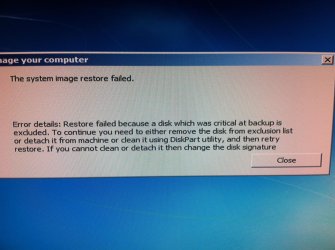
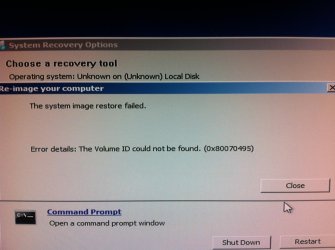
Okay so I've just did a system image restore onto a brand new hard drive that i've purchased.
My intentions were to basically transfer everything from my old HD to the new one.
I had saved the System Image on an external HD.
I disconnected my old HD before starting up the system image recovery process because for some strange reason it wouldn't select my new HD for the recovery process without me having to select the old one too.
It went through recovery fine.
It booted into the new HD FINE.
I shut down the computer to reconnect my old HD and use it as a slave.
Then during boot it said something along the lines of "Having problems starting up" so it recommended that I go through this quick recover of some sort so I did, knowing that I connected the old HD it must've caused spme sort of confusion with the OSs?
After going through the quick recovering with the startup, it had me choose between OSs, "Windows 7" or "Windows 7 professional"
The result in goin into "Windows 7" was a message saying "Missing Operating System".
The result in going into "Windows 7 Professional as I logged in was an empty windows with blue wallpaper and a message in the corner saying that my Windows isn't genuine??!
BARE IN MIND THAT AFTER SYSTEM IMAGE RECOVERY I LOGGED IN THAT NEW HD PERFECTLY FINE AND EVERYTHING WAS NORMAL.
Please, what do I do to fix this.
Okay so I've just did a system image restore onto a brand new hard drive that i've purchased.
My intentions were to basically transfer everything from my old HD to the new one.
I had saved the System Image on an external HD.
I disconnected my old HD before starting up the system image recovery process because for some strange reason it wouldn't select my new HD for the recovery process without me having to select the old one too.
It went through recovery fine.
It booted into the new HD FINE.
I shut down the computer to reconnect my old HD and use it as a slave.
Then during boot it said something along the lines of "Having problems starting up" so it recommended that I go through this quick recover of some sort so I did, knowing that I connected the old HD it must've caused spme sort of confusion with the OSs?
After going through the quick recovering with the startup, it had me choose between OSs, "Windows 7" or "Windows 7 professional"
The result in goin into "Windows 7" was a message saying "Missing Operating System".
The result in going into "Windows 7 Professional as I logged in was an empty windows with blue wallpaper and a message in the corner saying that my Windows isn't genuine??!
BARE IN MIND THAT AFTER SYSTEM IMAGE RECOVERY I LOGGED IN THAT NEW HD PERFECTLY FINE AND EVERYTHING WAS NORMAL.
Please, what do I do to fix this.
My Computer
- Computer type
- PC/Desktop
- Computer Manufacturer/Model Number
- Custom
- OS
- Microsoft Windows 7 Professional 64-bit
- CPU
- 5960X @ 4.4GHz
- Motherboard
- X99 SABERTOOTH
- Memory
- 16.0 GB
- Graphics Card(s)
- NVIDIA GeForce GTX 980 Ti
- Hard Drives
- (1) OCZ-VERT EX460 SCSI Disk Device
(2) WDC WD1002FAEX-00Z3A SCSI Disk Device
(3) WDC WD1003FZEX-00MK2 SCSI Disk Device
- Internet Speed
- God Speed.
- Antivirus
- Glock 9