I am running Windows 7 Professional (64 bit).
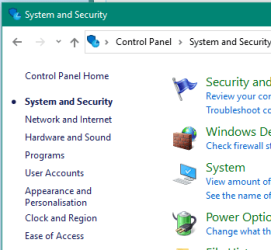
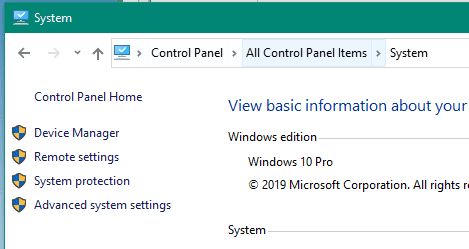
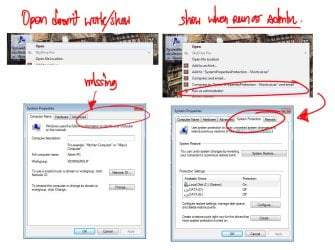
I have noted that the System protection tab is missing from my Control Panel's System and Security.
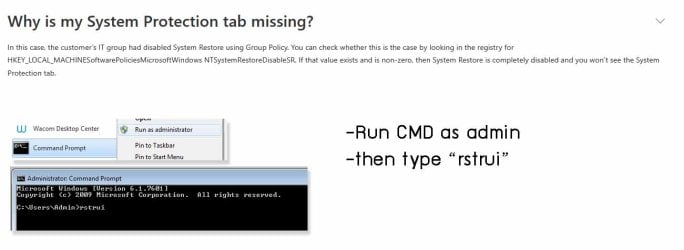
I have done some research and find that Registry Key “HKEY_LOCAL_MACHINE\SOFTWARE\Policies\Microsoft\Windows NT\SystemRestore”
is not there.
Further research has revealed that the System Registry key on Windows 7 is often a target of Malware and some Anti-Malware applications which can flag this key as suspect and put it into quarantine. I use MalwareBytes, Free version and have looked in my quarantine records and cannot find any reference to this key.
I use Bullguard Premium Protection for my Antivirus and Firewall and there are no quarantined items in that either,
I have run an “sfc /scannow” and it has not found any errors and running the command "C:\Windows\System32\SystemPropertiesProtection.exe" will allow me to manually run allowing me to create a restore point or restore from a previous restore point but I would like to get the key back into the registry to allow the System Protection tab to run from my Control Panel
Is there a simple way of manually restoring the missing key(s) to get back to "normal" please.
I have done research on this too and find confusing and/or conflicting information.
Thanks and kind regards
trubmij
I have noted that the System protection tab is missing from my Control Panel's System and Security.
I have done some research and find that Registry Key “HKEY_LOCAL_MACHINE\SOFTWARE\Policies\Microsoft\Windows NT\SystemRestore”
is not there.
Further research has revealed that the System Registry key on Windows 7 is often a target of Malware and some Anti-Malware applications which can flag this key as suspect and put it into quarantine. I use MalwareBytes, Free version and have looked in my quarantine records and cannot find any reference to this key.
I use Bullguard Premium Protection for my Antivirus and Firewall and there are no quarantined items in that either,
I have run an “sfc /scannow” and it has not found any errors and running the command "C:\Windows\System32\SystemPropertiesProtection.exe" will allow me to manually run allowing me to create a restore point or restore from a previous restore point but I would like to get the key back into the registry to allow the System Protection tab to run from my Control Panel
Is there a simple way of manually restoring the missing key(s) to get back to "normal" please.
I have done research on this too and find confusing and/or conflicting information.
Thanks and kind regards
trubmij
My Computer
At a glance
Windows 7 Professional 64 bit
- Computer type
- Laptop
- Computer Manufacturer/Model Number
- Acer
- OS
- Windows 7 Professional 64 bit
- Antivirus
- Bullguard
- Browser
- Google Chrome