pcardoso73
New member
- Local time
- 2:25 AM
- Messages
- 19
OS: Windows 7 Enterprise 64 bit
Dear all,
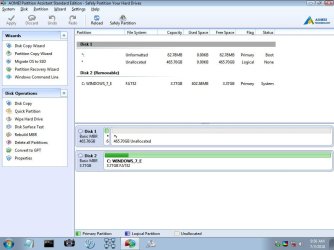
I was playing with a linux pen and accidentally overwrote the MBR. Usually this is easy to fix, but not this time.
As I have a bootable pen with windows, I started the computer with it and used the normal procedure to fix the boot issue using the command prompt (bootrec /rebuildbcd and bootrec /fixboot).
A very important detail is that I have used a 32 bit Windows (in my pen) trying to recover a 64 bit system.
I thought it could work since I only had to restore the MBR, and from my understanding this is the same regardless the windows version.
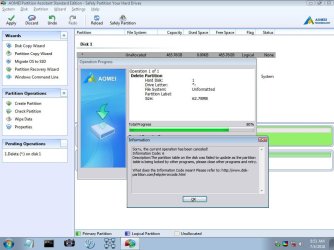
The main problem, now, is that when going to the command prompt drive c no longer exist.
Doing c: doesn't work, using diskpart doesn't work.
Any ideas of what I can do ?
Thanks in advance.
Best regards
Dear all,
I was playing with a linux pen and accidentally overwrote the MBR. Usually this is easy to fix, but not this time.
As I have a bootable pen with windows, I started the computer with it and used the normal procedure to fix the boot issue using the command prompt (bootrec /rebuildbcd and bootrec /fixboot).
A very important detail is that I have used a 32 bit Windows (in my pen) trying to recover a 64 bit system.
I thought it could work since I only had to restore the MBR, and from my understanding this is the same regardless the windows version.
The main problem, now, is that when going to the command prompt drive c no longer exist.
Doing c: doesn't work, using diskpart doesn't work.
Any ideas of what I can do ?
Thanks in advance.
Best regards
My Computer
At a glance
Windows 7 Enterprise 64 bitCore i7 vPro
- Computer type
- Laptop
- Computer Manufacturer/Model Number
- DELL Latitude E7470
- OS
- Windows 7 Enterprise 64 bit
- CPU
- Core i7 vPro
- Hard Drives
- Samsung SSD EVO 850
- Antivirus
- Microsoft Security Essentials
- Browser
- IE 10