Solved Taskbar help requested

FDM

New member
Member
VIP
Local time
4:05 PM
Messages
132
I have a few programs and apps pinned to my taskbar. One of these is the desktop and of late it either disappears or is obscured by an opened task. If I close out the opened tasks the desktop icon reappears Is there a setting that I can use to prevent this from occurring and keep the desktop icon visible in the left side of the taskbar?

Frank
 

My Computer

OS
Win 7
Hi FDM,
If you got the standard windows taskbar, you dont need a shortcut, the "box" on the far right is the built in one.

Roy
 

My Computer

Computer type
PC/Desktop
Computer Manufacturer/Model Number
medionl/Aspire 6930G/acer x55a
OS
W7 home premium 32bit/W7HP 64bit/w10 tp insider ring
CPU
E5300 dual core
Motherboard
medion MS7366
Memory
3gb
Graphics Card(s)
Nvidia Geforce 7100 Nforce 630i
Monitor(s) Displays
avixc
Internet Speed
n (isp resticted to 72)
Antivirus
mse/pands
Browser
palemoon
Other Info
Belkin Fd7050 n USB using Railink RT2870 drivers, more upto date
Hi FDM,
If you got the standard windows taskbar, you dont need a shortcut, the "box" on the far right is the built in one.

Roy

:roflmao:

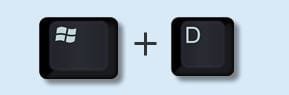
There's also [WINKEY+D]

Maybe FDM means a shortcut to user desktop folder?
 

My Computer

Computer type
Laptop
Computer Manufacturer/Model Number
ASUS
OS
Microsoft Windows 7 Home Premium 64-bit 7601 Multiprocessor Free Service Pack 1
CPU
AMD C-60 APU with Radeon(tm) HD Graphics
Motherboard
ASUSTeK COMPUTER INC. X501U
Memory
4.00 GB
Graphics Card(s)
AMD Radeon HD 6290 Graphics
Sound Card
(1) AMD High Definition Audio Device (2) Realtek High Defi
Screen Resolution
1366 x 768 x 32 bits (4294967296 colors) @ 60 Hz
Hard Drives
Hitachi HTS545050A7E380 SATA Disk Device
Antivirus
Comodo CIS & FW, SecureAplus App Whitelisting, Threatfire
Browser
Cyberfox 64bit, Opera 64bit, Airfox
Other Info
Spy-The-Spy, HitmanPro.Alert, Norton Connect Safe, MJRegWatcher, BitDefender TrafficLight, Voodoo Shield, Zemana AntiMalware
I know users with years of Win7 use who have never noticed the little "box" at the far right end of the task bar - perhaps FDM is one who never used it.

When a user has an application opened to full screen, clicking that "empty box" on the far right takes the user to the full desktop. Click it again (toggle it) and the last full screen open application returns to full screen.

Regards,
GEWB
 

My Computer

Computer type
PC/Desktop
Computer Manufacturer/Model Number
(7 different computers booting up to 10 systems)
OS
Linux Mint / XP / Win7 Home, Pro, Ultimate / Win8.1 / Win10
Other Info
Four desktops, two laptops, one notebook and one tablet
Thanks to responders - yes I am aware of the far right taskbar button which opens the desktop. What I was referring to is the little app that allows one to pin a desktop icon to the taskbar. Here is a comment from the Win 7 forum..."1. here is the link to pinning desktop to taskbar
http://www.sevenforums.com/tutorials...ut-create.html
2. Save the .zip file to your desktop.
3. Open the .zip file, and extract the Show Desktop shortcut to your desktop as a folder.
4.In Windows 7, you can now Pin to Taskbar or Pin to Start Menu, add to Quick Launch, assign a keyboard shortcut to it, or move this shortcut to where you like for easy use.
5. Open the folder and highlight the file >click on File>choose pin to taskbar.
6. When finished, you can delete the downloaded .zip file if you like."

I have found it preferable, quicker and more convenient to the far right button as it normally sits at the far left next to the Start icon. However, it either disappears and/or is covered by other opened items in the taskbar.
I was just wondering if other forum members have encountered a similar issue and if they found a fix?

Frank

 

My Computer

OS
Win 7

My Computer

Computer type
Laptop
Computer Manufacturer/Model Number
ASUS
OS
Microsoft Windows 7 Home Premium 64-bit 7601 Multiprocessor Free Service Pack 1
CPU
AMD C-60 APU with Radeon(tm) HD Graphics
Motherboard
ASUSTeK COMPUTER INC. X501U
Memory
4.00 GB
Graphics Card(s)
AMD Radeon HD 6290 Graphics
Sound Card
(1) AMD High Definition Audio Device (2) Realtek High Defi
Screen Resolution
1366 x 768 x 32 bits (4294967296 colors) @ 60 Hz
Hard Drives
Hitachi HTS545050A7E380 SATA Disk Device
Antivirus
Comodo CIS & FW, SecureAplus App Whitelisting, Threatfire
Browser
Cyberfox 64bit, Opera 64bit, Airfox
Other Info
Spy-The-Spy, HitmanPro.Alert, Norton Connect Safe, MJRegWatcher, BitDefender TrafficLight, Voodoo Shield, Zemana AntiMalware
Thanks for the comment and link, Callender.

Yes I am able to right click and move the pinned icon to the left but only if/when it is visible - most of the time it is unavailable and/or covered by another opened program icon; if I move that icon the desktop icon is no longer available?
 

My Computer

OS
Win 7
Maybe try locking the taskbar?

Taskbar and Start Menu Properties.jpg

Or if it's already locked - try the opposite and unlock it.
 

My Computer

Computer type
Laptop
Computer Manufacturer/Model Number
ASUS
OS
Microsoft Windows 7 Home Premium 64-bit 7601 Multiprocessor Free Service Pack 1
CPU
AMD C-60 APU with Radeon(tm) HD Graphics
Motherboard
ASUSTeK COMPUTER INC. X501U
Memory
4.00 GB
Graphics Card(s)
AMD Radeon HD 6290 Graphics
Sound Card
(1) AMD High Definition Audio Device (2) Realtek High Defi
Screen Resolution
1366 x 768 x 32 bits (4294967296 colors) @ 60 Hz
Hard Drives
Hitachi HTS545050A7E380 SATA Disk Device
Antivirus
Comodo CIS & FW, SecureAplus App Whitelisting, Threatfire
Browser
Cyberfox 64bit, Opera 64bit, Airfox
Other Info
Spy-The-Spy, HitmanPro.Alert, Norton Connect Safe, MJRegWatcher, BitDefender TrafficLight, Voodoo Shield, Zemana AntiMalware
Thanks Callender, tried locking and alternately unlocking the taskbar but opened windows still cover the pinned desktop icon at the left side of the taskbar. The only time I see the desktop icon is when no windows are open? Guess I will have to resign myself to the far right destop button or the WINKEY+D
 

My Computer

OS
Win 7
I'm not sure what the problem might be. Maybe someone else will know and post their thoughts?

You might want to mess about with the Quick Launch Toolbar and use that to pin Desktop instead.

See: http://www.sevenforums.com/tutorials/888-quick-launch-enable-disable.html

Personally I keep very few items pinned to the task bar and use an application launcher for frequently used shortcuts to avoid clutter.

As already mentioned the easiest way of getting to your desktop is to simply press [Winkey+D]

Show Desktop.jpg

You can usually easily press those keys together using the thumb and forefinger of your left hand.

I don't know how you created the pinned shortcut to desktop but there is a specific method needed.

See: http://www.sevenforums.com/tutorials/26379-show-desktop-shortcut-create.html
 

My Computer

Computer type
Laptop
Computer Manufacturer/Model Number
ASUS
OS
Microsoft Windows 7 Home Premium 64-bit 7601 Multiprocessor Free Service Pack 1
CPU
AMD C-60 APU with Radeon(tm) HD Graphics
Motherboard
ASUSTeK COMPUTER INC. X501U
Memory
4.00 GB
Graphics Card(s)
AMD Radeon HD 6290 Graphics
Sound Card
(1) AMD High Definition Audio Device (2) Realtek High Defi
Screen Resolution
1366 x 768 x 32 bits (4294967296 colors) @ 60 Hz
Hard Drives
Hitachi HTS545050A7E380 SATA Disk Device
Antivirus
Comodo CIS & FW, SecureAplus App Whitelisting, Threatfire
Browser
Cyberfox 64bit, Opera 64bit, Airfox
Other Info
Spy-The-Spy, HitmanPro.Alert, Norton Connect Safe, MJRegWatcher, BitDefender TrafficLight, Voodoo Shield, Zemana AntiMalware
Back
Top