Hi
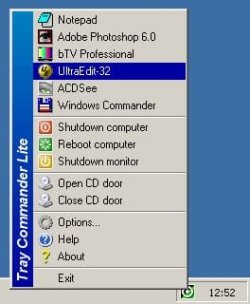
Is there a way of placing the icons the way we used to do in win xp. I mean, i used to place icons in groups in a folder so that it was much easier and faster to select them without having to go to Start>All programs.
I work as a designer, mainly 3d models and i use many softwares. Quite often i have to work with three or four and sometimes 6 softwares at the same time. This way i have to keep them at sight in order not to go crazy.
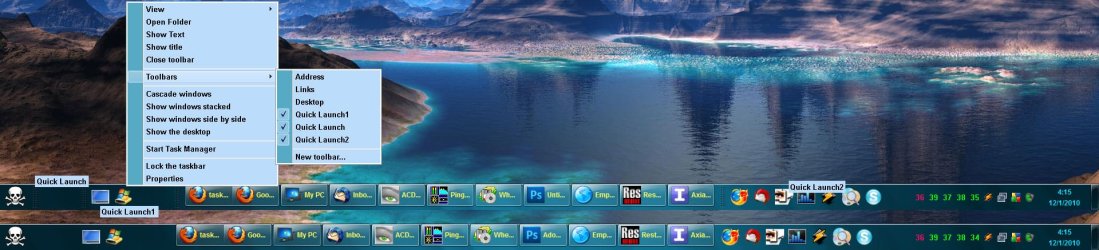
My problem is that i´ve changed my OS recently and i´ve had a hard time trying to find things out, but i wasn´t able to config the taskbar the way i want it.
Can you give me a helping hand?
Thanks
madgirl
Is there a way of placing the icons the way we used to do in win xp. I mean, i used to place icons in groups in a folder so that it was much easier and faster to select them without having to go to Start>All programs.
I work as a designer, mainly 3d models and i use many softwares. Quite often i have to work with three or four and sometimes 6 softwares at the same time. This way i have to keep them at sight in order not to go crazy.
My problem is that i´ve changed my OS recently and i´ve had a hard time trying to find things out, but i wasn´t able to config the taskbar the way i want it.
Can you give me a helping hand?
Thanks
madgirl
My Computer
- OS
- Windows Ultimate 32
- CPU
- Intel Core2 Duo E7500 2.93GHz
- Motherboard
- ASUS p/ Intel P5G41-M LX 775
- Memory
- 3 gb
- Graphics Card(s)
- vga XFX 1024MB (1GB) GeForce 9500 GT DDR2
- Monitor(s) Displays
- samsung syncmaster 931c
- Hard Drives
- 500 gb - SeaGate and Samsumg 500 gb