- Local time
- 10:02 AM
- Messages
- 892
I have been to the section of Win7 personalization where metrics are stored for text display.
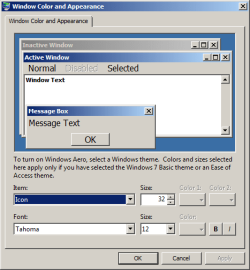
If you look at the window options section for borders and such, and select a metric in ("Change Windows colors and metrics" will get you there in the search box) -- everything seems to be in there except the area called window text. Window text is in the illustrated screen area. I can make a screen shot if necessary.
Going to the selections that default at an item called Desktop then right click to open, Window text is not there. An Item called Window (single word) is.
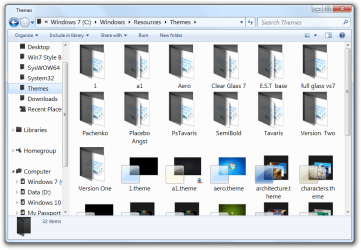
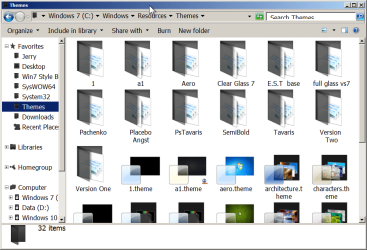
The goal is to have my files and folders show larger in -- Explorer I guess-- and in the network file folders I have in an old style workgroup set up for the home.
I have tried all of the options at the metrics screen but have failed to get a simple folders and files list to display in a larger font.
If you look at the window options section for borders and such, and select a metric in ("Change Windows colors and metrics" will get you there in the search box) -- everything seems to be in there except the area called window text. Window text is in the illustrated screen area. I can make a screen shot if necessary.
Going to the selections that default at an item called Desktop then right click to open, Window text is not there. An Item called Window (single word) is.
The goal is to have my files and folders show larger in -- Explorer I guess-- and in the network file folders I have in an old style workgroup set up for the home.
I have tried all of the options at the metrics screen but have failed to get a simple folders and files list to display in a larger font.
My Computer
At a glance
Windows 7 x64 UltimateAMD Athlon II x3 4502 GB
- Computer type
- PC/Desktop
- Computer Manufacturer/Model Number
- custom
- OS
- Windows 7 x64 Ultimate
- CPU
- AMD Athlon II x3 450
- Motherboard
- MSI 880GM
- Memory
- 2 GB
- Hard Drives
- various
- Browser
- Firefox, Opera