The kernel power event ID 41 Windows 7 Pro x86

jack3

Banned
Local time
4:09 PM
Messages
30
This ones been driving me nuts for months, wondered if anyone tripped up on it

Dell PC, 3 years old 2090 all in one
120gb - 250gb hdd
4GB memory

The rest is standard per Dell, if you need exact details please ask and I will post ASAP, these nothing odd or too shabby in the hardware DVD rom not read write, this a business machine all all day, used all day

Set to never sleep, never shut down and never turn monitor or hdd off (hdd is 2 1/2 inch drive)
have UPS fitted reading are correct no errors

PC has no visible errors - logs are ok, couple normal things
nework drop out, normal, connects back after blip

Winlog on can fail licences and maybe couple times, then registers if the PC is restarted

General stuff nothing that I think is a problem

Any pointers, what can i check, or do to stop the PC just rebooting and errors recorded as The kernel power event ID 41
 

My Computer My Computer

At a glance

Win 7 Pro x86
Computer type
PC/Desktop
Computer Manufacturer/Model Number
Dell (Assorted)
OS
Win 7 Pro x86
It might be rebooting because of a auto update by something that requires rebooting.

Also looking in what is scheduled might give some clues.

If this business computer is connected to a network or domain a admin might be doing some maintenance or the like causing the reboot.

Just some ideas that came to the top of my 3 brain cells.

Jack
 

My Computer My Computer

At a glance

Windows 10 Pro. 64/ version 1709 Windows 7 Pr...Intel i7-6800K @ 4.3Corsair Platinum 16 gig @2400EVGA GTX 1070 OC
Computer type
PC/Desktop
Computer Manufacturer/Model Number
Home made Desktop
OS
Windows 10 Pro. 64/ version 1709 Windows 7 Pro/64
CPU
Intel i7-6800K @ 4.3
Motherboard
ASUS X-99 Deluxe II
Memory
Corsair Platinum 16 gig @2400
Graphics Card(s)
EVGA GTX 1070 OC
Monitor(s) Displays
Asus 27" LED LCD/VE278Q
Screen Resolution
1920-1080 or 1280-720 HDMI
Hard Drives
INTEL SSD 730-240 Gb Sata 3.0/
PSU
EVGA Platium 1200W
Case
Phanteks Luxe Tempered Glass 8 fans/ one radiator
Cooling
XSPC/ Water Cooled CPU
Keyboard
Das 4 Professional
Mouse
Logitech M705/MX Anywhere 2-S
Internet Speed
100 mbits
Antivirus
Microsoft Security Essentials/ Malwarebytes Premium 3.0/ SAS
Browser
I.E. 11 default/Firefox/ ISP Time Warner Cable/Spectrum
Other Info
LG BluRay Burner/
Sound system-KLipsch-THX/
Icy Dock ssd Hot Swap bays.
repleys in Blue, thanks Jack great input

It might be rebooting because of a auto update by something that requires rebooting.

Covered that, and yes I any toying with no updates in win 7 to stop that possibility

Also looking in what is scheduled might give some clues.

No go there, all clear

If this business computer is connected to a network or domain a admin might be doing some maintenance or the like causing the reboot.

Funny you say that but proving is impossible, beside the estate is thousands of computers 15k and only few effected this way


Just some ideas that came to the top of my 3 brain cells.

Jack

Its an odd one thats for sure, some PCs are effected and others not, I built few PC from corporate image and added couple bits and some fail some dont, they are pretty identical
 

My Computer My Computer

At a glance

Win 7 Pro x86
Computer type
PC/Desktop
Computer Manufacturer/Model Number
Dell (Assorted)
OS
Win 7 Pro x86
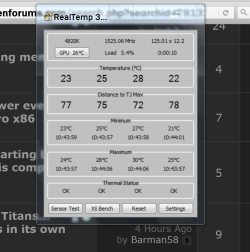
Are you watching the temperatures on the troubled computer?

Are your bios set to reboot when a problem accrues?

Do you use Windows 7 built in Reliability Monitor to search for problems?
Sometimes that is very handy.
 

My Computer My Computer

At a glance

Windows 10 Pro. 64/ version 1709 Windows 7 Pr...Intel i7-6800K @ 4.3Corsair Platinum 16 gig @2400EVGA GTX 1070 OC
Computer type
PC/Desktop
Computer Manufacturer/Model Number
Home made Desktop
OS
Windows 10 Pro. 64/ version 1709 Windows 7 Pro/64
CPU
Intel i7-6800K @ 4.3
Motherboard
ASUS X-99 Deluxe II
Memory
Corsair Platinum 16 gig @2400
Graphics Card(s)
EVGA GTX 1070 OC
Monitor(s) Displays
Asus 27" LED LCD/VE278Q
Screen Resolution
1920-1080 or 1280-720 HDMI
Hard Drives
INTEL SSD 730-240 Gb Sata 3.0/
PSU
EVGA Platium 1200W
Case
Phanteks Luxe Tempered Glass 8 fans/ one radiator
Cooling
XSPC/ Water Cooled CPU
Keyboard
Das 4 Professional
Mouse
Logitech M705/MX Anywhere 2-S
Internet Speed
100 mbits
Antivirus
Microsoft Security Essentials/ Malwarebytes Premium 3.0/ SAS
Browser
I.E. 11 default/Firefox/ ISP Time Warner Cable/Spectrum
Other Info
LG BluRay Burner/
Sound system-KLipsch-THX/
Icy Dock ssd Hot Swap bays.
Hey Jack , all of the above nope.. In am on to that

temp is fine, cooling is iffy at best with these PCs i do not like it, its not enough, but aways cool when trip and i take one apart. Nothing hot to touch

It is a puzzel
 

My Computer My Computer

At a glance

Win 7 Pro x86
Computer type
PC/Desktop
Computer Manufacturer/Model Number
Dell (Assorted)
OS
Win 7 Pro x86
I'm out of ideas right now but I will keep watching the thread and thinking.

Jack
 

My Computer My Computer

At a glance

Windows 10 Pro. 64/ version 1709 Windows 7 Pr...Intel i7-6800K @ 4.3Corsair Platinum 16 gig @2400EVGA GTX 1070 OC
Computer type
PC/Desktop
Computer Manufacturer/Model Number
Home made Desktop
OS
Windows 10 Pro. 64/ version 1709 Windows 7 Pro/64
CPU
Intel i7-6800K @ 4.3
Motherboard
ASUS X-99 Deluxe II
Memory
Corsair Platinum 16 gig @2400
Graphics Card(s)
EVGA GTX 1070 OC
Monitor(s) Displays
Asus 27" LED LCD/VE278Q
Screen Resolution
1920-1080 or 1280-720 HDMI
Hard Drives
INTEL SSD 730-240 Gb Sata 3.0/
PSU
EVGA Platium 1200W
Case
Phanteks Luxe Tempered Glass 8 fans/ one radiator
Cooling
XSPC/ Water Cooled CPU
Keyboard
Das 4 Professional
Mouse
Logitech M705/MX Anywhere 2-S
Internet Speed
100 mbits
Antivirus
Microsoft Security Essentials/ Malwarebytes Premium 3.0/ SAS
Browser
I.E. 11 default/Firefox/ ISP Time Warner Cable/Spectrum
Other Info
LG BluRay Burner/
Sound system-KLipsch-THX/
Icy Dock ssd Hot Swap bays.
Hi Jack,
Have a look in Scheduled tasks, anything running at those times ie resource hogs such as
Disk defrag, clean-up, back-up, hibernation(turn off as not required if your running 24/7)

Roy
 

My Computer My Computer

At a glance

W7 home premium 32bit/W7HP 64bit/w10 tp insid...E5300 dual core3gbNvidia Geforce 7100 Nforce 630i
Computer type
PC/Desktop
Computer Manufacturer/Model Number
medionl/Aspire 6930G/acer x55a
OS
W7 home premium 32bit/W7HP 64bit/w10 tp insider ring
CPU
E5300 dual core
Motherboard
medion MS7366
Memory
3gb
Graphics Card(s)
Nvidia Geforce 7100 Nforce 630i
Monitor(s) Displays
avixc
Internet Speed
n (isp resticted to 72)
Antivirus
mse/pands
Browser
palemoon
Other Info
Belkin Fd7050 n USB using Railink RT2870 drivers, more upto date
Hi Jack,
Have a look in Scheduled tasks, anything running at those times ie resource hogs such as
Disk defrag, clean-up, back-up, hibernation(turn off as not required if your running 24/7)

Roy

Jack
Cheers chap thank you yes any ideas, I will always try and double check as i class ideas and reminders or stuff I have over looked, checking once again is best I have couple hundred of these beasts and some are troublesome

Roy
Thank for the info chap, very kind.
Running FLAT out 27/7/365 no let up, never off, never power managed, staff use them all day and night on / off / on / off and constantly. I can not say where I work, all I will say is its big massive estate 15k computers alone !

I can say deffo no schedules on two beast i am working on currently, never thought to stop other actions ie
anything running at those times ie resource hogs such as
Disk defrag, should not be running ever I will look into that and report back
clean-up, No that not happening
back-up, nope back up all go to network drive NAS
hibernation(turn off as not required if your running 24/7) Nope that is off all power management is 'never'

In Dell diags F12 etc the routeen runs, temps are fine and when taken apart they are not hot the drives are 2 1/2 warm but not hot, my PC are hotter to the touch, I know that no guide re operating temps

maybe its time to step up with some software to monitor more internals just to be sure
 

My Computer My Computer

At a glance

Win 7 Pro x86
Computer type
PC/Desktop
Computer Manufacturer/Model Number
Dell (Assorted)
OS
Win 7 Pro x86

My Computer My Computer

At a glance

Windows 10 Pro. 64/ version 1709 Windows 7 Pr...Intel i7-6800K @ 4.3Corsair Platinum 16 gig @2400EVGA GTX 1070 OC
Computer type
PC/Desktop
Computer Manufacturer/Model Number
Home made Desktop
OS
Windows 10 Pro. 64/ version 1709 Windows 7 Pro/64
CPU
Intel i7-6800K @ 4.3
Motherboard
ASUS X-99 Deluxe II
Memory
Corsair Platinum 16 gig @2400
Graphics Card(s)
EVGA GTX 1070 OC
Monitor(s) Displays
Asus 27" LED LCD/VE278Q
Screen Resolution
1920-1080 or 1280-720 HDMI
Hard Drives
INTEL SSD 730-240 Gb Sata 3.0/
PSU
EVGA Platium 1200W
Case
Phanteks Luxe Tempered Glass 8 fans/ one radiator
Cooling
XSPC/ Water Cooled CPU
Keyboard
Das 4 Professional
Mouse
Logitech M705/MX Anywhere 2-S
Internet Speed
100 mbits
Antivirus
Microsoft Security Essentials/ Malwarebytes Premium 3.0/ SAS
Browser
I.E. 11 default/Firefox/ ISP Time Warner Cable/Spectrum
Other Info
LG BluRay Burner/
Sound system-KLipsch-THX/
Icy Dock ssd Hot Swap bays.
Hye Jack, nice tip ill try it tomorrow I really dont think it temp related but lets narrow that one so we know its not a cause

Thnaks again
 

My Computer My Computer

At a glance

Win 7 Pro x86
Computer type
PC/Desktop
Computer Manufacturer/Model Number
Dell (Assorted)
OS
Win 7 Pro x86
Back
Top