Theme Colors in Explorer/Start Menu

ajlind

New member
Local time
7:28 AM
Messages
1
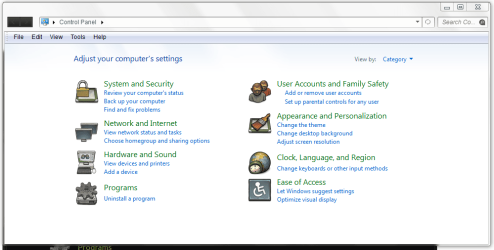
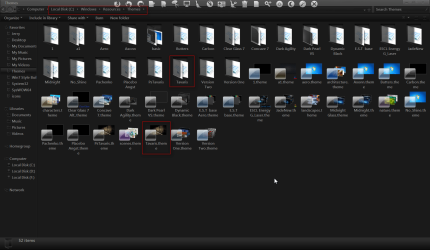
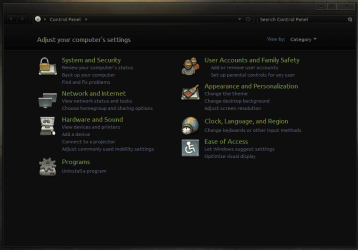
So, I'm trying to install a theme (charleston2378's deviantART gallery) for my computer, and I think I'm mostly there. I've replaced all of the .dll files and applied the theme in the Personalization window. The only thing left is my Explorer and my Start Menu. It's supposed to look like the first, dark image, but instead it's still the second, lighter one. I don't know what to try to get the colors to look right and match the theme. If anyone can give me some suggestions or anything it would be much appreciated.
 

Attachments
  • a759e456b589afc43a541ea027cfa6a0.png
    a759e456b589afc43a541ea027cfa6a0.png
    37.2 KB · Views: 4
  • 9a3a28edb3ceb7c74a5adfed93067c9c.png
    9a3a28edb3ceb7c74a5adfed93067c9c.png
    32.1 KB · Views: 4

My Computer

OS
Home Premium 64bit

My Computer

Computer type
Laptop
Computer Manufacturer/Model Number
Sager NP9170
OS
Win 7 Pro x64 / Win 10 Pro
CPU
Intel(R) Core(TM) i7-3630QM CPU @ 2.40GHz
Motherboard
CLEVO P170EM
Memory
12 GB
Graphics Card(s)
(1) Intel(R) HD Graphics 4000 (2) NVIDIA GeForce GTX 675M
Sound Card
(1) Realtek High Definition Audio (2) Intel(R) Display Aud
Monitor(s) Displays
17.3
Screen Resolution
1920x1080
Hard Drives
(1) Samsung 860 EVO 500GB(OS) (1) Samsung 860 EVO 500GB(Data)
Keyboard
Backlite
Antivirus
MSE, Malwarebytes Pro
Browser
Firefox
Other Info
DESKTOP: Custom-built.
OS: Win 10 Pro x64.
CASE: Rosewill R5.
CPU: Intel I5 4670K CPU @ 3.40GHz.
CPU COOLER: Cool Master Hyper 212 EVO.
MOTHERBOARD: Asus Z87-A.
MEMORY: Kingston HyperX 2x4 GB.
GPU: Nvidia Geforce 650 TI.
PSU: Corsair TX750.
DRIVES: (1) Samsung 840 120 GB SSD (2) Western Digital blue 500 GB 7200 RPM.
Back
Top