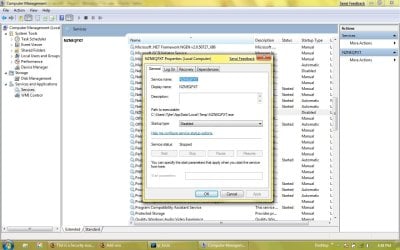
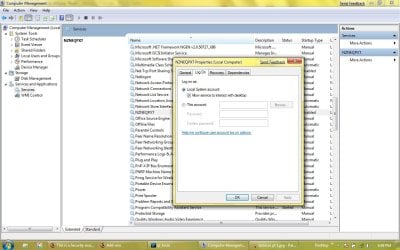
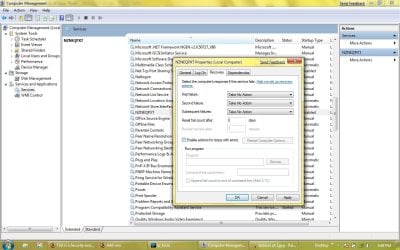
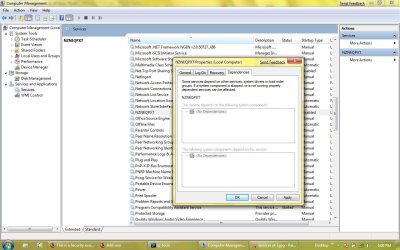
Updates! Jaycee and the kind lot of you please read...
If you have been following our story....
Last week you may remember, Flash Gordon and Dale Arden saved the Earth from destruction by shooting a rocket at a planet which threatened to collide with it. They became marooned the Emperor, Ming the Merciless, ordered Flash killed.....
OK...so that is another story.... but if you have been following my story, I apologize for the lack of a response. My personal/financial life has been under some duress (and while I certainly cannot blame my new so-called "imaginary friend" who lives in my laptop (and moved to my new laptop because my idiocy (see my lastpost) answered that old question "did your mother have any children that lived?" with a resounding NO.
Well, It has been 28 days with my brand new HP dv4 1225 dx laptop (specs: AMD 64x Turion X2, 4ddr GB RAM...
plus I still have my WD 500GB drive, which has been the only thing that has prevented me from going insane because I am allowed to keep some work product on this drive).
But I have a revelation for you all. Remember how so many would scoff at my idea that there was access to my laptop if I turned the wireless switch off--and I went so far as to remove the wireless NIC--and to my surprise, and everone else's disbelief (save this board) he (the perp who is in control of this virus/trojan, and therefore 100% in control of my laptop) still had very noticeable dynamic presence. I was stumped -- and just about considered psychiatric help.
But now...after reading and researching and dealing with my own personal menace -- who enjoys torturing me day after day -- at any hour and for any length of time (which to me us the most unbelieveable thing...I can see in some situations, scripts with automated responses can be used, but there are times when he is returning a volley of mine and it is just too well-tailored to be code-based...this type of a response can happen during any one of 24 hours in a day--so he is alerted when I do something or never sleeps....I would have to say that he cannot be much of family man given how much time he is at his PC).
In fact....even though he has been quite egregious in some acts (I caught that his name is Brendan) since he knows that I know about him, I will say that I am surprised I am even allowed to write this post on my the laptop in question because I am sure that not only does he know what I am typing at this second by virtue of having a VM-type screen on his monitor, or having a keylogger VPNed or on my disk....and to add more insult to injury, my new laptop has a built-in webcam, so he can probably see me furiously racing through the stack of books I have purchased in my losing battle with this trojan and the man or person behind it.
I have come close to really wiping all 250.5 GB of my drive, but since I do not have the HP driver installation recovery disks, I have not been able to do that. I do know now that on this laptop and on my old laptop, he would set aside X amount of disk space which I could never touch....I know that manufacturers use protected storage for a reason, but I have tried to use utilities to free up this protected area to no avail. My System Info stills says Capacity 238GB (250,547,000 B).
The only solution then is to wipe the entire drive and use the recovery disks (but do I need to tatoo the motherboard too?...that is one of my current questions).
But here the big news -- in my opinon --and some of you may have heard of this little before, but I was compeltely unaware of this vulnerability. The gang at MS knows about it (but the issue in quesiton is barely mentioned or discussed as far as I can tell), but from what I have experienced.... this should be a very big bug alert.....If this was not addressed (and apparently on a brand new laptop running Norton and Vista 64x it was not caught) who knows how big of a potential problem this could be....Ready everyone??????
When I first removed my wireless NIC on my own laptop, I assumed there must have been another RF device on it. How else could I explain the fact that he was still exercising some control. I did the same thing on this new laptop, also an HP (but this is not HP dependent), and had same problem....
Here is the key to the magic.....
Bluetooth. This guy is using bluetooth from an any AP (as he is using UDP via IPv6) to connect first and control my laptop -- even though the data throughput for BT is only 1MB/s maximum...that is enough. And with development of BT in recent years, and with the right power behind it,
the range can be up to 1 mile!
So the bottom line is that my trojan advertises not from the Wireless Nic, but from some BT device... something audio related as my audio never works unless I install the driver from the website (and boy does he get mad when I shut down the process entitled audiohg (but he has since found a workaround to this--he subsequently used some compoent of windows presentation, and now I do not know what he is doing). The trojan advertises my address and the radio signal picks it up. Given the range of bluetooth, it is impossible for me to hide from it -- no matter where I am, so is he). He quickly picks up this beacon, and whether I am with or withour wireless capability. He is incontrol of my laptop. Now if I really screw around with the drive and reformat it slow and install linux, then install XP unitl it crashes (because I have a SATA drive), then most of what he normally hides on my disk someplace is gone and it does take him awhile to get back to a level where he can do anything....including the use X11 or samba shares to destroy any refreshing expererience I could possibly derive from using Linux (Ubuntu). [I have logged on to a fresh install of Ubuntu Intrepid, and I am always pleasantly informed that I am not root.]
And while I would like to have this person drawn and quartered, I have to give him my respect for his thorough knowledge of windows server/client environments (NT, 2003, and 2008), Linux, all software, hardware, EVERYTHING. This guy is no slouch. But it underscores one thing. If he wanted to be purely malicious, he could have been. He is merely an annoyance and prevents me from doing many things when I want to. Many people would not even know he is there. But I like my system set up in a certain way and have been around windows long enough to know the way the "kernel" works.
So, though I know a complete wipe and reinstall will cure my problem. It would still give me great joy to defeat him without doing that. if someone can take me to the next step, I would be grateful.. Really, if I could only have an intimate understanding (as if it is a trivial thing) of the Vista/WIN7 registry, I could get rid of this guy in an hour.... but alas, I do not -- nor to very many others -- possess this knowledge.
But he does. And very well too.
Paul
The only thing I am going to attach in the way of diagnostics is a Sysinternals run of LoadOrd, which shows everything that is loaded at startup. But please anyone out there need something let me know. Also, my offer from a few months ago still stands: if anyone would like to get on the phone with me and Putty/Plink/SSH into my laptop and have a look see, I would love it.....

Columns are:
"Start Value" "Group Name" "tag" "Service/Device" "Display Name" "Image Path"
Boot WdfLoadGroup n/a* Wdf01000 Kernel Mode Driver Frameworks service
Boot Boot Bus Extender 1 ACPI Microsoft ACPI Driver
Boot Boot Bus Extender 2 msisadrv
Boot Boot Bus Extender 3 pci PCI Bus Driver
Boot Boot Bus Extender 6 vdrvroot Microsoft Virtual Drive Enumerator Driver
Boot Boot Bus Extender n/a* partmgr @%SystemRoot%\system32\drivers\partmgr.sys,-100
Boot System Bus Extender 7 Compbatt Microsoft Composite Battery Driver
Boot System Bus Extender 9 volmgr Volume Manager Driver
Boot System Bus Extender 10 volmgrx @%SystemRoot%\system32\drivers\volmgrx.sys,-100
Boot System Bus Extender 15 pciide
Boot System Bus Extender n/a* mountmgr @%SystemRoot%\system32\drivers\mountmgr.sys,-100
Boot SCSI Miniport 33 atapi IDE Channel
Boot SCSI Miniport 64 msahci
Boot SCSI miniport n/a* amdxata
Boot FSFilter Infrastructure 1 FltMgr @%SystemRoot%\system32\drivers\fltmgr.sys,-10001
Boot FSFilter Bottom n/a* FileInfo @%SystemRoot%\system32\drivers\fileinfo.sys,-100
Boot Filter 1 CLFS @%SystemRoot%\system32\clfs.sys,-100
Boot Base 1 KSecDD
Boot Base 2 CNG
Boot Base n/a* pcw Performance Counters for Windows Driver
Boot File System n/a* Fs_Rec
Boot NDIS Wrapper n/a* NDIS @%SystemRoot%\system32\drivers\ndis.sys,-200
Boot Cryptography 2 KSecPkg
Boot PNP_TDI 3 Tcpip @%SystemRoot%\system32\tcpipcfg.dll,-50003
Boot Extended Base n/a* storflt @%SystemRoot%\system32\vmstorfltres.dll,-1000
Boot n/a* n/a* Disk Disk Driver
Boot PnP Filter* 5* fvevol @%SystemRoot%\system32\drivers\fvevol.sys,-100
Boot n/a* n/a* hwpolicy @%systemroot%\system32\drivers\hwpolicy.sys,-101
Boot Network* n/a* Mup @%systemroot%\system32\drivers\mup.sys,-101
Boot PnP Filter* 2* rdyboost ReadyBoost
Boot n/a* n/a* spldr Security Processor Loader Driver
Boot n/a* n/a* volsnap Storage volumes
System SCSI CDROM Class 3 cdrom CD-ROM Driver
System Base 1 Null
System Base 2 Beep Beep
System Video Save 1 VgaSave
System Video Save n/a* RDPCDD @%systemroot%\system32\DRIVERS\RDPCDD.sys,-100
System Video Save n/a* RDPENCDD @%systemroot%\system32\drivers\RDPENCDD.sys,-101
System Video Save n/a* RDPREFMP @%systemroot%\system32\drivers\RdpRefMp.sys,-101
System File system n/a* Msfs
System File system n/a* Npfs
System PNP_TDI 4 tdx @%SystemRoot%\system32\tcpipcfg.dll,-50004
System PNP_TDI n/a* AFD @%systemroot%\system32\drivers\afd.sys,-1000
System PNP_TDI n/a* NetBT @%SystemRoot%\system32\drivers\netbt.sys,-2
System NDIS 16 WfpLwf WFP Lightweight Filter
System NDIS 18 Psched @%SystemRoot%\System32\drivers\pacer.sys,-101
System NDIS 24 vwififlt Virtual WiFi Filter Driver
System NetBIOSGroup 2 NetBIOS NetBIOS Interface
System n/a* n/a* blbdrive
System network* 9* CSC @%systemroot%\system32\cscsvc.dll,-202
System Network* n/a* DfsC @%systemroot%\system32\drivers\dfsc.sys,-101
System n/a* n/a* discache @%systemroot%\system32\drivers\discache.sys,-102
System n/a* n/a* mssmbios Microsoft System Management BIOS Driver
System n/a* n/a* nsiproxy @%SystemRoot%\system32\drivers\nsiproxy.sys,-2
System Network* 4* rdbss @%systemroot%\system32\wkssvc.dll,-1000
System n/a* n/a* TermDD Terminal Device Driver
System n/a* n/a* Wanarpv6 @%systemroot%\system32\rascfg.dll,-32012
Automatic FSFilter Virtualization n/a* luafv @%systemroot%\system32\drivers\luafv.sys,-100
Automatic COM Infrastructure n/a* DcomLaunch @oleres.dll,-5012
Automatic COM Infrastructure n/a* RpcEptMapper @%windir%\system32\RpcEpMap.dll,-1001
Automatic COM Infrastructure n/a* RpcSs @oleres.dll,-5010
Automatic Event Log n/a* eventlog @%SystemRoot%\system32\wevtsvc.dll,-200
Automatic AudioGroup n/a* AudioEndpointBuilder @%SystemRoot%\system32\audiosrv.dll,-204
Automatic AudioGroup n/a* AudioSrv @%SystemRoot%\system32\audiosrv.dll,-200
Automatic AudioGroup n/a* STacSV Audio Service
Automatic ProfSvc_Group n/a* CscService @%systemroot%\system32\cscsvc.dll,-200
Automatic ProfSvc_Group n/a* gpsvc @gpapi.dll,-112
Automatic profsvc_group n/a* ProfSvc @%systemroot%\system32\profsvc.dll,-300
Automatic ProfSvc_Group n/a* SENS @%SystemRoot%\system32\Sens.dll,-200
Automatic ProfSvc_Group n/a* Themes @%SystemRoot%\System32\themeservice.dll,-8192
Automatic UIGroup n/a* UxSms @%SystemRoot%\system32\dwm.exe,-2000
Automatic MS_WindowsLocalValidation n/a* SamSs @%SystemRoot%\system32\samsrv.dll,-1
Automatic PlugPlay n/a* PlugPlay @%SystemRoot%\system32\umpnpmgr.dll,-100
Automatic Plugplay n/a* Power @%SystemRoot%\system32\umpo.dll,-100
Automatic PlugPlay n/a* wudfsvc @%SystemRoot%\system32\wudfsvc.dll,-1000
Automatic NDIS 14 rspndr Link-Layer Topology Discovery Responder
Automatic NDIS 15 lltdio Link-Layer Topology Discovery Mapper I/O Driver
Automatic TDI n/a* Dhcp @%SystemRoot%\system32\dhcpcore.dll,-100
Automatic TDI n/a* Dnscache @%SystemRoot%\System32\dnsapi.dll,-101
Automatic TDI n/a* lmhosts @%SystemRoot%\system32\lmhsvc.dll,-101
Automatic TDI n/a* Wlansvc @%SystemRoot%\System32\wlansvc.dll,-257
Automatic ShellSvcGroup n/a* ShellHWDetection @%SystemRoot%\System32\shsvcs.dll,-12288
Automatic SchedulerGroup n/a* Schedule @%SystemRoot%\system32\schedsvc.dll,-100
Automatic SpoolerGroup n/a* Spooler @%systemroot%\system32\spoolsv.exe,-1
Automatic NetworkProvider n/a* BFE @%SystemRoot%\system32\bfe.dll,-1001
Automatic NetworkProvider n/a* LanmanWorkstation @%systemroot%\system32\wkssvc.dll,-100
Automatic NetworkProvider n/a* MpsSvc @%SystemRoot%\system32\FirewallAPI.dll,-23090
Automatic n/a* n/a* adfs
Automatic n/a* n/a* AESTFilters Andrea ST Filters Service
Automatic n/a* n/a* Apple Mobile Device Apple Mobile Device
Automatic n/a* n/a* Bonjour Service Bonjour Service
Automatic n/a* n/a* clr_optimization_v2.0.50727_32 Microsoft .NET Framework NGEN v2.0.50727_X86
Automatic n/a* n/a* clr_optimization_v2.0.50727_64 Microsoft .NET Framework NGEN v2.0.50727_X64
Automatic n/a* n/a* CryptSvc @%SystemRoot%\system32\cryptsvc.dll,-1001
Automatic n/a* n/a* DPS @%systemroot%\system32\dps.dll,-500
Automatic n/a* n/a* EventSystem @comres.dll,-2450
Automatic n/a* n/a* FDResPub @%systemroot%\system32\fdrespub.dll,-100
Automatic n/a* n/a* iphlpsvc @%SystemRoot%\system32\iphlpsvc.dll,-500
Automatic n/a* n/a* LanmanServer @%systemroot%\system32\srvsvc.dll,-100
Automatic n/a* n/a* MMCSS @%systemroot%\system32\mmcss.dll,-100
Automatic n/a* n/a* NlaSvc @%SystemRoot%\System32\nlasvc.dll,-1
Automatic n/a* n/a* nsi @%SystemRoot%\system32\nsisvc.dll,-200
Automatic n/a* n/a* PcaSvc @%SystemRoot%\system32\pcasvc.dll,-1
Automatic n/a* n/a* PEAUTH PEAUTH
Automatic n/a* n/a* secdrv Security Driver
Automatic n/a* n/a* sppsvc @%SystemRoot%\system32\sppsvc.exe,-101
Automatic n/a* n/a* SysMain @%SystemRoot%\system32\sysmain.dll,-1000
Automatic n/a* n/a* tcpipreg TCP/IP Registry Compatibility
Automatic n/a* n/a* TrkWks @%SystemRoot%\system32\trkwks.dll,-1
Automatic n/a* n/a* WinDefend @%ProgramFiles%\Windows Defender\MsMpRes.dll,-103
Automatic n/a* n/a* Winmgmt @%Systemroot%\system32\wbem\wmisvc.dll,-205
Automatic n/a* n/a* wscsvc @%SystemRoot%\System32\wscsvc.dll,-200
Automatic n/a* n/a* WSearch @%systemroot%\system32\SearchIndexer.exe,-103
Automatic n/a* n/a* wuauserv @%systemroot%\system32\wuaueng.dll,-105