- Local time
- 4:18 PM
- Messages
- 1,308
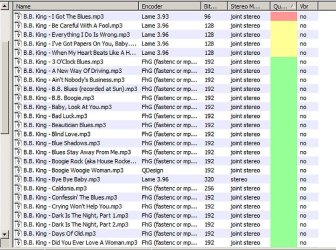
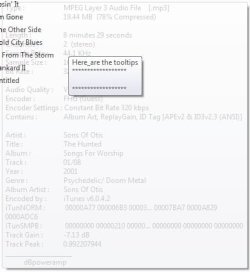
When I place my cursor over a file, for example an mp3 file, a display appears that shows all the file's details. Is there any way to capture this specific display? Because as soon as the cursor is moved away it disappears. Selecting the file and going to properties does not contain all of the details that the tips display shows.
(please do not suggest 'print screen', and paste into a 'Paint'-type program)
thank you
(please do not suggest 'print screen', and paste into a 'Paint'-type program)
thank you
My Computer
- Computer type
- PC/Desktop
- Computer Manufacturer/Model Number
- HP (HP-P6212F)
- OS
- Microsoft Windows 7 Home Premium 64-bit 7601 Multiprocessor Free Service Pack 1
- CPU
- Pentium(R) Dual-Core CPU E5300 @ 2.60GHz
- Motherboard
- PEGATRON CORPORATION Benicia
- Memory
- 6.00 GB
- Graphics Card(s)
- Intel(R) G33/G31 Express Chipset Family
- Sound Card
- Realtek High Definition Audio
- Monitor(s) Displays
- 24'' HP WS LCD
- Screen Resolution
- 1920 x 1080 x 32 bits (4294967296 colors) @ 60 Hz
- Hard Drives
- (1) ATA Hitachi HDT72106 SCSI Disk Device (2) Generic- Compact Flash USB Device (3) Generic- MS/MS-Pro USB Device (4) Generic- SD/MMC USB Device (5) Generic- SM/xD-Picture USB Device (6) Verbatim STORE N GO USB Device
- Keyboard
- Logitech G510s
- Mouse
- Logitech Trackball M570
- Antivirus
- Microsoft Security Essentials / Malwarebytes
- Browser
- IE / Firefox / Chrome