Solved Too many Partitions created on new computer

ronecc

New member
Local time
4:10 AM
Messages
19
Whist setting up my new Fujitsu AH530 laptop, a box appeared asking whether I wanted to partition the hard drive. This being the second laptop running Windows 7 and a prior one running Vista, that I have started from new, I know that, being Dual Core, there will be two partitions as standard (C&D). Thinking for some reason this computer wanted me to manually set partitions, I clicked yes and adjusted the percentage to 75%/25%, presuming that would give me 'C' Drive of 375GB and 'D' Drive of 125GB.
After setup had finished, a pop up stated that 'E' drive was very low on space. Not knowing where the E drive was (usually dvd drive) I looked at Computer Properties. It stated that 'C' drive was only 40GB and almost full, and 'E' drive, (what would normally be 'D' drive) having only 9.77GB.
I looked in Computer Manager and found that by clicking 'yes' to partitioning the drive, the computer had created another partition.
I now have:-
4/5 partitions,
<2GB Recovery>
<40GB System> 'C'
<9.77GB Drivers> 'E'
<7.00GB Free>
<406.99GB Unallocated>
How do I now get back to having the normal two Partitions of approx 250GB each?
Having never come across the question asked about partitioning the HD,I wonder whether it is something peculiar to Fujitsu.
 

My Computer My Computer

Computer Manufacturer/Model Number
Fujitsu Lifebook AH530
OS
windows 7 Home Premium 64
CPU
Intel Pentium P6200 2.13Ghz
Memory
4GB
Hard Drives
500GB
Welcome to Windows Seven Forums.

To help us help you, please upload a screenshot of your fully-expanded disk management layout.

http://www.sevenforums.com/tutorials/9733-screenshots-files-upload-post-seven-forums.html

Off hand, I'd say you have a recovery partition, a Windows partition, a driver backup partition and an area of the hard drive that has nothing on it, which should be a data partition.

We'll know more when we see your screenshot.
 

My Computer My Computer

Computer Manufacturer/Model Number
HP Pavilion Elite 495UK
OS
Windows 7 Ultimate SP1 64-Bit
CPU
Intel Core i7 870 @ 2.93GHz
Motherboard
MSI 2A9C (CPU1)
Memory
8Gb Dual-Channel DDR3 @ 664MHz
Graphics Card(s)
nVidia GeForce GTX 460 1024MB dedicated RAM
Sound Card
Realtek HD Audio
Monitor(s) Displays
HP2310i
Screen Resolution
1920 x 1080
Hard Drives
1x1954GB Hitachi HDS22020ALA 330 (RAID), 1x1954GB Hitachi External for backup and storage
PSU
460W
Case
HP Elite
Cooling
Air cooled
Keyboard
Logitech K750 solar-powered keyboard
Mouse
Logitech Wireless M180 mouse
Internet Speed
2Mb
Other Info
Pure Avanti Flow Internet Radio with iPod Dock, 64Gb iPod, HP USB Speakers, Sony MDR-V500 Headphones, Sony Vaio F-Series Laptop
Hi Seavixen32.
Could take while. I have packed the comp back into its box to send back to the company I bought it from. I will have to unpack and sort a way to get it across to the laptop I am writing this on.
Cheers
Ron
 

My Computer My Computer

Computer Manufacturer/Model Number
Fujitsu Lifebook AH530
OS
windows 7 Home Premium 64
CPU
Intel Pentium P6200 2.13Ghz
Memory
4GB
Hard Drives
500GB
Hi Seavixen32.
Could take while. I have packed the comp back into its box to send back to the company I bought it from. I will have to unpack and sort a way to get it across to the laptop I am writing this on.
Cheers
Ron

If it was in this state from new, it's probably best to send it back for a factory restore rather than mess with it yourself.
 

My Computer My Computer

Computer Manufacturer/Model Number
HP Pavilion Elite 495UK
OS
Windows 7 Ultimate SP1 64-Bit
CPU
Intel Core i7 870 @ 2.93GHz
Motherboard
MSI 2A9C (CPU1)
Memory
8Gb Dual-Channel DDR3 @ 664MHz
Graphics Card(s)
nVidia GeForce GTX 460 1024MB dedicated RAM
Sound Card
Realtek HD Audio
Monitor(s) Displays
HP2310i
Screen Resolution
1920 x 1080
Hard Drives
1x1954GB Hitachi HDS22020ALA 330 (RAID), 1x1954GB Hitachi External for backup and storage
PSU
460W
Case
HP Elite
Cooling
Air cooled
Keyboard
Logitech K750 solar-powered keyboard
Mouse
Logitech Wireless M180 mouse
Internet Speed
2Mb
Other Info
Pure Avanti Flow Internet Radio with iPod Dock, 64Gb iPod, HP USB Speakers, Sony MDR-V500 Headphones, Sony Vaio F-Series Laptop
Hi Seavixen32.
Could take while. I have packed the comp back into its box to send back to the company I bought it from. I will have to unpack and sort a way to get it across to the laptop I am writing this on.
Cheers
Ron

If it was in this state from new, it's probably best to send it back for a factory restore rather than mess with it yourself.

I clicked yes and adjusted the percentage to 75%/25%, presuming that would give me 'C' Drive of 375GB and 'D' Drive of 125GB.

Partitions are not preset.
 

My Computer My Computer

OS
ME/XP/Vista/Win7
Hi. Does this help?

Capture.png
 

My Computer My Computer

Computer Manufacturer/Model Number
Fujitsu Lifebook AH530
OS
windows 7 Home Premium 64
CPU
Intel Pentium P6200 2.13Ghz
Memory
4GB
Hard Drives
500GB
What DATA do you have on E:?
 

My Computer My Computer

OS
ME/XP/Vista/Win7
Yes, it does.

Go into disk management and right-click the partition marked Free Space and delete it.

Next, right-click the unallocated space and choose the option to create a new partition.

Make sure, and this is very important, you create a logical drive as you already have three primary partitions on your drive.

If you try and create another primary partition you risk converting the drive to a dynamic rather than a basic drive, and is something you don't want to do.

When you've created the logical partition give it a quick format and a name such as Data and you should be good to go.
 

My Computer My Computer

Computer Manufacturer/Model Number
HP Pavilion Elite 495UK
OS
Windows 7 Ultimate SP1 64-Bit
CPU
Intel Core i7 870 @ 2.93GHz
Motherboard
MSI 2A9C (CPU1)
Memory
8Gb Dual-Channel DDR3 @ 664MHz
Graphics Card(s)
nVidia GeForce GTX 460 1024MB dedicated RAM
Sound Card
Realtek HD Audio
Monitor(s) Displays
HP2310i
Screen Resolution
1920 x 1080
Hard Drives
1x1954GB Hitachi HDS22020ALA 330 (RAID), 1x1954GB Hitachi External for backup and storage
PSU
460W
Case
HP Elite
Cooling
Air cooled
Keyboard
Logitech K750 solar-powered keyboard
Mouse
Logitech Wireless M180 mouse
Internet Speed
2Mb
Other Info
Pure Avanti Flow Internet Radio with iPod Dock, 64Gb iPod, HP USB Speakers, Sony MDR-V500 Headphones, Sony Vaio F-Series Laptop

My Computer My Computer

Computer Manufacturer/Model Number
HP Pavilion Elite 495UK
OS
Windows 7 Ultimate SP1 64-Bit
CPU
Intel Core i7 870 @ 2.93GHz
Motherboard
MSI 2A9C (CPU1)
Memory
8Gb Dual-Channel DDR3 @ 664MHz
Graphics Card(s)
nVidia GeForce GTX 460 1024MB dedicated RAM
Sound Card
Realtek HD Audio
Monitor(s) Displays
HP2310i
Screen Resolution
1920 x 1080
Hard Drives
1x1954GB Hitachi HDS22020ALA 330 (RAID), 1x1954GB Hitachi External for backup and storage
PSU
460W
Case
HP Elite
Cooling
Air cooled
Keyboard
Logitech K750 solar-powered keyboard
Mouse
Logitech Wireless M180 mouse
Internet Speed
2Mb
Other Info
Pure Avanti Flow Internet Radio with iPod Dock, 64Gb iPod, HP USB Speakers, Sony MDR-V500 Headphones, Sony Vaio F-Series Laptop
OK, so it looks like that partition is surplus to requirements?
 

My Computer My Computer

Computer Manufacturer/Model Number
HP Pavilion Elite 495UK
OS
Windows 7 Ultimate SP1 64-Bit
CPU
Intel Core i7 870 @ 2.93GHz
Motherboard
MSI 2A9C (CPU1)
Memory
8Gb Dual-Channel DDR3 @ 664MHz
Graphics Card(s)
nVidia GeForce GTX 460 1024MB dedicated RAM
Sound Card
Realtek HD Audio
Monitor(s) Displays
HP2310i
Screen Resolution
1920 x 1080
Hard Drives
1x1954GB Hitachi HDS22020ALA 330 (RAID), 1x1954GB Hitachi External for backup and storage
PSU
460W
Case
HP Elite
Cooling
Air cooled
Keyboard
Logitech K750 solar-powered keyboard
Mouse
Logitech Wireless M180 mouse
Internet Speed
2Mb
Other Info
Pure Avanti Flow Internet Radio with iPod Dock, 64Gb iPod, HP USB Speakers, Sony MDR-V500 Headphones, Sony Vaio F-Series Laptop
Add_Vista64_root
ctrl
Data
Drivers
Hotfix
languages
ODM_FACT
OEMDRV
SCRIPTS
Vista_root
dummy4drivers
Lang
Right clicking the Unallocated Partition gives the options
New Simple Volume
Properties
Help
 

My Computer My Computer

Computer Manufacturer/Model Number
Fujitsu Lifebook AH530
OS
windows 7 Home Premium 64
CPU
Intel Pentium P6200 2.13Ghz
Memory
4GB
Hard Drives
500GB
OK, so it looks like that partition is surplus to requirements?
What, the 407GB surplus?? There is no room left on the other partitions.
 

My Computer My Computer

Computer Manufacturer/Model Number
Fujitsu Lifebook AH530
OS
windows 7 Home Premium 64
CPU
Intel Pentium P6200 2.13Ghz
Memory
4GB
Hard Drives
500GB

My Computer My Computer

Computer Manufacturer/Model Number
Fujitsu Lifebook AH530
OS
windows 7 Home Premium 64
CPU
Intel Pentium P6200 2.13Ghz
Memory
4GB
Hard Drives
500GB

My Computer My Computer

Computer Manufacturer/Model Number
HP Pavilion Elite 495UK
OS
Windows 7 Ultimate SP1 64-Bit
CPU
Intel Core i7 870 @ 2.93GHz
Motherboard
MSI 2A9C (CPU1)
Memory
8Gb Dual-Channel DDR3 @ 664MHz
Graphics Card(s)
nVidia GeForce GTX 460 1024MB dedicated RAM
Sound Card
Realtek HD Audio
Monitor(s) Displays
HP2310i
Screen Resolution
1920 x 1080
Hard Drives
1x1954GB Hitachi HDS22020ALA 330 (RAID), 1x1954GB Hitachi External for backup and storage
PSU
460W
Case
HP Elite
Cooling
Air cooled
Keyboard
Logitech K750 solar-powered keyboard
Mouse
Logitech Wireless M180 mouse
Internet Speed
2Mb
Other Info
Pure Avanti Flow Internet Radio with iPod Dock, 64Gb iPod, HP USB Speakers, Sony MDR-V500 Headphones, Sony Vaio F-Series Laptop
Add_Vista64_root
ctrl
Data
Drivers
Hotfix
languages
ODM_FACT
OEMDRV
SCRIPTS
Vista_root
dummy4drivers
Lang
Right clicking the Unallocated Partition gives the options
New Simple Volume
Properties
Help

As you made C: so small, setup has put some file on D:
Below is a Fujitsu AH530 HD Drive setup.

Fujitsu Hd.PNG
 

My Computer My Computer

OS
ME/XP/Vista/Win7
I would assume it's a driver backup partition?

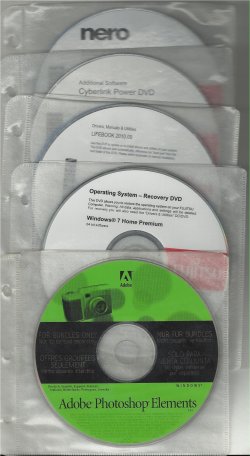
Fujitsu come with a Windows 7 install DVD & Drivers DVD.

View attachment 193662

Tried a re install, nothing changed in the partition section.

Did you clean the HD Drive like below tutorials?
http://www.sevenforums.com/tutorials/91339-ssd-hdd-optimize-windows-reinstallation.html
http://www.sevenforums.com/tutorials/52291-partition-hard-drive-windows-7-install.html
 

My Computer My Computer

OS
ME/XP/Vista/Win7
I am not sure what is meant by a 'logical drive'. It says I can make a 'simple volume', but how will I know whether it is 'logical' or 'primary'. Just assure me that all those files on the E drive can be deleted without affecting the running of all the internals.
 

My Computer My Computer

Computer Manufacturer/Model Number
Fujitsu Lifebook AH530
OS
windows 7 Home Premium 64
CPU
Intel Pentium P6200 2.13Ghz
Memory
4GB
Hard Drives
500GB

No. I did not want to wipe the HDD because having done that in the past on another computer, it always states on start up, that it is not a genuine copy of Windows, even though I used genuine repair disk, and I did not want to give my friend a computer with that written all over it. Also, all those black looking boxes look like I am somewhere in the Bios.
 

My Computer My Computer

Computer Manufacturer/Model Number
Fujitsu Lifebook AH530
OS
windows 7 Home Premium 64
CPU
Intel Pentium P6200 2.13Ghz
Memory
4GB
Hard Drives
500GB
Back
Top