toshiba battery\charging issue

fadi125

New member
Local time
6:16 PM
Messages
4
I am facing a problem in my toshiba satellite C655D S5126. when i plug in the charger it does not start charging and no light is on. when i remove battery and plug in power light turns on and if i put battery back only it starts charging for this only time next time i have to do the same E.g pull out the battery connect charger and than pull back the battery... please help
 

My Computer My Computer

Computer type
Laptop
Computer Manufacturer/Model Number
Toshiba
OS
windows 7 32 bit
Hi Fadi,
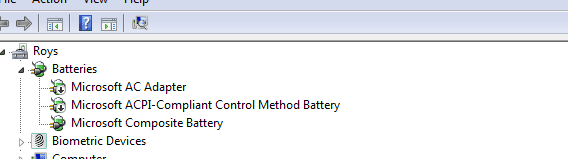
can you go to Device manager, post a copy like mine please.
(note mine are deliberately dissabled)

Roy
 

Attachments

  • badbat.PNG
    badbat.PNG
    4 KB · Views: 13

My Computer My Computer

Computer type
PC/Desktop
Computer Manufacturer/Model Number
medionl/Aspire 6930G/acer x55a
OS
W7 home premium 32bit/W7HP 64bit/w10 tp insider ring
CPU
E5300 dual core
Motherboard
medion MS7366
Memory
3gb
Graphics Card(s)
Nvidia Geforce 7100 Nforce 630i
Monitor(s) Displays
avixc
Internet Speed
n (isp resticted to 72)
Antivirus
mse/pands
Browser
palemoon
Other Info
Belkin Fd7050 n USB using Railink RT2870 drivers, more upto date
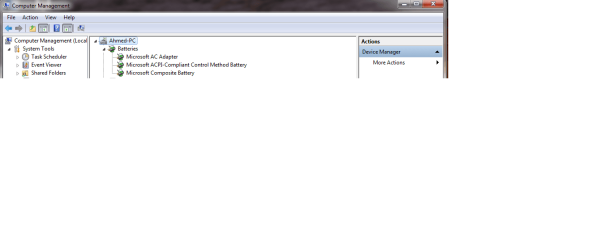
please find this

please find attached. i have tried to update the ACPI driver but it says driver upto date. do i have to remove driver and install again ???????
 

Attachments

  • device maznager.png
    device maznager.png
    17.3 KB · Views: 1
Last edited:

My Computer My Computer

Computer type
Laptop
Computer Manufacturer/Model Number
Toshiba
OS
windows 7 32 bit
Hi

This is normal condition, nothing wrong.

This is Toshiba laptop on charging the battery.

Having tested before, see below.

To charge battery, you have to connect to the main power adapter then switch on.


When you are using battery only, and find the battery level % is going down.
You need to shutdown the laptop first.
Then connect the main power adapter to the laptop.
Finally, turn on the laptop.
In this way, the battery will be charging.


I did encountered this not once, but most of the time, if i use battery to start.
I did panic as i was using battery only.

Encountered this, when the laptop shutdown without warning.
Send to the Toshiba service center, and the staff said no problem, required power adapter.

Following to this incident, then confirm by testing.
Using the battery to turn on the laptop.
Battery & level drop, connect the main power adapter to the laptop.
It do not charge, but keep using the battery as power, and it just SHUTDOWN without warning.

Now having 3 Toshiba laptop, as i know how this work.

 

My Computer My Computer

Computer type
Laptop
Computer Manufacturer/Model Number
Toshiba L630 and L735
OS
Windows 7 x64
Hard Drives
240 GB SSD
My laptop is showing no sign of charging whrn ac adapter is connected whether its on /off. It starts to charge only when i remove battery connect ac adapter put on charger and pull back batrrry otherwise i have done everything nothing wotking even i tried to uninstall acpi compliant driver till now no success
 

My Computer My Computer

Computer type
Laptop
Computer Manufacturer/Model Number
Toshiba
OS
windows 7 32 bit
Using battery only and you see that the battery level % drop.

You have to do SHUTDOWN.
Shutdown is to indicate that you want to completely turn Off.
The laptop is shutting down, hence there is no lights in the front panel.
In this way, you can connect the ac power adapter to charge or continue using and charge at the same time.


What you had done is to manually remove power supply to the laptop.
That is why the laptop is not totally power off, or rather the laptop is not Shutdown properly.
Check the light in the front panel.
If there is any light on the front panel, this means it is not shutdown completely.


This is why you need to manually remove the battery.

As this could mean you could had made certain changes in setting, so the laptop cannot be shutdown properly.


If there is still problem in the battery, there is highly the battery is failing.

One of my Toshiba battery is useless, cannot be charged.
 

My Computer My Computer

Computer type
Laptop
Computer Manufacturer/Model Number
Toshiba L630 and L735
OS
Windows 7 x64
Hard Drives
240 GB SSD
i dont understand what does it means shutdown properly. when there is no light in front panel i connect ac adapter but no charging i turn on the laptop no plug in no charging nothing shows. what ever you do only way to charge is to pull out battery connect ac adapter and pull in batery
 

My Computer My Computer

Computer type
Laptop
Computer Manufacturer/Model Number
Toshiba
OS
windows 7 32 bit
This could mean that the battery may sooner or later failed.

One of my Toshiba laptop battery was acting weird before it die.

And the 3rd Toshiba laptop i bought recently, there is no battery as it is no longer working.
 

My Computer My Computer

Computer type
Laptop
Computer Manufacturer/Model Number
Toshiba L630 and L735
OS
Windows 7 x64
Hard Drives
240 GB SSD
Back
Top