I have briefly reviewed this thread . . .
Request: Searching for a Toshiba Satellite C 850 - 1kn keyboard driver.
Advice given:
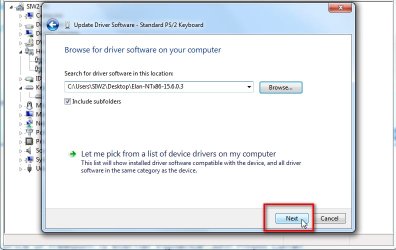
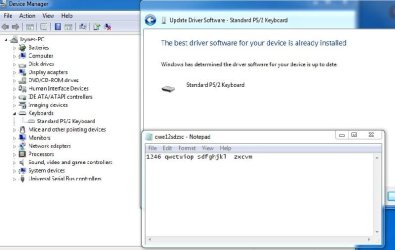
[1] Uninstall the keyboard driver from device manager and restart the laptop [automatically gets re-installed].
[2] Re-seating the ribbon cable on the motherboard.
[3] Run MS_Info32_Find_Problem_Devices.bat [one PCI issue found].
What you have done:
[1] Installed NEW motherboard, NEW processor, NEW keyboard and then installed a NEW OS.
[2] Tested with an external USB keyboard which works fine.
[3] PCI error found so downloaded and installed drivers.
I am really starting to think that the NEW keyboard is the problem. Either the keyboard is faulty or the ribbon needs re-seating replacing [cheap option] on the MB.
If you had this work done at a shop, I would definately take it back to them!
I hope this helps!
Good morning
Paul
I know this thread is marked as solved BUT using your above analysis
I have sent the new keyboard back and even had a chat with the supplier in Manchester, he is sending me a
NEW keyboard I should have it Friday.
Just while we are talking about the keyboard I did notice that the "ribbon" had a distinctive crease across it, which I don't think will have helped the matter.
So the only items left are the "
NEW motherboard,
NEW processor"
My thinking that if it was the
processor I would be getting completely different results.
So that only leaves the
motherboard.
My thinking is the only vulnerable place on the
motherboard as far as the
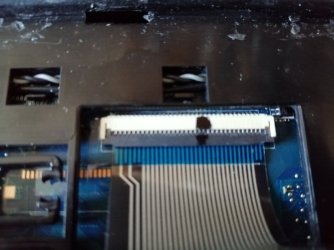
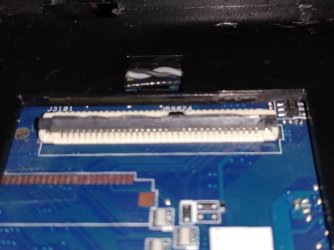
keyboard is concerned is the "clam shell" and the pins that lie therein.
I have attached a couple of photos,
if you want the clearer please ask.
My questions are as follows.
I have a rework "hot air" station what are thoughts in me taking it off and reseating it ?
I don't really fancy it because my illuminated magnifier is not all that strong.
So if I don't attempt that and ideas on how to clean the pins as seen in the photo.
Tony